Still have questions?
Come chat with us and we will get back to you as soon as possible!

Shockbyte
Support Team

How to Install DarkRP to your Garry's Mod Server
DarkRP is a widely popular gamemode within the Garry's Mod community because of the crazy antics and mischief it allows for players.
#Downloading DarkRP
Firstly you'll want to download the official DarkRP files from GitHub which will be placed on your server. You can do this by following these steps:
-
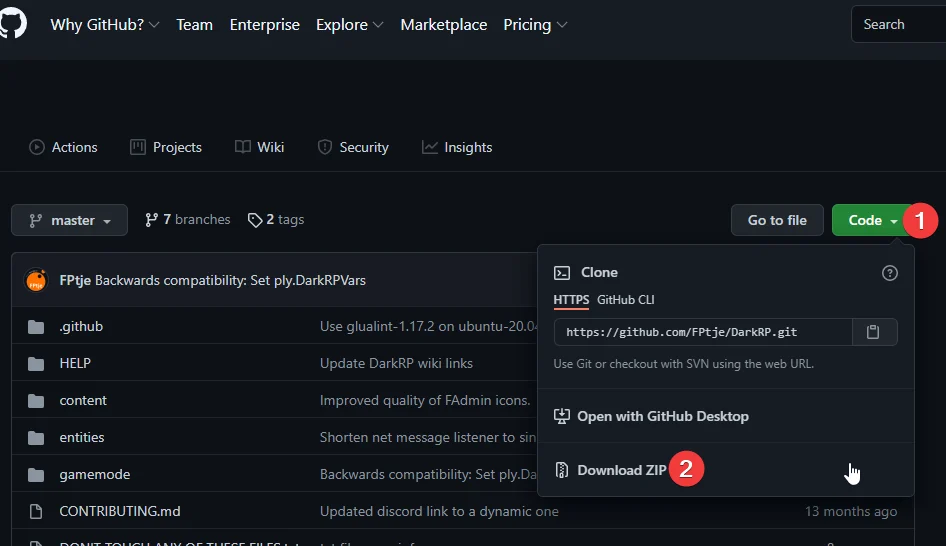
Navigate to DarkRP's GitHub page.
-
Click the green Code button, then Download ZIP.
-
Extract the files into a directory called
darkrpto a familiar location like your Desktop. -
Access your Control Panel and Stop your server.
-
Navigate to the Files tab and locate the
/garrysmod/gamemodesdirectory. -
Upload the
darkrpfolder from your Desktop from earlier to the/garrysmod/gamemodes/directory.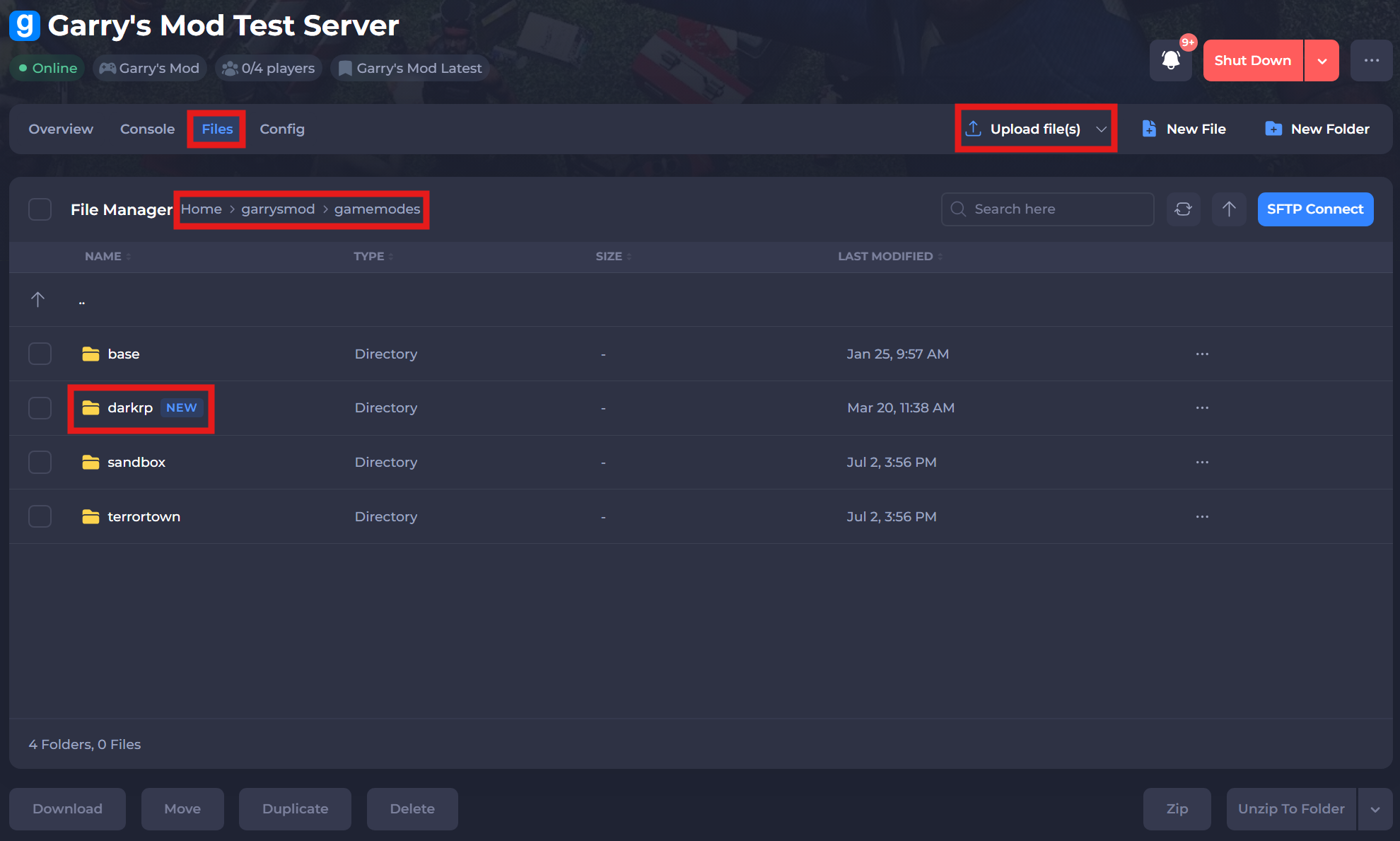
-
Save and restart your server to ensure the changes apply.
#Setting the Game Mode in Configs
-
Access your Control Panel and Stop your server.
-
Navigate to the Config tab and select the Garry's Mod Server Settings file.
-
Locate the
Game Modesetting and set the game mode todarkrp.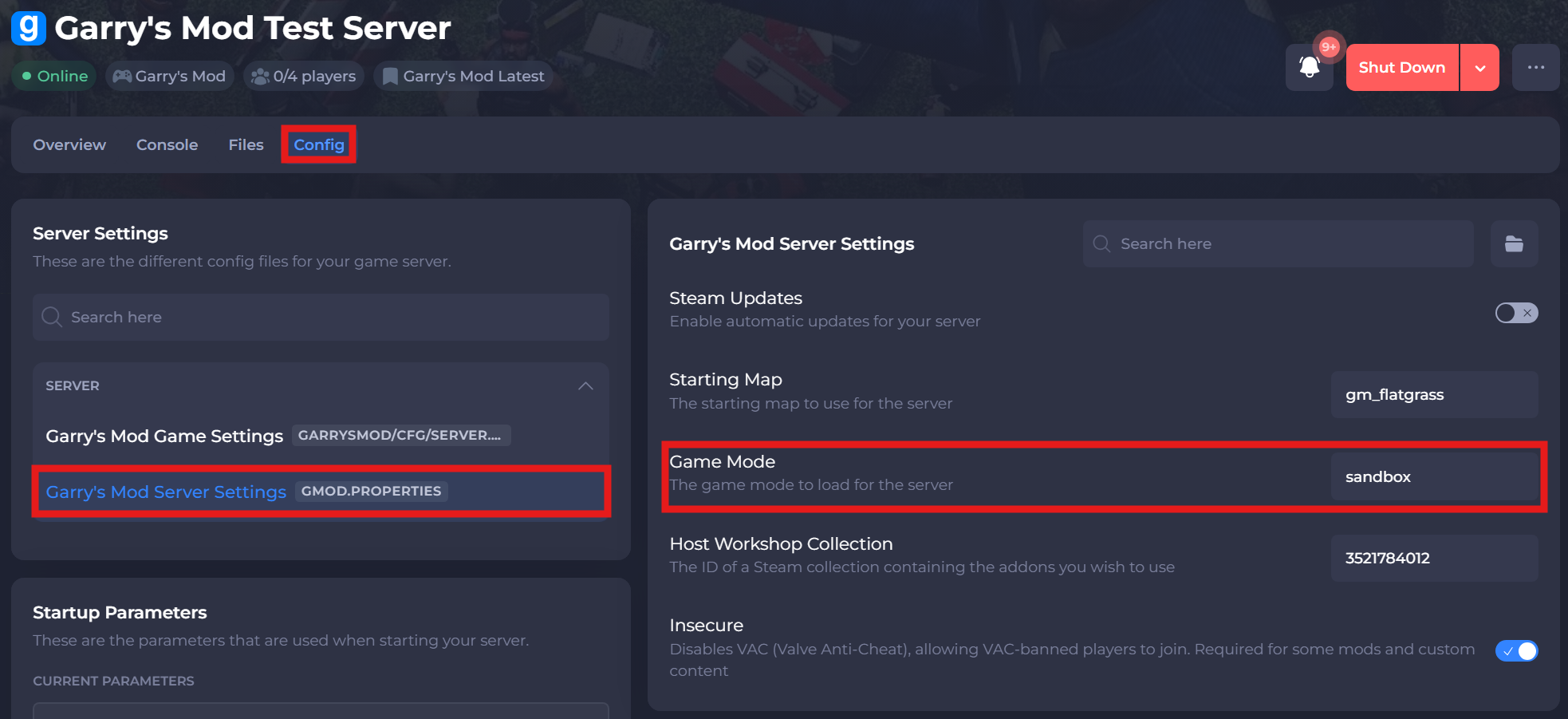
-
Save and restart your server to ensure the new changes apply.
If you require any further assistance, please contact our support at: https://shockbyte.com/billing/submitticket.php