Still have questions?
Come chat with us and we will get back to you as soon as possible!

Shockbyte
Support Team

How to Install Mods on your BeamMP Server
This guide explains how to install mods on your BeamMP server. Mods allow you to expand your server with new vehicles, maps, and gameplay features created by the community. You can find mods through the BeamMP Official Repository and the BeamMP Official Forum. The steps below will walk you through adding these mods to your server so they load correctly for players.
#Finding the Mods
You can find mods through the official sources below:
Once you've found a mod you'd like to use, download the .zip file. Do not extract it, as the server requires the original .zip to deliver the mod to connecting players.
#Client-Side vs Server-Side Mods
BeamMP supports two types of mods, each installed in a different folder:
- Client-side mods (vehicles, maps, skins) go in the
Resources/Clientfolder. These are automatically downloaded by players when they connect. - Server-side mods (Lua plugins, gamemodes, admin tools like BeamJoy or BeamPaint) go in the
Resources/Serverfolder. These run on the server itself and are not downloaded by players.
Always check the mod's description to confirm where it should be installed.
#Installing Mods
To install a mod on your BeamMP server, follow these steps:
-
Access your Control Panel and Stop your server.
-
Navigate to the Files and open either
Resources/ClientorResources/Server, depending on the mod type.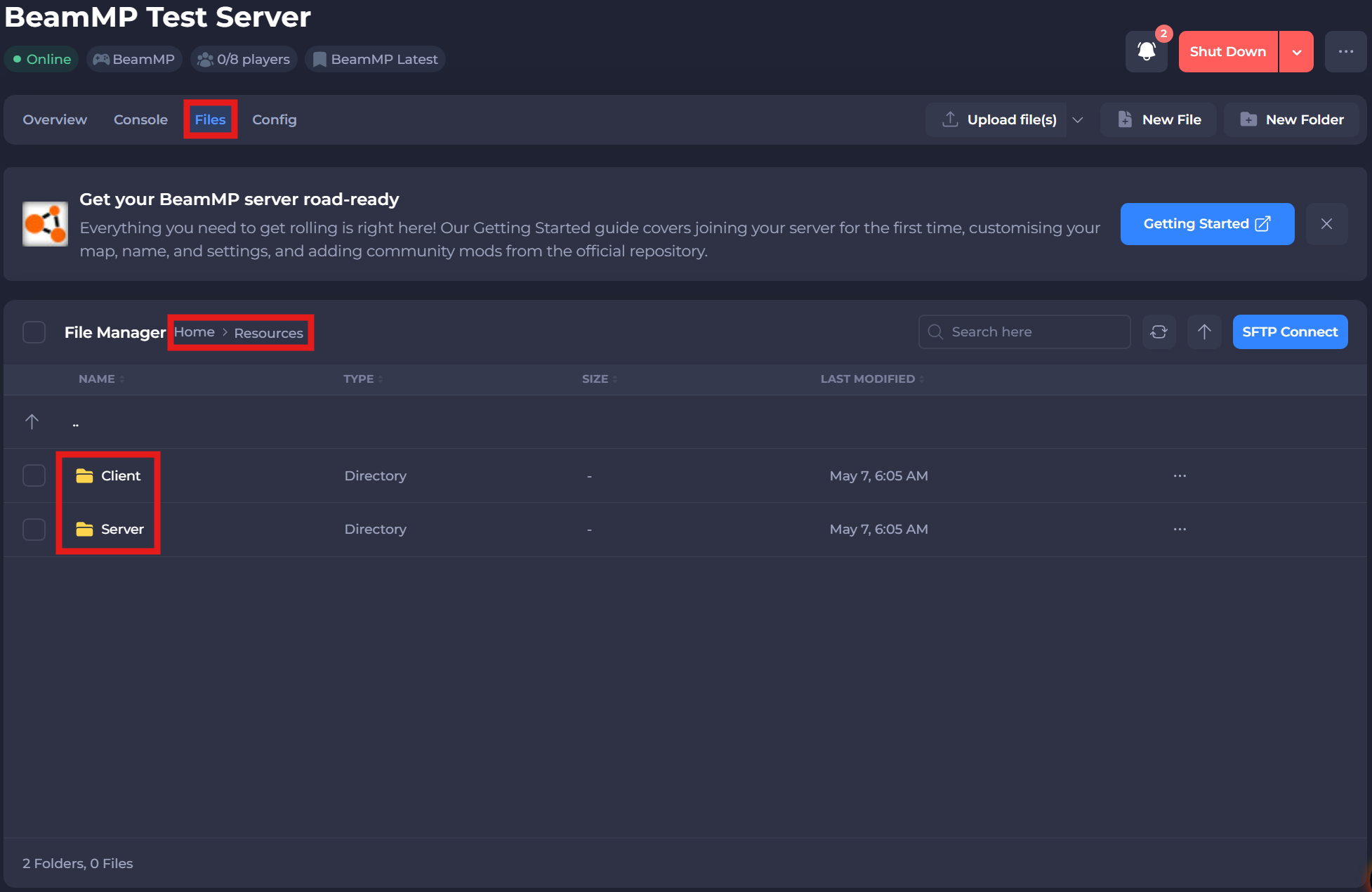
-
Upload the mod into this folder.
-
Start your server to load the new mod.
Note
When players connect, BeamMP will automatically download any client-side mods from your server that they don't already have. Larger mods may take longer on first connection.
#Removing Mods
To remove a mod, stop your server, delete the mod's files from the folder you originally uploaded them to (Resources/Client or Resources/Server), then start your server again.
For more details on managing mods and resources, refer to BeamMP's official Server Maintenance documentation.
If you require any further assistance, please contact our support at: https://shockbyte.com/billing/submitticket.php