Still have questions?
Come chat with us and we will get back to you as soon as possible!

Shockbyte
Support Team

How To Install Workshop Mods To Your Conan Exiles Server
There are a huge variety of mods available for Conan Exiles, ranging from new weapons and thralls to new maps and complete overhauls. Adding mods to your server is a great way to attract new players and add replayability for old ones.
We've made installing and keeping mods up to date easy by adding an automatic mod installer to the server control panel.
#Obtaining Steam Workshop IDs
Before you can install the mods, you will need the Steam Workshop ID for the mods you wish to use.
- Go to the Conan Exiles Steam Workshop and locate a mod you wish to install.
- Open the workshop page for the desired mod, and using the URL copy the workshop ID.

Do this for every mod you wish to install on your server.
#Installing Workshop Mods
Once your Workshop IDs have been gathered, you are ready to install the mods.
-
Access your Control Panel and navigate to the Config tab.
-
Locate the
Workshop Mod IDsoption and add your desired mods.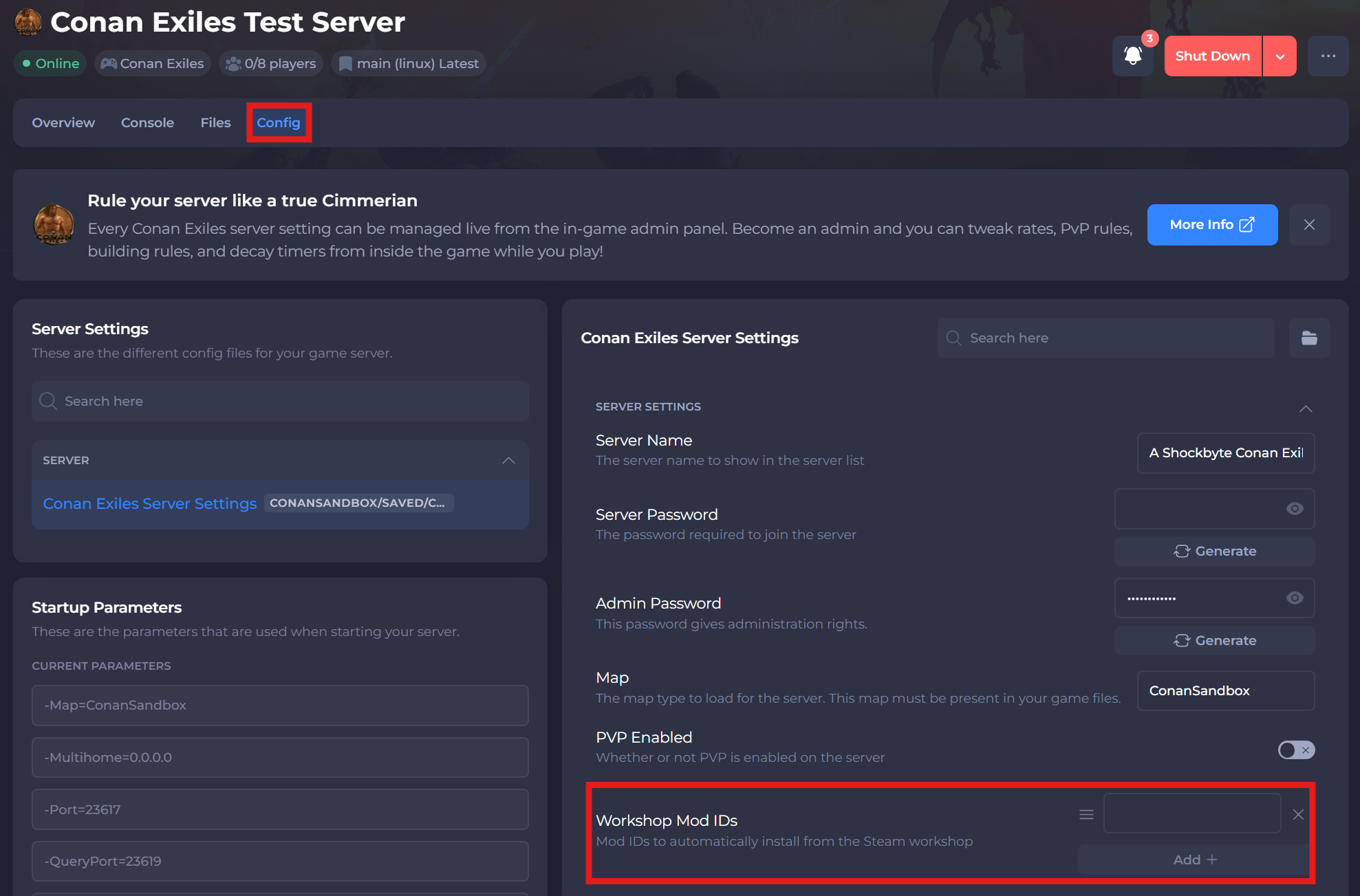
-
Save and restart your server to ensure the new changes apply.
If you require any further assistance, please contact our support at: https://shockbyte.com/billing/submitticket.php