Still have questions?
Come chat with us and we will get back to you as soon as possible!

Shockbyte
Support Team

How to Integrate Discord with Your Project Zomboid Server
With the release of build 40, Project Zomboid now supports Discord integration. This means that everything typed in the /all chat (in-game) will be posted to a Discord channel, and vice versa. This is achieved by setting up a Discord bot.
#Discord Configuration
To start, you will be required to have a Discord server where you have admin rights, together with a channel in which you would like the messages to be synced with.
-
Go to the Discord Developer Portal and click
New Application.
-
Give your bot a name of choice, and click
Create.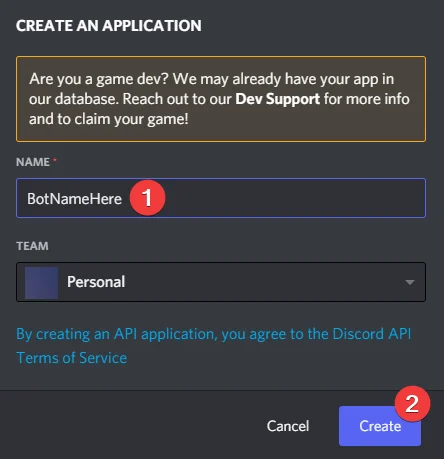
-
Navigate to the bot category at the left, and click
Add Bot.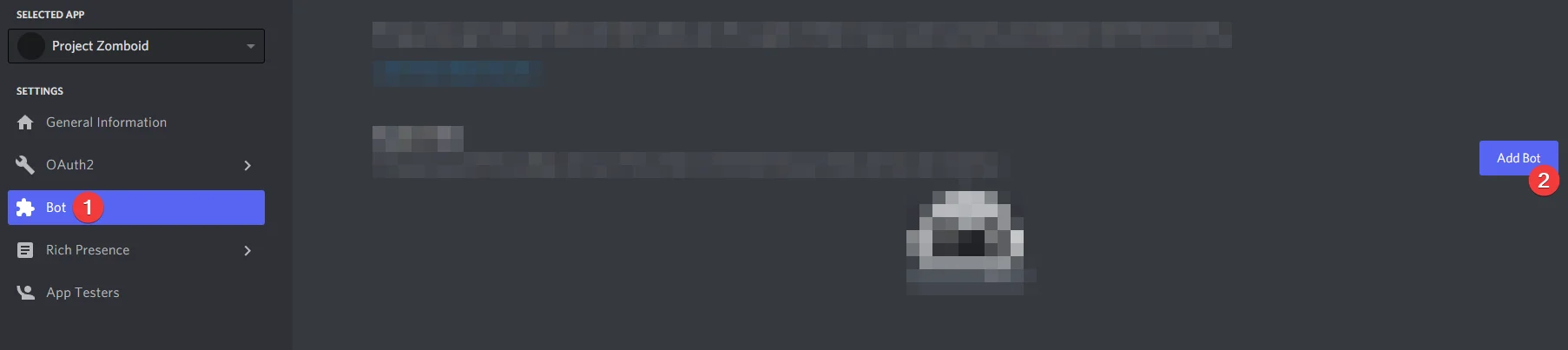
-
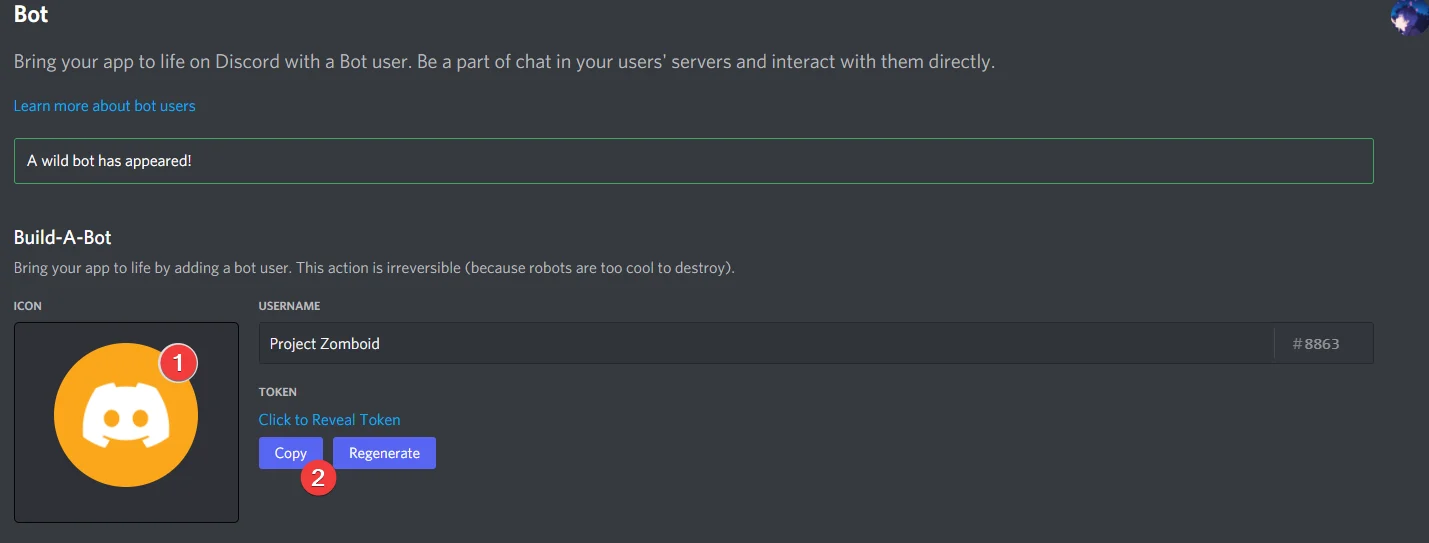
Copy or reveal the bot token - you will need it in the next steps. You can also set a profile picture of the bot.
-
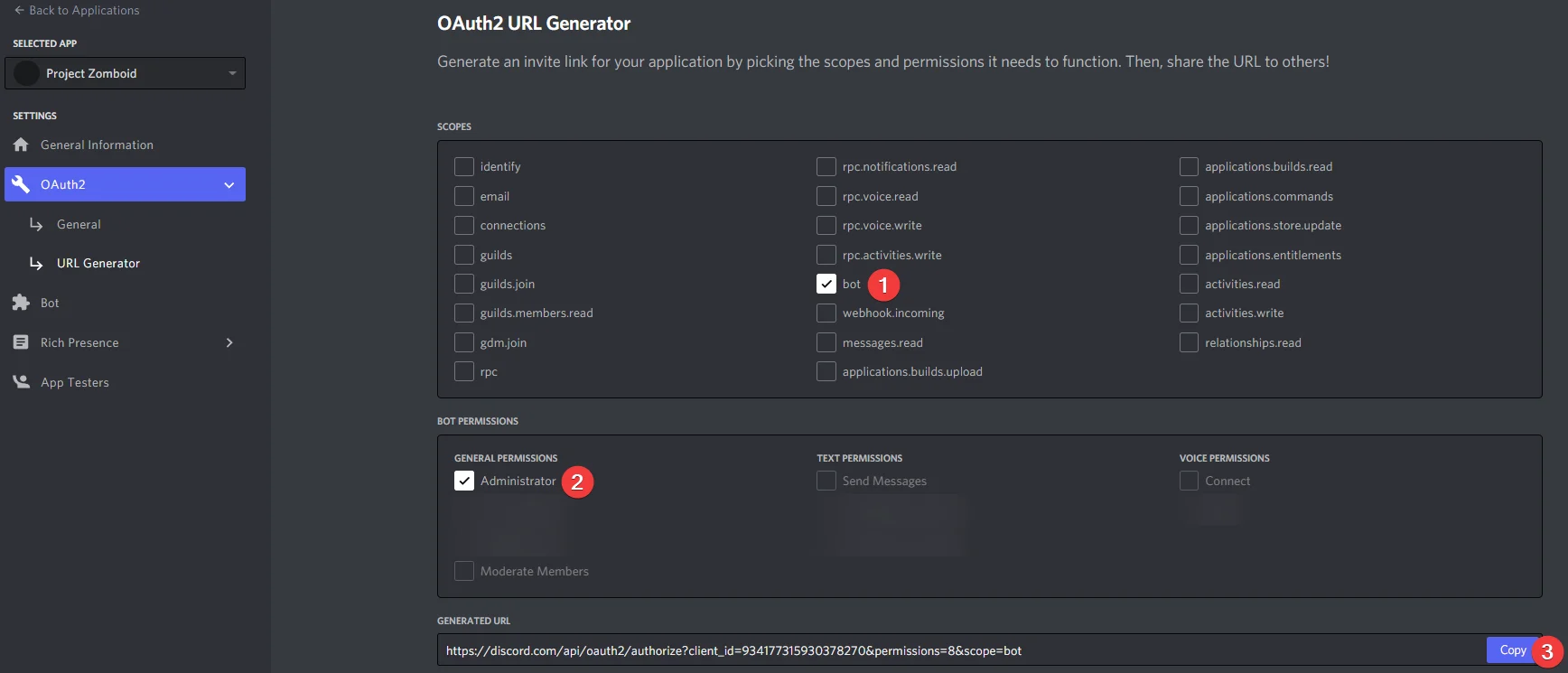
Navigate towards the OAuth2 category and copy the link after checking the following settings.
-
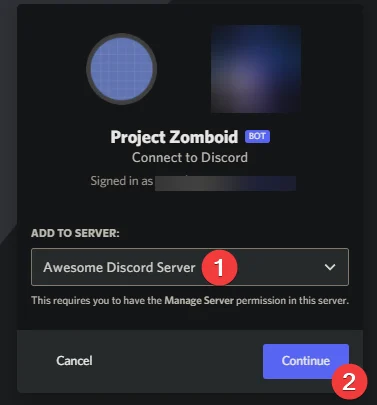
Now browse to this link, select the server you would like the bot to join, and click Continue.
-
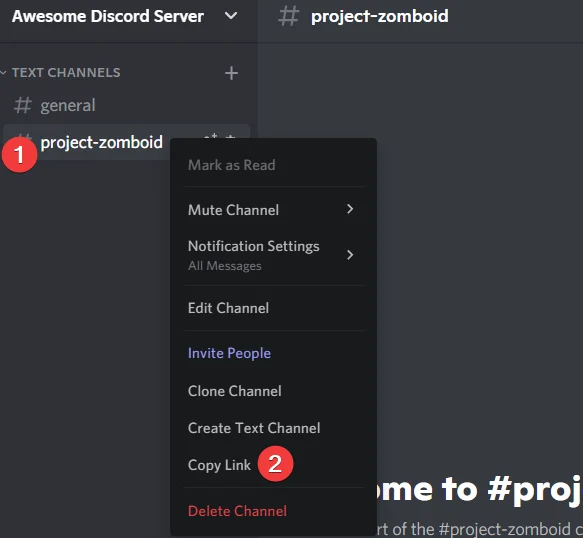
Go to the Discord channel you would like to use, and copy the link to this channel by right clicking it.
-
Copy the latest (18-digit) number after the latest
/and write this down together with the Discord Bot token you got in step 4. This is the channel ID.
#Server Configuration
Now that you have the bot token and channel ID, you will need to configure your server to be able to access the bot.
-
Access your Control Panel and Stop your server.
-
Navigate to the Files tab and locate the
/Zomboid/Serverdirectory and open theworld.inifile.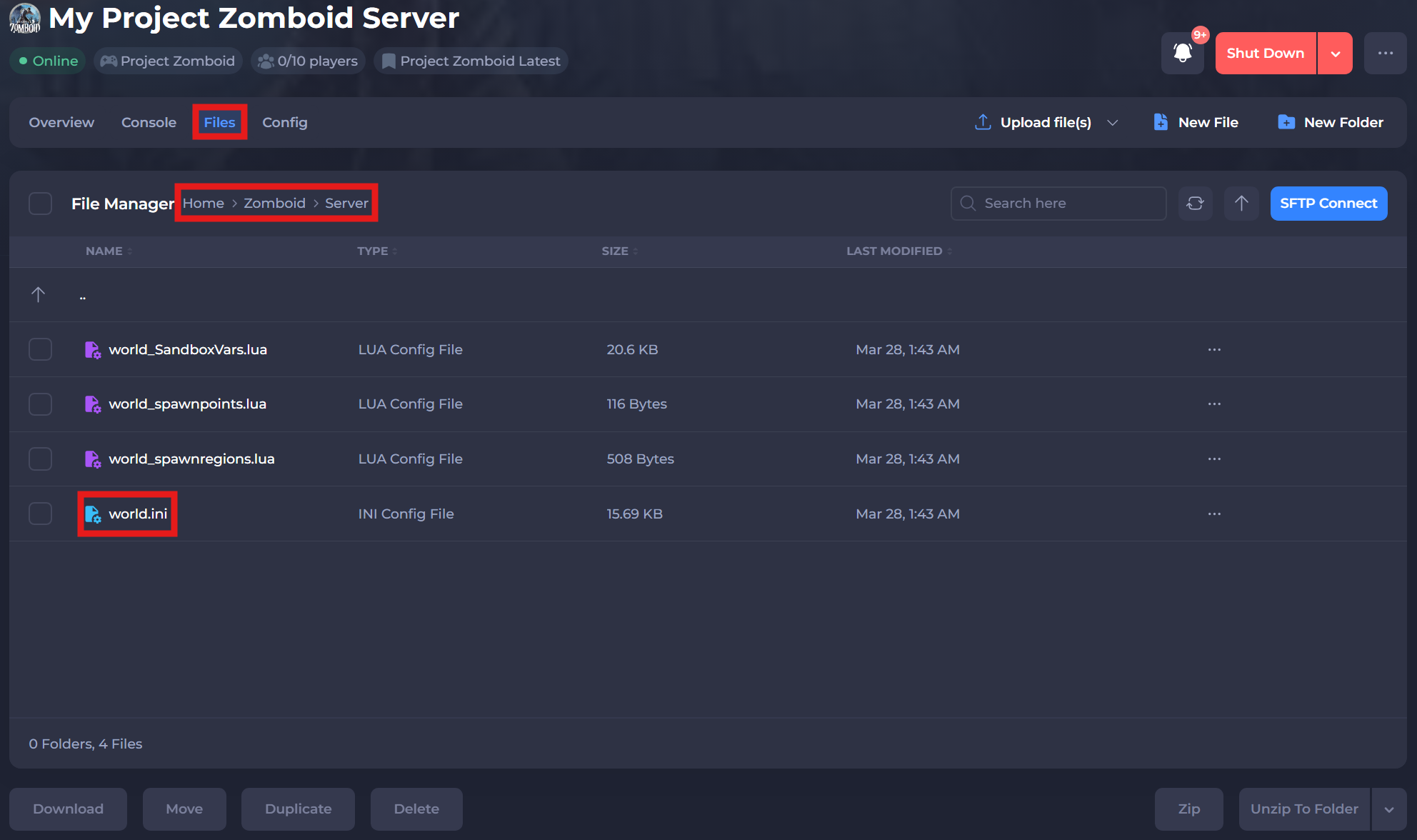
-
Set
DiscordEnable=totrueto enable the integration.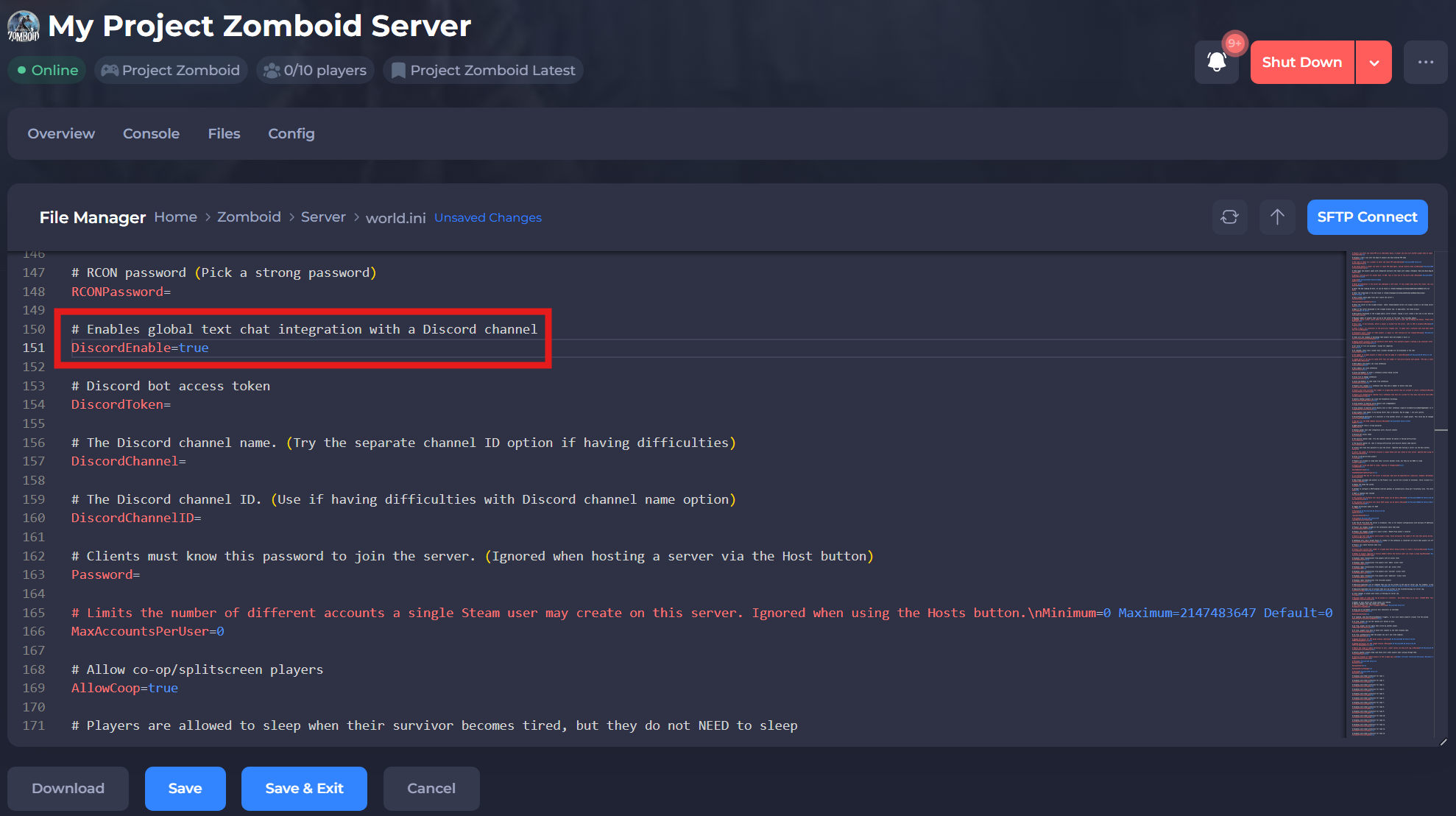
-
Enter the previously saved Discord Bot token at
DiscordToken=and the saved Channel ID atDiscordChannelID=. TheDiscordChannel=setting needs to be left empty in order for the bot to work.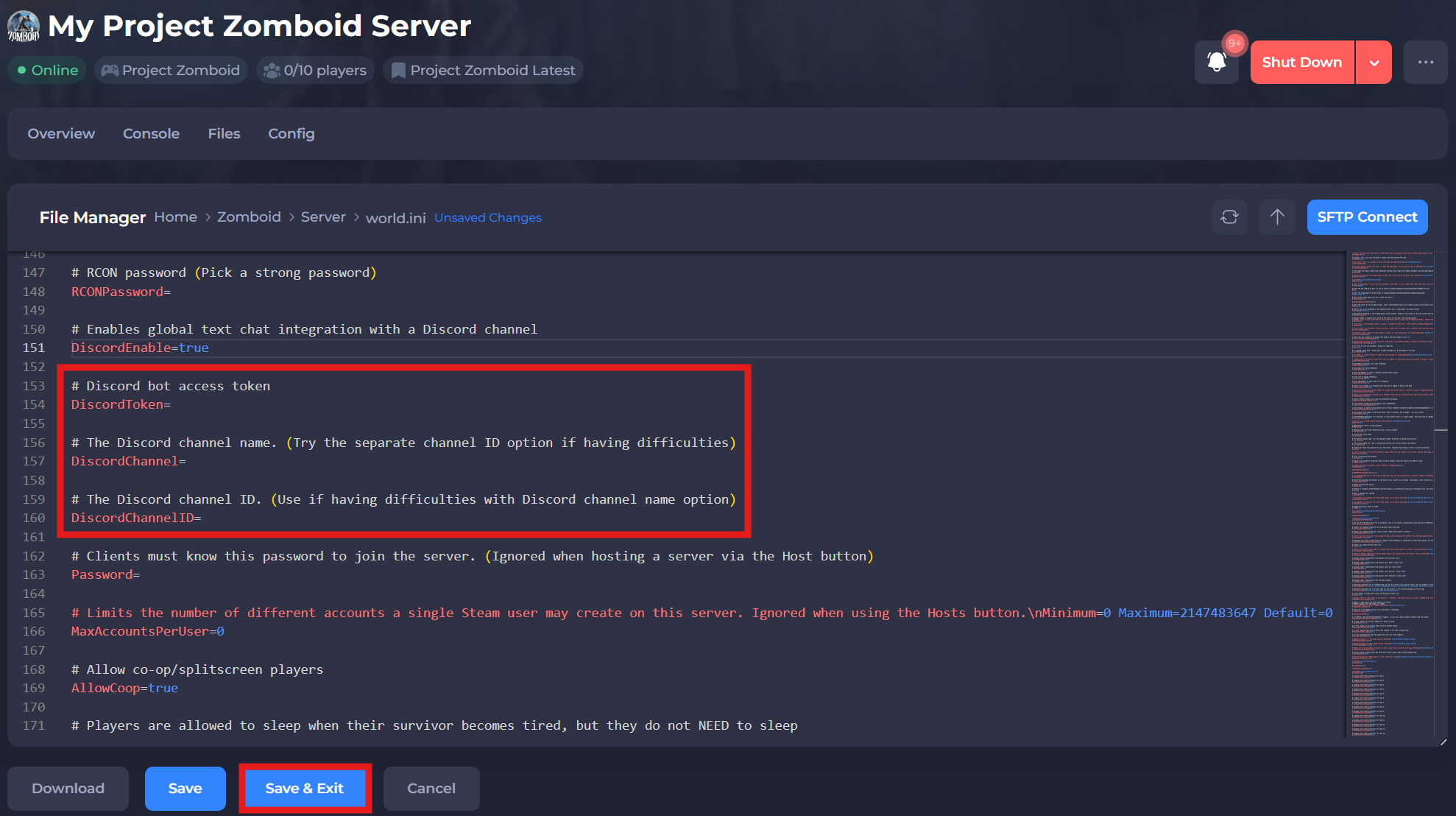
-
Save and restart your server to ensure the new changes apply.
If you require any further assistance, please contact our support at: https://shockbyte.com/billing/submitticket.php