Still have questions?
Come chat with us and we will get back to you as soon as possible!

Shockbyte
Support Team

How to Join your Conan Exiles Server
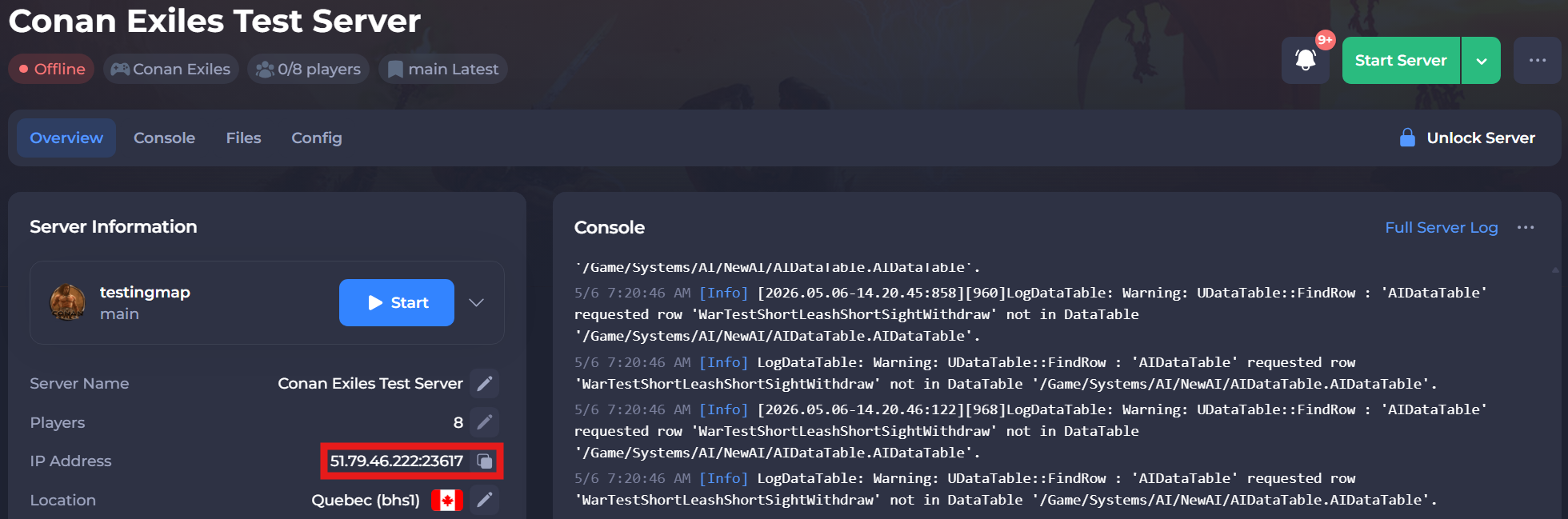
This guide explains how to join your Conan Exiles server. To connect, you will first need to locate your server’s IP address from the panel.
Once you have the server IP, you can join through the in-game server browser, the Steam favorites list, or by using a direct connection method. The steps below will walk you through each option so you can connect successfully.
#Locating your Server's IP
Before launching the game, make sure you have your server connection details ready.
To find the IP address of your server, you will need to log in to your control panel. Once you’ve logged into your control panel, copy your server IP and port.
#Using the In-Game Server List
The easiest way to connect to your server is using the built-in server browser.
-
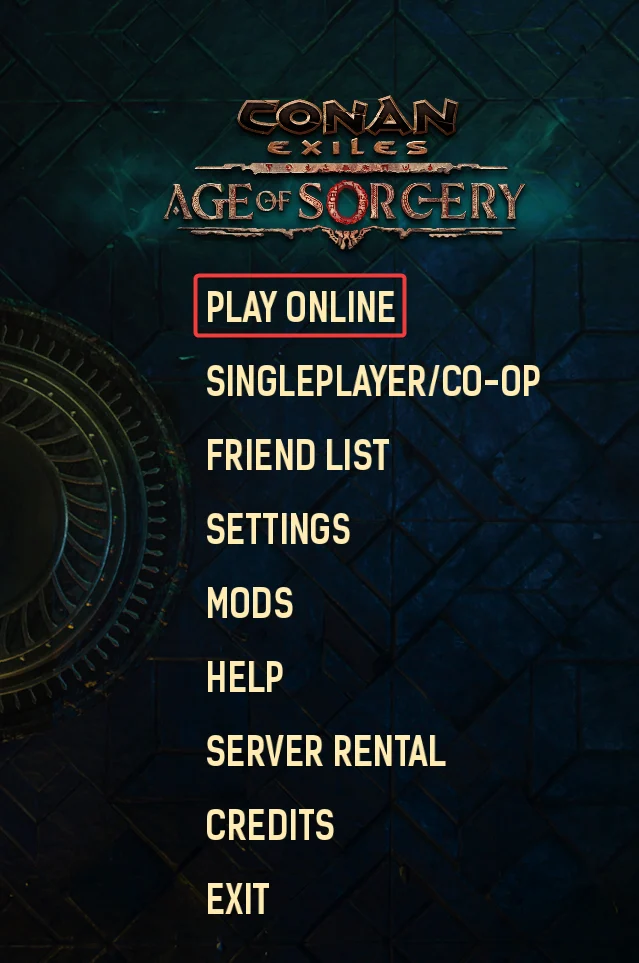
Click Play Online on the Conan Exiles Main Menu.
-
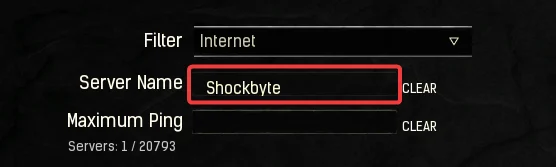
Enter your server's name in the Server Name field.
-
Click your Server and click the
Joinbutton.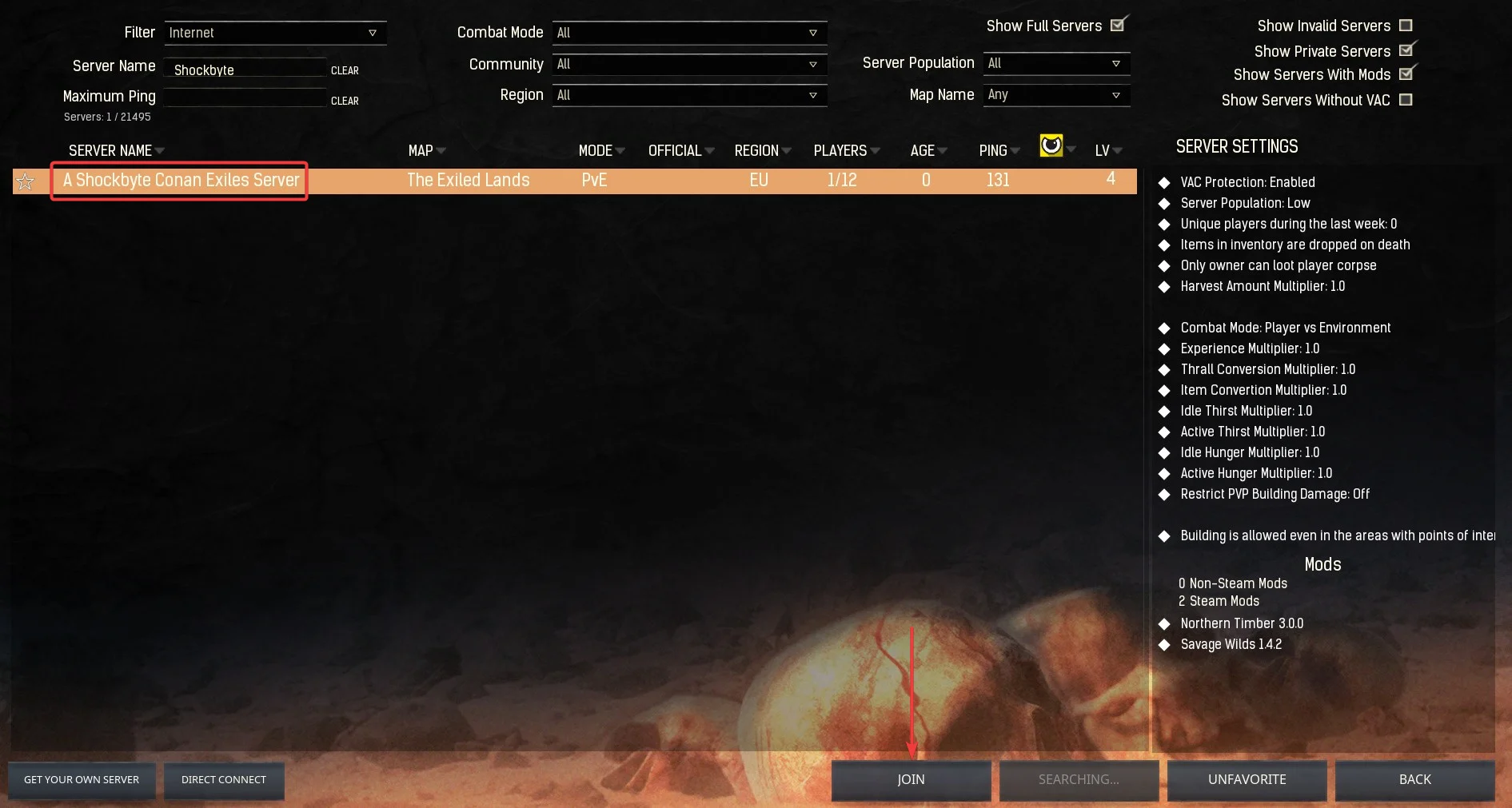
#Using Direct Connect
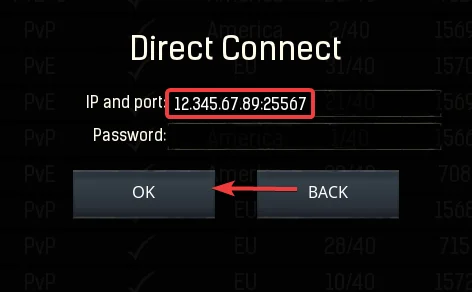
It is possible to join your server directly using the in-game Direct Connect feature with your server's IP and port.
-
Click Play Online on the Conan Exiles Main Menu.
-
Click
Direct Connect.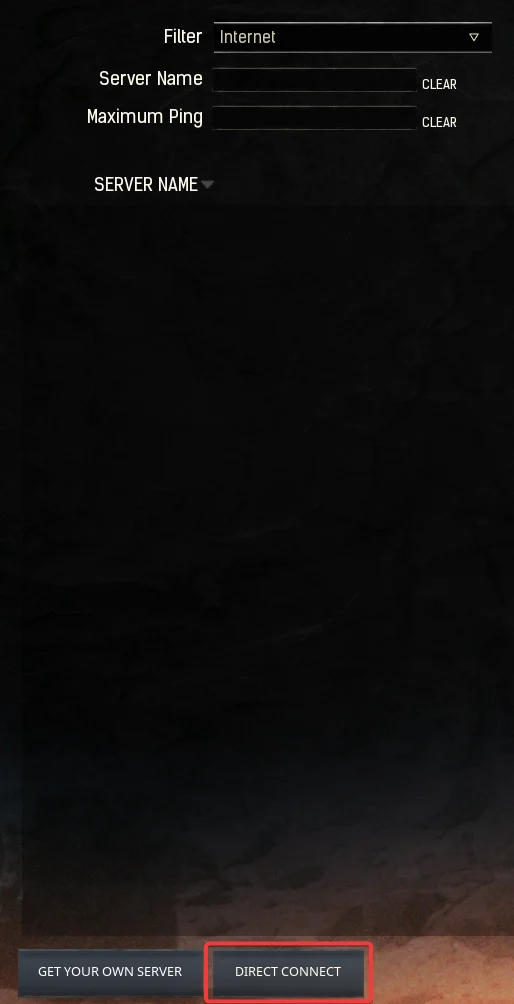
-
Enter your server's IP and port then click OK. If you have a server password set this will also need to be entered in the password field.
#Using the Steam Favourites List
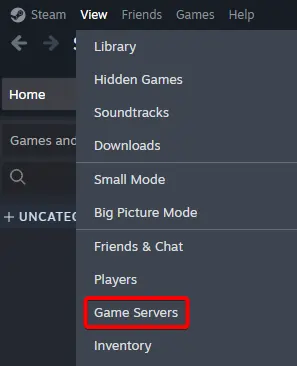
It is also possible to add your Conan Exiles server to your Steam Favourites list and join directly from there.
-
Open Steam and select View > Game Servers.
-
Navigate to the Favorites tab and select the
+sign.
-
Enter your Server IP and Steam Query Port (
2304) then click Ok.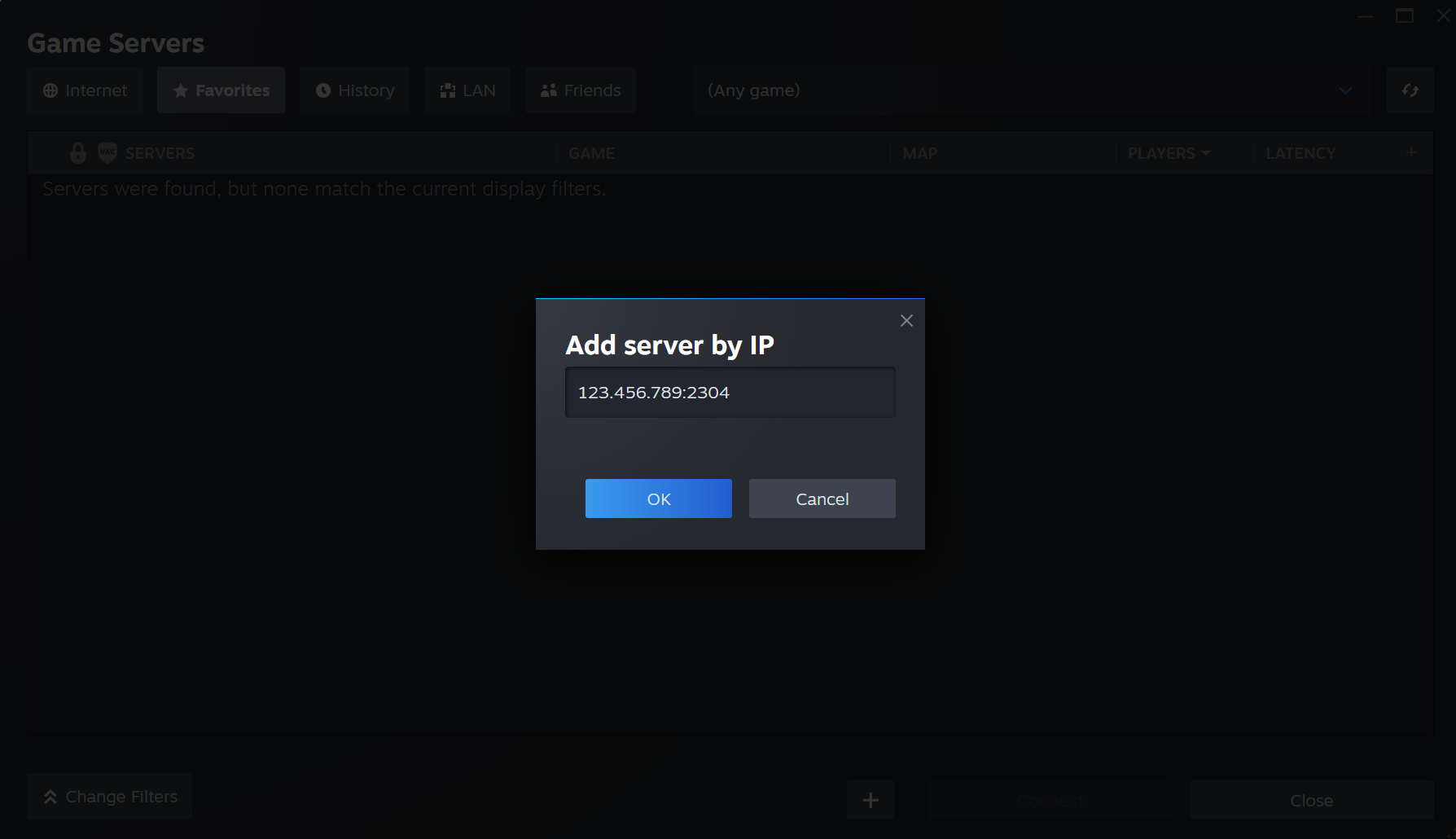
-
Select your server then click Connect.
If you require any further assistance, please contact our support at: https://shockbyte.com/billing/submitticket.php