Still have questions?
Come chat with us and we will get back to you as soon as possible!

Shockbyte
Support Team

How to Join Your Factorio Server
Once you have your Factorio server configured the way you would like it to be, you're ready to join. It is possible to join your server either directly using your server's IP or through the in-game server list.
#How to Find your Server's IP Address
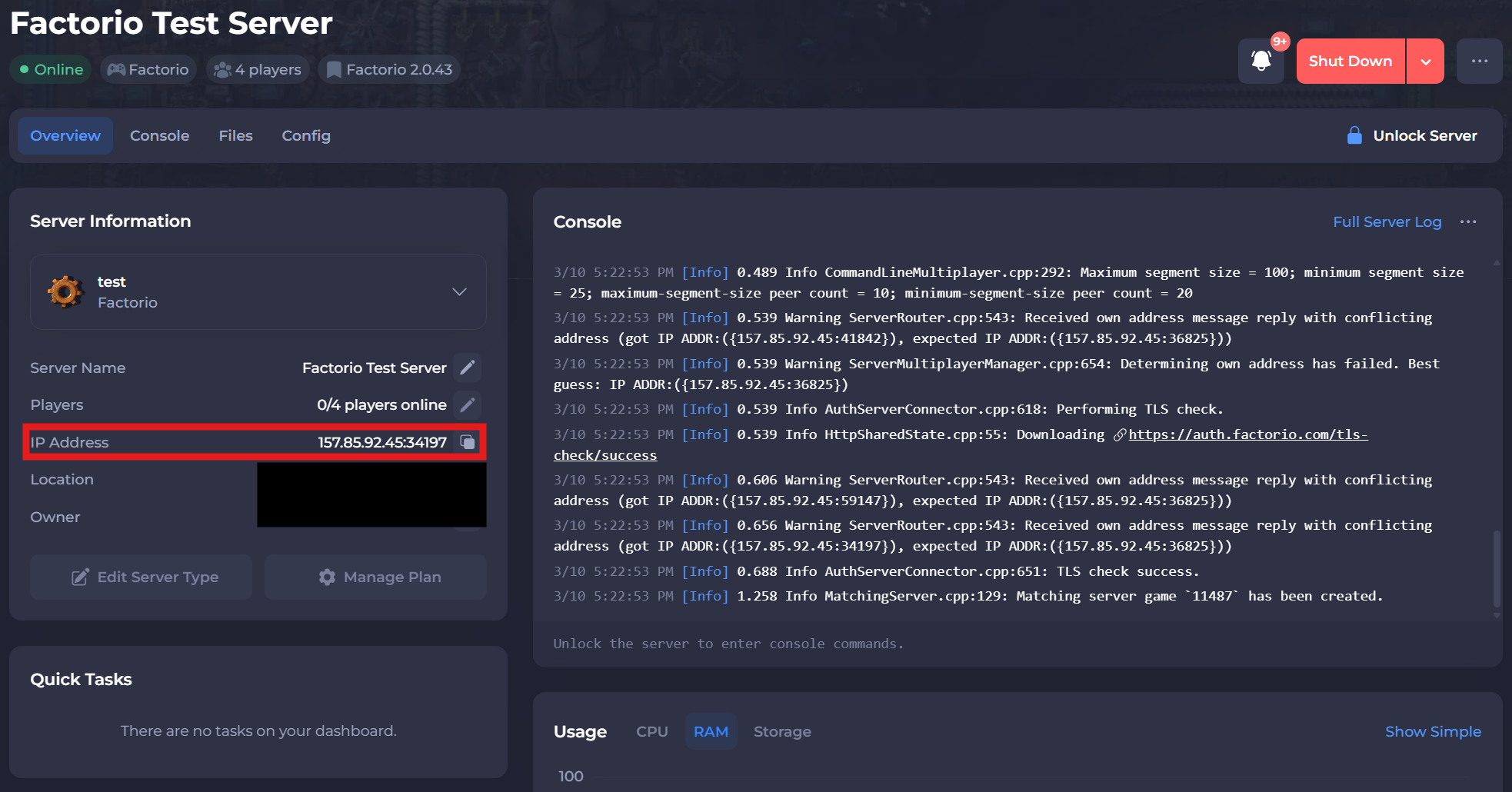
To find the IP address of your server, you will need to log in to your control panel.
Once you’ve logged into your control panel, copy your server IP and port.
#Joining via the IP
Joining with direct connect requires you to have your server IP.
-
Copy your IP and Port from the step above and open Factorio.
-
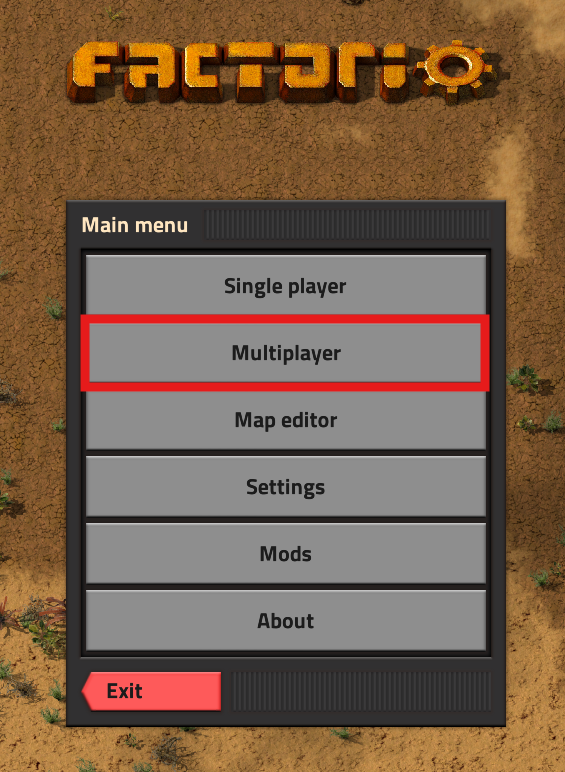
In Factorio, navigate to Multiplayer.
-
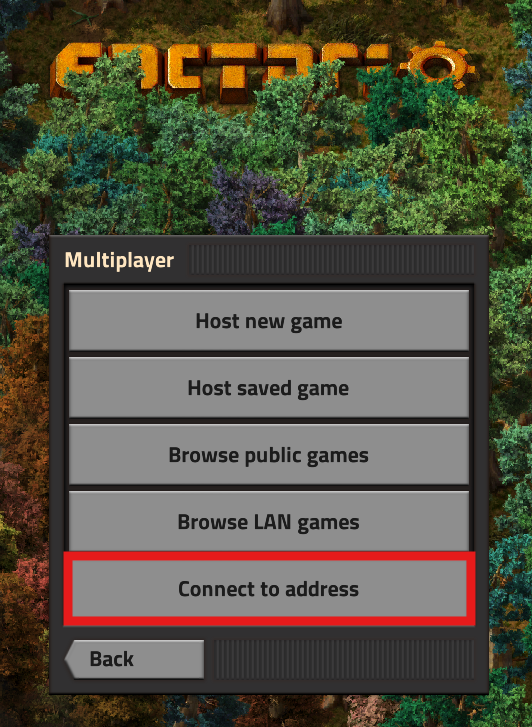
Select Connect to address.
-
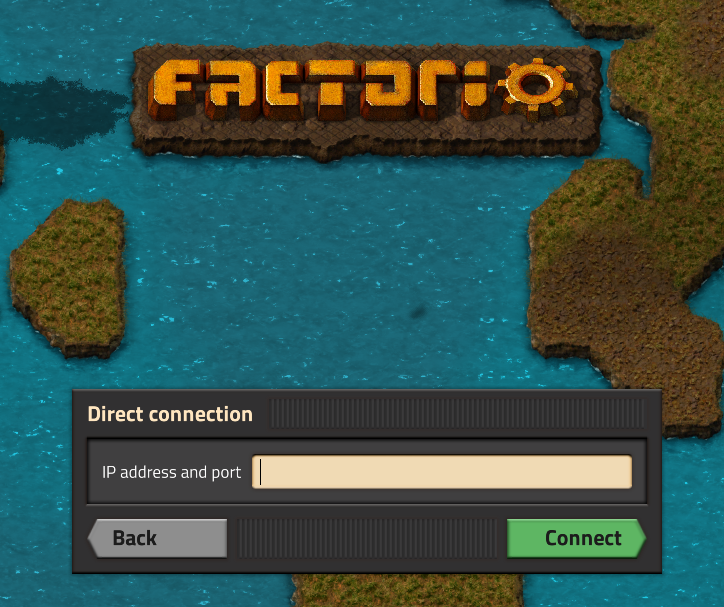
Enter the Server’s IP and click Connect.
#Joining via In-game List
Before getting started, you will need to make sure to set up your Factorio server to be public.
-
Copy your IP and Port from the step above and open Factorio.
-
In Factorio, navigate to Multiplayer.
-
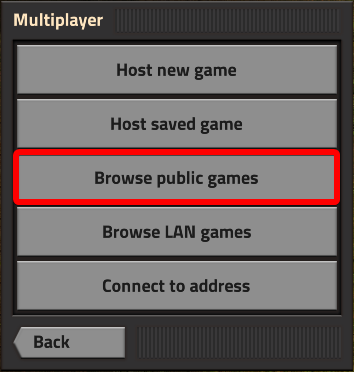
Navigate to Browse public games.
-
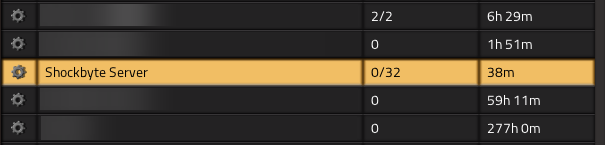
Scroll down and locate your server.
-
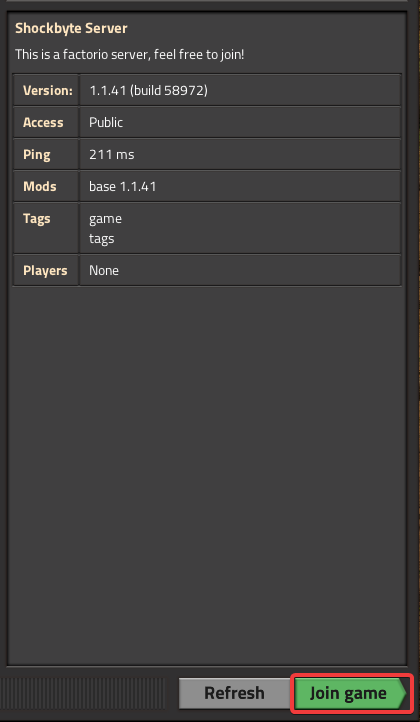
Click Join game.
If you require any further assistance, please contact our support at: https://shockbyte.com/billing/submitticket.php