Still have questions?
Come chat with us and we will get back to you as soon as possible!

Shockbyte
Support Team

How to Join your Garry's Mod Server
Once you have your Garry's Mod server configured the way you would like it to be, you're ready to join. It is possible to join your server either directly using your server's IP or through the in-game server list.
#How to Find your Server's IP Address
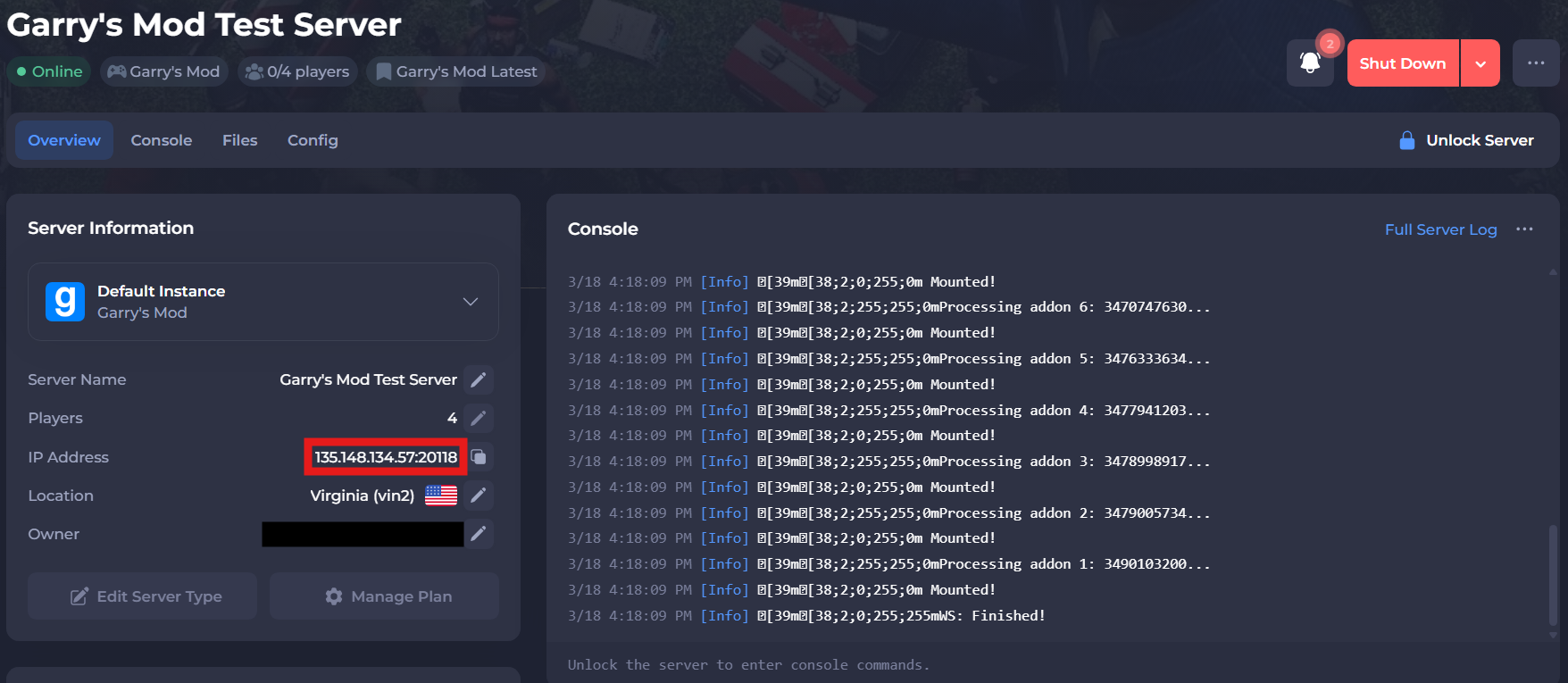
To find the IP address of your server, you will need to log in to your control panel.
Once you’ve logged into your control panel, copy your server IP and port.
#Connecting through Steam
You can join your Garry's Mod Server through Steam by following these steps:
-
Open Steam and select View > Game Servers.
-
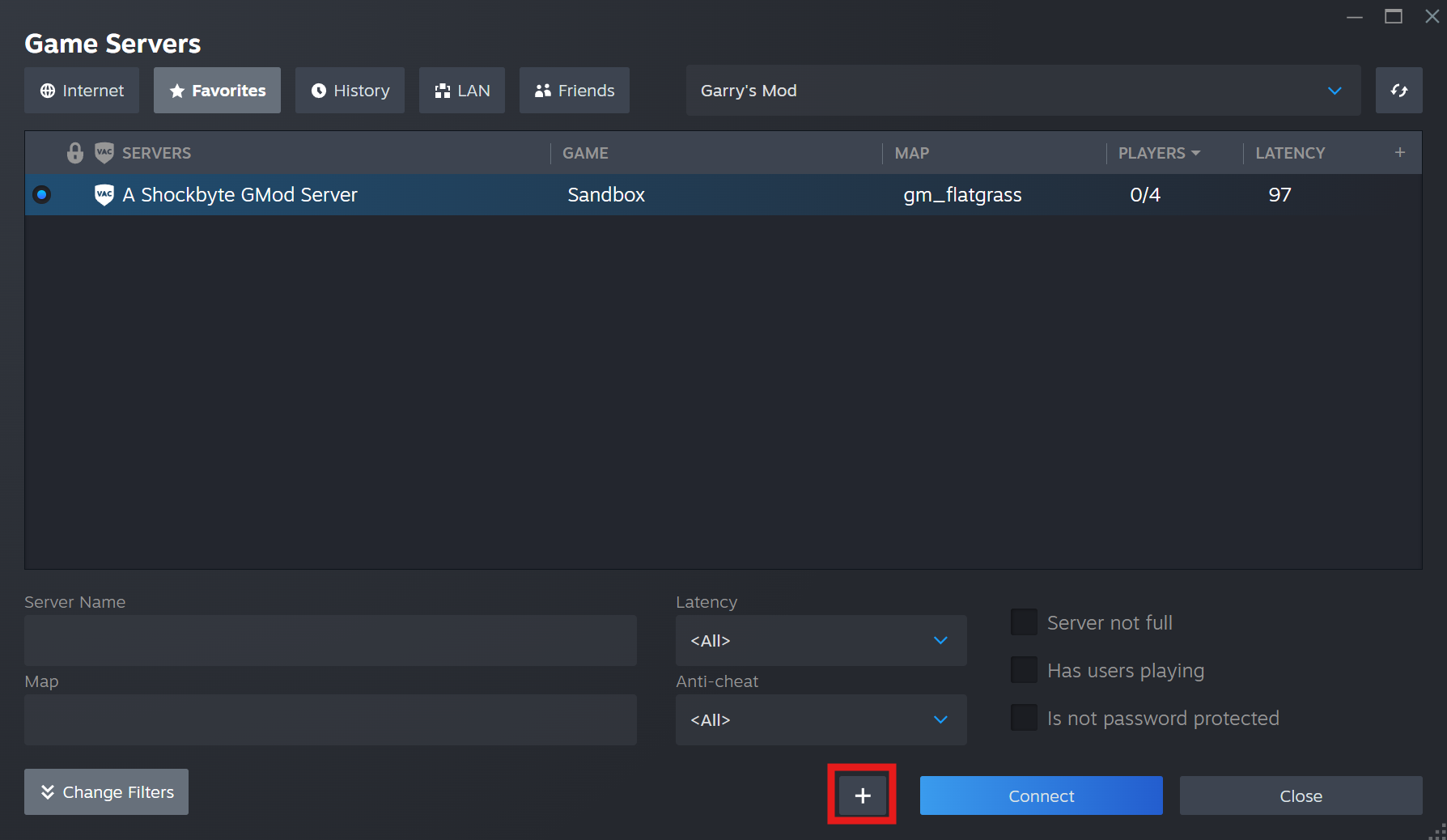
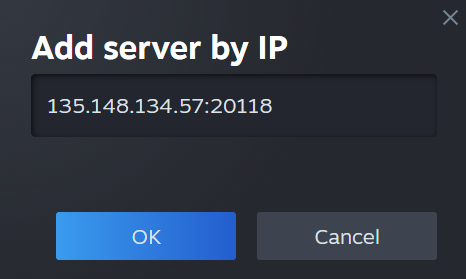
Add your server's IP by clicking the plus sign at the bottom of the Game Servers page to Add Server by IP.
-
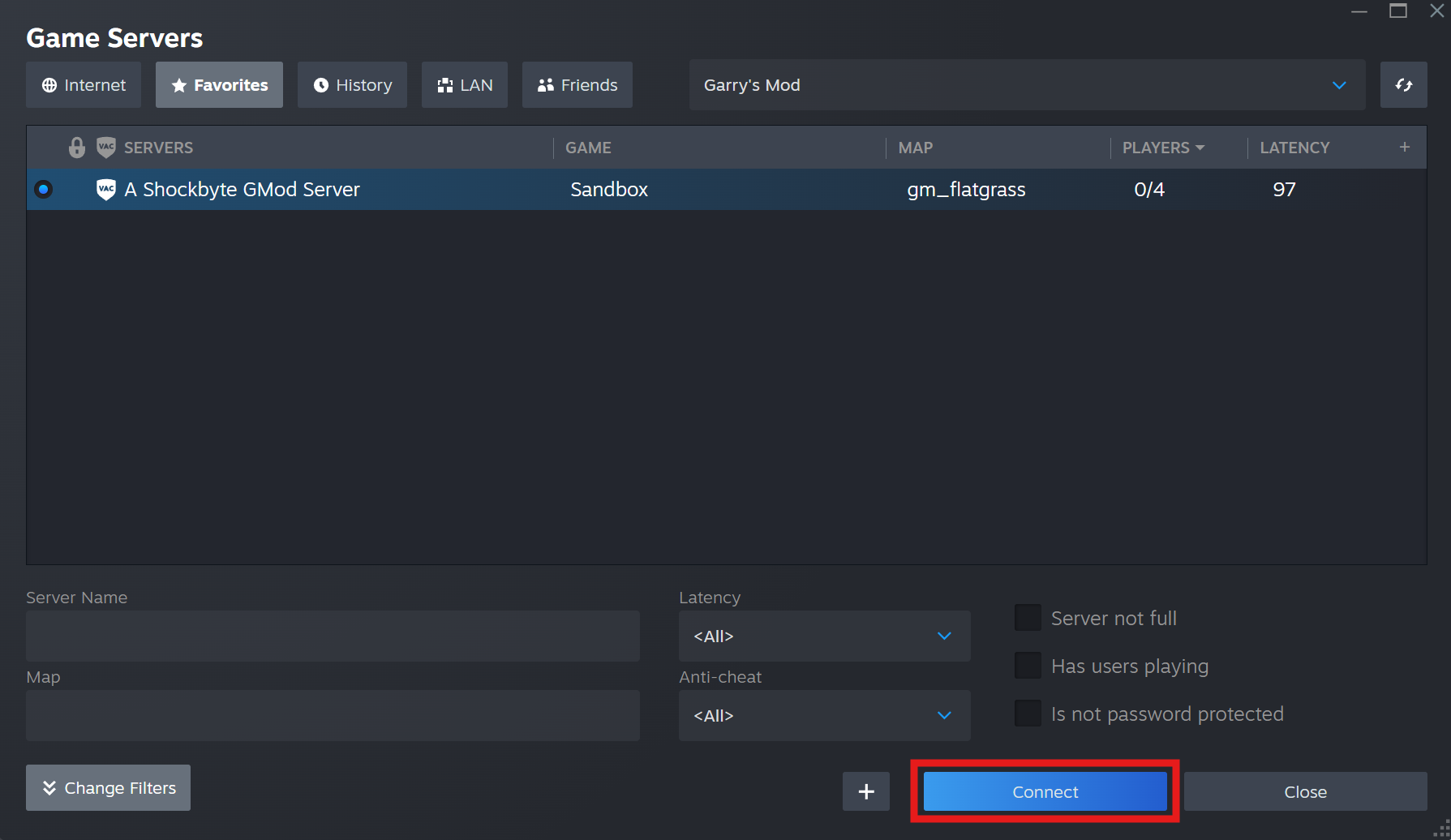
Select your server from the list and Connect.
#Connecting via the Server List
Another method to find your server is via the community search list if your server has been set to be publicly visible. This is most likely the method you will use for friends to be able to join.
-
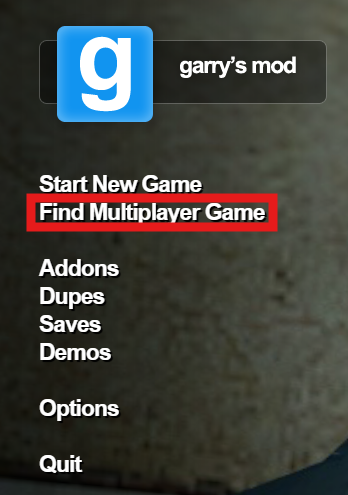
Click Find Multiplayer Game in the main menu.
-
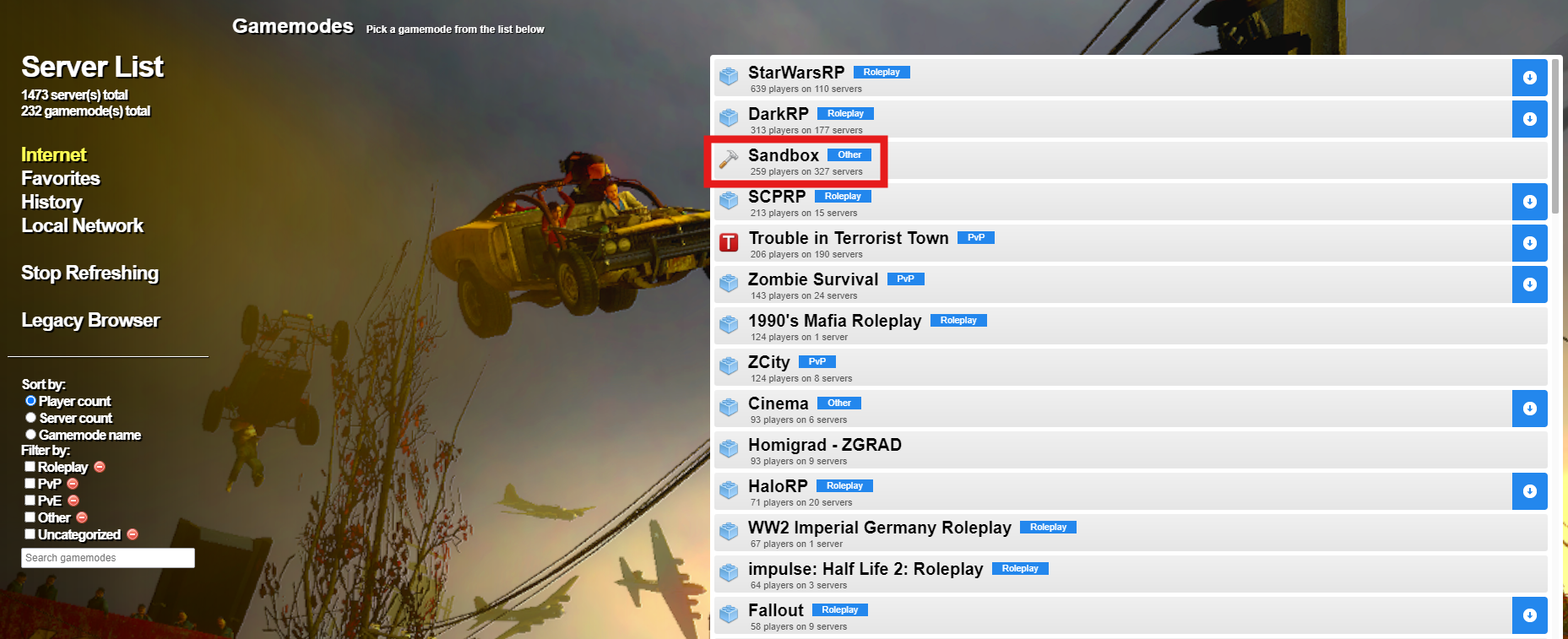
Select the gamemode your server is running, in this guide, it will be Sandbox.
-
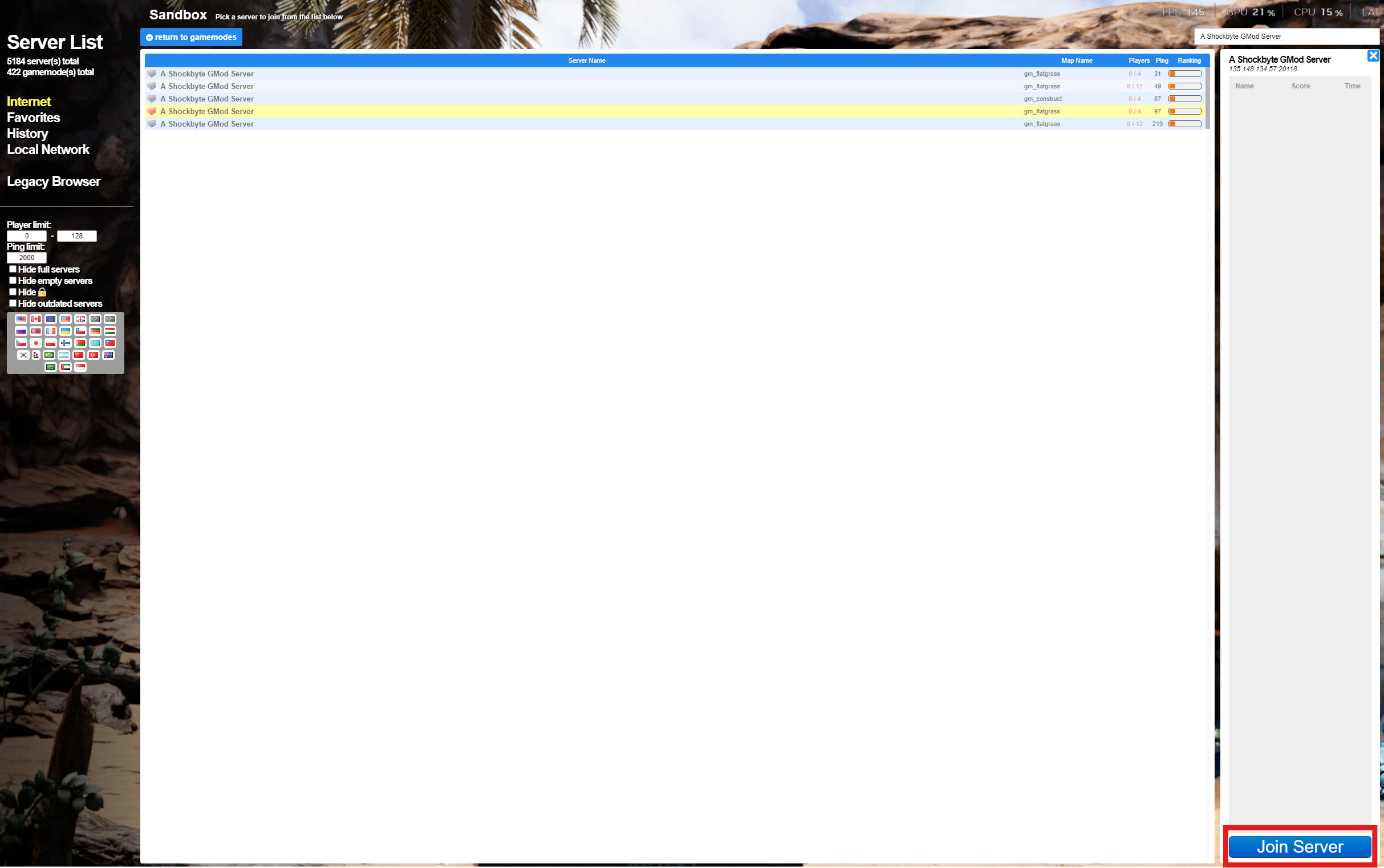
Search your server by its name and wait for your server to appear.

-
Click your server, enter a password if needed and select Join Server.
If you require any further assistance, please contact our support at: https://shockbyte.com/billing/submitticket.php