How to Join your Killing Floor 2 Server
Still have questions?

Shockbyte
Support Team

How to Join your Killing Floor 2 Server
This guide explains how to join your Killing Floor 2 server. Once your server has been configured and started, players can begin connecting and playing together.
The recommended way to connect is by using a direct connection through the in-game console, as this is usually faster and more reliable than searching through the server browser. While it is still possible to join through the in-game server list, there is no dedicated filter to quickly search for your server name. The steps below will walk you through connecting to your server successfully.
#Locating your Server's IP
Before launching the game, make sure you have your server connection details ready.
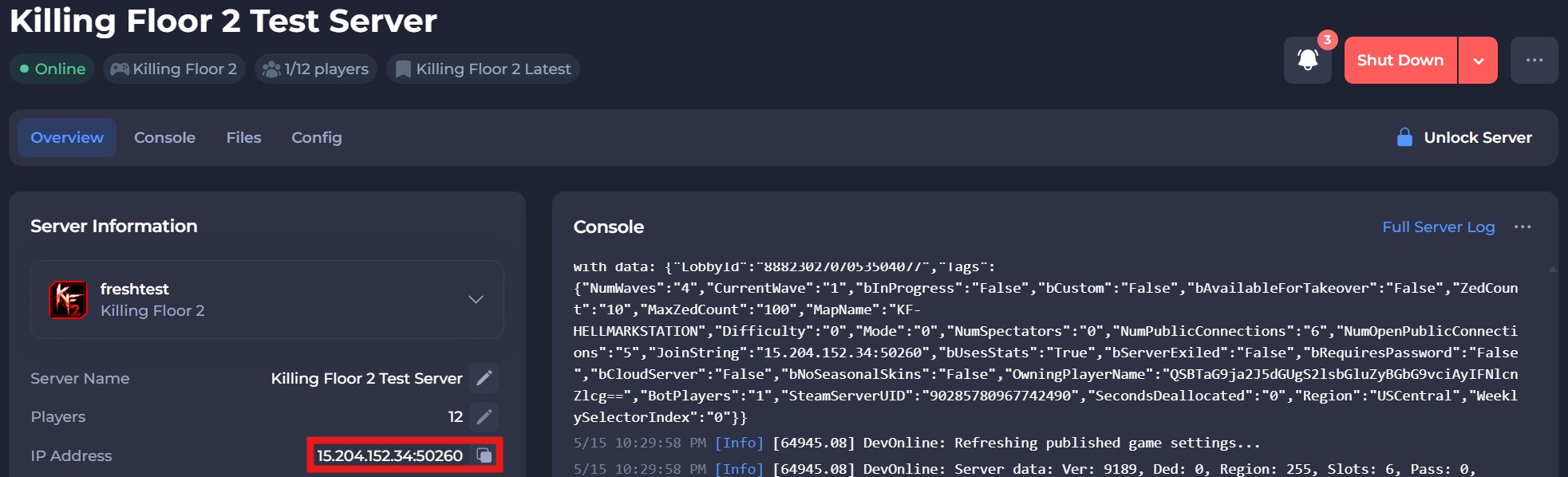
To find the IP address of your server, you will need to log in to your control panel. Once you’ve logged into your control panel, copy your server IP and port.
#Joining with Direct Connect
Direct connecting is when you use your server IP address and port to join, which can be done by entering a command into the in-game developer console.
- Launch Killing Floor 2, and press the
'key. - Enter the command
Open <YOUR SERVER ADDRESS>.
If you require any further assistance, please contact our support at: https://shockbyte.com/billing/submitticket.php