How to Join Your TF2 Server
Still have questions?

Shockbyte
Support Team

How to Join Your TF2 Server
Once you have your Team Fortress 2 server configured the way you would like it to be, you're ready to join. It is possible to join your server either directly using your server's IP or through the in-game server list.
#How to Find your Server's IP Address
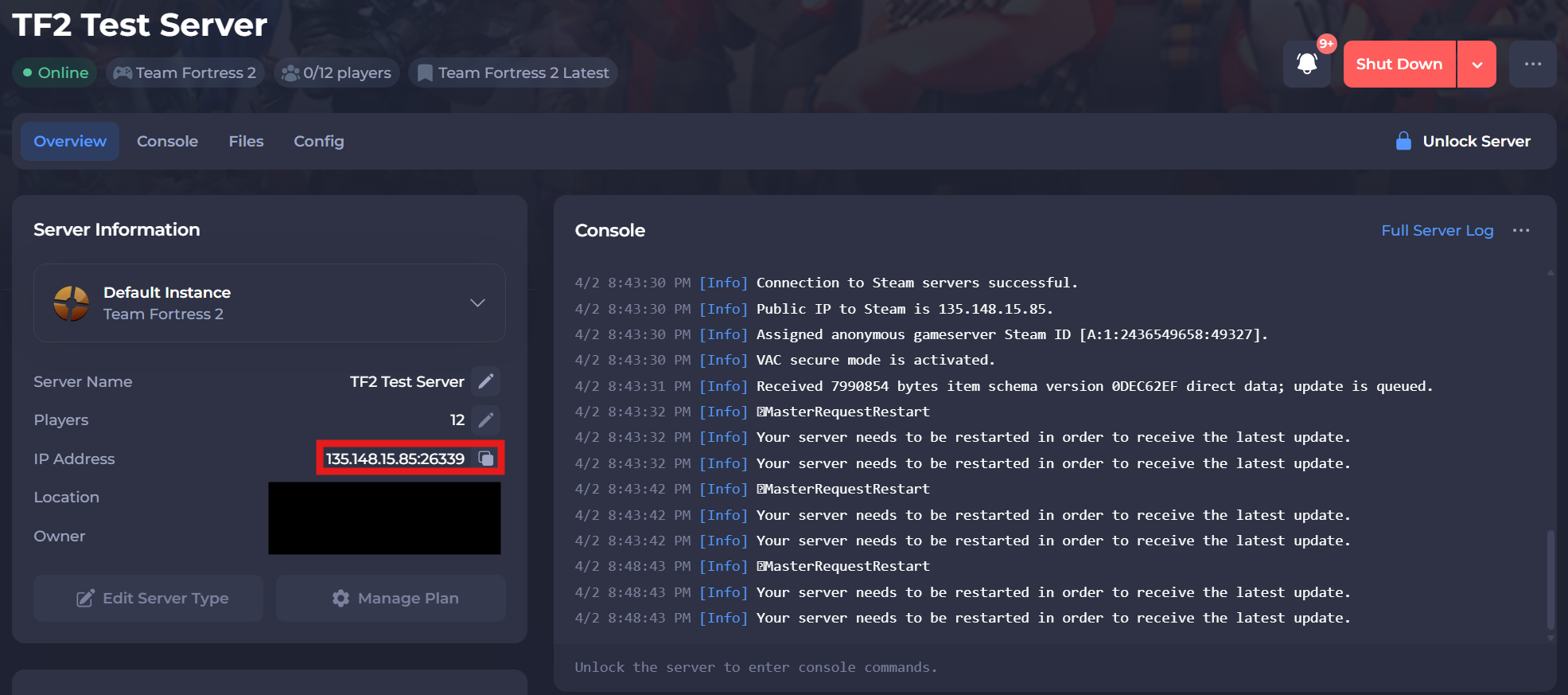
To find the IP address of your server, you will need to log in to your control panel.
Once you’ve logged into your control panel, copy your server IP and port.
#Joining your Server via the Steam Favorites List
-
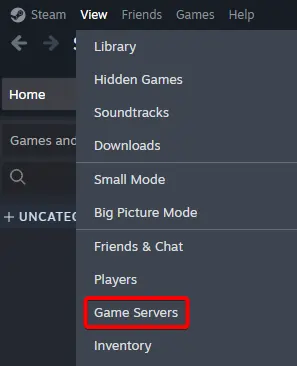
In the Steam client, navigate to View > Game Servers.
-
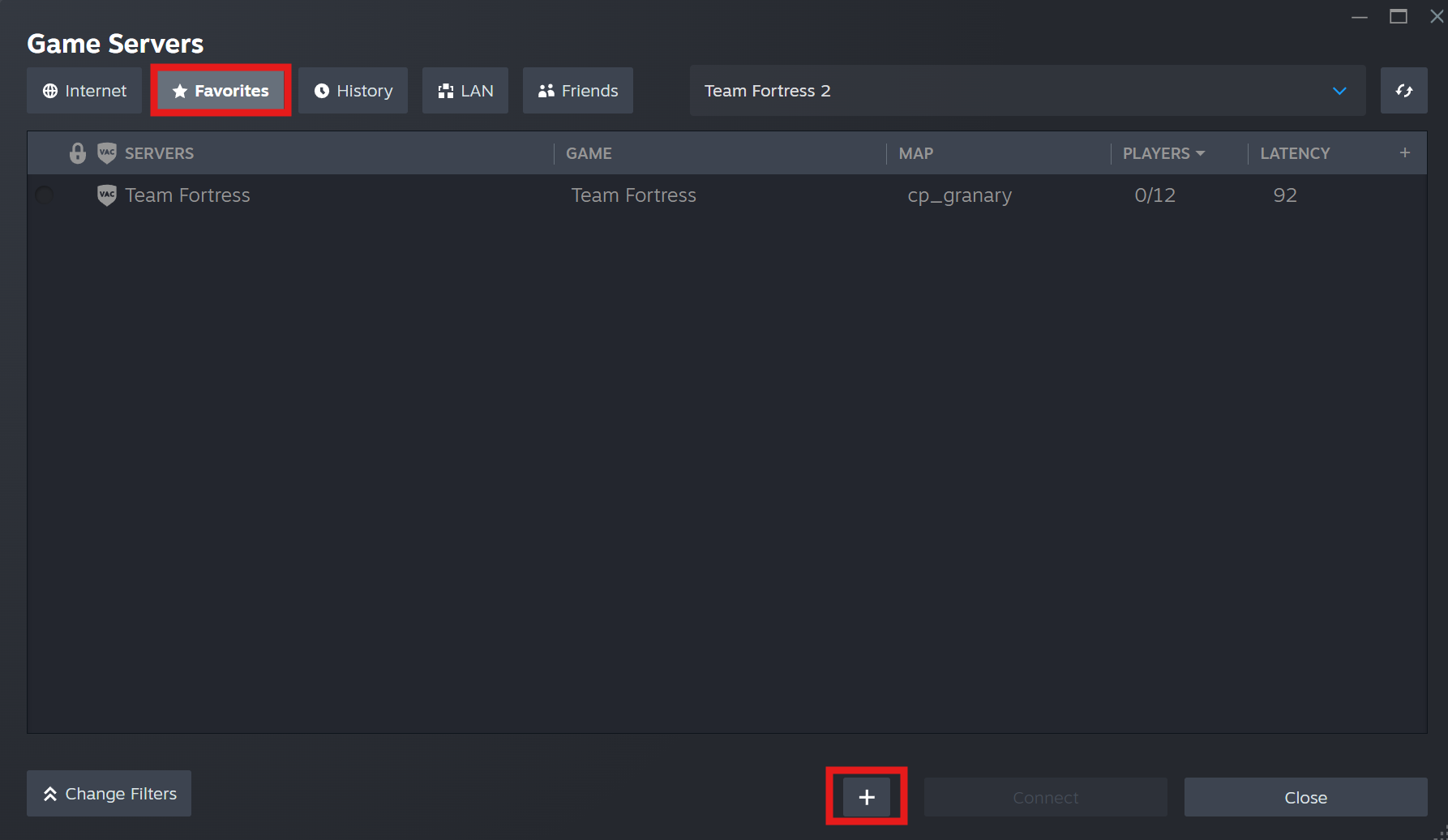
Click the Favorites tab, then click Add server by IP (+ sign).
-
Paste the Server IP into the popup box and click Ok.
-
(Optional) Enter your Server Password if one has been set, and press Connect.
#Joining through the In-Game Console
You can also join your server using the in-game console.
Note
For this method to work, you must first enable the in-game console for your TF2 client. Please refer to our guide: How to Enable the In-Game Console for Your TF2 Client.
- Open the console by pressing the ` key.
- Type
connect <SERVER IP>and press Submit.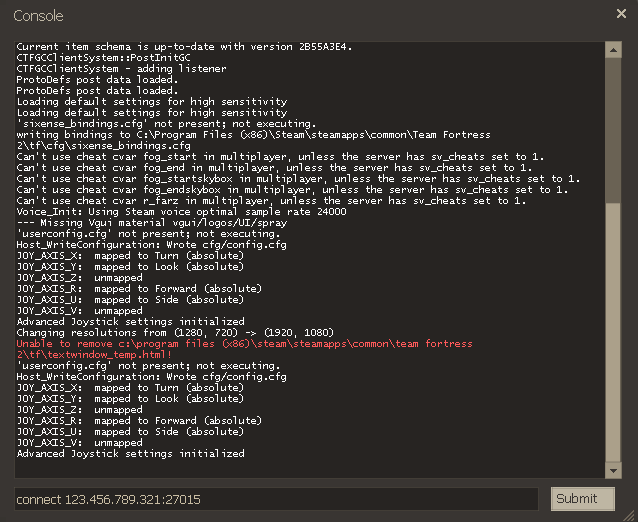
If you require any further assistance, please contact our support at: https://shockbyte.com/billing/submitticket.php