Still have questions?
Come chat with us and we will get back to you as soon as possible!

Shockbyte
Support Team

How To Kick/Ban/Unban Players From Your Conan Exiles Server
This guide explains how to kick, ban, and unban players on your Conan Exiles server. Managing player access helps maintain a fair and enjoyable environment for everyone on your server.
Currently, players cannot be kicked through in-game admin tools, so kicks must be handled through the panel. Players can, however, be banned using the in-game admin panel. When a player is banned, their information is added to the blacklist.txt file located in /ConanSandbox/Saved/ within your FTP directory.
Since there is also no in-game method to unban players, bans must be removed manually through the panel or FTP access. The steps below will walk you through each process.
#Kicking Players
Unfortunately, there are currently no ways to kick players via in-game methods. However, this can be done in your server panel's console.
- Go to your control panel and navigate to the console.
- Enter the command
kickplayer <userid/player> <identification> <message>.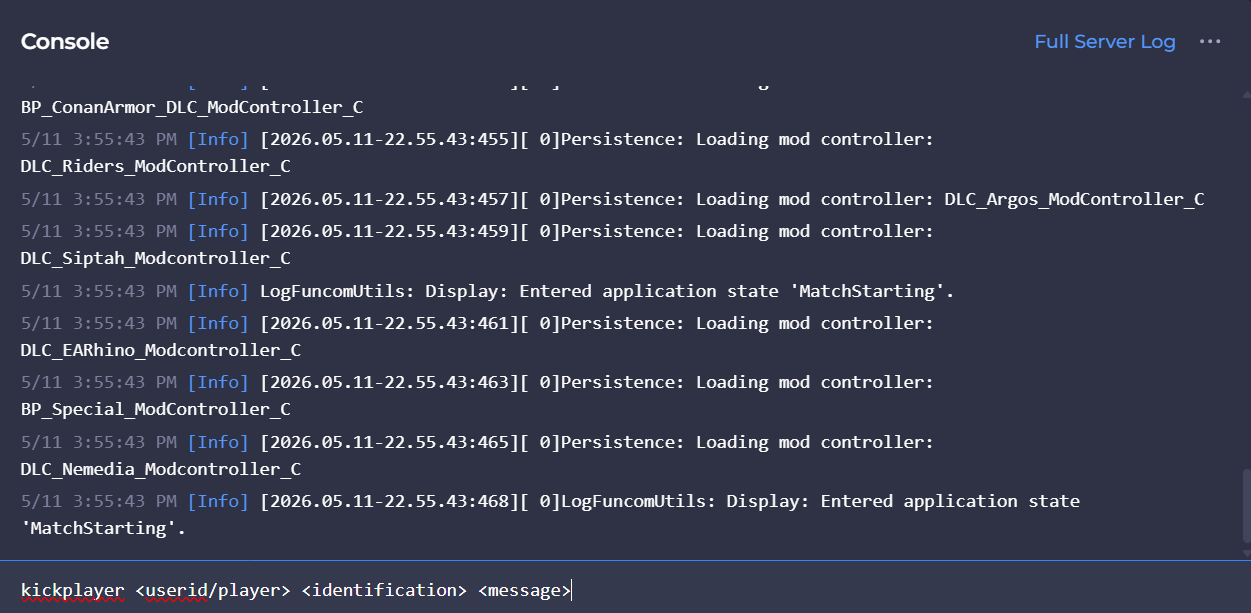
#Banning Players
Fortunately, you can ban players using in-game admin panel. When you ban players, this creates a file blacklist.txt found in /ConanSandbox/Saved/ within your Files tab.
-
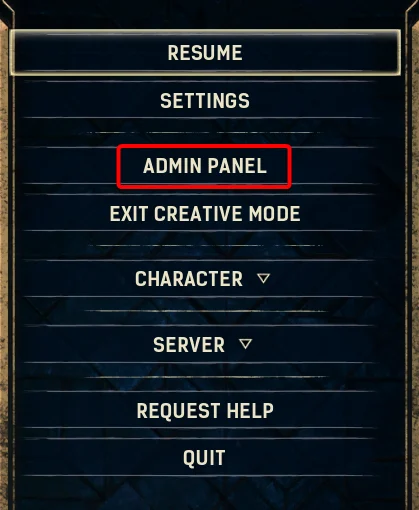
Whilst connected to your server, hit the escape key.
-
Open the Admin Panel.
-
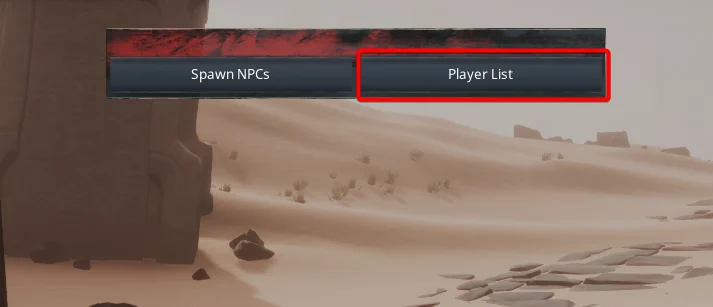
Select Player List.
-
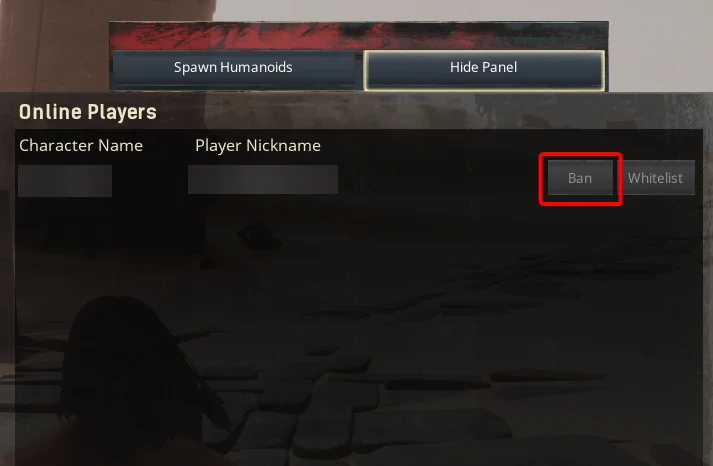
Locate the player you wish to ban, and click ban adjacent to their name.
#Unbanning Players
Perhaps you may have wanted to ban a player for a small period of time, or by mistake. Unfortunately there is no way to unban players via in-game methods, so this will need to be done via the server panel.
- Go to your control panel and navigate to the Files tab.
- Navigate to the
/ConanSandbox/Saved/directory and open theblacklist.txtfile. - Remove the user you wish to unban from the file.
- Save and restart your server to ensure the new changes apply.
If you require any further assistance, please contact our support at: https://shockbyte.com/billing/submitticket.php