Still have questions?
Come chat with us and we will get back to you as soon as possible!
Contact Support
Shockbyte
Support Team

How to Load a Game on your s&box Server
S&Box
·Apr 27, 2026
·2 min read
This guide explains how to load a game on your s&box server. Loading a game allows you to choose which experience or map your server will run, including content created by the community.
You can browse available games on the s&box UGC, then configure your server by setting the desired game in the Config section of your panel. The steps below will walk you through selecting and applying a game so it loads correctly on your server.
#Locating a Game
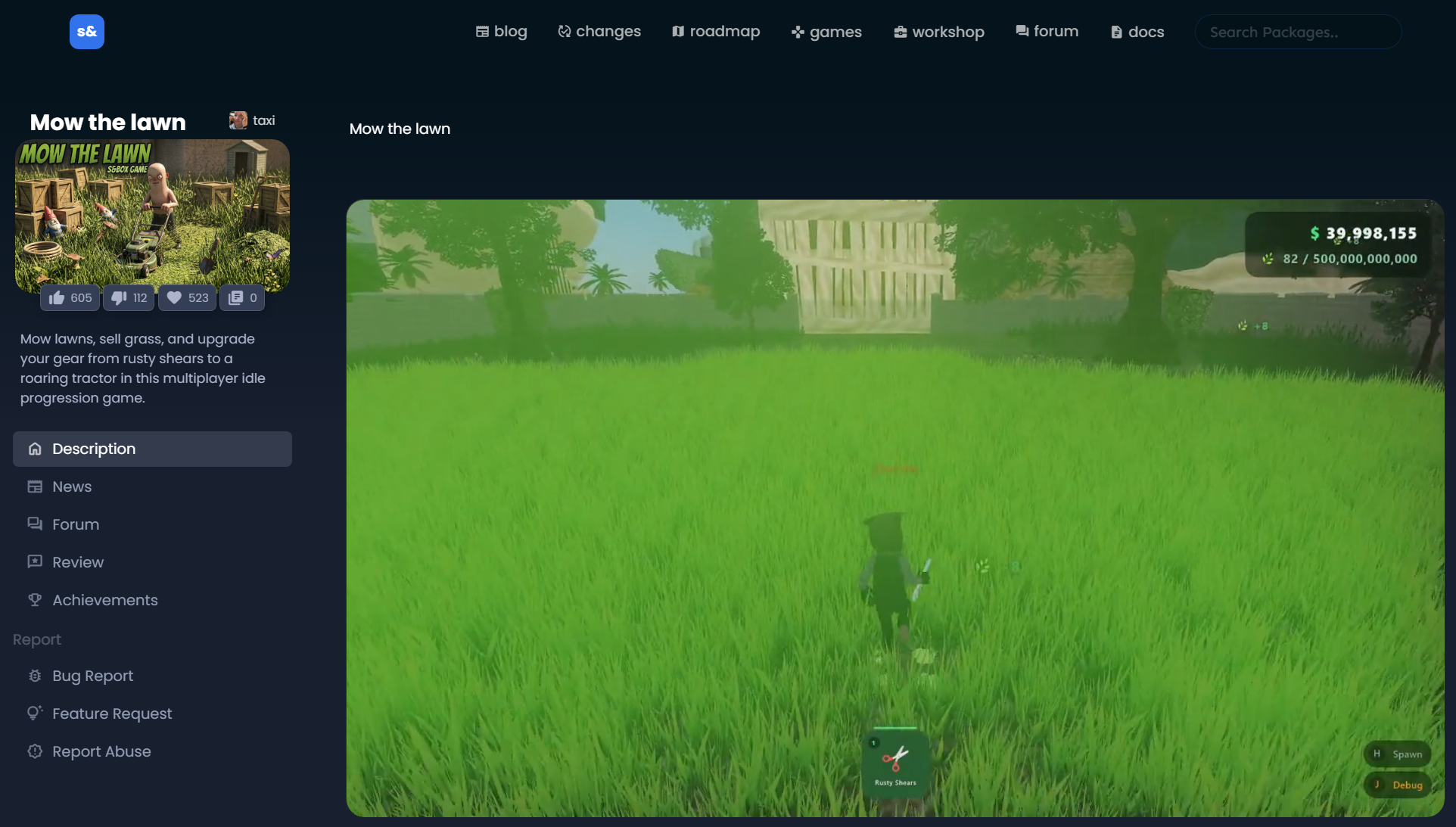
You can locate your desired game on the community workshop for s&box, here.
In this example, we will be using the game "Mow the Lawn".
#Loading the Game onto your Server
- Access your Control Panel and navigate to the Config tab.
- Locate the
Gameoption and set it to the game identifier. This follows the formatauthor.game_name, which you can find in the game's URL - e.g.sbox.game/taxi/mow_the_lawn→taxi.mow_the_lawn.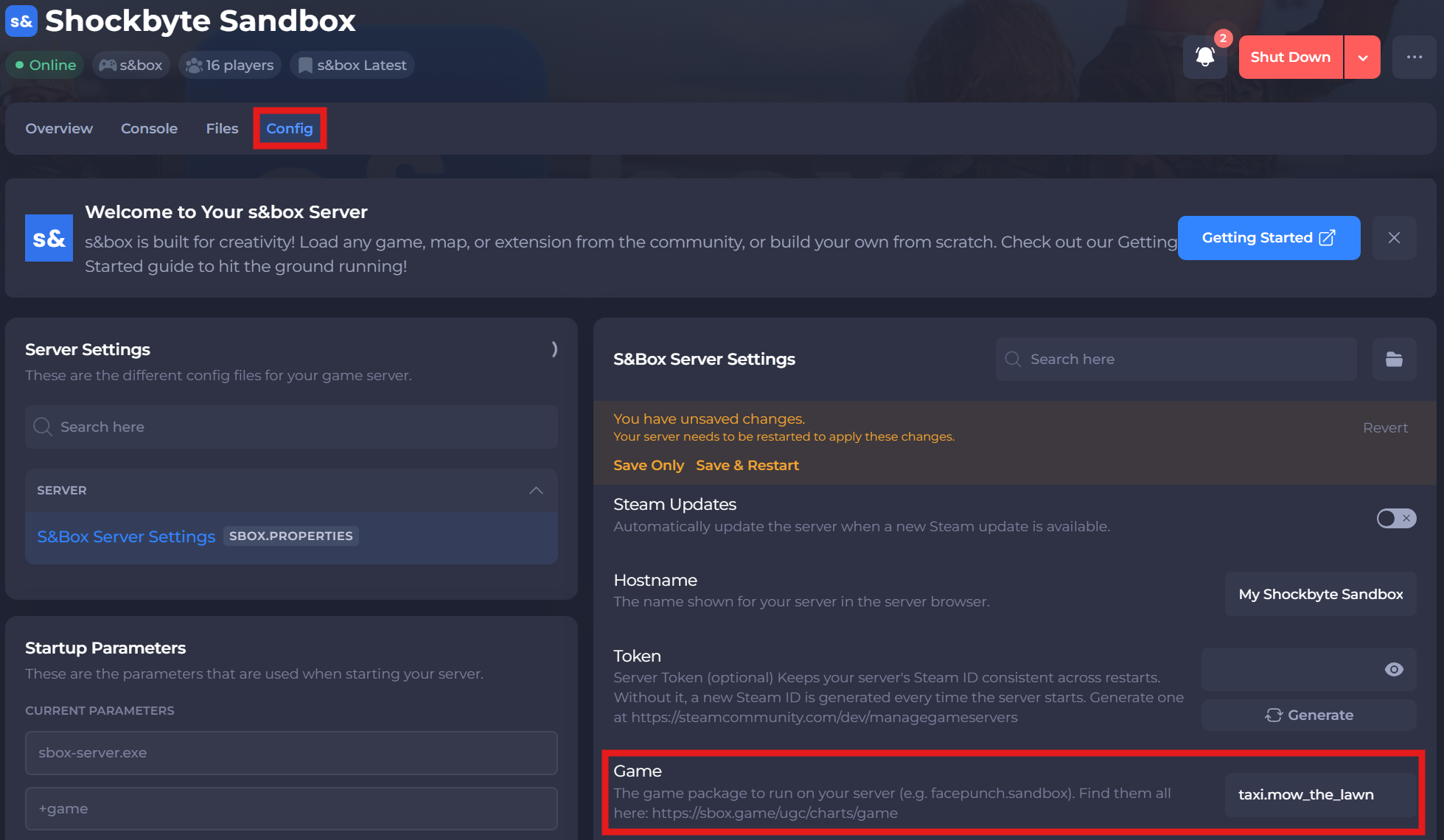
- Save and restart your server to ensure the new changes apply.
If you require any further assistance, please contact our support at: https://shockbyte.com/billing/submitticket.php