Still have questions?
Come chat with us and we will get back to you as soon as possible!

Shockbyte
Support Team

How to Make your Garry's Mod Server Private
If you would like to make a Garry's Mod server for yourself and a few friends, you may wish to restrict your GMOD server so that random players cannot join your server without your permission. This article covers two methods of doing so.
#Method 1: Setting a Password
Garry's Mod provides a built-in password function that prompts the user for a password when joining the server. Anybody who knows (or can guess) this password can join your server, so it's important to choose a strong password that is not easy to guess and only to give it to people that you trust.
-
Access your Control Panel and Stop your server.
-
Navigate to the Config tab and select the Garry's Mod Game Settings file.
-
Locate the
Server Passwordsetting and set your desired password.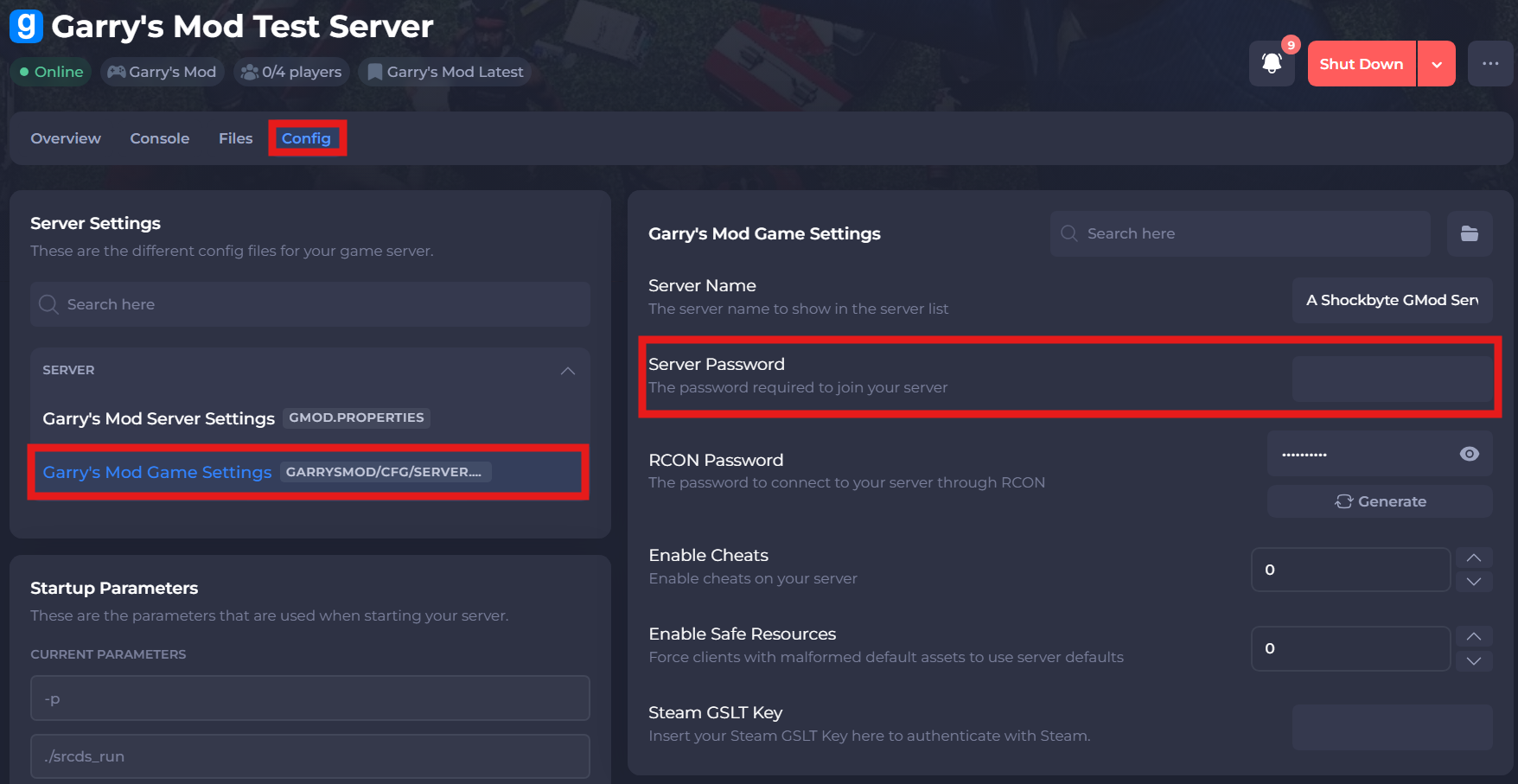
-
Save and restart your server to ensure the new changes apply.
Once your server has restarted, players will need to enter the password you chose above into their Garry's Mod clients in order to join your server.
#Method 2: Using an Allowlist
Another way to protect your server from unwanted visitors is to use a list of SteamIDs to define who is allowed to join your server. Pay special attention to quotes, commas, and brackets as duplicating these or failing to insert one where necessary will result in this failing to work.
-
Access your Control Panel and Stop your server.
-
Navigate to the Files tab and locate the
garrysmod/lua/autorun/serverdirectory. -
Create a new file in this directory called
allowedplayers.lua.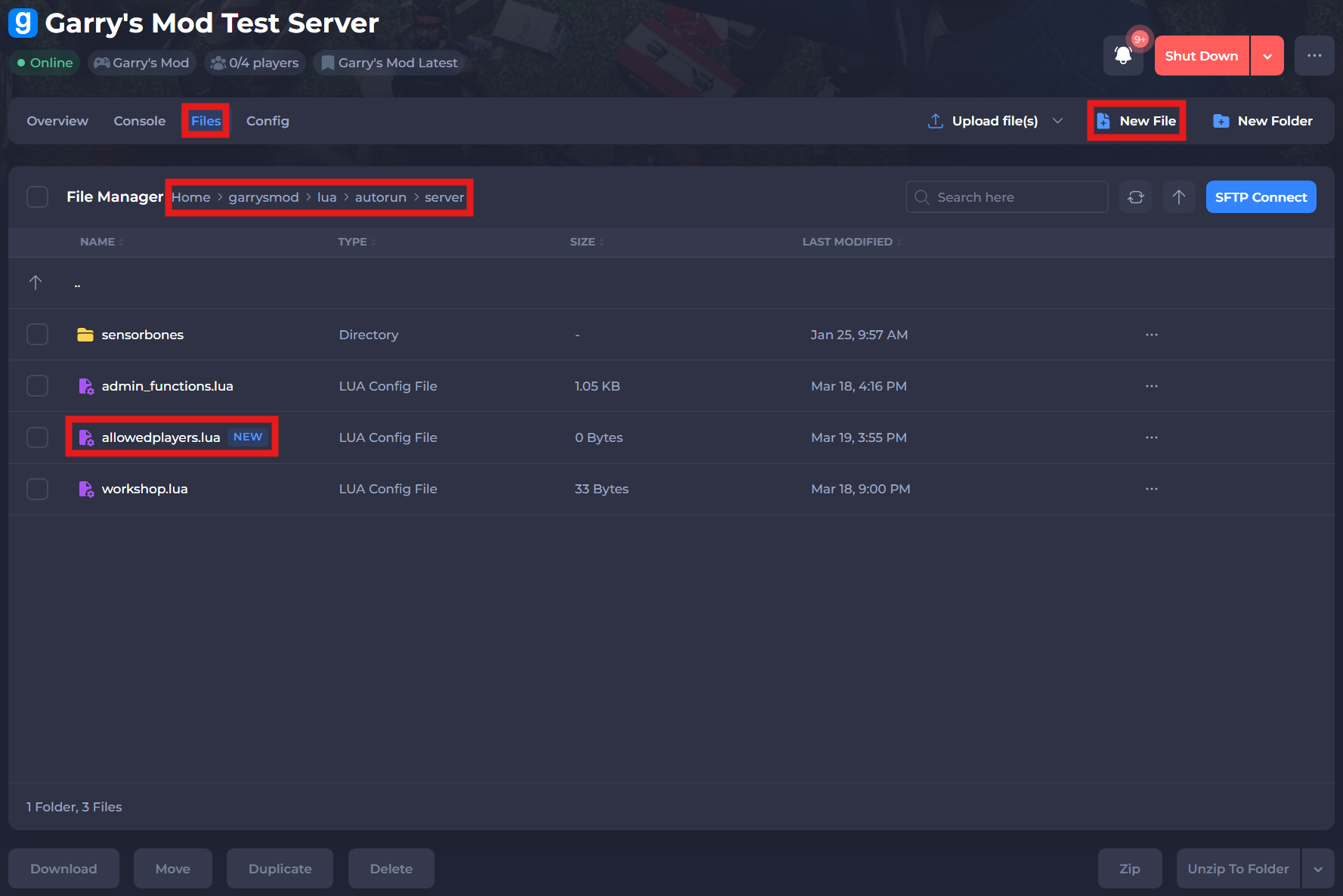
-
Paste the following code into this new file:
local allowed = {
    ['YOURSTEAMIDHERE'] = true,
    ['ANOTHERSTEAMIDHERE'] = true
}
hook.Add('CheckPassword', 'AllowList', function (sid64)
    if not allowed[sid64] then return false, 'You are not allowed on this server!' end
end)
- Replace the sample values (
YOURSTEAMIDHERE,ANOTHERSTEAMIDHERE) in the file with the SteamID64s of you and anybody else that you wish to allow on your server. Each entry except for the last must end with a comma (,). You can use a site like steamid.io to find your SteamID64. You should end up with something that looks like this:
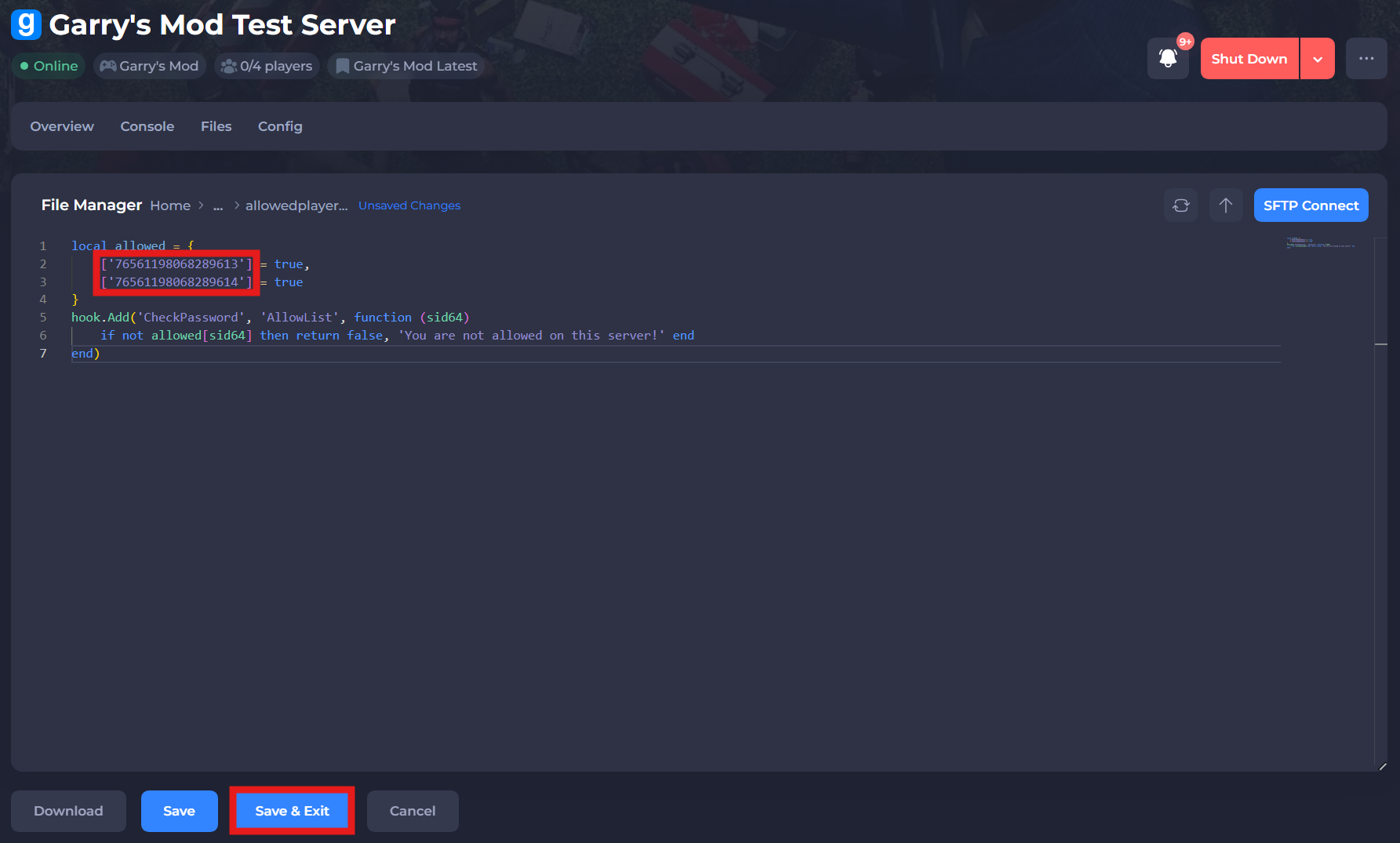
- Save and exit the file. Restart your server to ensure the new changes apply.
If you require any further assistance, please contact our support at: https://shockbyte.com/billing/submitticket.php