Table Of Contents
Adding a PasswordStill have questions?
Come chat with us and we will get back to you as soon as possible!

Shockbyte
Support Team

How to Make Your Project Zomboid Server Private
Project Zomboid
·Nov 10, 2024
·2 min read
If you are looking to run a Project Zomboid server for a small group of people, we recommend making your server private. There are a number of things that can prevent random people from joining your server: setting a password, or hiding the server from the Internet tab.
#Adding a Password
-
Access your Control Panel and Stop your server.
-
Navigate to the Config tab and select the Project Zomboid Server Settings file.
-
Locate the
Server PasswordandPublicoptions. Set your desired values.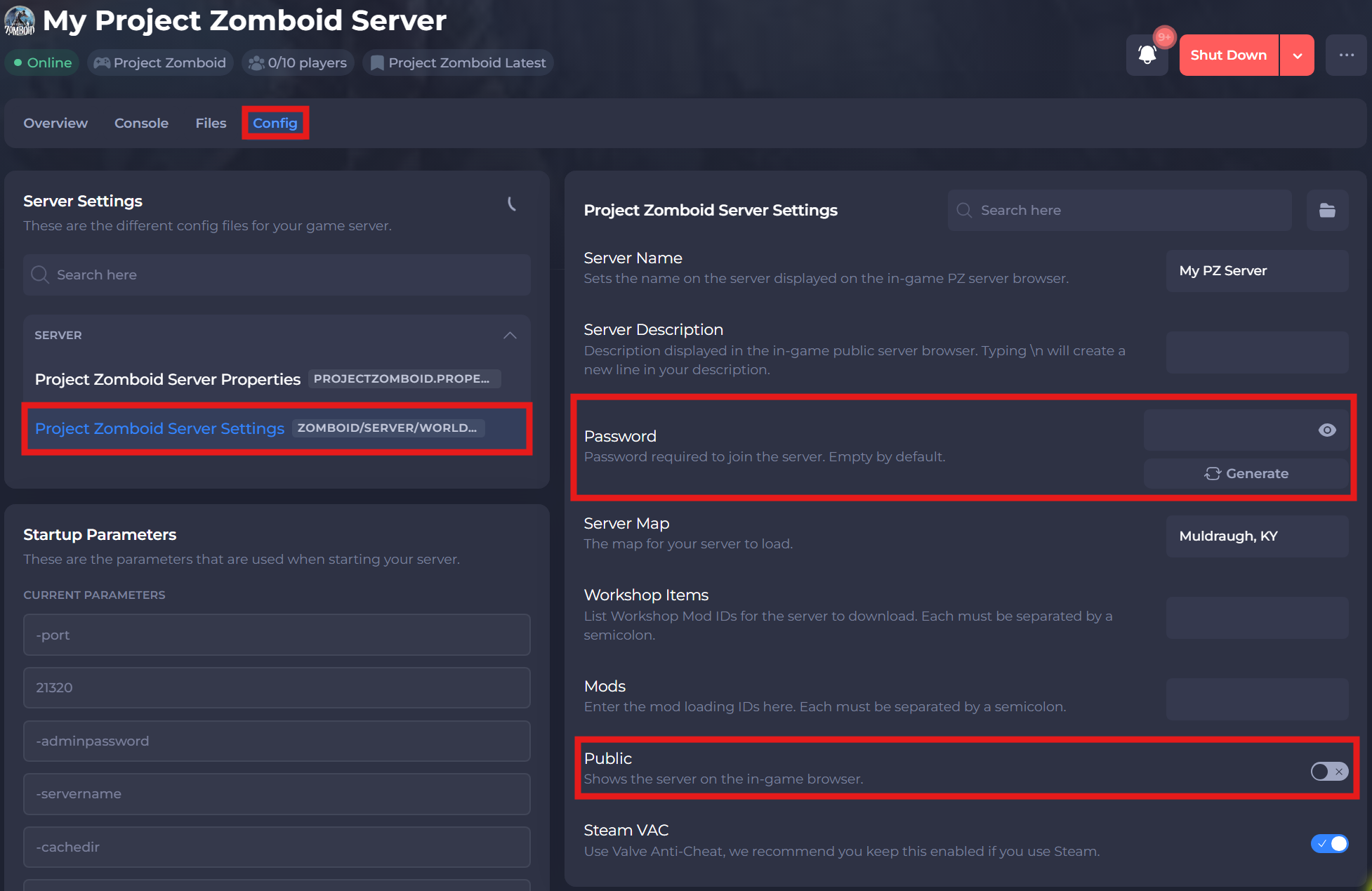
-
Save and restart the server to ensure the new changes apply.
If you require any further assistance, please contact our support at: https://shockbyte.com/billing/submitticket.php