Table Of Contents
IntroductionStill have questions?
Come chat with us and we will get back to you as soon as possible!

Shockbyte
Support Team
How to Migrate your Minecraft Server From Java 21 to Java 25
#Introduction
Migrating your Minecraft server to a newer Java version ensures compatibility with the latest plugins and mods. The following steps will guide you through migrating your server from Java 21 to Java 25 while keeping your data safe.
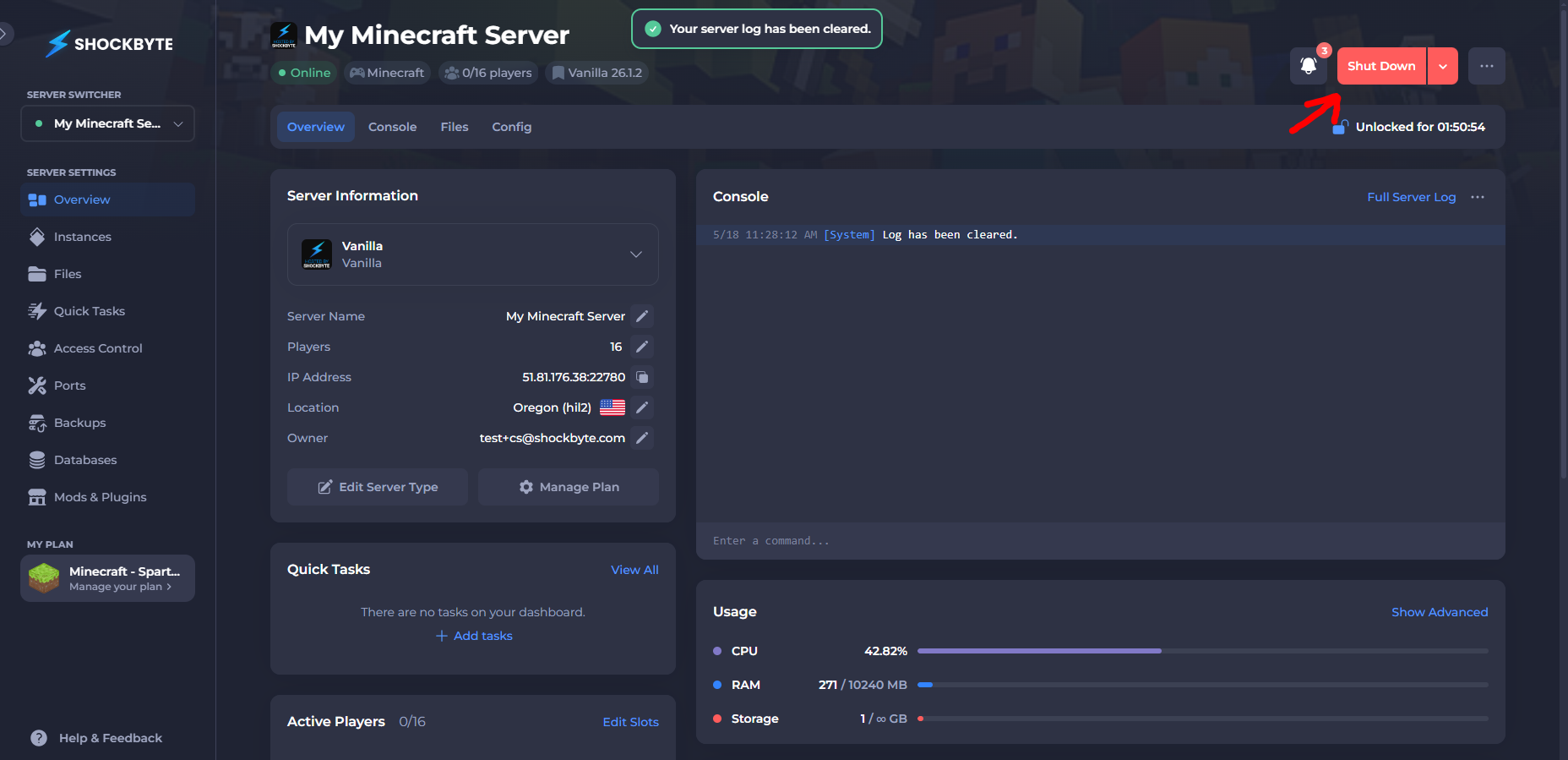
Step 1: Shut down your server.
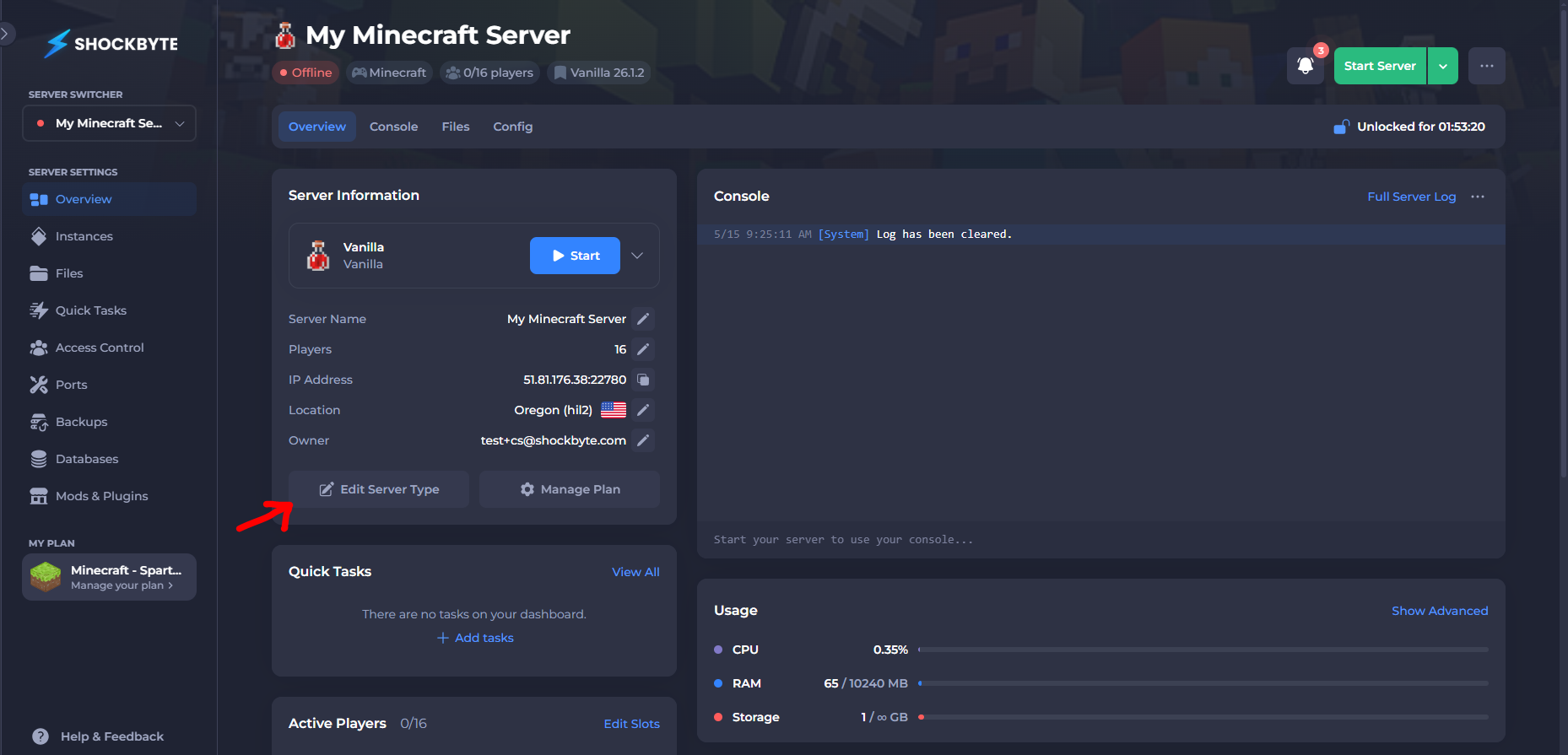
Step 2: From the Overview tab of your control panel select "Edit Server Type".
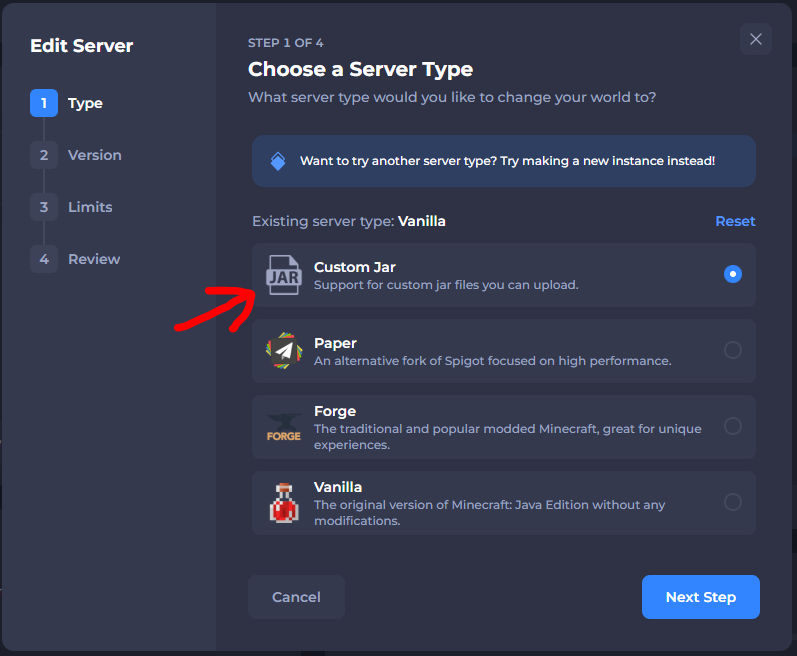
Step 3: Select "Custom Jar" from the options listed and click "Next Step"
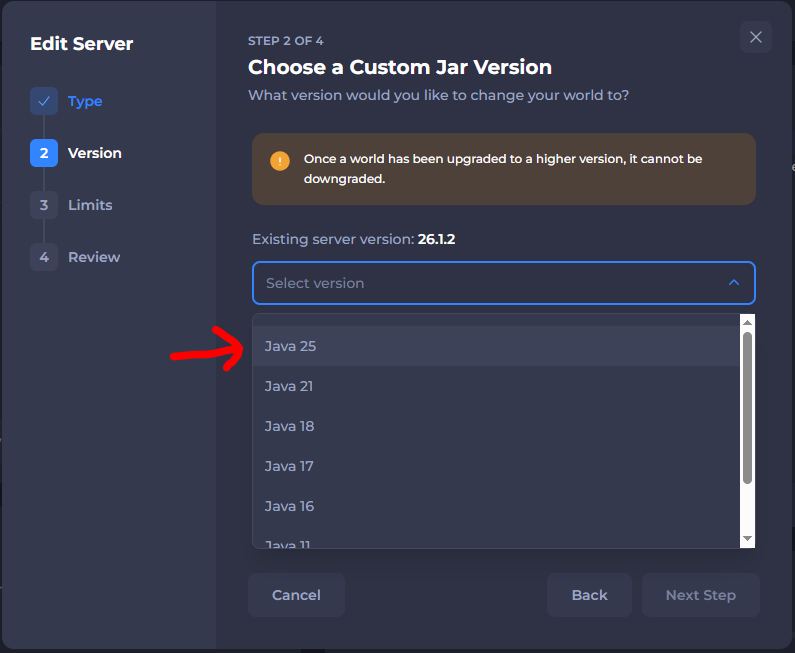
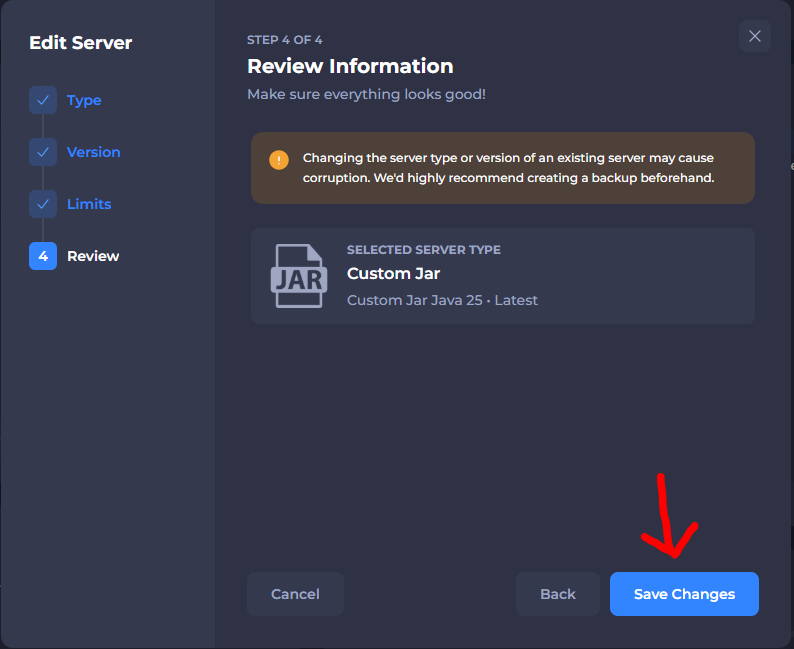
Step 4: Select "Java 25" from the dropdown and click "Next Step" and then "Save Changes"
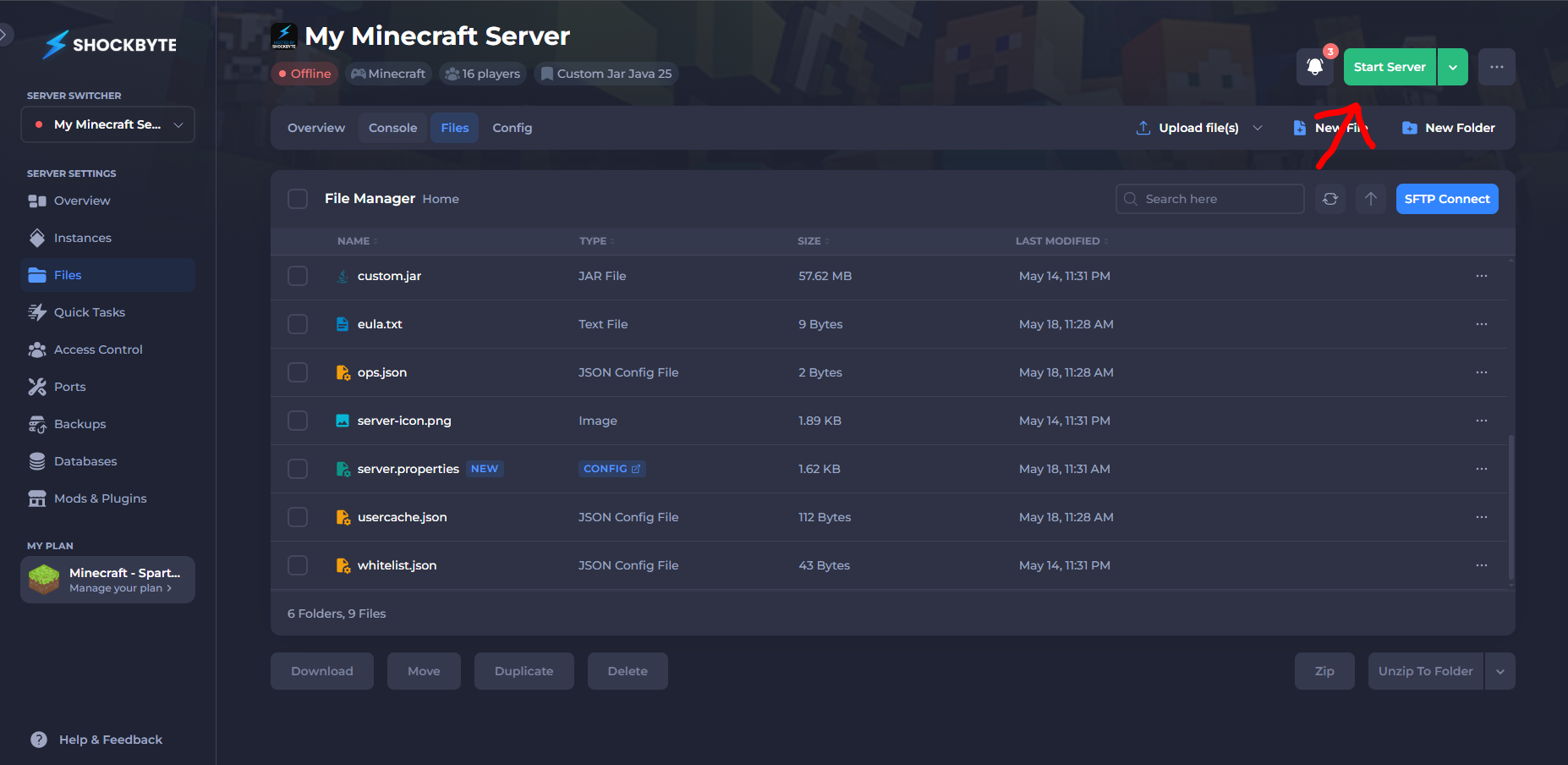
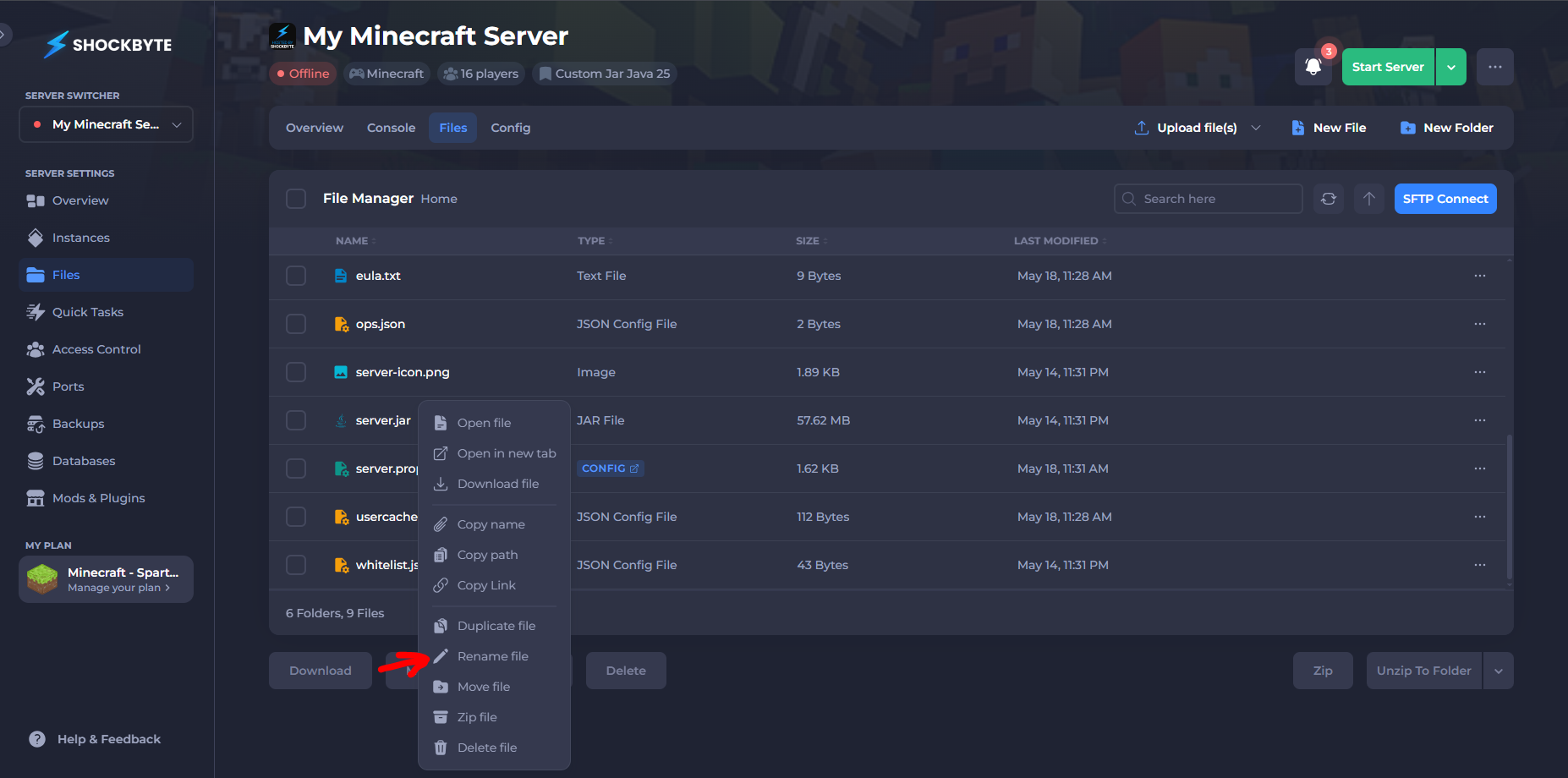
Step 5: Go to your server's Files tab and rename your server's JAR file to "custom.jar"
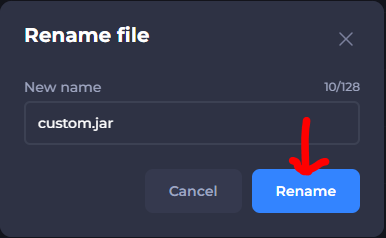
Step 6: With all your files securely in place, start your server. Your server will now load using Java 25, yay!