Still have questions?
Come chat with us and we will get back to you as soon as possible!

Shockbyte
Support Team

How to Reset Players on your Conan Exiles Server
This guide explains how to reset player data on your Conan Exiles server. Player information, progression, and other world data are stored within your server’s game.db SQLite database file.
To reset player data, you will need to access and edit the game.db file using a SQLite-compatible database editor. The steps below will walk you through locating, modifying, and safely updating your server database.
#Downloading the game.db File
Before being able to make any changes to your server's player data you will first have to locate and download the game.db file from your server.
- Access your Control Panel and navigate to the Files tab.
- Navigate to
/ConanSandbox/Saveddirectory. Download thegame.dbfile.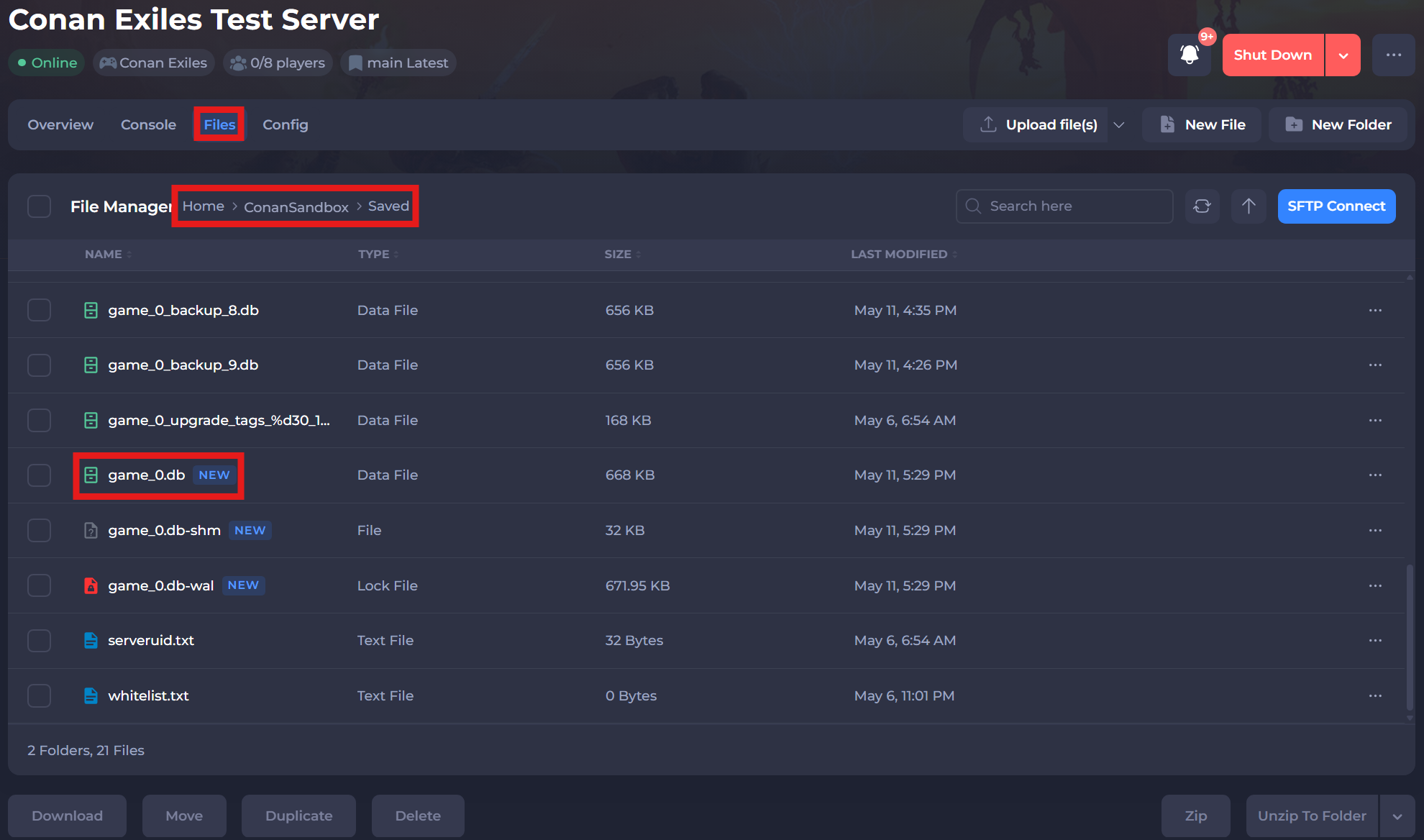
#Resetting Player Progress
Once you have downloaded your game.db file you will need to use an SQLite compatible reader to view and edit the stored data. For the following steps, we will be using DB Browser for SQLite.
-
Open DB4S.
-
Click Open Database and select your
game.dbfile.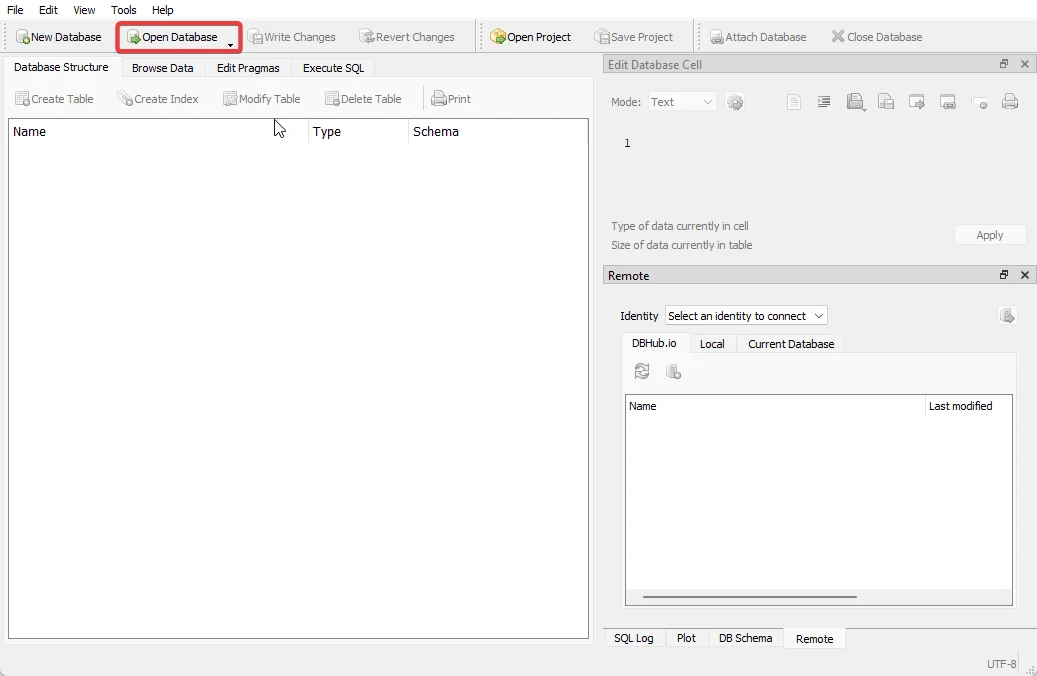
-
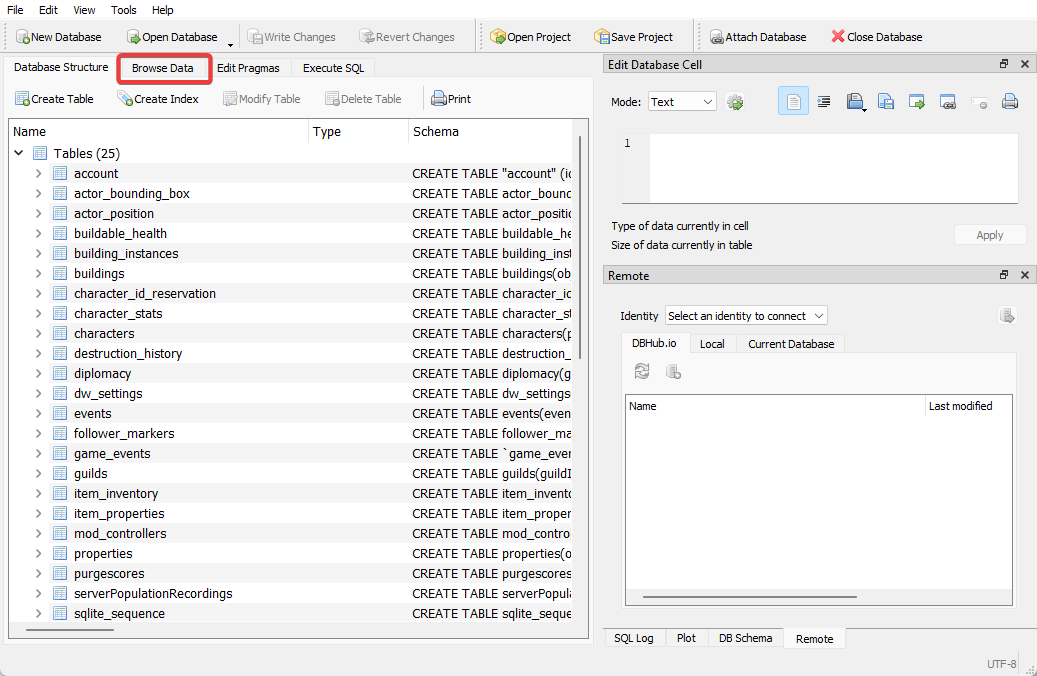
Click Browse Data.
-
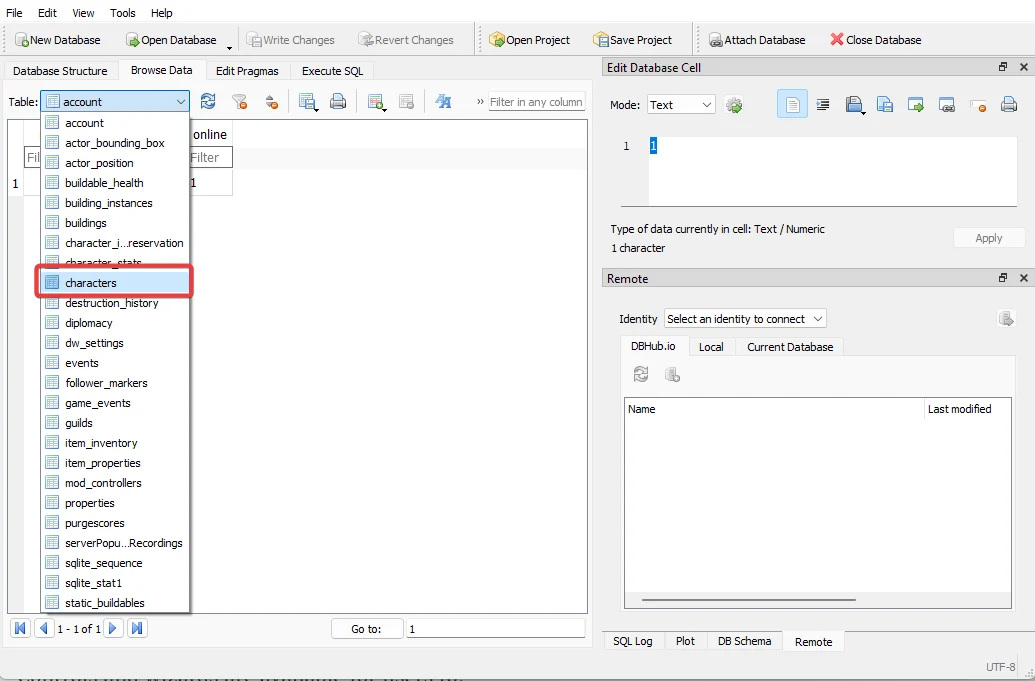
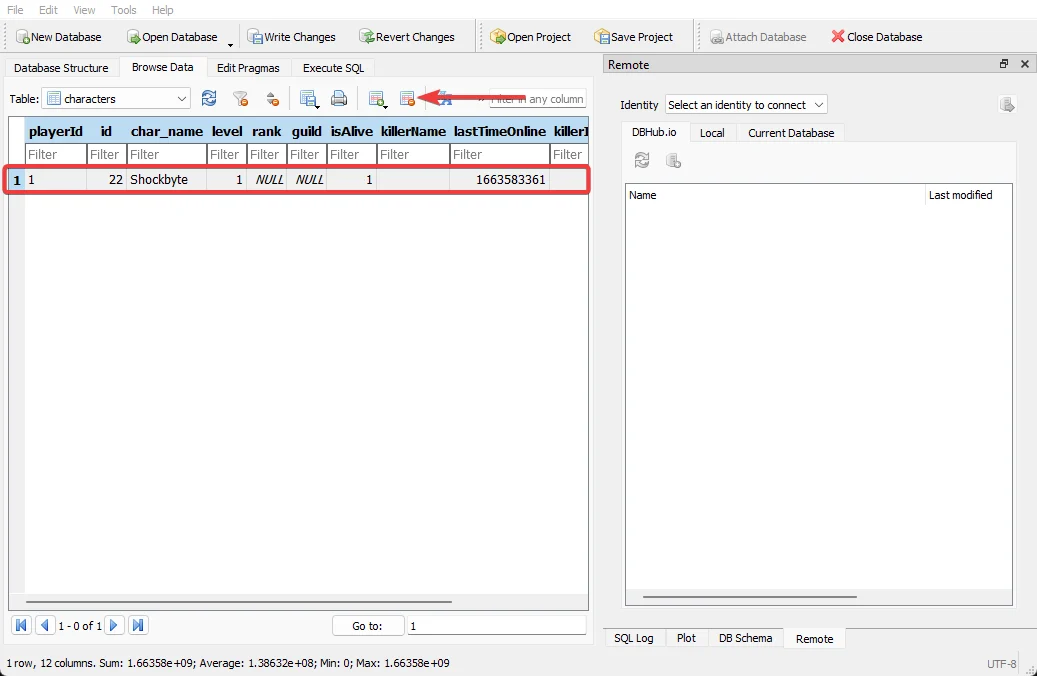
Select characters from the Table dropdown.
-
Select a Character and click the Delete the current record button.
-
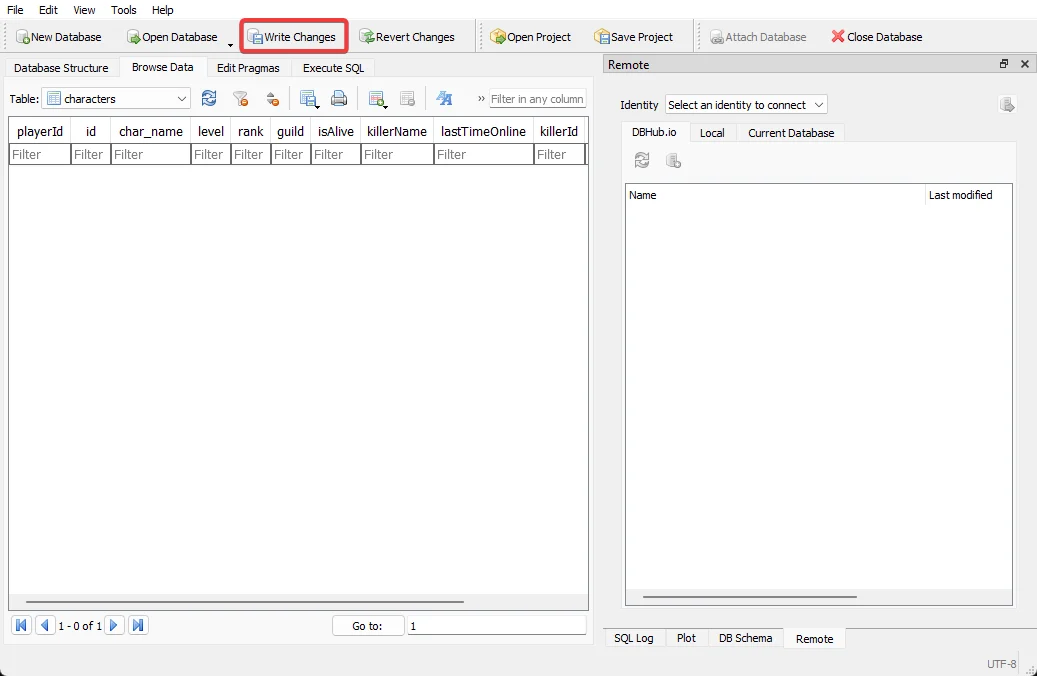
Click Write Changes.
#Uploading the game.db File
Once you have reset the player's data you will need to upload the new game.db file to your server.
-
Access your Control Panel and navigate to the Files tab.
-
Navigate to
/ConanSandbox/Saved. Select the Upload file(s) button and upload your newgame.dbfile.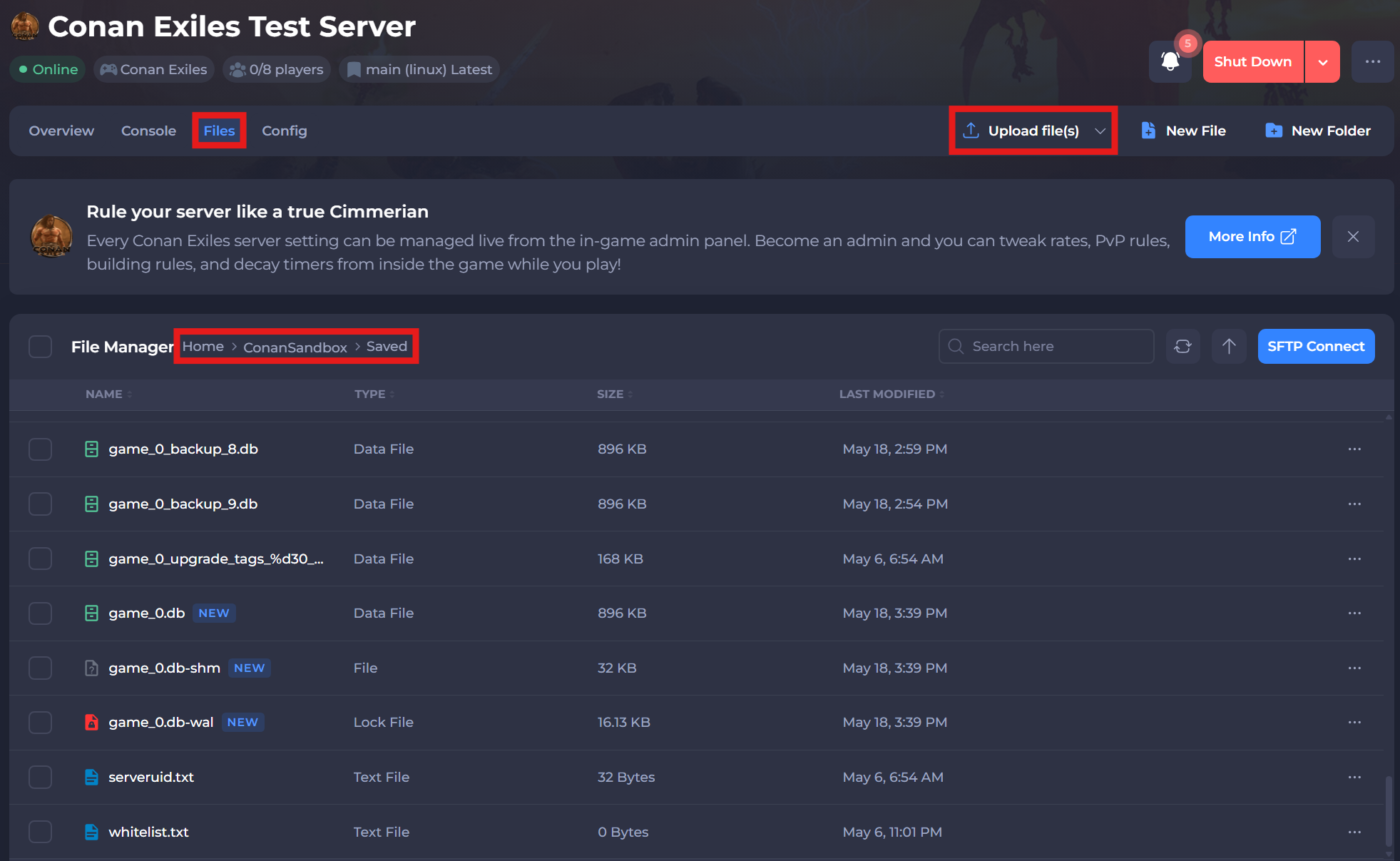
-
Restart your server to ensure the new changes apply.
If you require any further assistance, please contact our support at: https://shockbyte.com/billing/submitticket.php