Table Of Contents
Setting a PasswordStill have questions?
Come chat with us and we will get back to you as soon as possible!

Shockbyte
Support Team

How to Set a Password on your Romestead Server
This guide explains how to set a password on your Romestead server. Adding a password allows you to make your server private and restrict access to selected players only.
You can configure a password by setting a value in the Password field within the Config area of your panel. The steps below will walk you through updating this setting and securing your server.
#Setting a Password
If you would like to add a password to your Romestead server, you will need to enter in a value in the Password field in your Config area.
-
Access your Control Panel and navigate to the Config tab.
-
Select the Romestead Server Settings file.
-
Locate the
Passwordoption and enter in your desired password.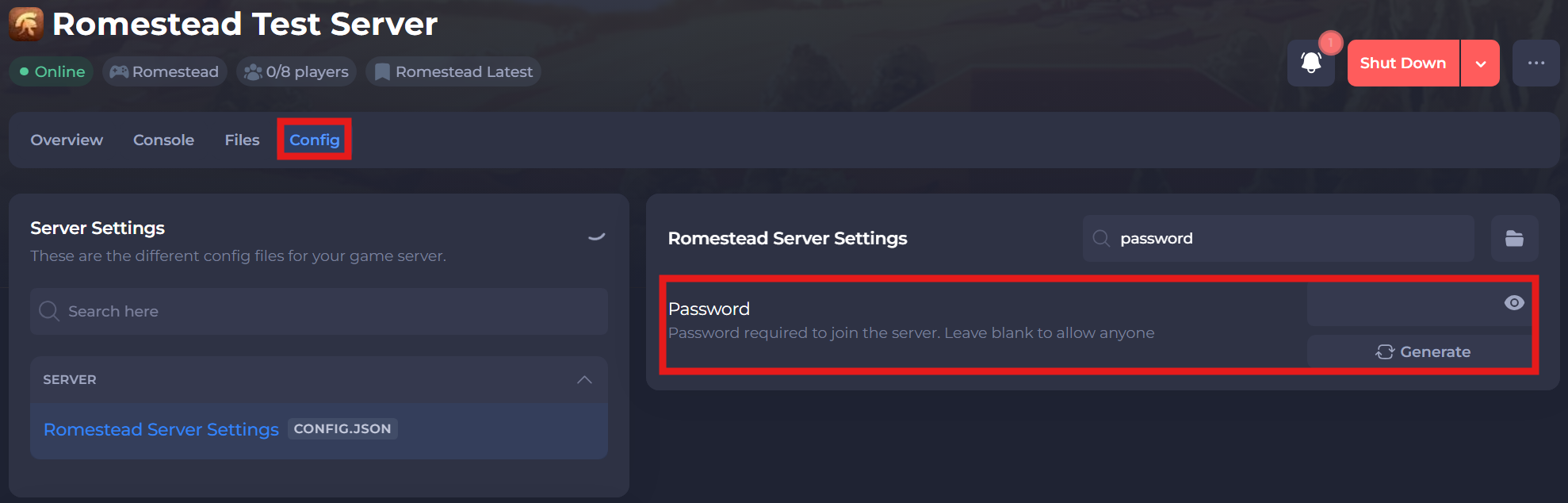
-
Save and restart your server to ensure the new changes apply.
If you require any further assistance, please contact our support at: https://shockbyte.com/billing/submitticket.php