Still have questions?
Come chat with us and we will get back to you as soon as possible!

Shockbyte
Support Team

How to Set the Maximum Clan Size on your V Rising Server
Clans in V Rising are a core feature of PvP content in servers. A clan will only be active in the server that is created and nowhere else. Clans allow you interact with each other's castles, disable friendly fire and share progress.
By default the Clan Size is set to 4 for all servers, with the maximum Clan size available being 10.
#Selecting a Custom Gametype
In order to make changes to a V Rising server's gameplay settings you will first need to select the Default game settings preset in your server's control panel.
-
Access your Control Panel and Stop your server.
-
Navigate to the Config tab and select the Server Host Settings.
-
Locate the
Game Settings Presetoption and selectDefaultfrom the dropdown.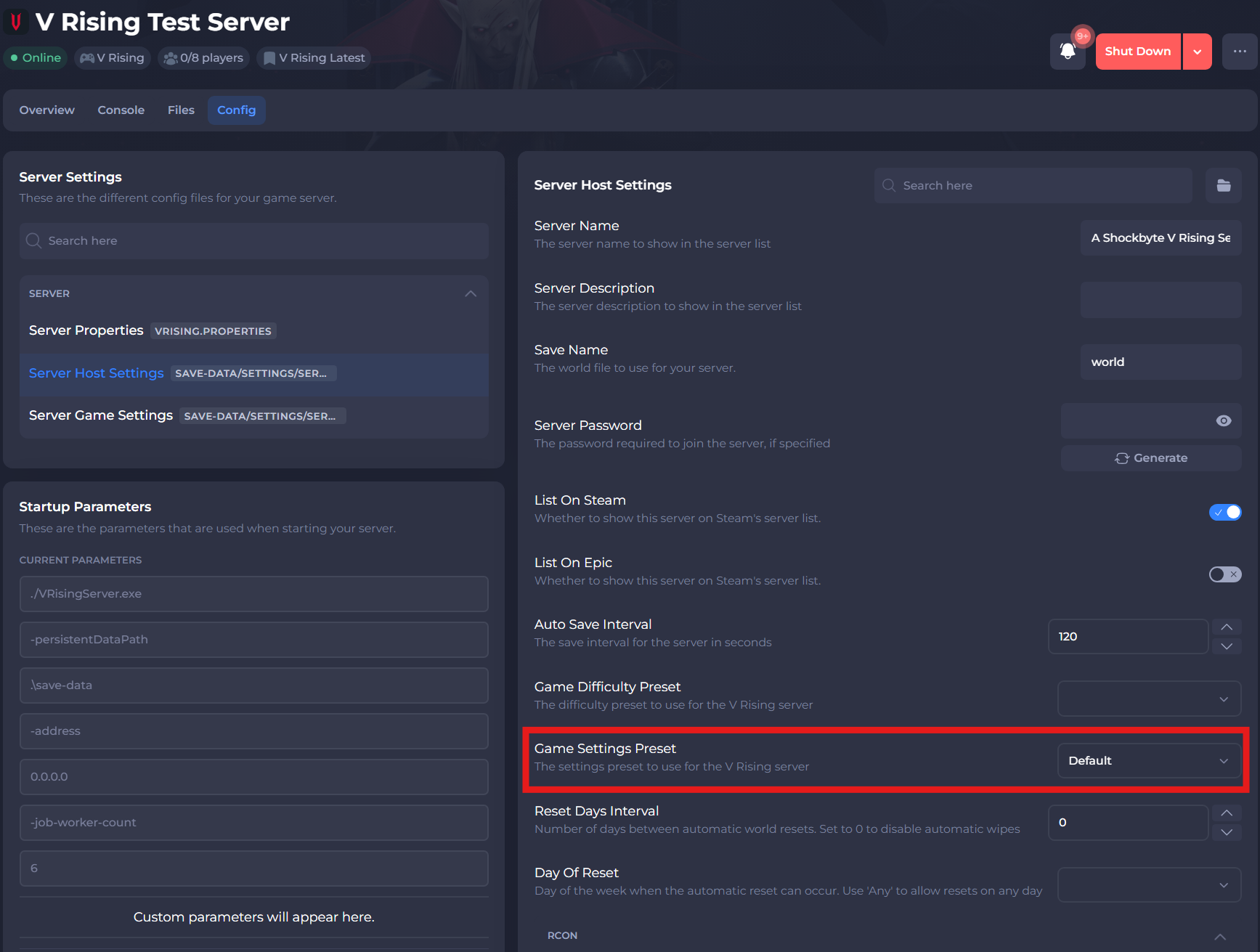
-
Select the save button.
#Changing the Maximum Clan Size
The easiest way to set a maximum clan size is by using your server's control panel to edit the ServerGameSettings.json file.
-
Access your Control Panel and Stop your server.
-
Navigate to the Config tab and select the Server Game Settings.
-
Locate the
Clan Sizesetting and select your desired value.
-
Save and exit the file. Restart your server to ensure the changes apply.
If you require any further assistance, please contact our support at: https://shockbyte.com/billing/submitticket.php