Table Of Contents
Changing the Welcome MessageStill have questions?
Come chat with us and we will get back to you as soon as possible!
Contact Support
Jay Miller
Game Engineer

How to Set the MOTD (Welcome Message) for your Vintage Story Server
Vintage Story
·Nov 14, 2024
·1 min read
Vintage Story server owners are able to set a welcome message (Message of the day) for their server that is shown in chat to players when they join the server.
#Changing the Welcome Message
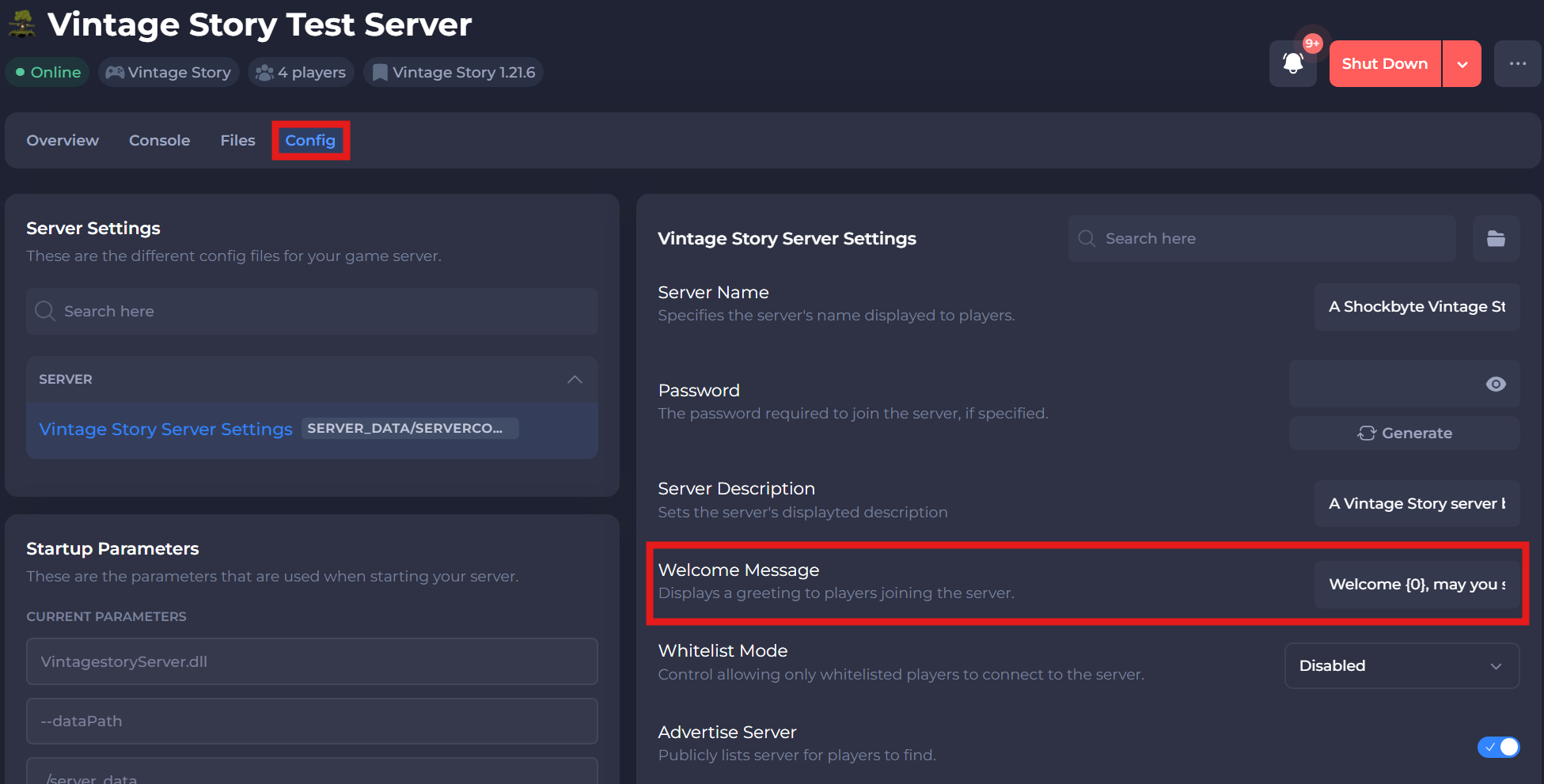
You can change your server's welcome message in the Vintage Story Server Settings section of your server's control panel.
-
Access your Control Panel and Stop your server.
-
Navigate to the Config tab, select the Vintage Story Server Settings.
-
Locate the Welcome Message option and enter your desired welcome message.
-
Save and restart your server.
If you require any further assistance, please contact our support at: https://shockbyte.com/billing/submitticket.php