How to Set the Server Name on your Killing Floor 2 Server
Table Of Contents
Configuring the Server NameStill have questions?

Shockbyte
Support Team

How to Set the Server Name on your Killing Floor 2 Server
This guide explains how to set a server name for your Killing Floor 2 server. Setting a custom server name helps players easily identify your server when browsing the in-game server list.
Many server owners also use their server name to showcase their community, gameplay style, or special server features. The steps below will walk you through changing your server name so it appears correctly in-game.
#Configuring the Server Name
The server name can be configured in the Killing Floor 2 Server Settings section of your server's control panel.
-
Access your Control Panel and navigate to the Config tab.
-
Select the
Killing Floor 2 Server Settingsfile and locate theServer Nameoption. Set your desired Server Name.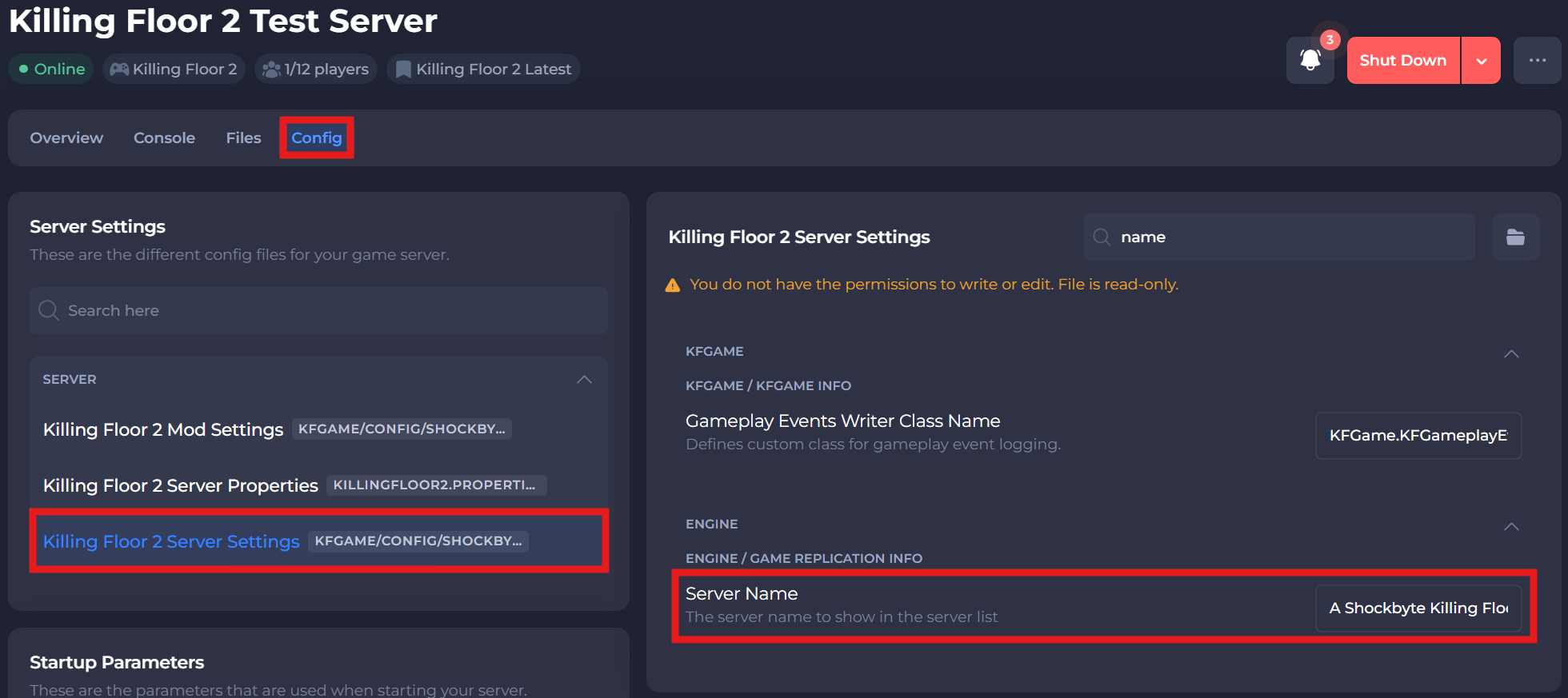
-
Save and restart your server to ensure the new changes apply.
If you require any further assistance, please contact our support at: https://shockbyte.com/billing/submitticket.php