Still have questions?
Come chat with us and we will get back to you as soon as possible!

Shockbyte
Support Team

How To Set Your Conan Exiles Server To Private
This guide explains how to set your Conan Exiles server to private. Making your server private allows you to control who can join by requiring a password and optionally restricting access further with a whitelist.
You can set a server password through the Config section of your panel. If you would also like to use a whitelist, you will need to connect to the server as an admin and configure it in-game. The steps below will walk you through both methods.
#Setting a Server Password
-
Access your Control Panel and navigate to the Config tab.
-
Locate the
Server Passwordsetting and set your desired password.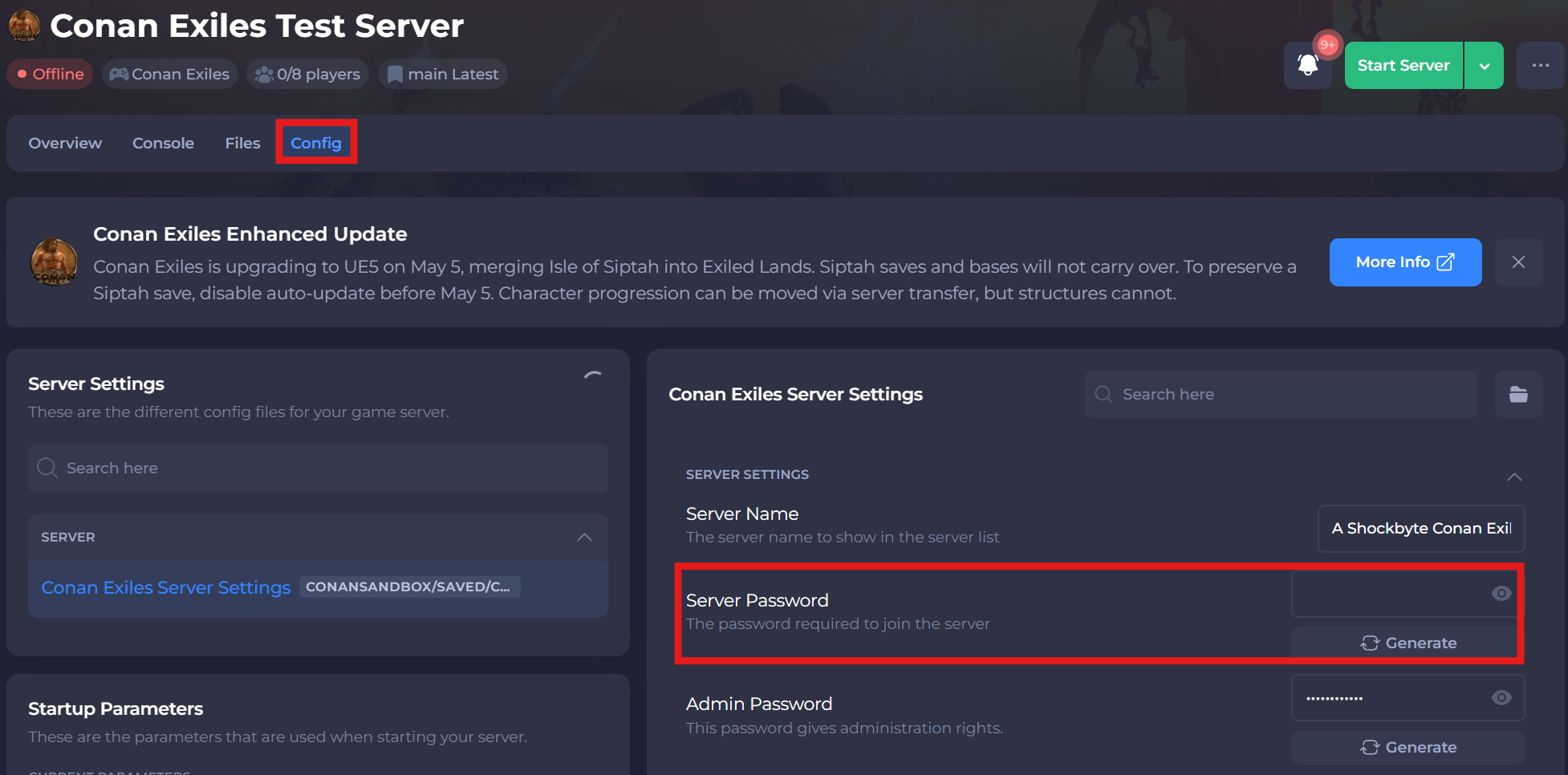
-
Save and restart your server to ensure the new changes apply.
#Enabling a Whitelist
Whitelisting removes the need for having a server password by manually assigning the players that are able to connect to your server.
-
Connect to your server and assign yourself as an admin.
-
Within
Server Settings, access theGeneraltab.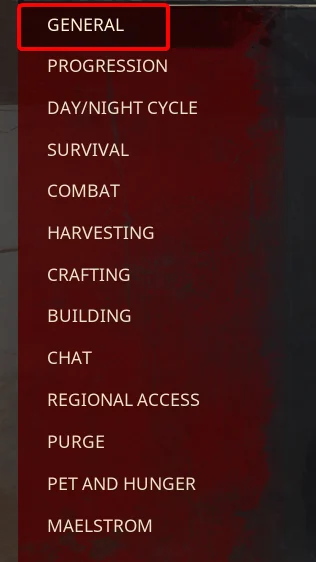
-
Scroll down and enable
Only Allow Whitelisted Players To Join.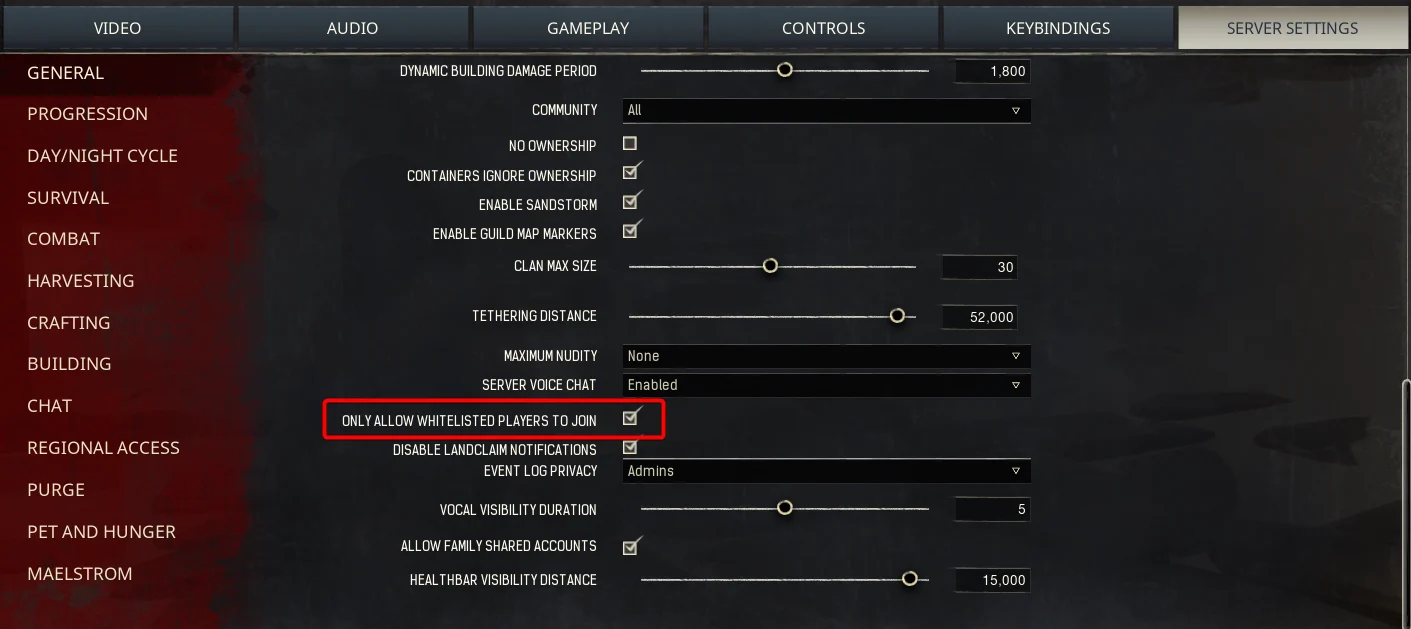
Whitelisting Players In-Game
-
When connected to the server, hit escape and open the
Admin Panel.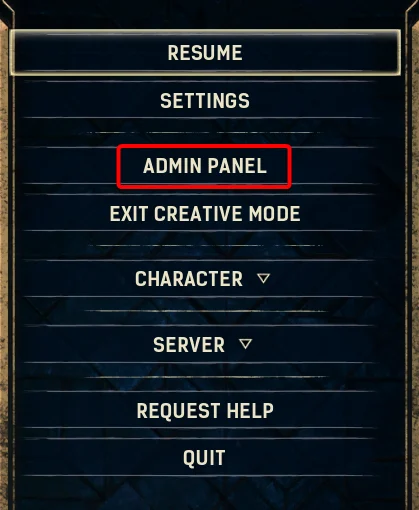
-
Select
Player List.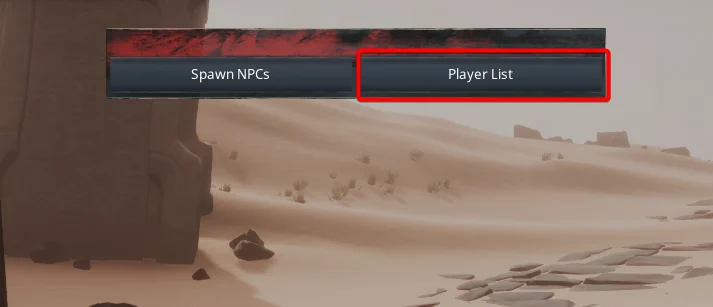
-
Here, you will find a list of the current players online. Click
Whitelistnext to each player you wish to add to the whitelist.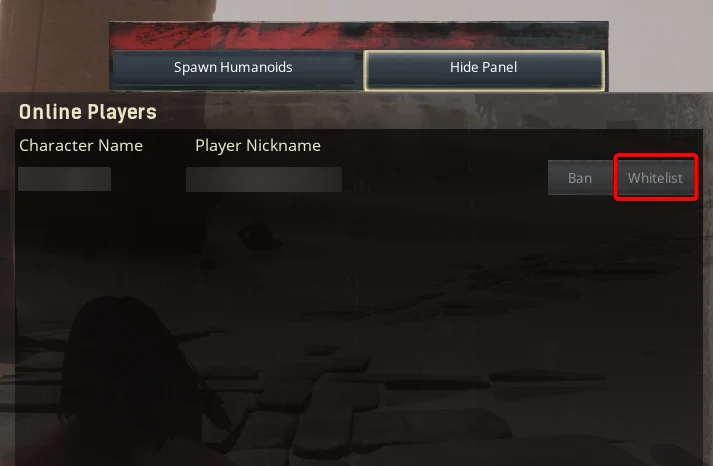
Whitelisting Players Not In-Game
-
Access your Control Panel and navigate to the Config tab.
-
Navigate to the Files tab and locate the
/ConanSandbox/Saved/directory, and select New File. Create a new file calledwhitelist.txt.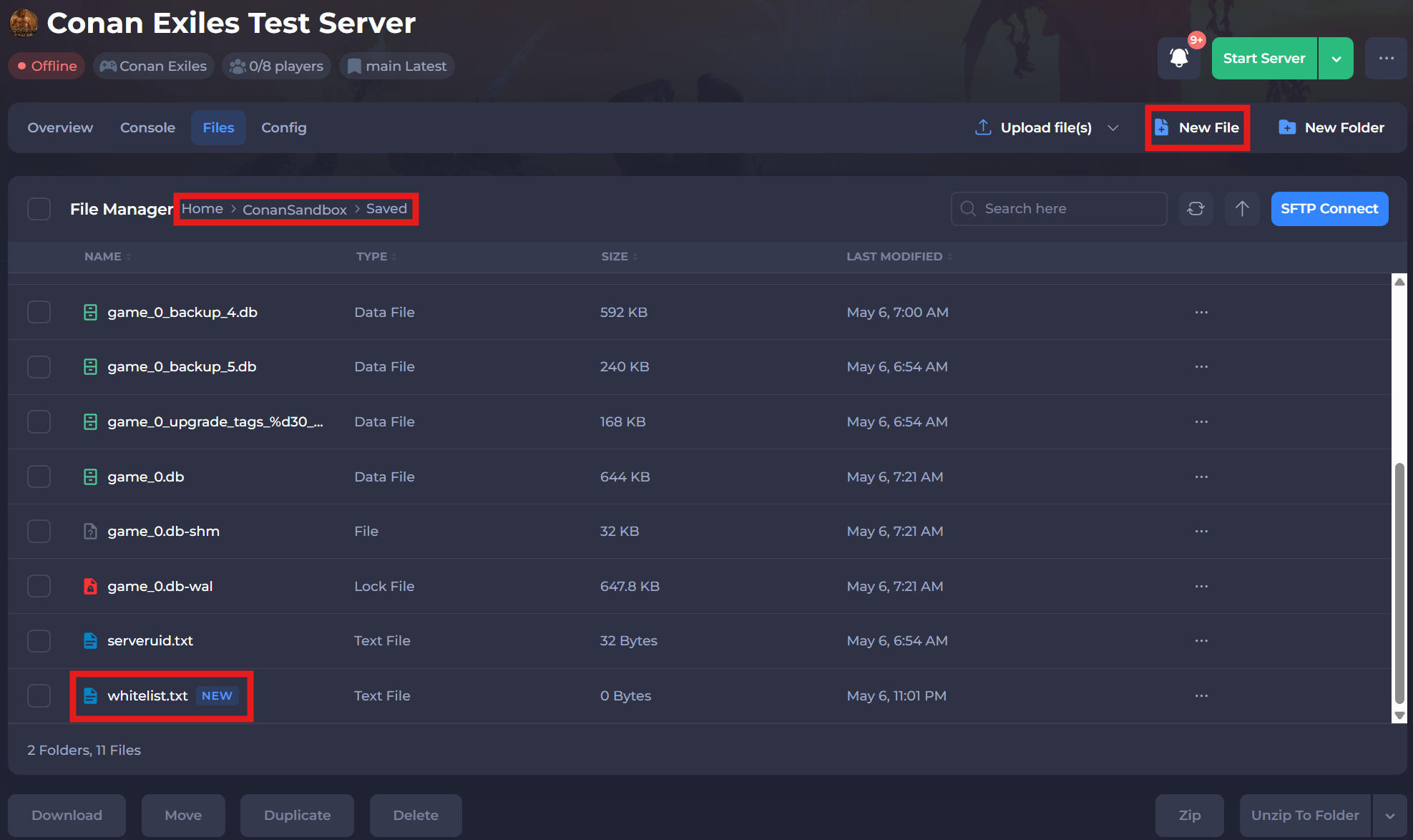
-
Open the
whitelist.txtfile. To add a player, you are required to add their Steam64ID alongside their FuncomID.
- Example:
1234567891234:Shockbyte#1234. For each player, ensure you add them to a new line in the file.
- Save and restart your server to ensure the new changes apply.
If you require any further assistance, please contact our support at: https://shockbyte.com/billing/submitticket.php