Table Of Contents
Setting a PasswordStill have questions?
Come chat with us and we will get back to you as soon as possible!

Ruben B
Partnership Manager

How To Set Your Don't Starve Together Server To Private
Don't Starve Together
·Nov 9, 2024
·1 min read
Creating a private server is a great way to avoid unwarranted players joining your server, so you and your friends can have fun. An easy and simple way to do this would be to add a password to your server.
#Setting a Password
-
Access your Control Panel and navigate to the Config tab.
-
Locate the
Server Passwordand set your desired value.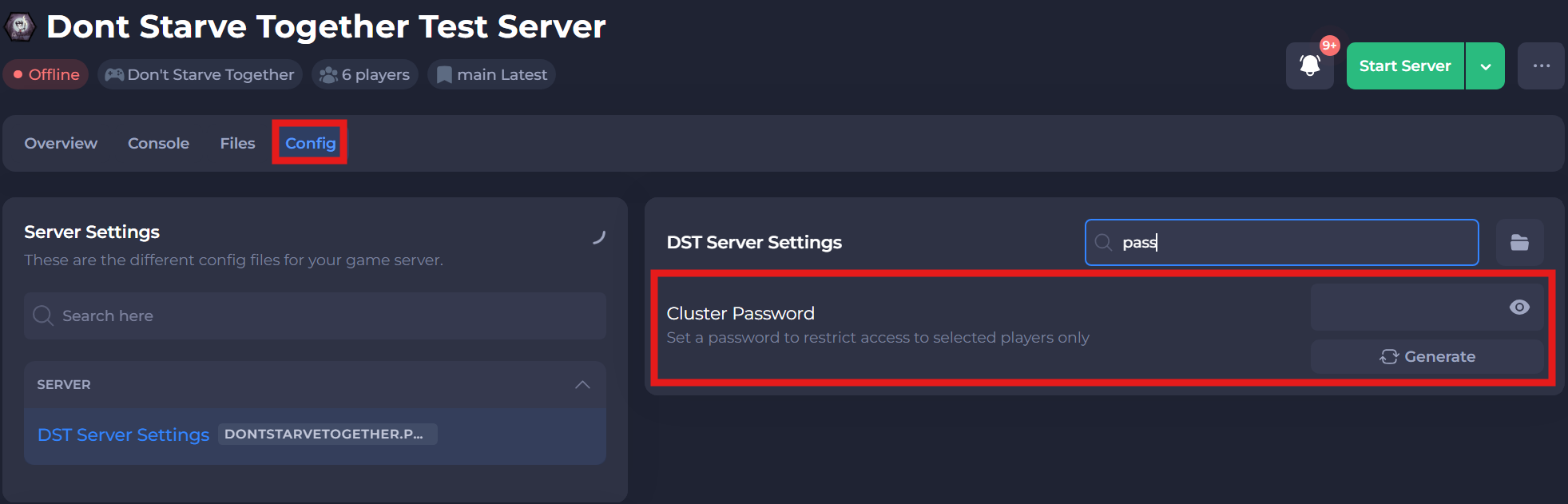
-
Save and restart your server to ensure the new changes apply.
If you require any further assistance, please contact our support at: https://shockbyte.com/billing/submitticket.php