How to Set your Killing Floor 2 Server to Private
Table Of Contents
Adding a PasswordStill have questions?

Shockbyte
Support Team

How to Set your Killing Floor 2 Server to Private
This guide explains how to make your Killing Floor 2 server private. Making your server private allows you to limit access to selected players and prevent unwanted users from joining your games.
Currently, the only way to make a Killing Floor 2 server private is by setting a server password. Players will then need to enter the password before they can connect. The steps below will walk you through configuring a password for your server.
#Adding a Password
-
Access your Control Panel and navigate to the Config tab.
-
Select the
Killing Floor 2 Server Settingsfile and locate theServer Passwordoption. Set your desired Server Password.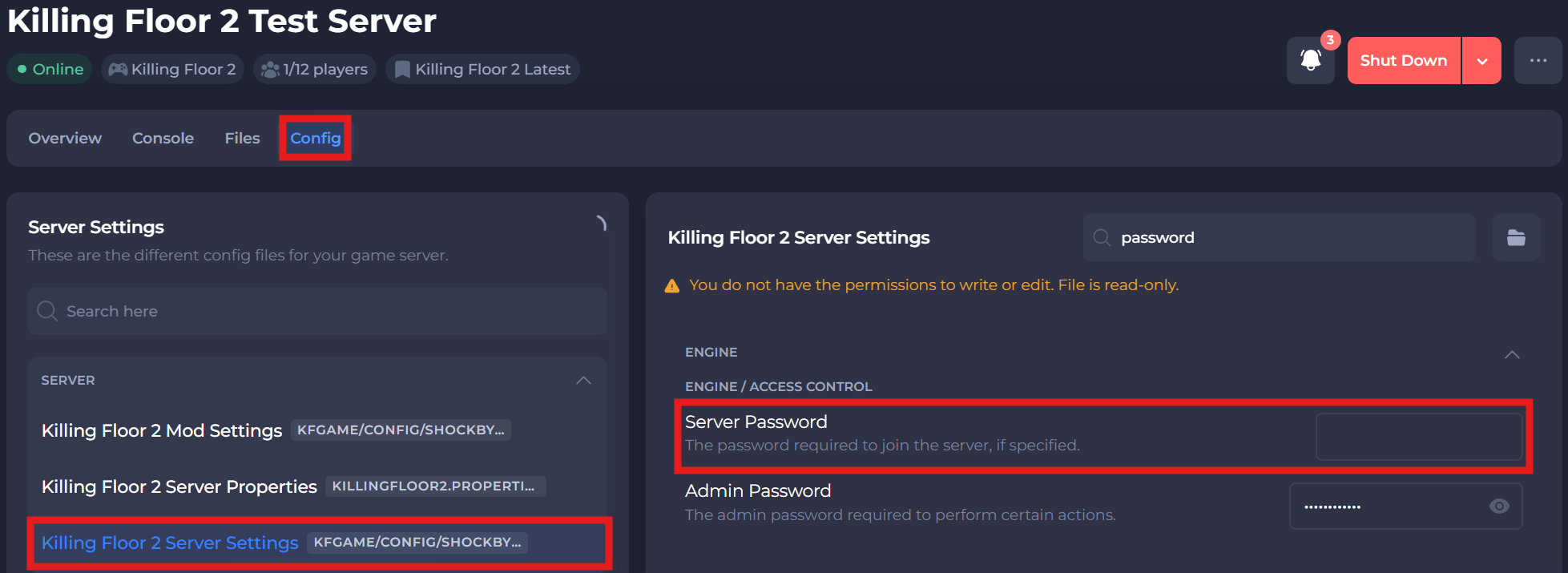
-
Save and restart your server to ensure the new changes apply.
If you require any further assistance, please contact our support at: https://shockbyte.com/billing/submitticket.php