Still have questions?
Come chat with us and we will get back to you as soon as possible!

Shockbyte
Support Team
How to Set your V Rising Server to Private
Making your V Rising private will allow you to give access to a select few players and stop any uninvited players joining your server. The easiest way to achieve this is by adding a password to your V Rising server, which players will be prompted with to enter before they can connect.
#Setting a Server Password
-
Access your Control Panel and Stop your server.
-
Navigate to the Config tab, select the Server Host Settings.
-
Locate the
Server Passwordoption and enter in your desired password.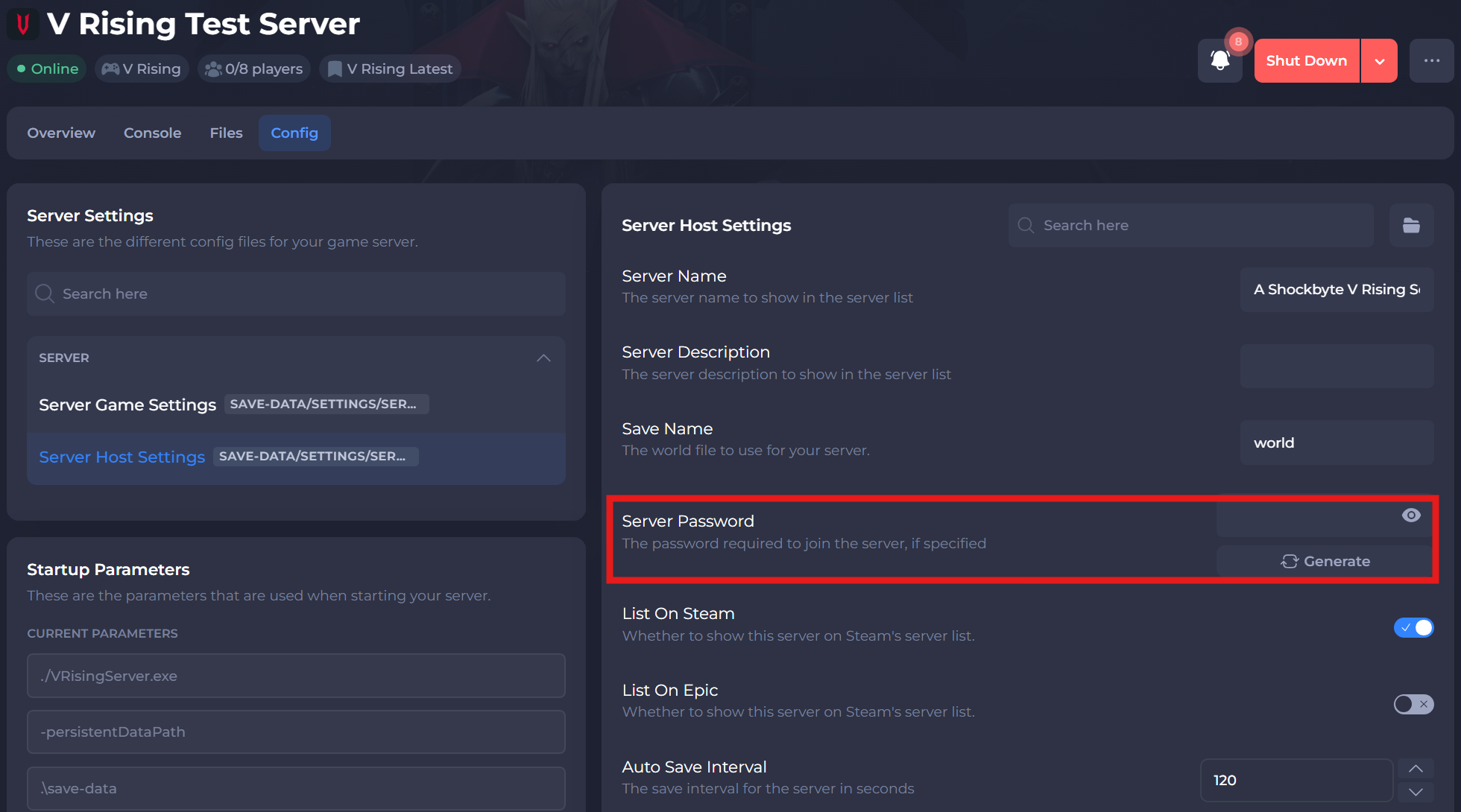
-
Save and restart your server to ensure the changes have applied.
#Removing your Server from the Server List
Removing your server from the server list will still allow players with your server's IP and port to connect directly.
-
Access your Control Panel and Stop your server.
-
Navigate to the Config tab, select the Server Host Settings.
-
Locate the
List on Steamand/orList on Epicoptions and disable it depending on the platform you are playing on.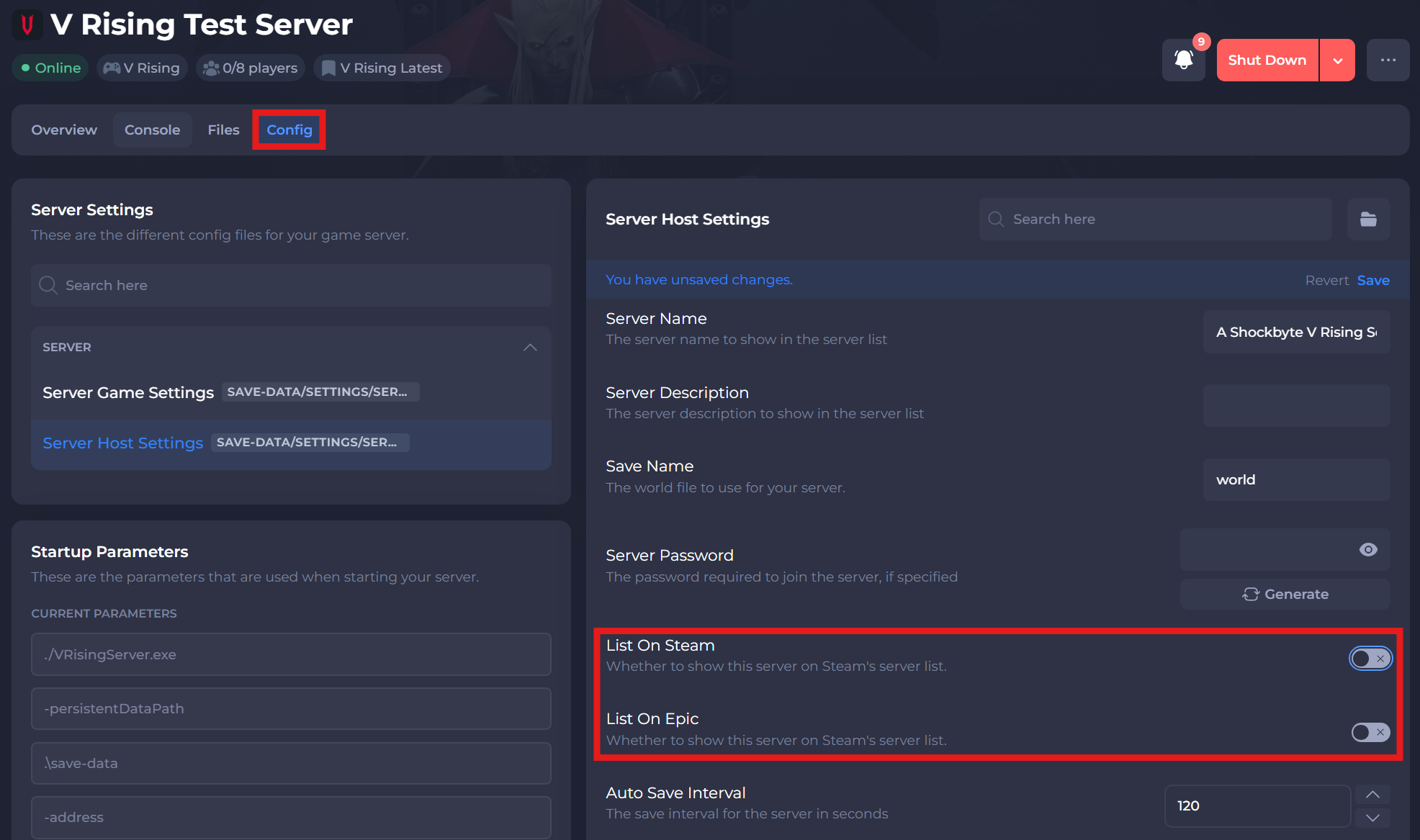
-
Save and restart your server to ensure the changes have been applied.
If you require any further assistance, please contact our support at: https://shockbyte.com/billing/submitticket.php