Table Of Contents
Making the Server PrivateStill have questions?

Jay Miller
Game Engineer
How to Set your Vintage Story Server to Private
Setting a Vintage Story server to private allows server owners to restrict access to select players and prevent uninvited players from joining and disrupting others.
Currently, server owners have the option of either hiding the server from the public server list or adding a password to their server.
#Making the Server Private
-
Access your Control Panel and Stop your server.
-
Navigate to the Config tab, select the Vintage Story Server Settings.
-
Set your desired server password in the
Server Passwordfield.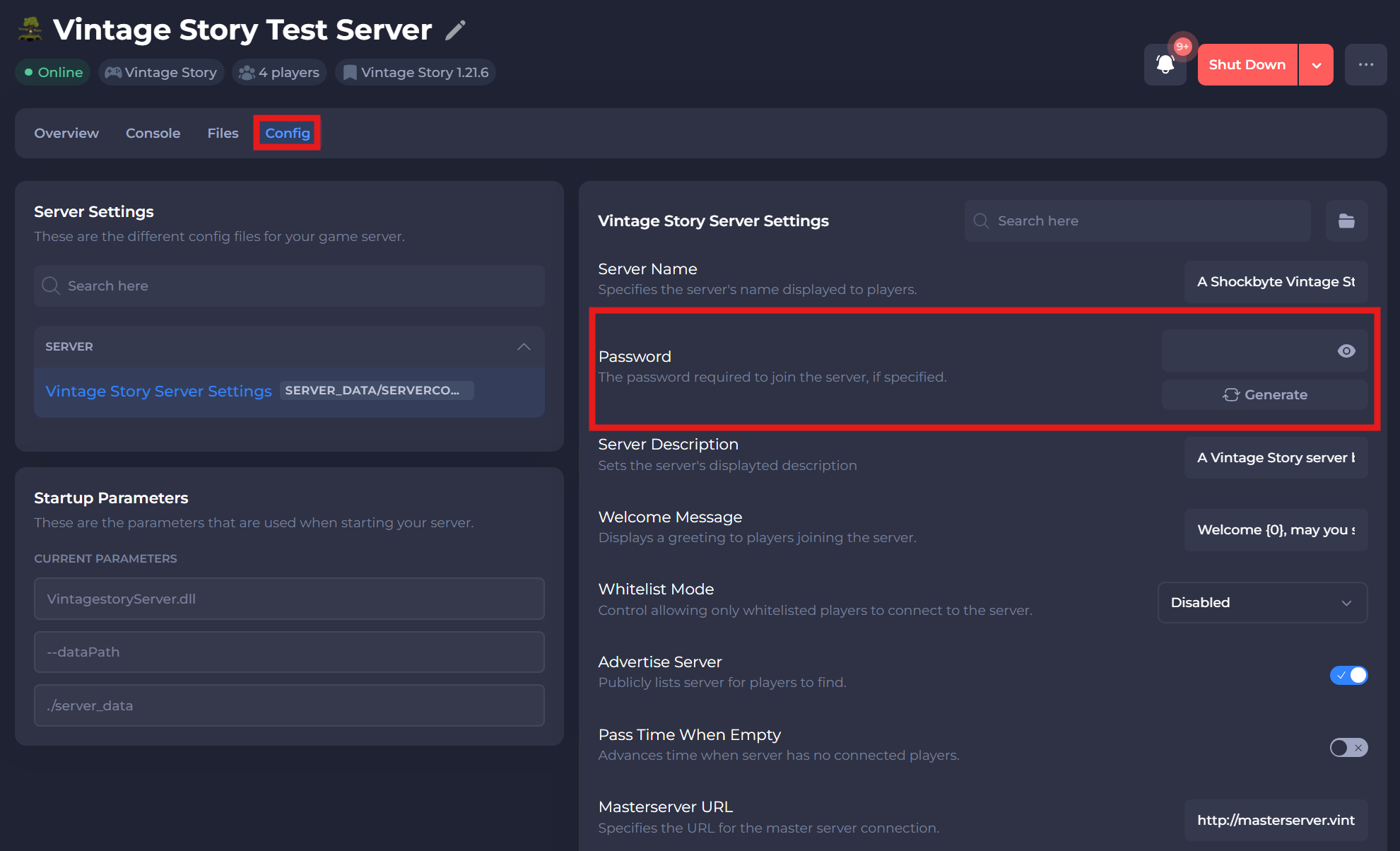
-
Alternatively, to hide your server, you can disable the
Advertise Serveroption.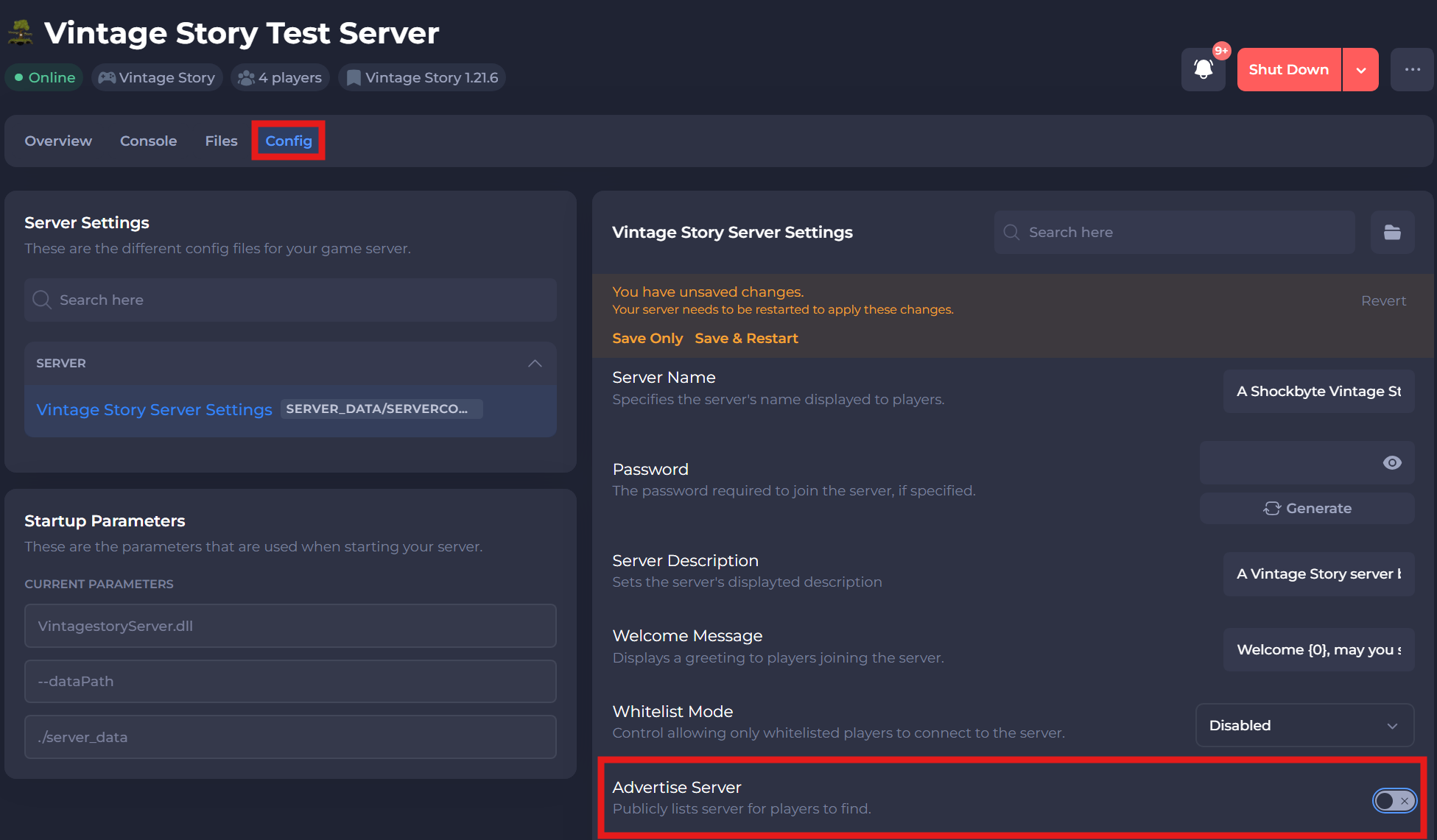
-
Save and restart your server to ensure the changes are applied.
If you require any further assistance, please contact our support at: https://shockbyte.com/billing/submitticket.php