Still have questions?
Come chat with us and we will get back to you as soon as possible!

Shockbyte
Support Team
How to Upload an Existing World to your V Rising server
It is possible to upload your existing V Rising world to your server. The easiest way to do this is by uploading your saves world file to your server using an FTP program such as Filezilla.
#Locating your World Save
Before uploading your existing V Rising world you will need to locate the world's save file.
-
Navigate to
C:\Users\<User>\AppData\LocalLow\Stunlock Studios\VRising\CloudSaves\<ID>\v1using File Explorer.
-
Rename your existing world folder to
world.
#Uploading your Existing World
Once you have located your existing worlds save you're ready to upload it to your server. To do this you will need to use an external FTP program such as Filezilla.
-
Access your Control Panel and Stop your server.
-
Connect to your server using an external FTP program, we recommend FileZilla.
-
Navigate to the
/save-data/Saves/v1directory.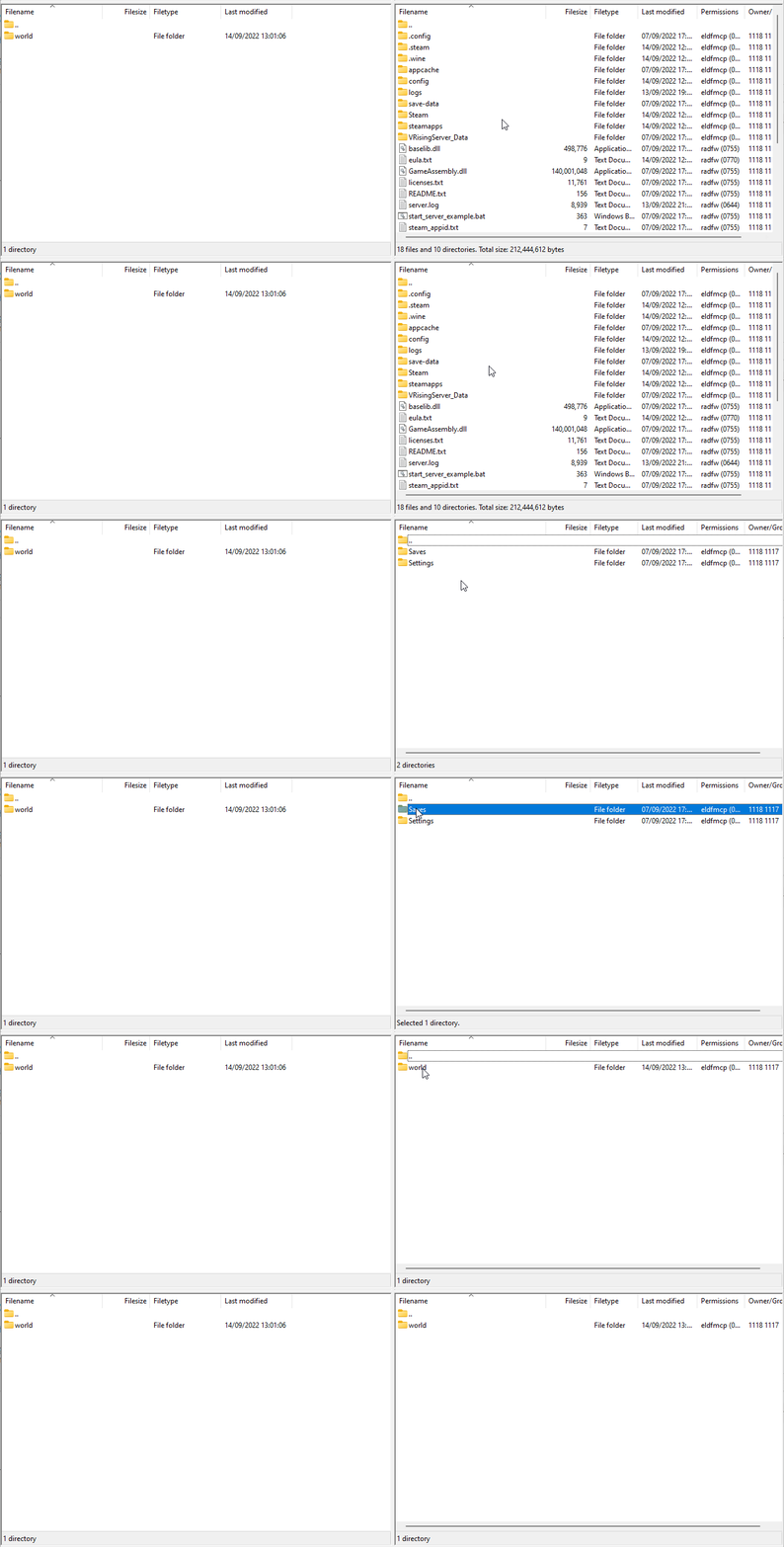
-
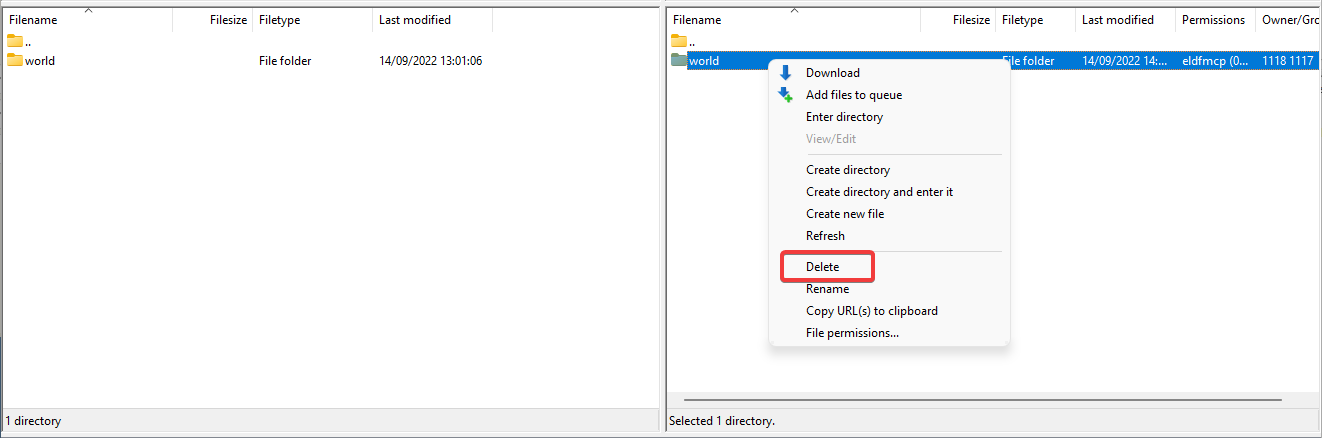
Delete the world folder currently on your server.
-
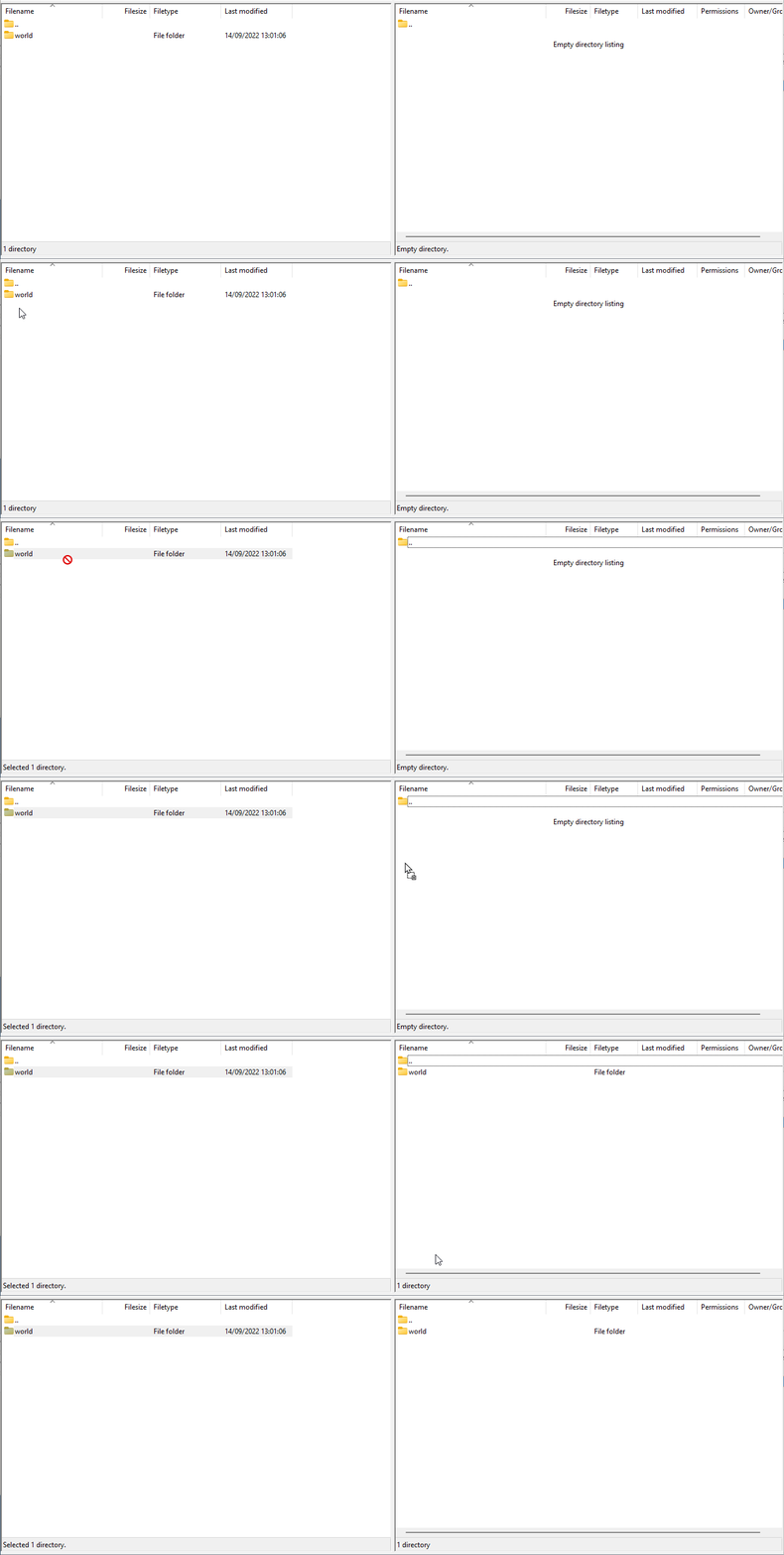
Upload your existing world folder to your server.
-
Once the upload has been completed, Start your server.
If you require any further assistance, please contact our support at: https://shockbyte.com/billing/submitticket.php