Still have questions?
Come chat with us and we will get back to you as soon as possible!

Shockbyte
Support Team

How to Upload & Use Garry's Mod Workshop Maps on your Server
Using custom maps on your Garry's Mod server allows you to create a wonderful gaming experience. With the vast amount of maps available in the workshop, the possibilities are endless!
-
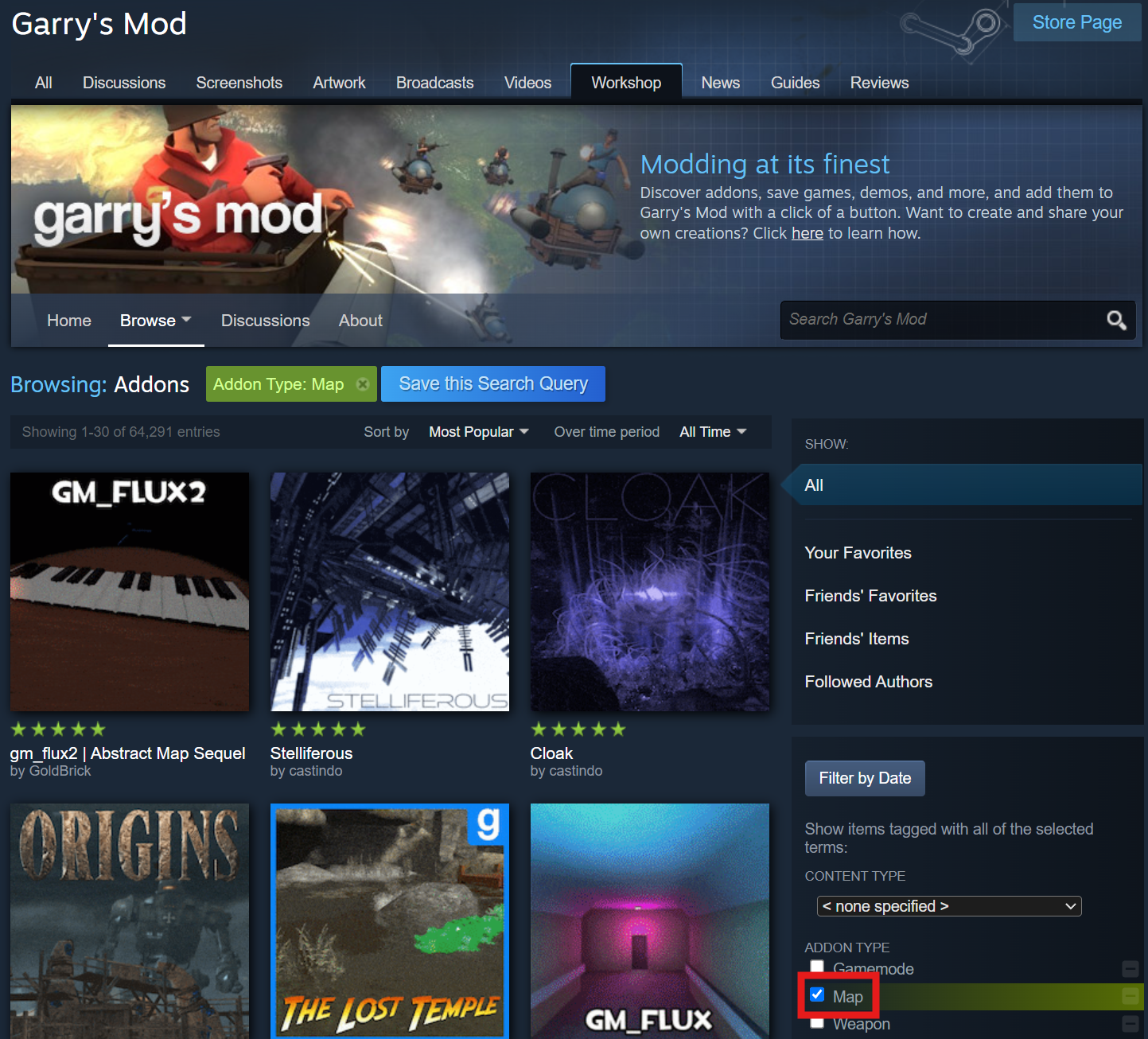
Find a map you would like on the Steam Workshop.
-
Create a Steam Workshop Collection with your desired map.
-
Access your Control Panel and Stop your server.
-
Navigate to the Config tab and select the Garry's Mod Server Settings file.
-
Add the Steam Workshop collection to the
Host Workshop Collectionsetting and the name of your map to theStarting Mapsetting.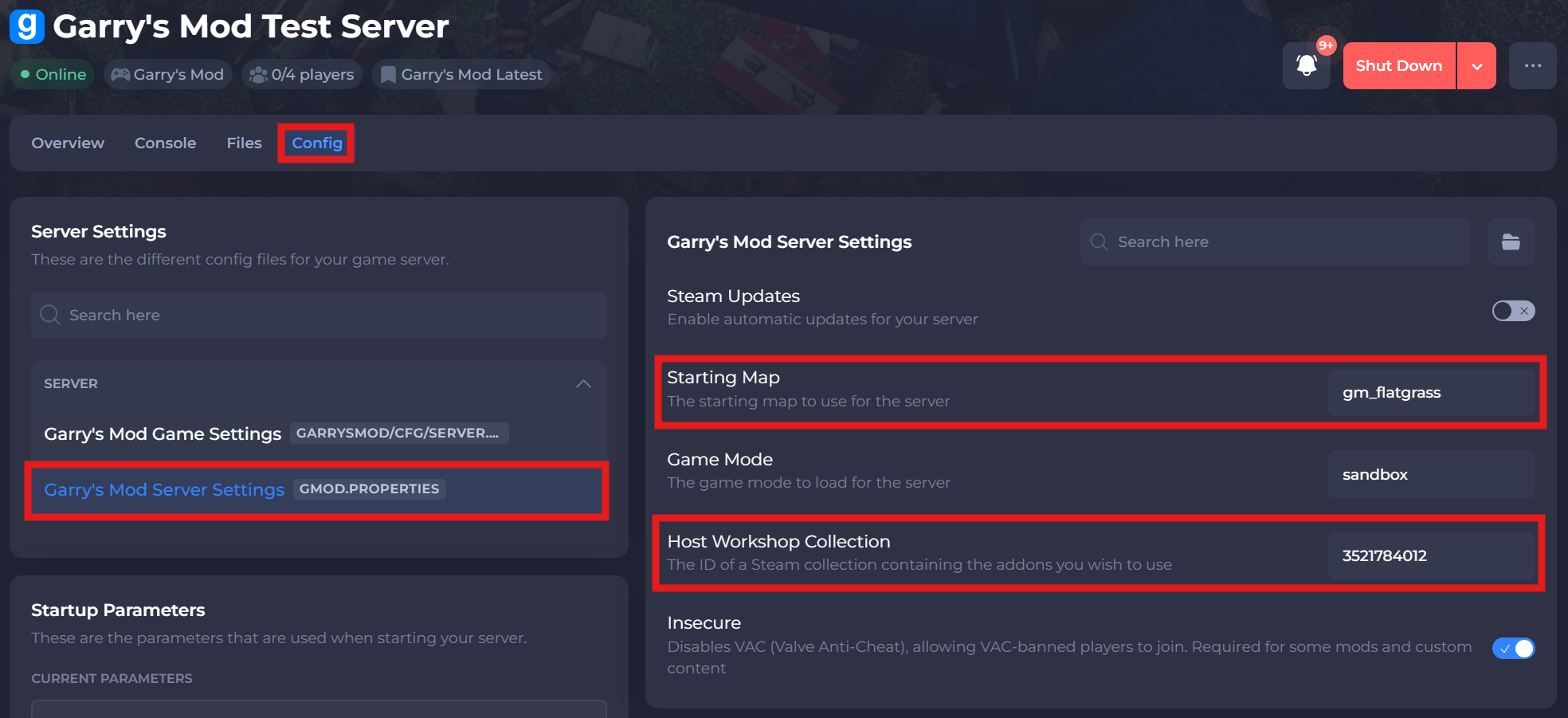
-
Save and restart your server to ensure the changes apply.
If you require any further assistance, please contact our support at: https://shockbyte.com/billing/submitticket.php