Still have questions?
Come chat with us and we will get back to you as soon as possible!

Shockbyte
Support Team

How to Use and Navigate the Admin Panel
This guide explains how to use and navigate the admin panel on your Conan Exiles server. Server administrators have access to a variety of powerful tools used to manage gameplay and maintain the server experience.
Through the in-game admin panel, admins can access features such as item spawning, adjusting day length, teleportation, player moderation tools, and much more. The steps below will walk you through accessing and using the admin panel effectively on your server.
Note
In order to access the Admin Panel you will need to be set as an administrator.
#Accessing the Admin Panel
Once connected as an Administrator, the Admin Panel can easily be accessed from the pause menu.
- Press the
escapekey then click Admin Panel.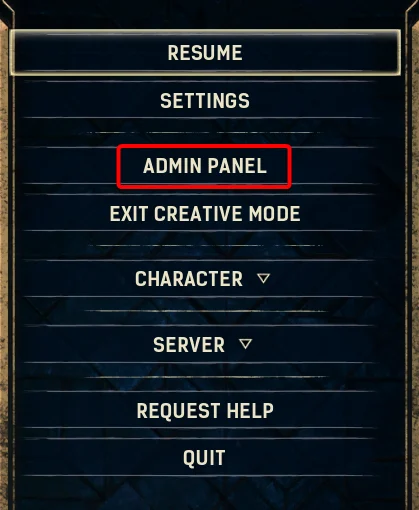
#Spawning Items
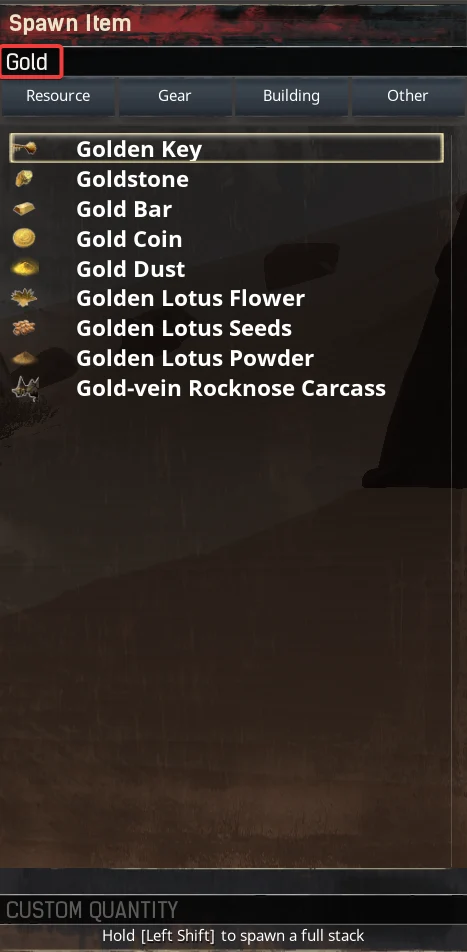
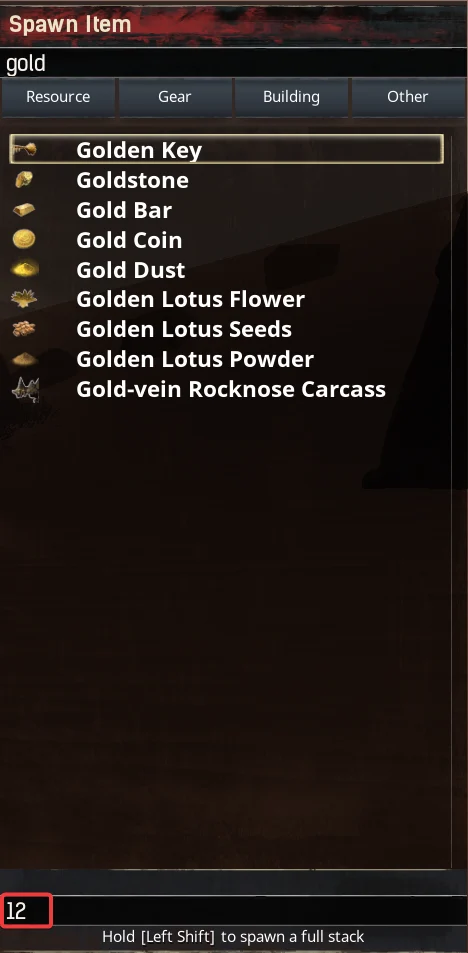
All available server items can be easily spawned either singularly, as custom multiples or as full stacks using the Admin Panel.
-
Enter an item name in the Search box.
-
Enter an amount in the Custom Quantity field.
#Spawning NPCs/Creatures
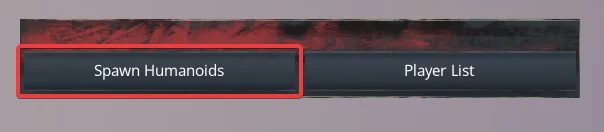
It is also possible to spawn all available creatures and NPCs using the Admin Panel. A full list of which is available here.
-
Click Spawn Humanoids.
-
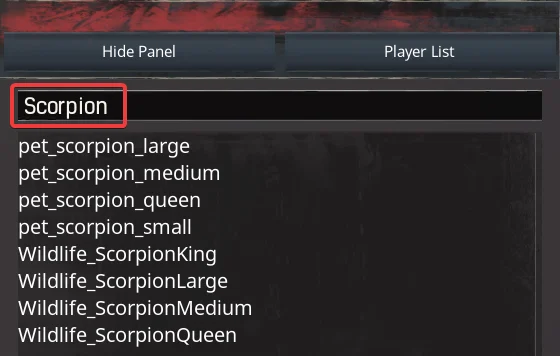
Enter the creature's name in the Search field. Select the specific creature to spawn it in.
#Day Length/Weather Settings
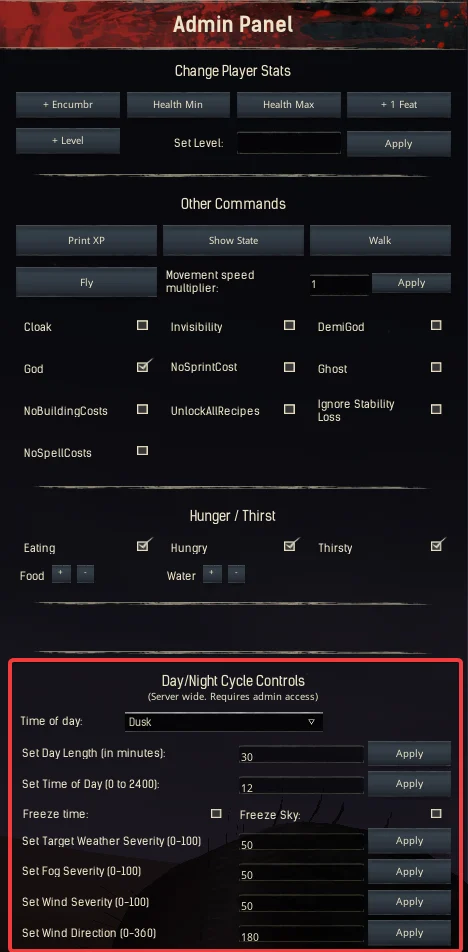
Administrators are also able to make changes to the time of day, length of day and current weather settings. In this example, we will change the length of the day but all settings follow the same steps.
-
Locate the Day/Night Cycle Controls.
-
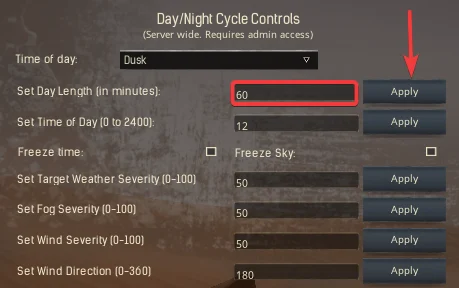
Enter a day length in minutes in the Set Day Length field then click Apply.
If you require any further assistance, please contact our support at: https://shockbyte.com/billing/submitticket.php