Table Of Contents
How to Set Up Automatic Scheduled RestartsStill have questions?
Come chat with us and we will get back to you as soon as possible!

Nuno Paiva
Game Integration Specialist @ Shockbyte

How to Automatically Restart Your Hytale Server
Letting your Hytale server run for long periods of time can slowly build up unused data in memory. Over time, this can lead to lag, performance drops, or unexpected crashes. The good news is that regular restarts keep everything fresh and running smoothly!
Scheduling automatic restarts is an easy way to maintain performance without having to remember to restart the server manually.
#How to Set Up Automatic Scheduled Restarts
You can schedule automatic restarts directly from your Shockbyte control panel using the Tasks system.
-
Access your Control Panel and open your Hytale server.
-
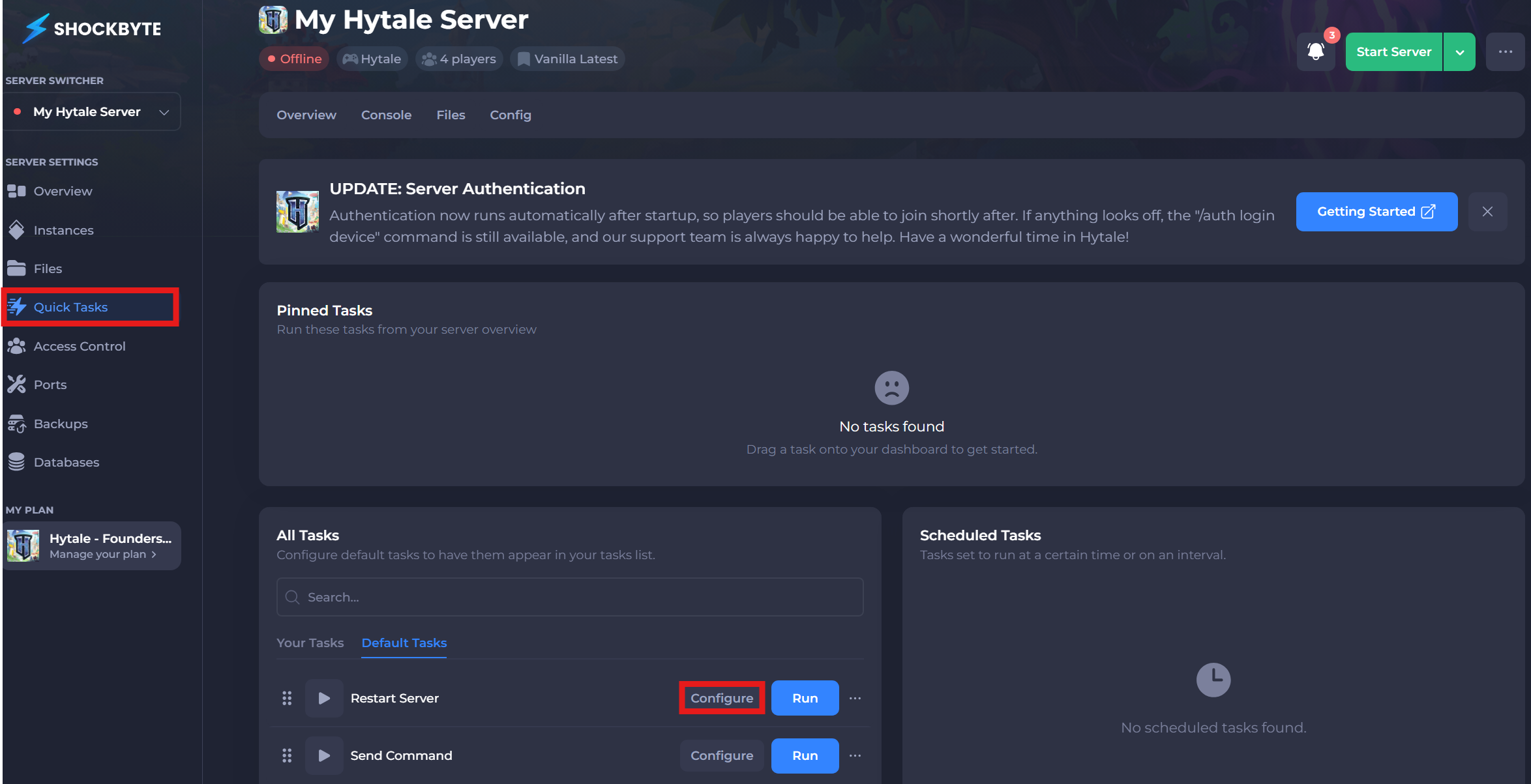
Navigate to the Quick Tasks tab in the left menu.
-
Locate the Restart Server quick action and click Configure.
-
Give the task a name and click Save.
The name is only for your reference, so feel free to call it something like Automatic Restarts.
-
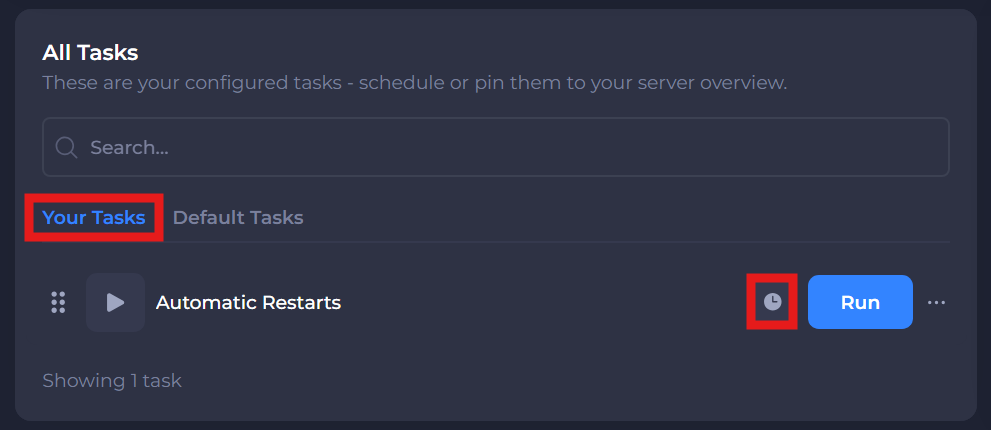
Go to the My Tasks tab and click the clock icon next to the task you just created.
-
This quick action does not require any arguments, so click Next Step.
-
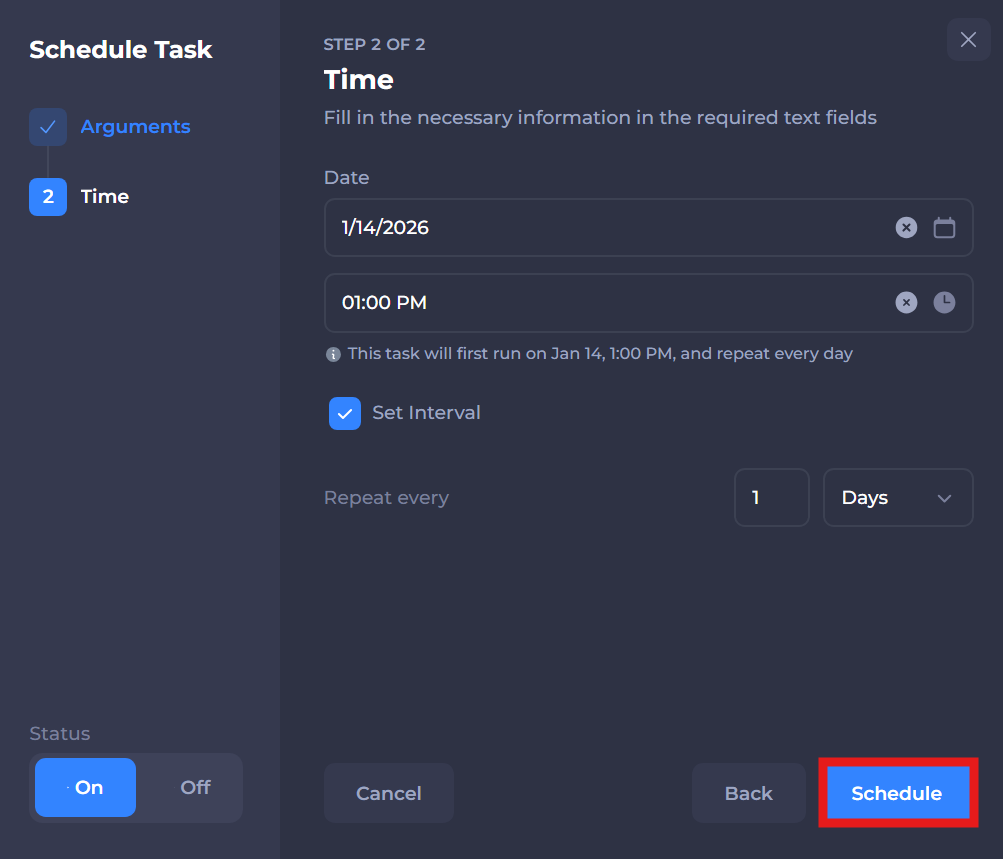
Set a schedule that works best for your server and click Schedule.
That’s it. Your Hytale server will now restart automatically based on the schedule you set, helping keep performance smooth and your world running without hiccups.