Table Of Contents
Changing the Server NameStill have questions?
Come chat with us and we will get back to you as soon as possible!

Shockbyte
Support Team

How To Change The Name Of Your DayZ Server
DayZ
·Nov 9, 2024
·1 min read
Changing your server name is a great way to make your server stand out from the crowd and make your server identifiable in the server list.
#Changing the Server Name
You can change the name of your DayZ server in the DayZ.properties file.
-
Access your Control Panel and Stop the server.
-
Navigate to the Config tab. Select the DayZ Server Settings file.
-
Change the
Server Namesetting to your desired server name to be displayed in-game.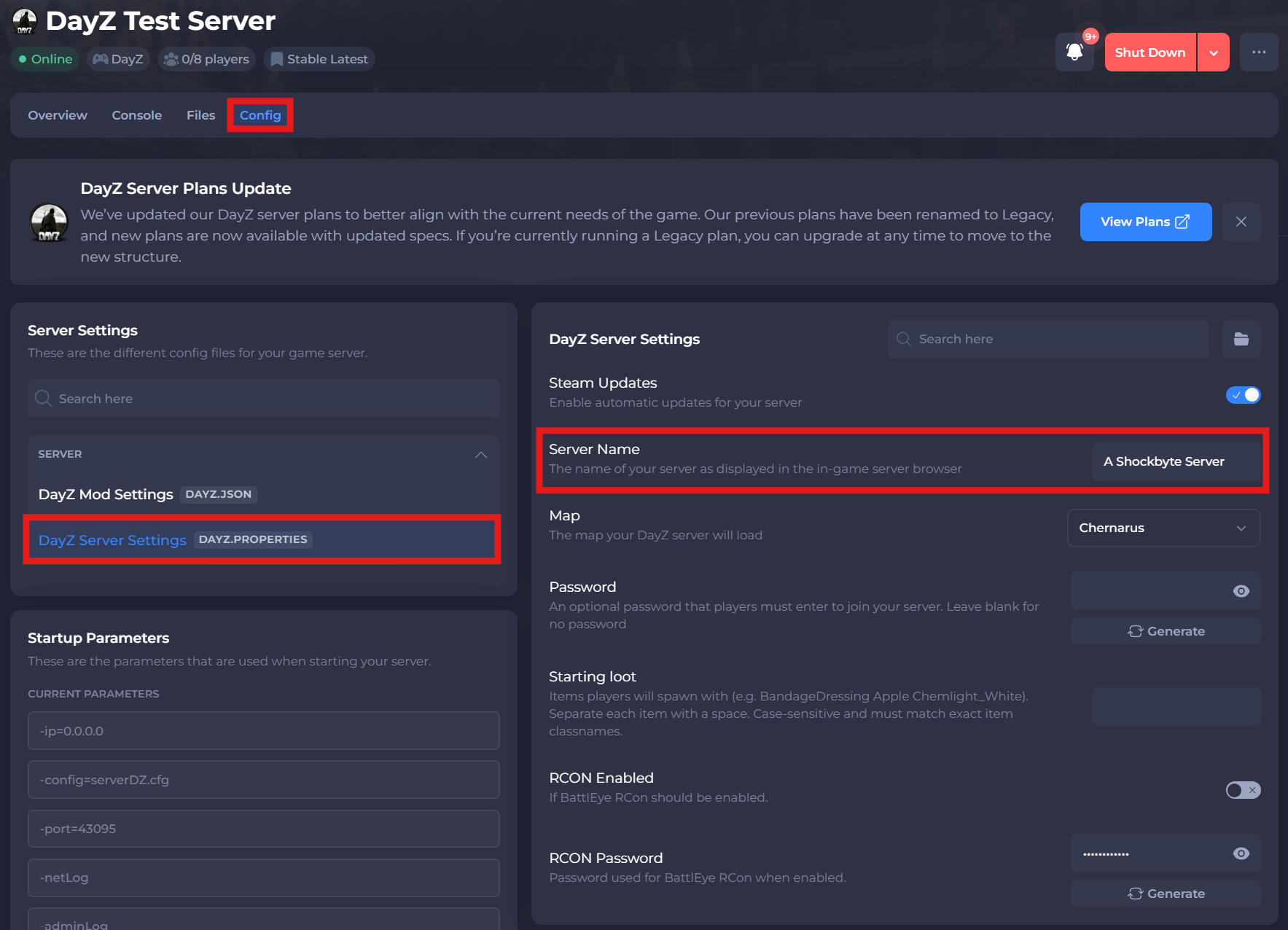
-
Click Save and Restart your server.
If you need additional help, our support team is always happy to assist: https://shockbyte.com/contact