Still have questions?
Come chat with us and we will get back to you as soon as possible!

Jay Miller
Game Engineer
How to Install a Custom Car on your Assetto Corsa Server
There is a huge range of custom car mods available to Assetto Corsa server owners, allowing them to give their players fresh and exciting experiences.
Thanks to the Assetto Corsa server web panel, installing custom content is made easier than ever.
#Installing a Custom Car on your Server
If you don't have a car already downloaded, you can visit a website like Assetto Corsa Club to find custom car mods.
-
Access your web panel by following this guide.
-
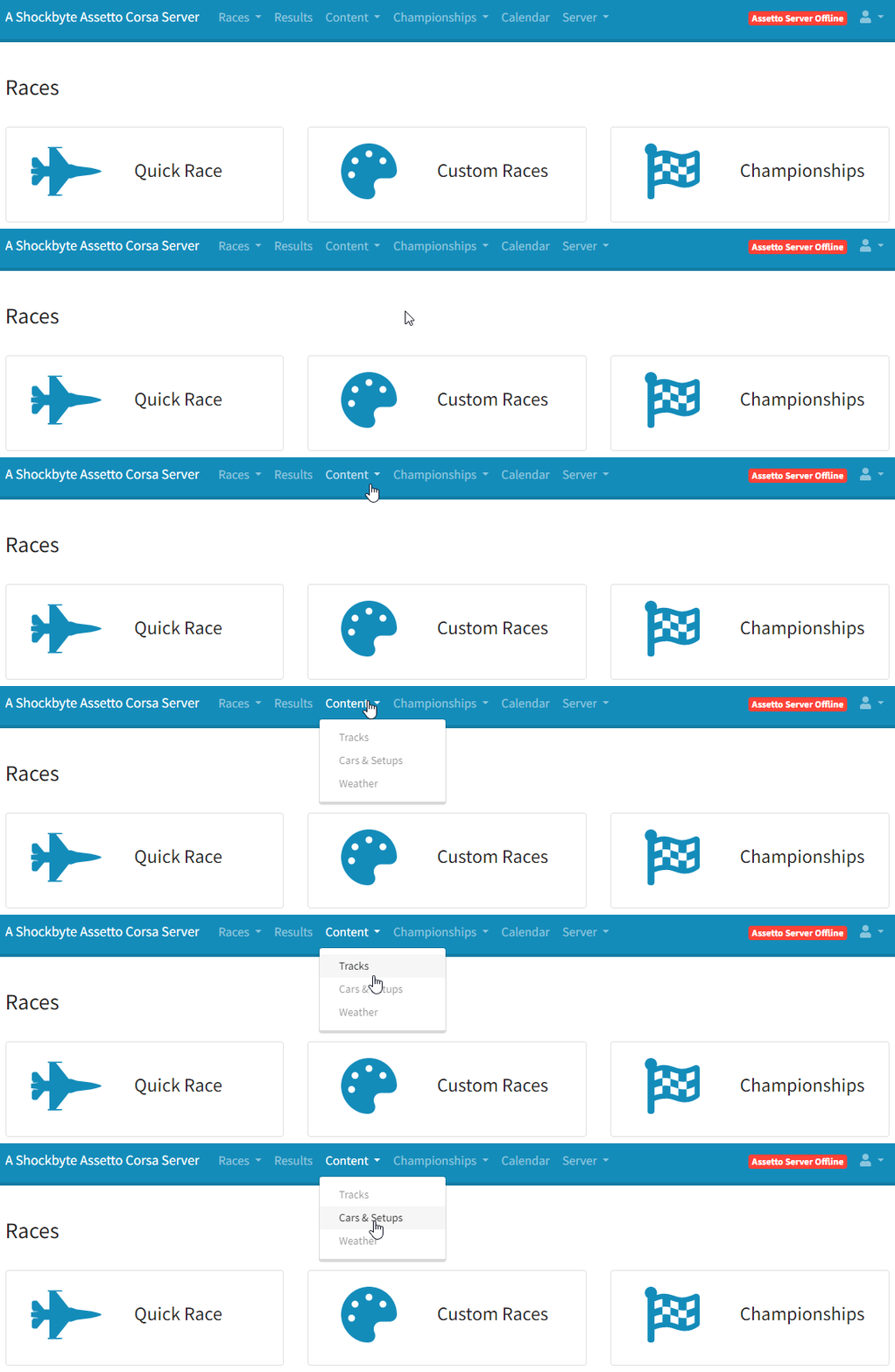
Navigate to Content > Cars & Setups.
-
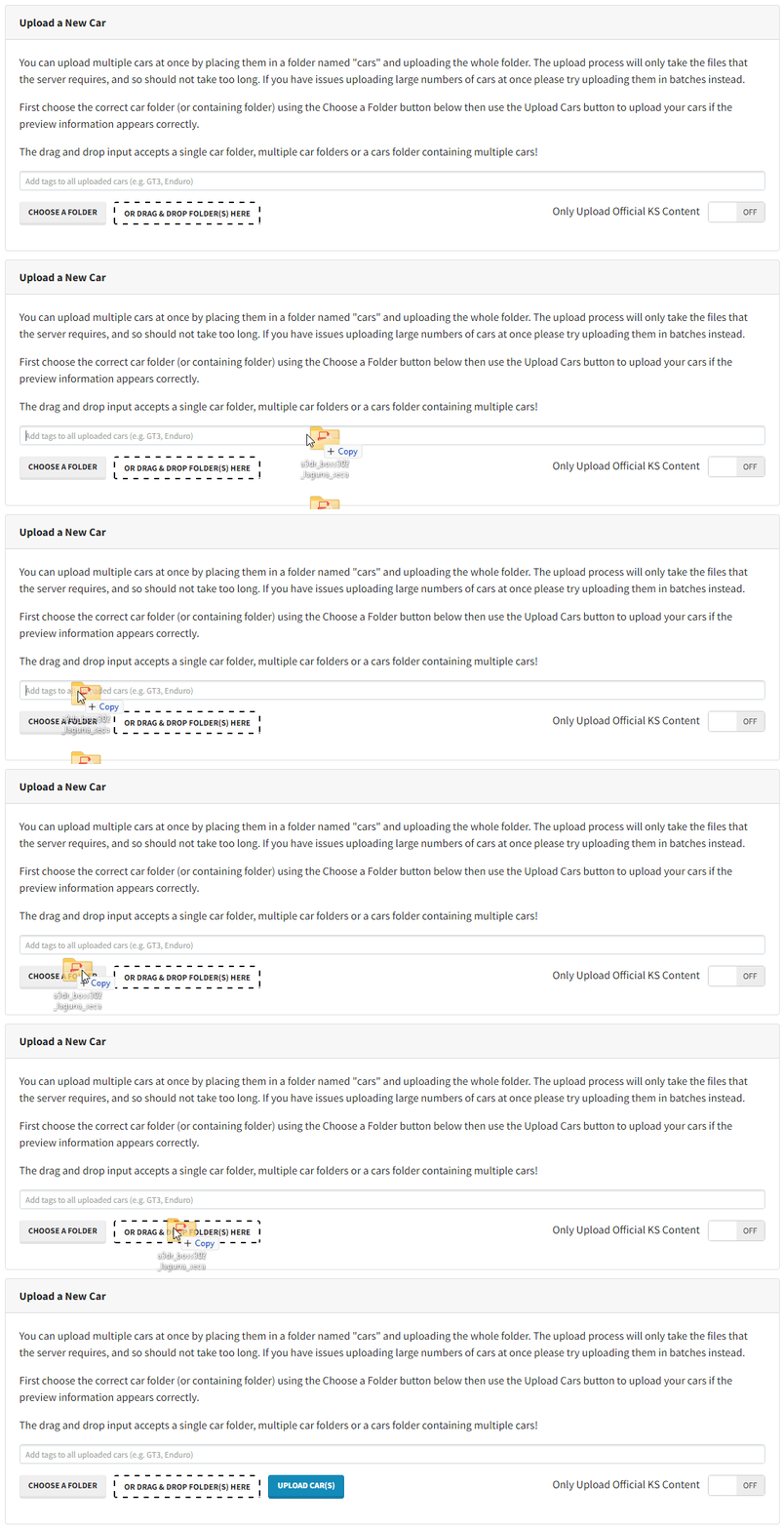
Choose or drag and drop your custom car folder.
-
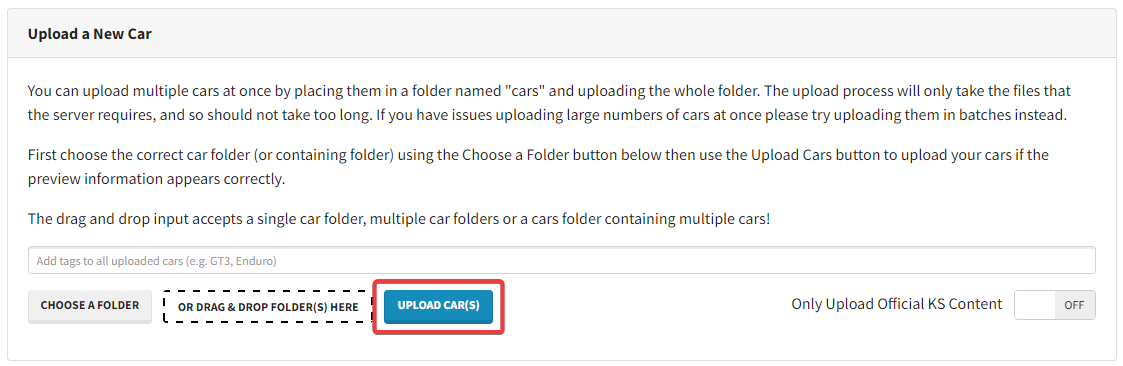
Click the Upload Car(s) button.
#Installing a Custom Car Locally
In order to connect to a server using custom cars, you will need to have the car(s) installed locally as well.
-
Locate Assetto Corsa in your Steam Library.
-
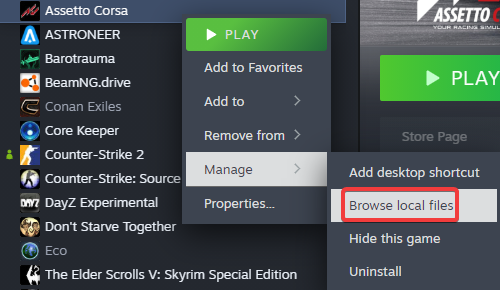
Right-click and navigate to Manage > Browse Local Files.
-
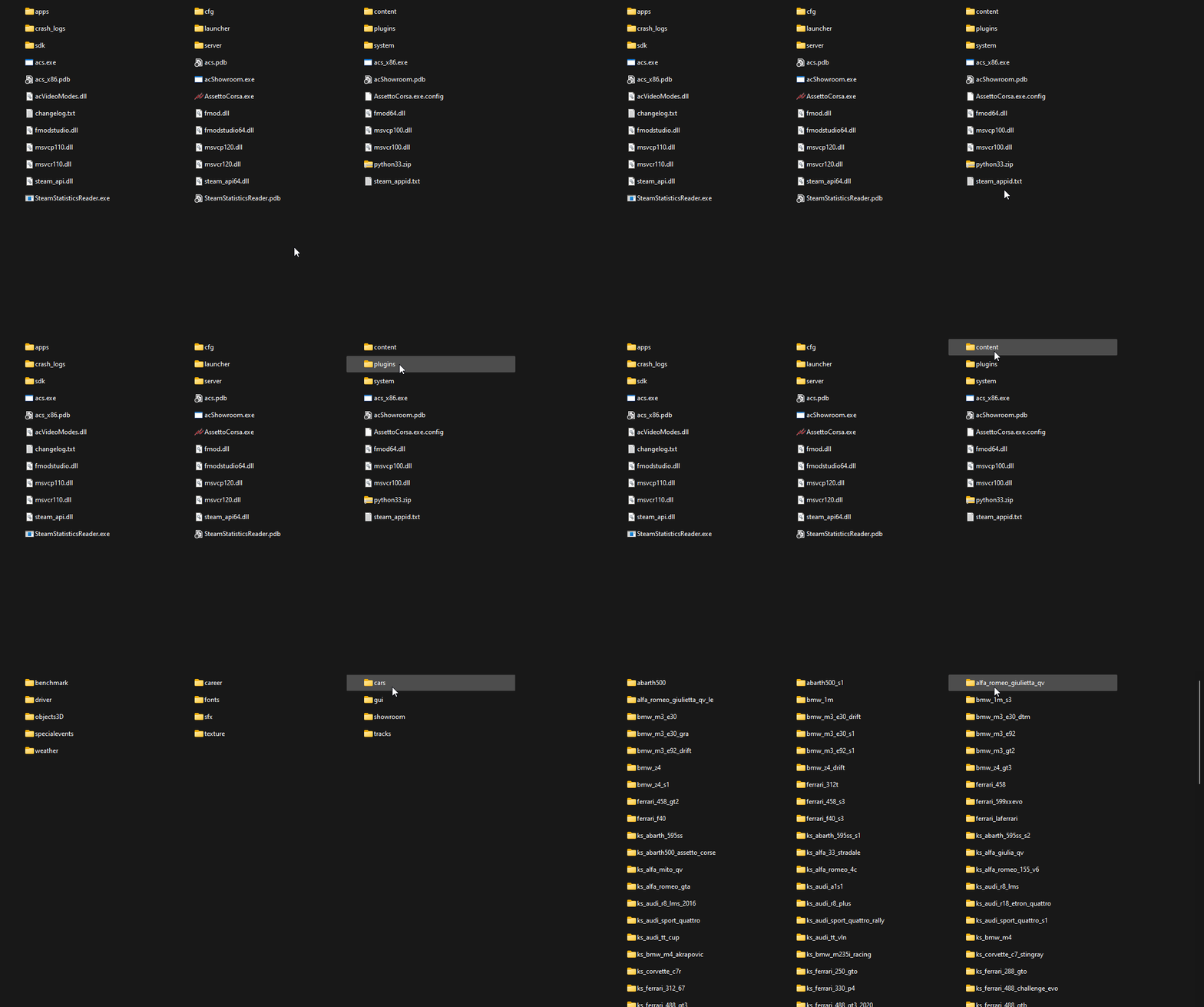
In the opened folder, navigate to Content > Cars.
-
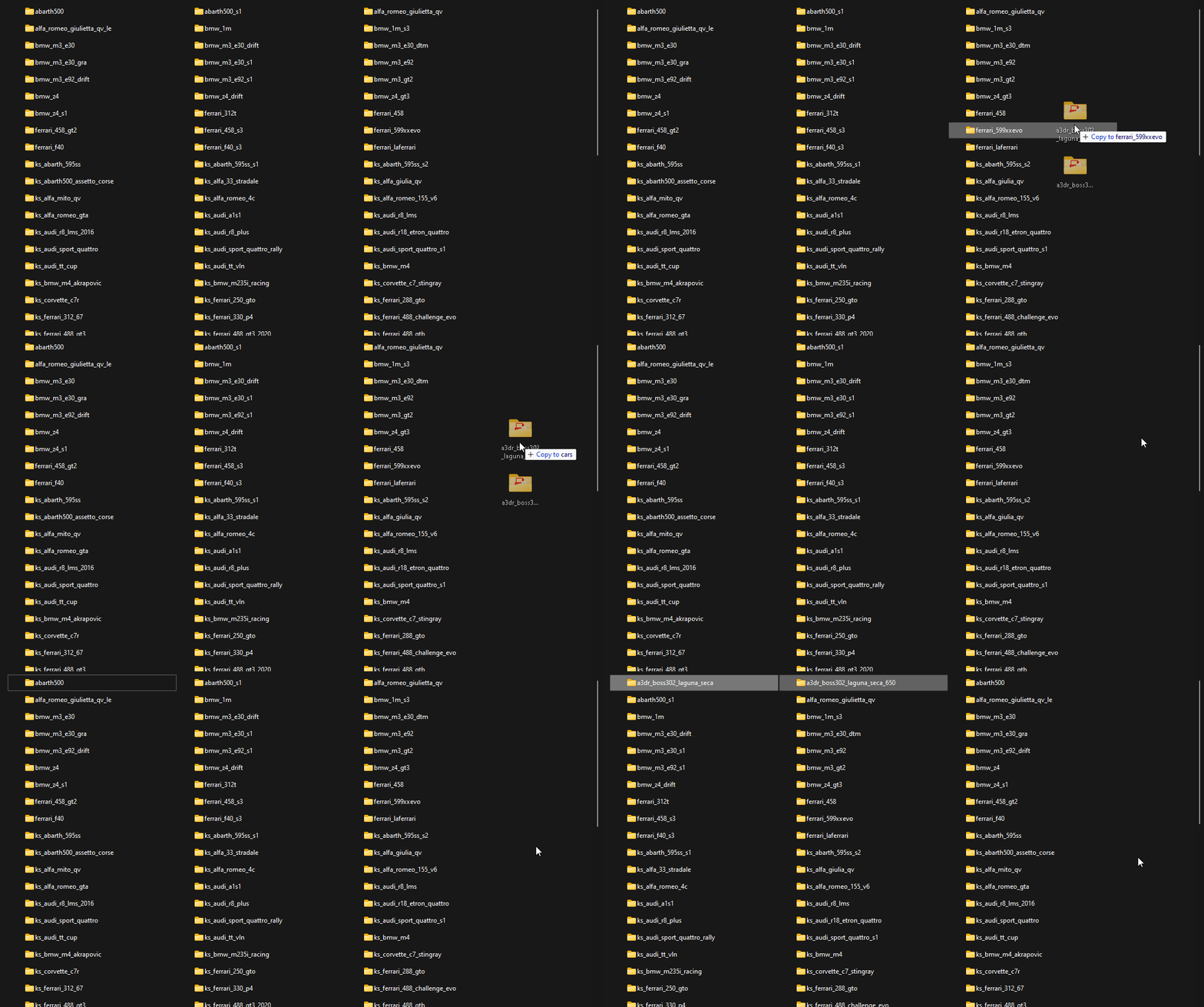
Move your custom car folder here.
To learn more about Assetto Corsa server hosting, you can browse our library of Knowledgebase articles found here.
If you require any further assistance, don't hesitate to get in touch with our support at: https://shockbyte.com/billing/submitticket.php