Table Of Contents
Installing Any Technic ModpackStill have questions?
Come chat with us and we will get back to you as soon as possible!

Jay Miller
Game Engineer

How to Install Any Technic Modpack
This guide explains how to install any Technic modpack onto your server.
Want to start a new server? Discover our Modded Minecraft Server Hosting plans.
#Installing Any Technic Modpack
-
Find the modpack you wish to install on the Technic website.
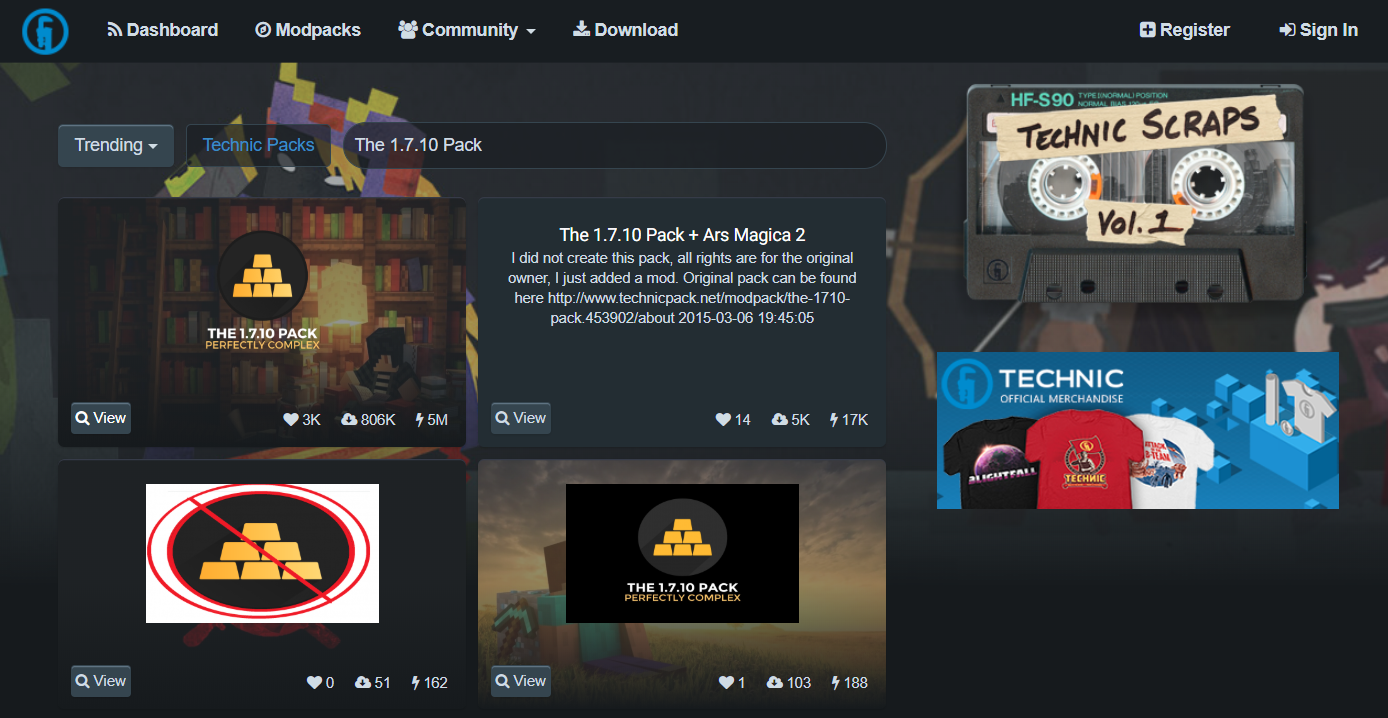
-
Look for the 'Server Download' button on the modpack's page - This isn't available for all modpacks, so if there is no available server pack, continue to step 3.
If there is a 'Server Download' button for your modpack, download the files to a folder on your computer and unzip the files by right-clicking the .zip file, then selecting 'Extract Here'. Once the files are extracted, skip to step 9.

-
If there is no 'Server Download' button, find the Minecraft Version of the modpack, located on the modpack's page.
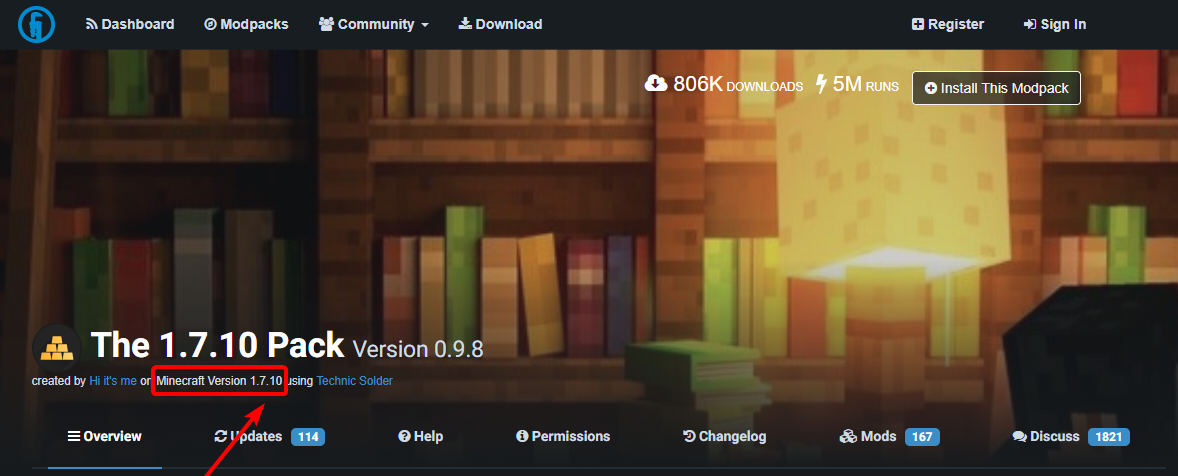
-
Install the latest version of Forge on your server, for your required Minecraft Version.
For example, if the Modpack was for Minecraft version 1.7.10, download the latest version of Forge 1.7.10.
-
If you haven't already, Download and install the Technic Launcher on your computer.
-
Open the Technic Launcher and login, select the 'Modpacks' tab and search for your desired modpack.

-
Once you've found the modpack you'd like to use, click 'Install' and wait for the files to finish downloading.
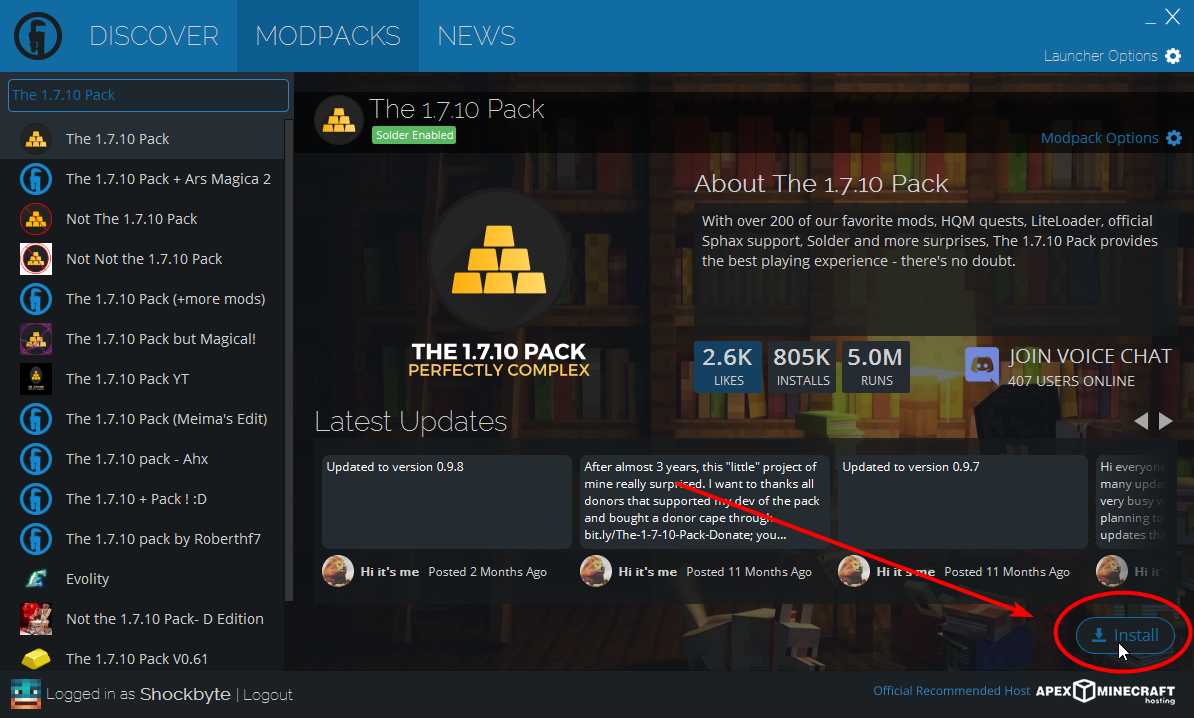
-
Once downloaded, select 'Modpack Options', then select 'Open'. This will open the directory of the modpack files on your computer.
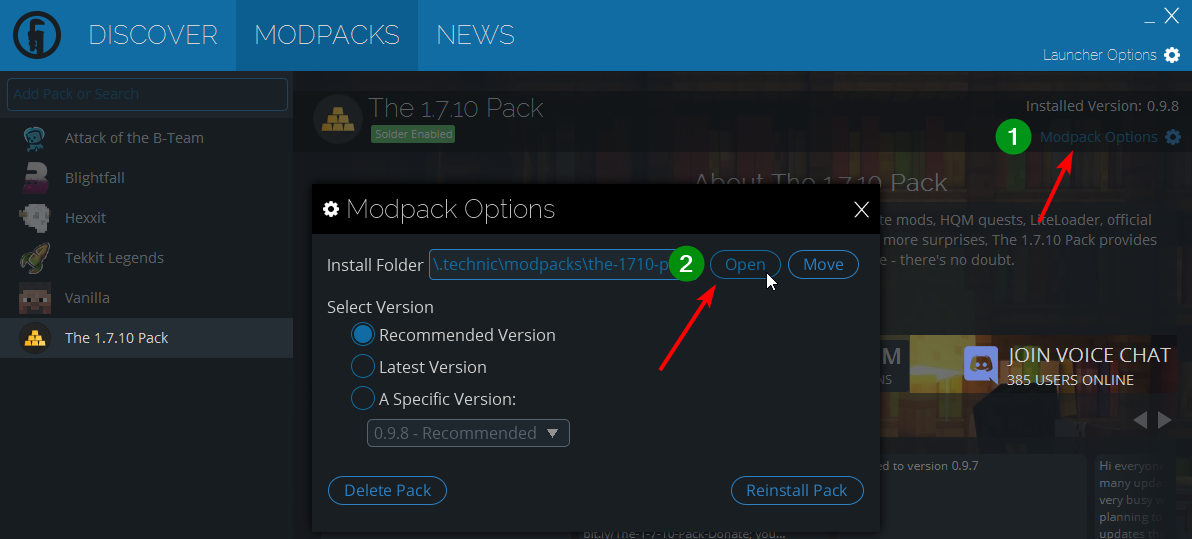
-
If you found the 'Server Download' button, continue from this step.
You should now see the folder containing your modpack files. If you just completed step 8, skip this step.
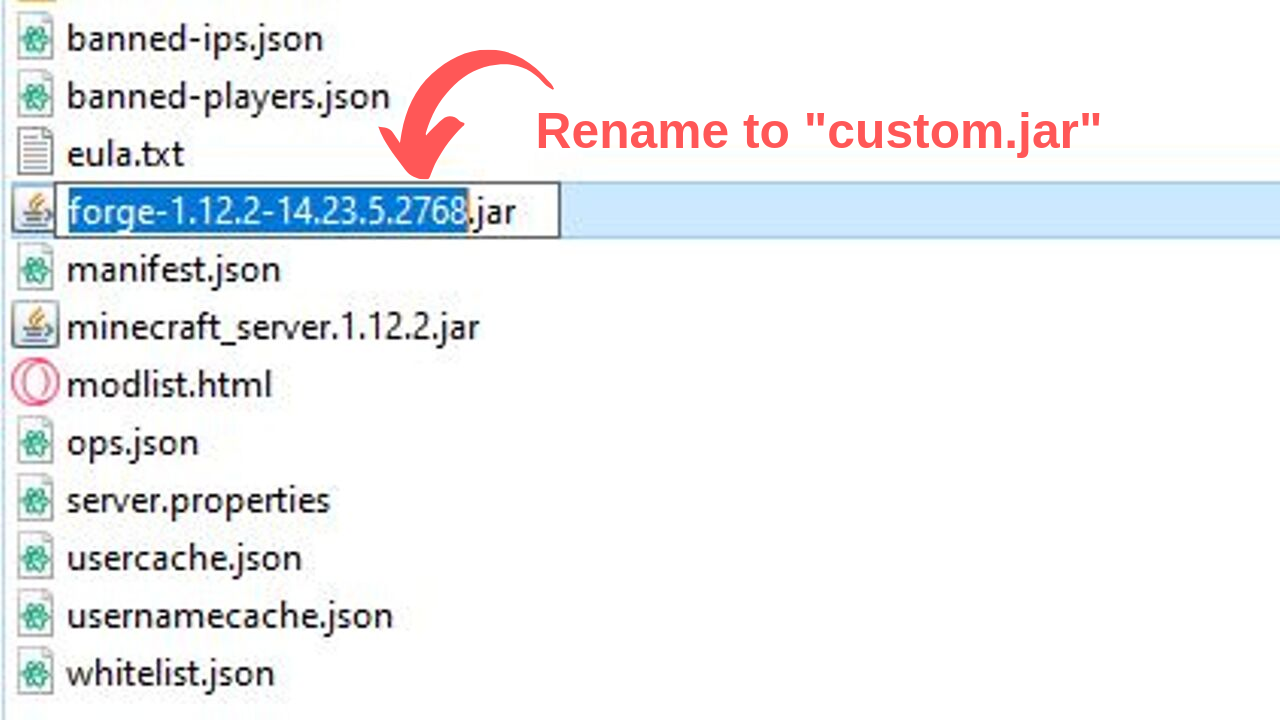
If you used the 'Server Download' button, find the forge.jar and rename it to "custom.jar".
You can also refer to our support article, How to Install a Custom Jar if you need more help.
-
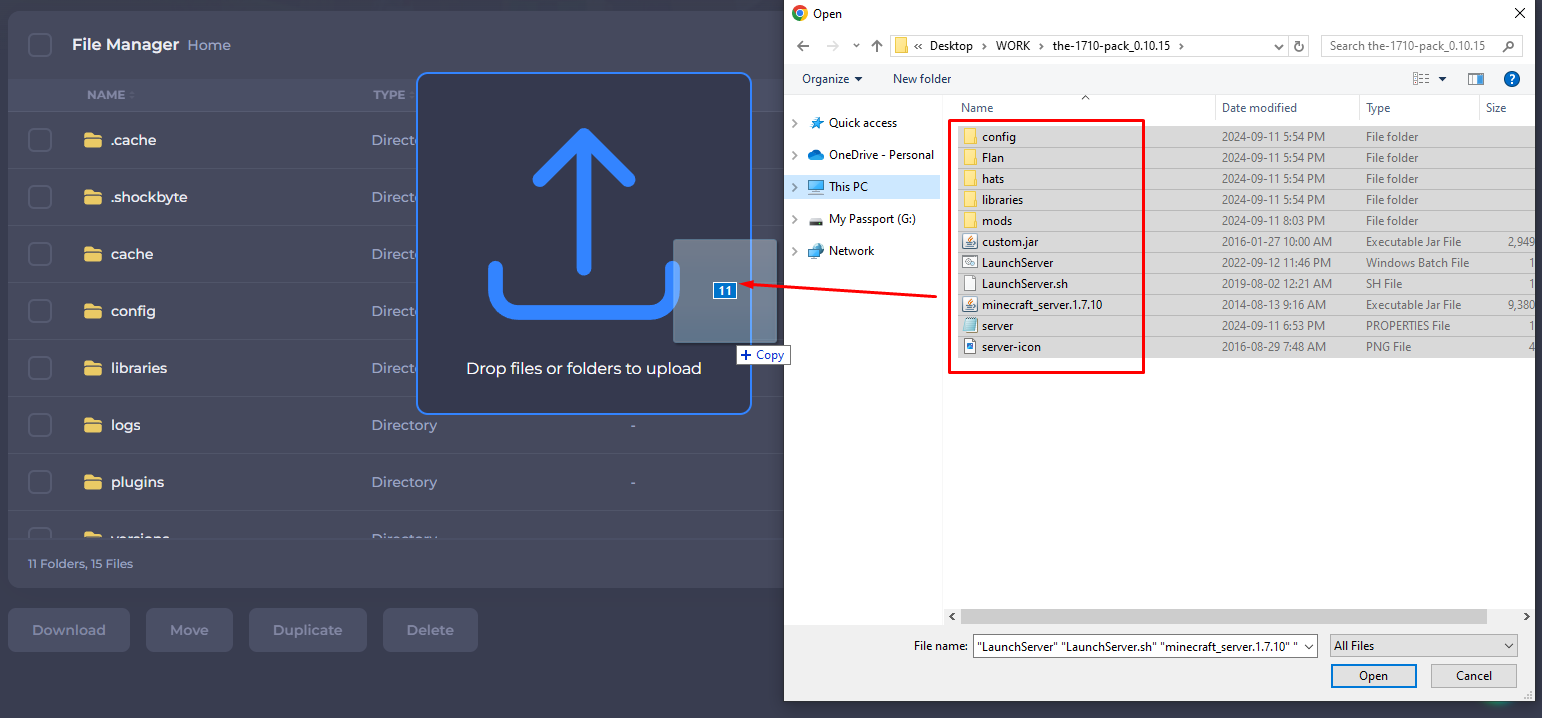
On your control panel, upload the contents of the modpack files to the base directory of your server files.
-
If you don't have Forge already installed on your server, on the control panel, set your ‘Server Type’ to the Custom JAR option. We have a guide on this here.
-
Start your server. You’re all done and running your Technic modpack of choice.
If you require any further assistance, please contact our support at: https://shockbyte.com/billing/submitticket.php