KnowledgebaseThe Lord of the Rings: Return to Moria
How to Install Mods on Your Lord of the Rings: Return to Moria Server
Table Of Contents
Adding Mods to your ServerStill have questions?
Come chat with us and we will get back to you as soon as possible!
Contact Support
Shockbyte
Support Team
How to Install Mods on Your Lord of the Rings: Return to Moria Server
The Lord of the Rings: Return to Moria
·Sep 10, 2025
·2 min read
Whether you are looking to make some quality-of-life changes to your server, make the game harder or set up a peaceful, creative-mode server - mods have you covered. You can find a list of available mods through sites such as Nexus Mods.
Adding Mods to your Server
- Access your control panel and Shut Down your server.
- Go to the Files tab and navigate to
Moria/Content/Paks - In this folder, create a New Folder named
Mods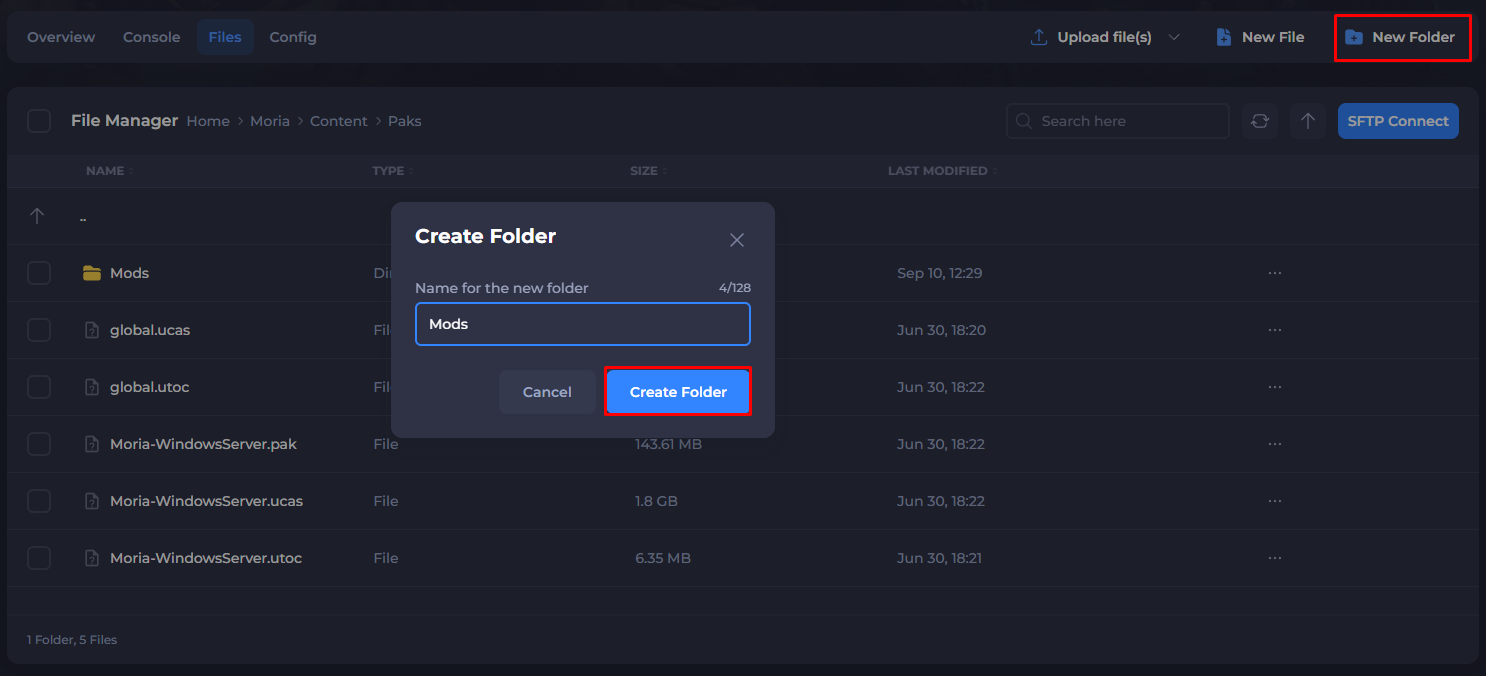
- Open the newly made
Modsfolder, and upload your downloaded Mod files here.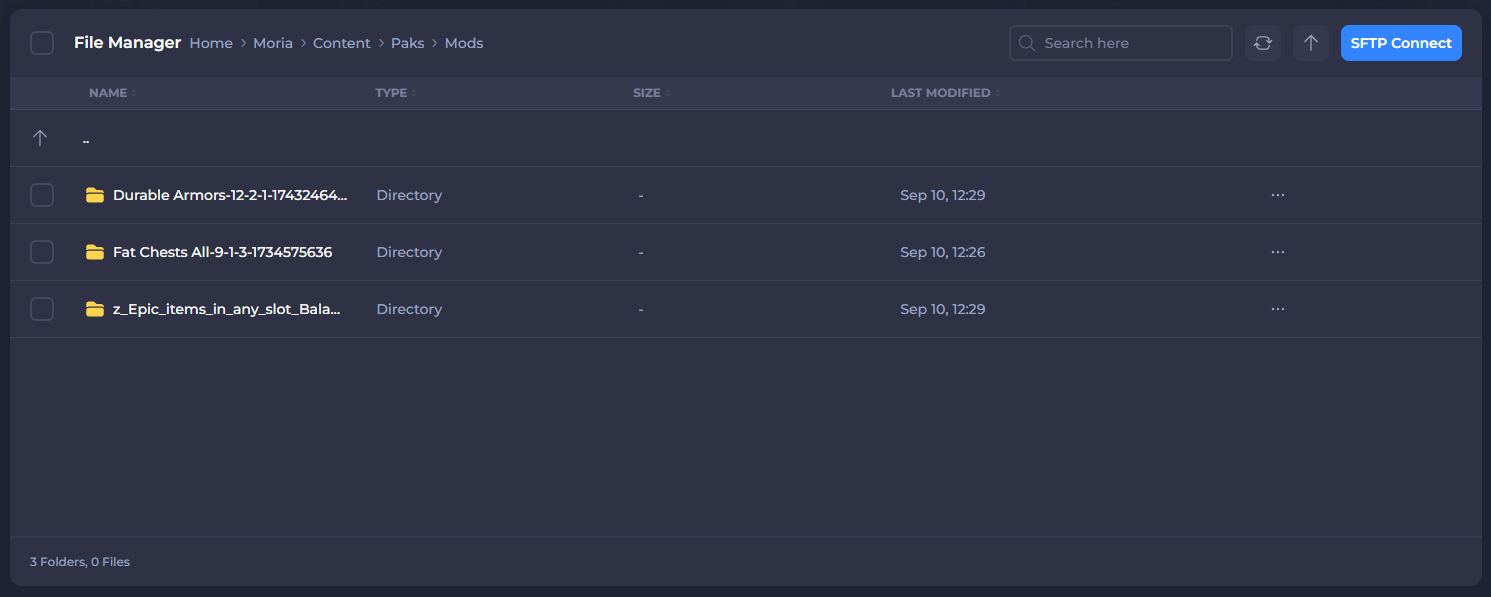
- Start your server.
If you need help with troubleshooting your server, be sure to reach out to our support team.