Still have questions?
Come chat with us and we will get back to you as soon as possible!

Ruben B
Partnership Manager
How to Add Mods to Your ARK Server
All mods from the Steam Workshop are supported by Shockbyte's ARK server hosting. If you wish to add mods to your ARK server - this is the guide for you! ARK mods can add new creatures & enemies, custom structures, custom features and more.
Note
Before adding mods, we recommend that you backup your server.
#Finding Steam Workshop Mods
Find the Mod IDs of each mod you wish to install on the Steam Workshop.
-
Browse the Steam Workshop and find a mod you would like to use. You can find the Steam Workshop for ARK at: https://steamcommunity.com/app/346110/workshop/
-
Once you have found the mod you wish to install, you can find the Mod ID in the URL of the web page for the mod.
-
Copy the numbers as the end of the URL - this is the Mod ID that you will need to paste into your server config.
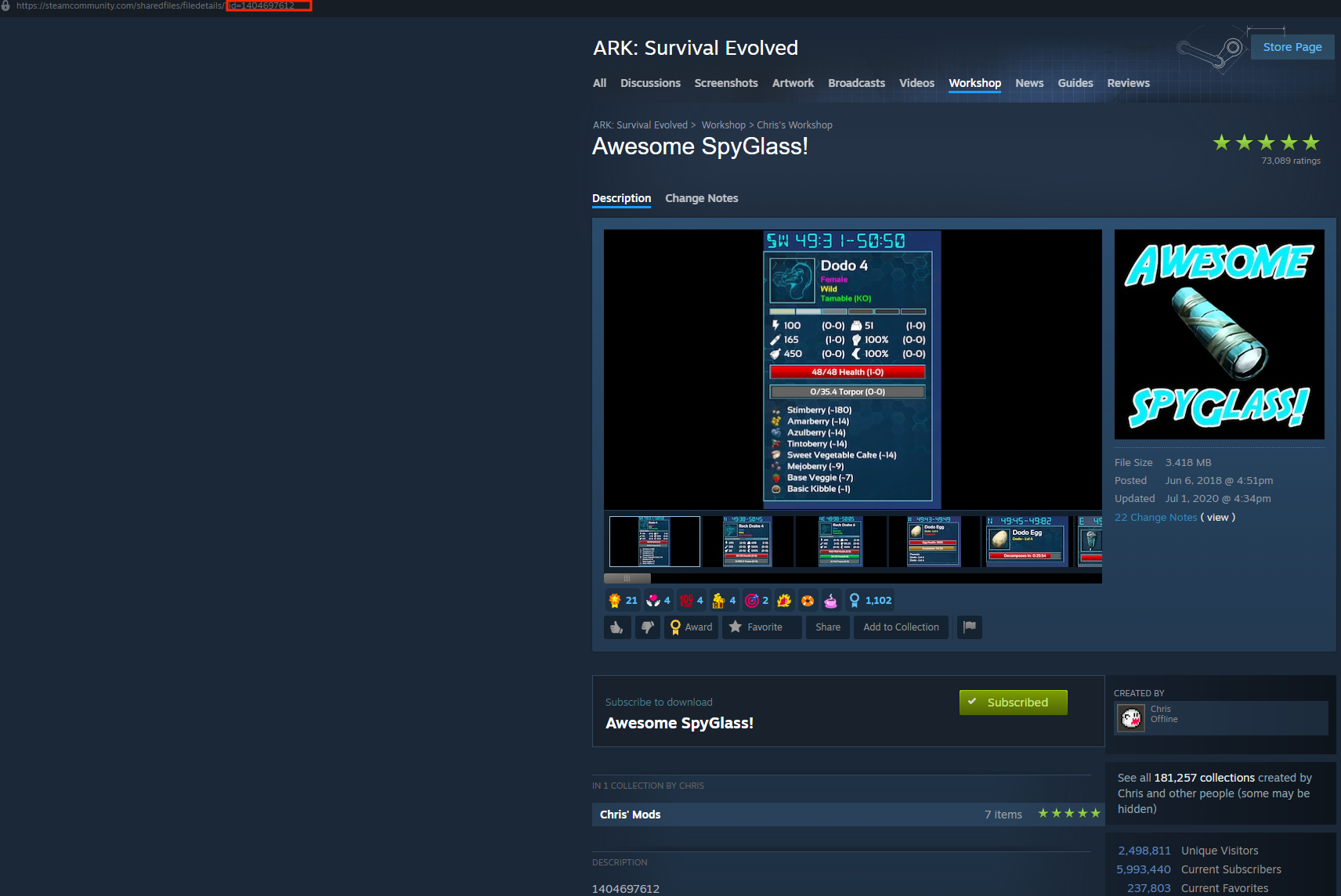
Example URL: https://steamcommunity.com/sharedfiles/filedetails/?id=1785800853
In the example above, the Mod ID would be 1785800853.
Not sure what mods to add? Have a look at our article listing the Best ARK Mods.
#Enabling the Auto Managed Mods Setting
Before adding your mods to the Active Mods list, you will first need to enable the Auto Managed Mods setting located in your ARK Server Settings config file.
-
Access your Control Panel and Stop your server.
-
Navigate to the Config tab and select the
ARK Server Settingsfile. Locate theAuto Managed Modssetting. -
Toggle the button beside the
Auto Managed Modssetting to enable it.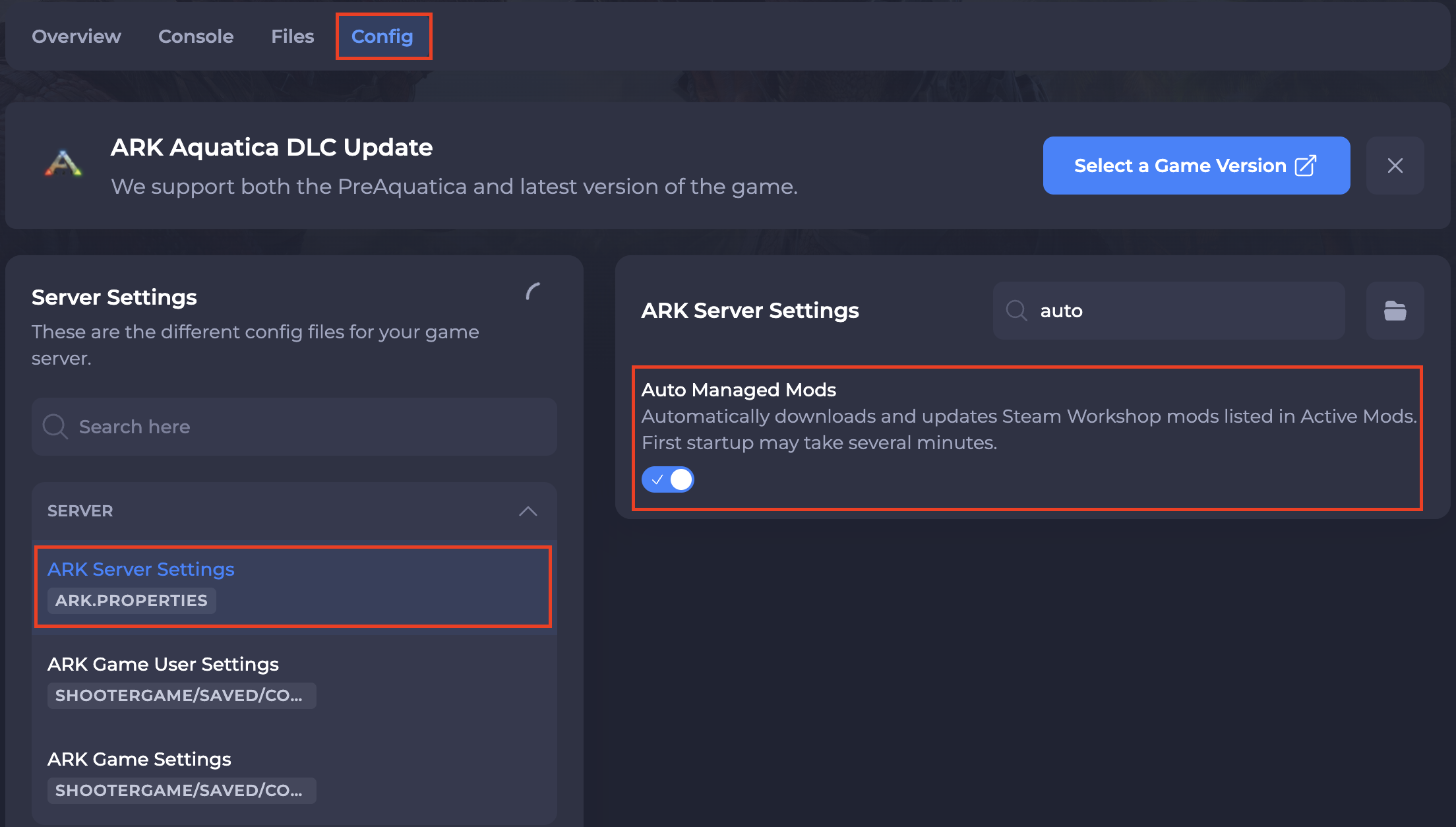
-
Save and restart your server to ensure the new changes apply.
#Adding Steam Workshop Mods To Your Ark Server
You can install ARK mods to your server by adding the Steam Workshop Mod IDs to your server's ark.properties file.
-
Access your Control Panel and Stop your server.
-
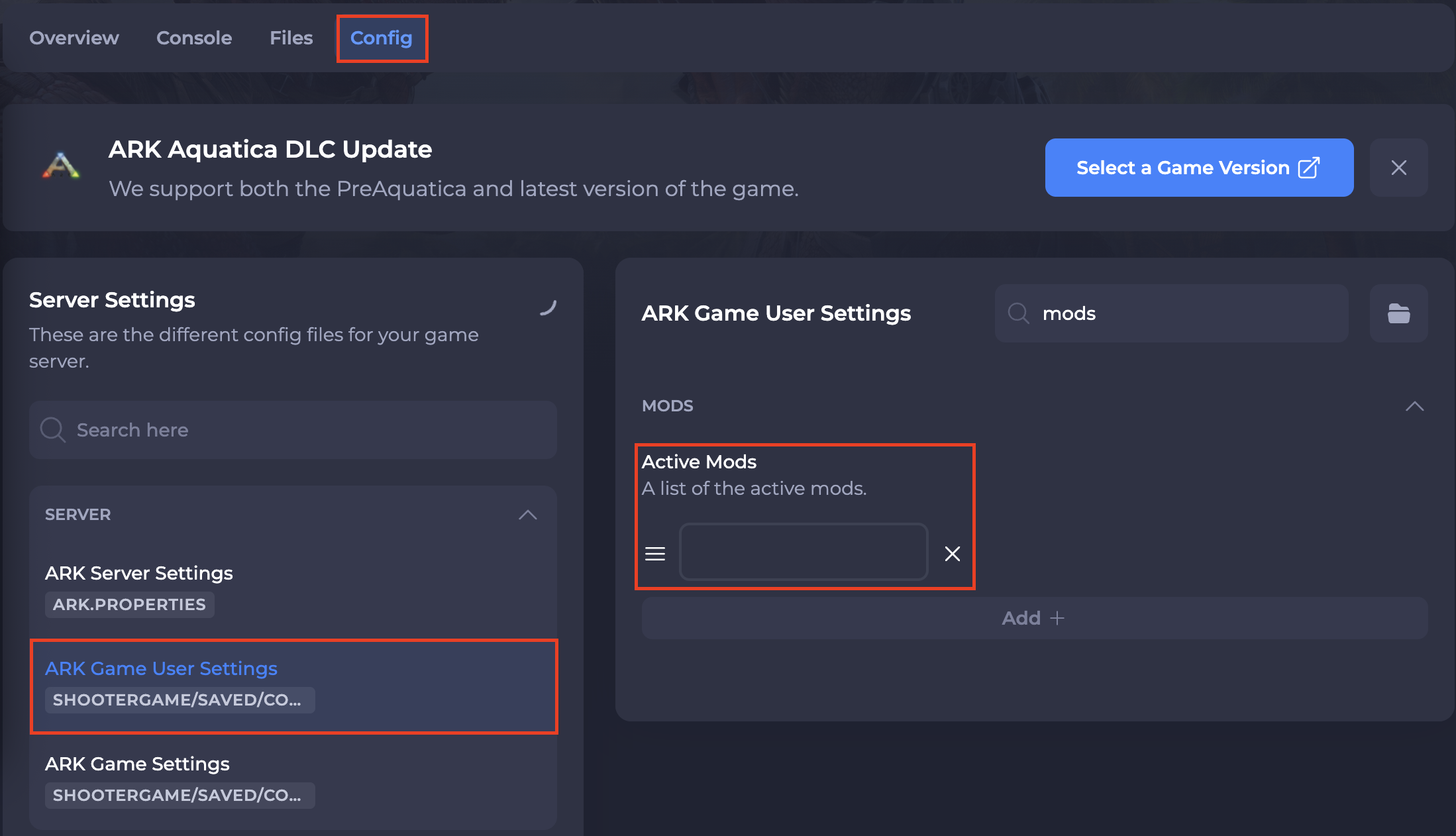
Navigate to Config.
-
Click on
ARK Game User Settings. Enter the Workshop ID of your desired mods in the Active Mods field. If installing multiple mods, select theAdd +button and list the next mod.
- Save and Start your server.