How to Change the Name and Description of your Empyrion Server
Table Of Contents
Setting the Server Name & DescriptionStill have questions?
Come chat with us and we will get back to you as soon as possible!

Nuno Paiva
Game Integration Specialist @ Shockbyte
How to Change the Name and Description of your Empyrion Server
Every Empyrion - Galactic Survival server comes with a default name and description, but personalizing these is a great way to give your server its own identity. Whether you want to set the tone for your players or simply make your server easier to spot in the browser, updating these details only takes a few moments through the server panel.
This article walks you through how to change your server's name and description using the configuration settings in your Shockbyte server panel.
#Setting the Server Name & Description
-
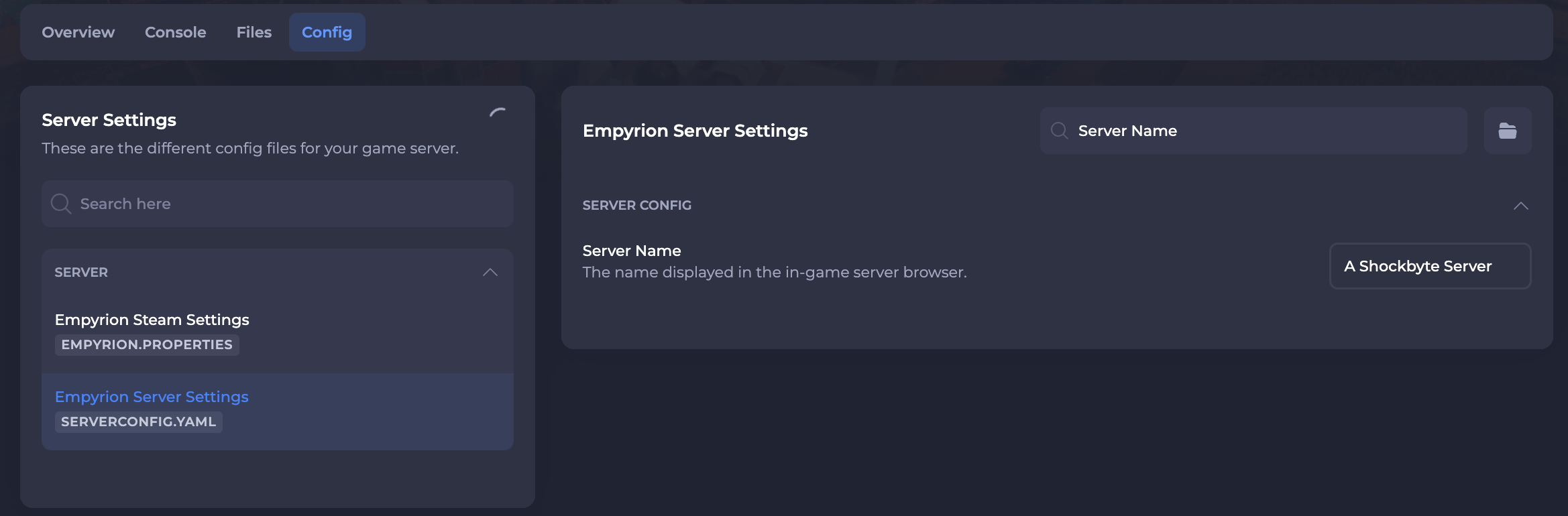
Access your Control Panel and navigate to the Config tab. Select the Empyrion Server Settings file.
-
Locate the Server Name field and set your desired server name. This is the name players will see in the server browser.
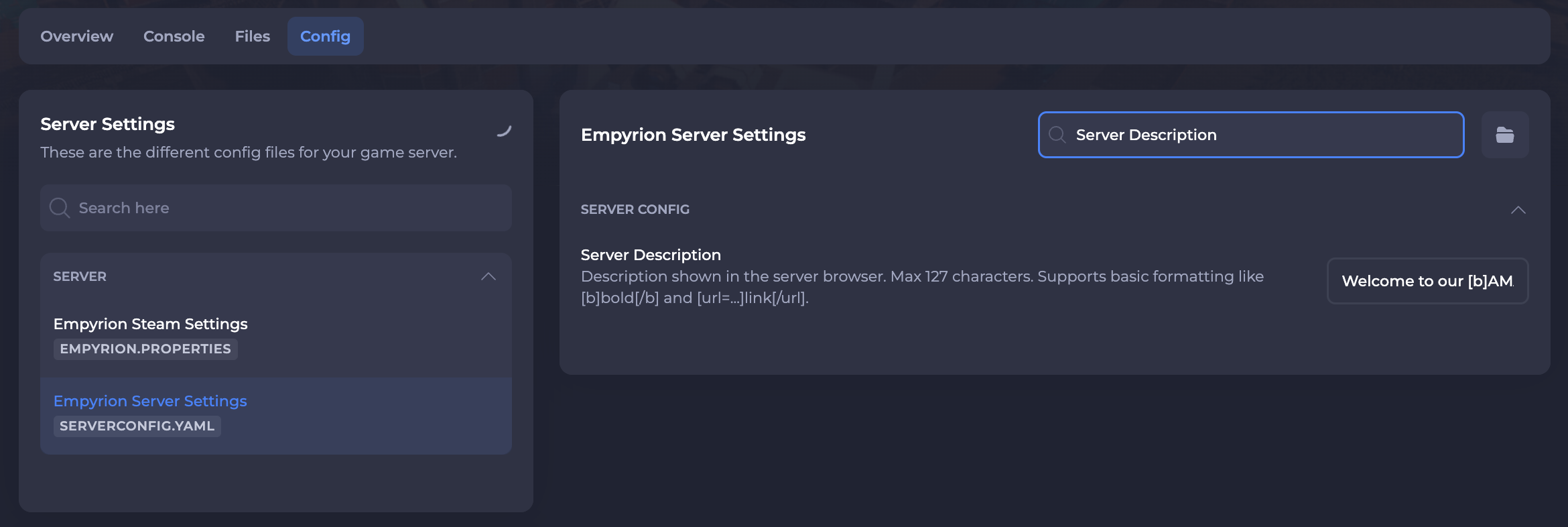
- Locate the Server Description field and set your desired server description.
- Save and restart your server to ensure the new changes apply.
If you require any further assistance, please contact our support at: https://shockbyte.com/billing/submitticket.php