Still have questions?
Come chat with us and we will get back to you as soon as possible!

Nathan Franklin
Game Experience Engineer

How to Connect to Your Rust Server
There are multiple ways to connect to your Rust server. It is possible to connect to your server using the in-game server list, Rust's console, and Steam's Server viewer.
#Identifying Important Information
To get started, you need to identify the address of your server. You can find your server's address on your Control Panel. Your server's address will be listed as the IP Address.
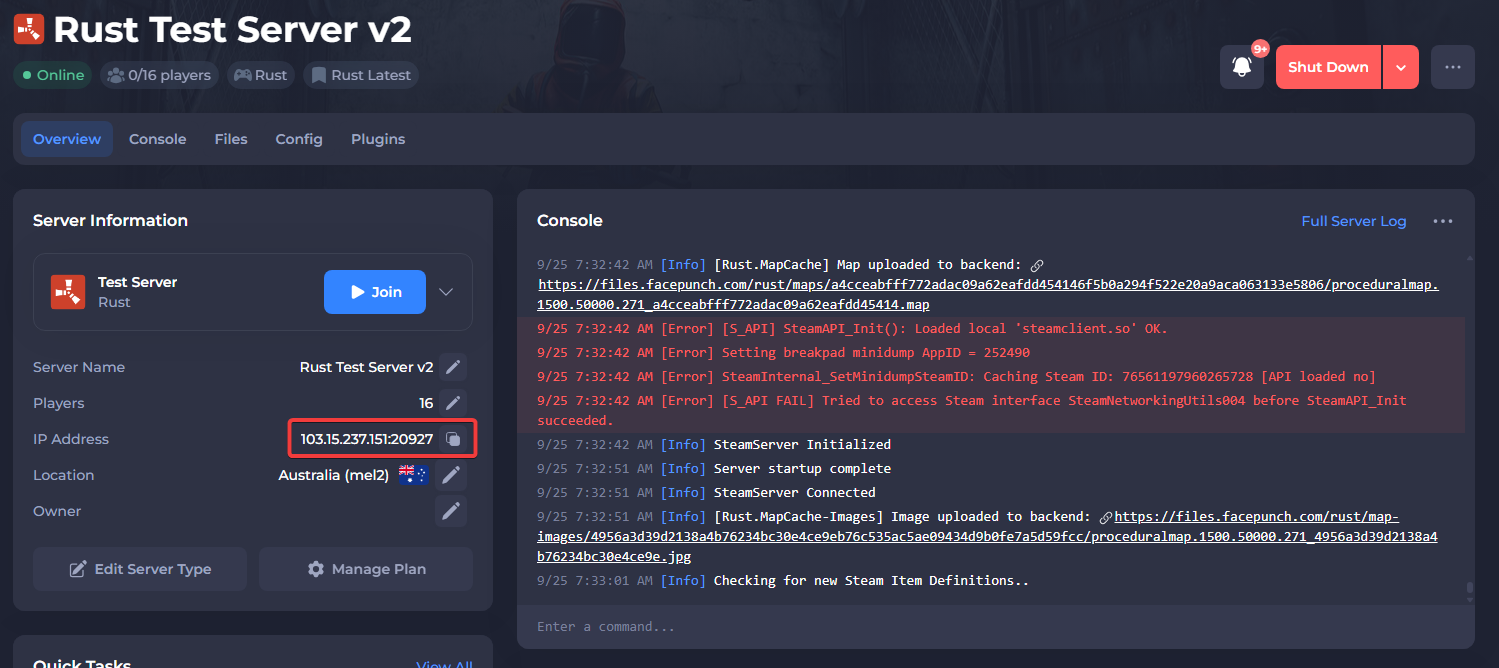
In the example above, the server IP address is 103.15.237.151:20927. The server IP is the set of numbers before the colon : and the server port is the set of numbers after the colon.
#Connecting With the Client Console
The in-game Rust console allows you to directly connect to a server with a command that uses your full server IP address.
- Press the F1 key to open the game console.
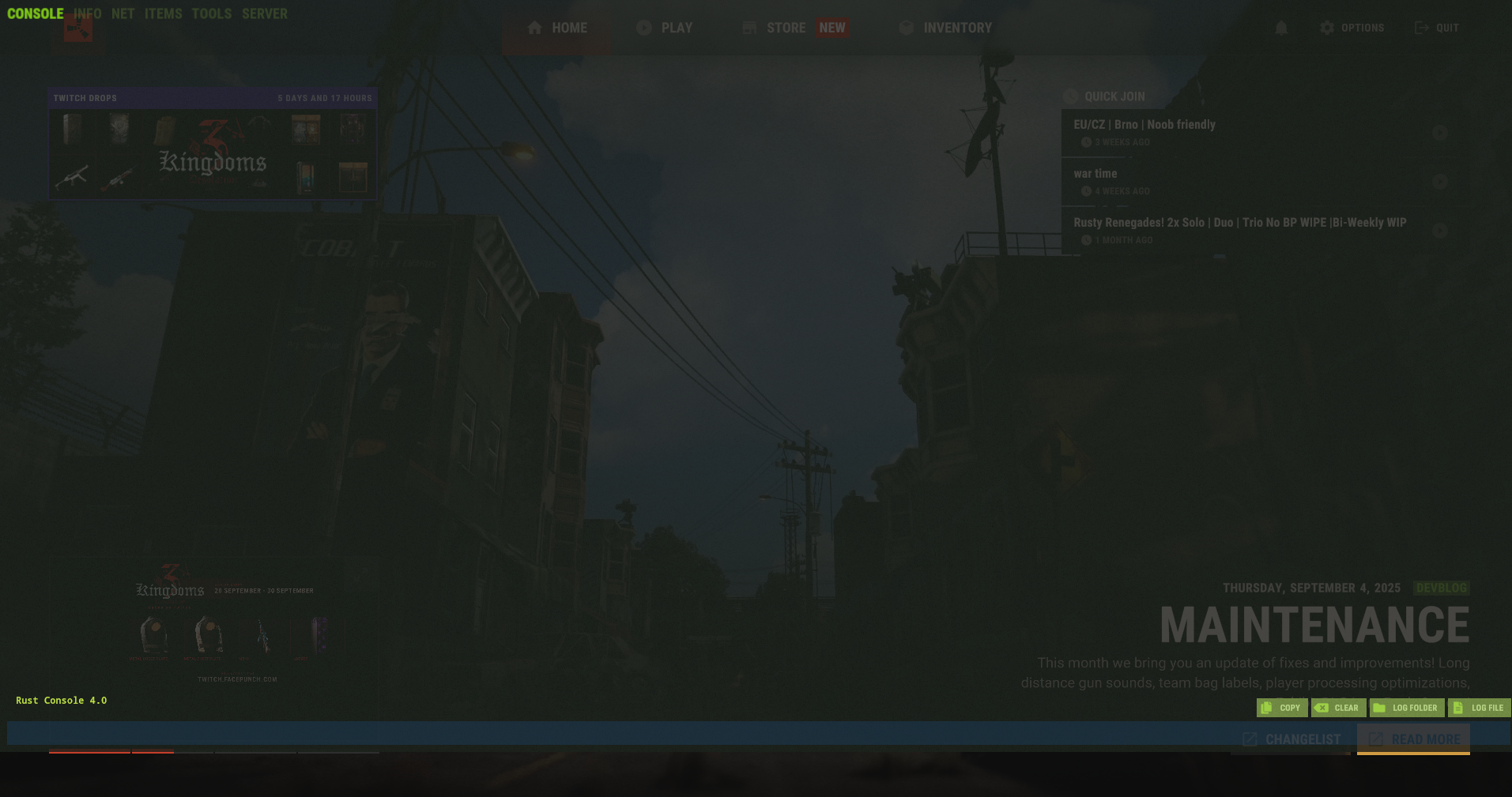
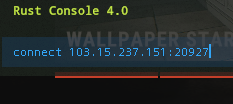
- Type the command
connect IP:portand press Enter.
#Connecting With the Steam Server Viewer
Any servers added to Steam's server viewer will be present in-game in the Favourites tab of the server list.
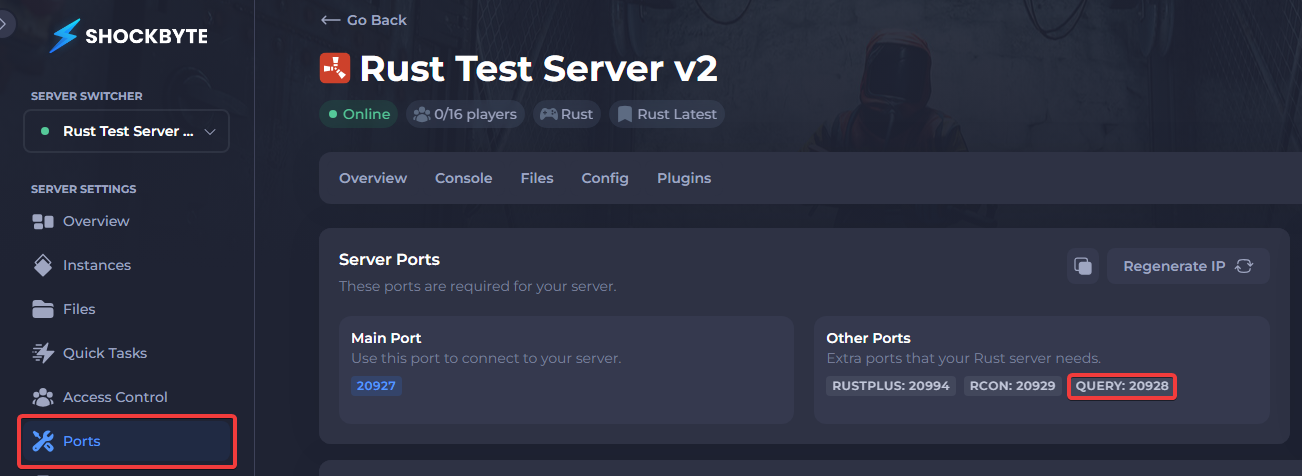
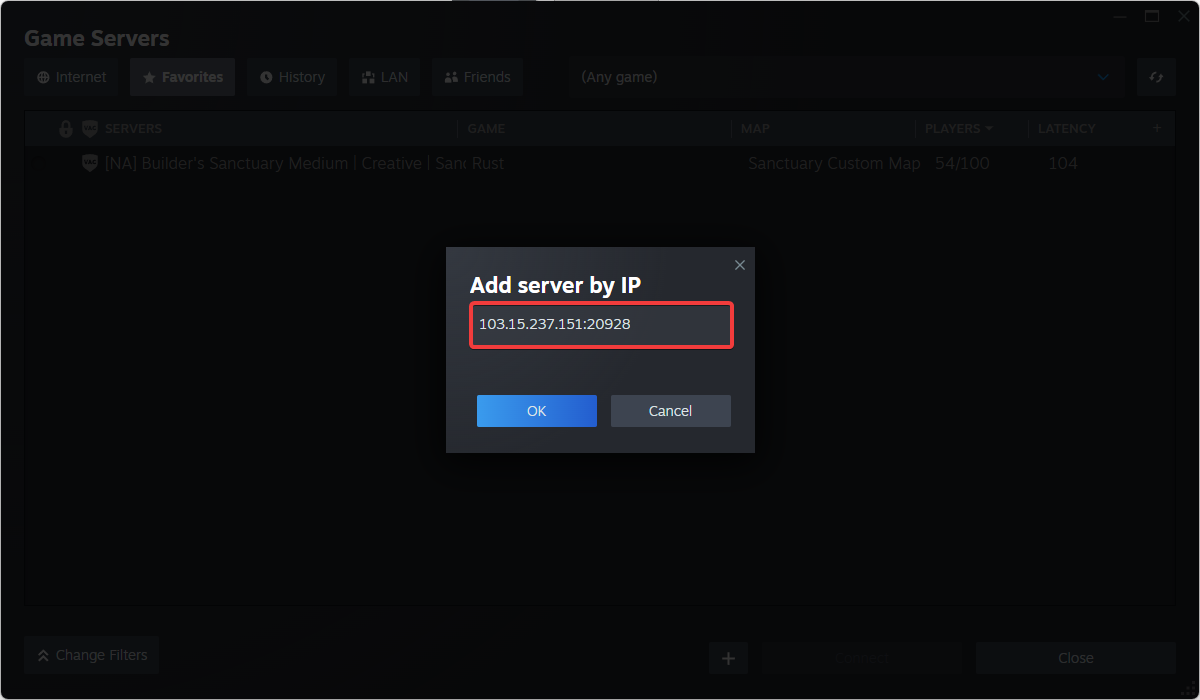
Connecting with this method requires you to use your server's query port, which is your server's standard port +1.
- Navigate to your Control Panel click Ports then locate your server's Query Port.
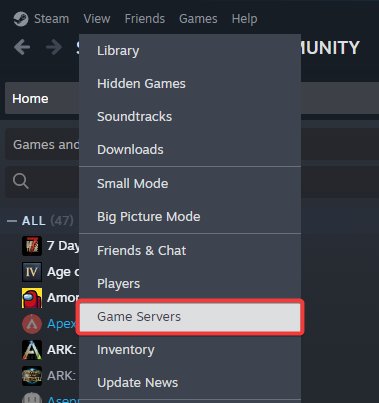
- At the top left of the Steam app, navigate to View > Game Servers.
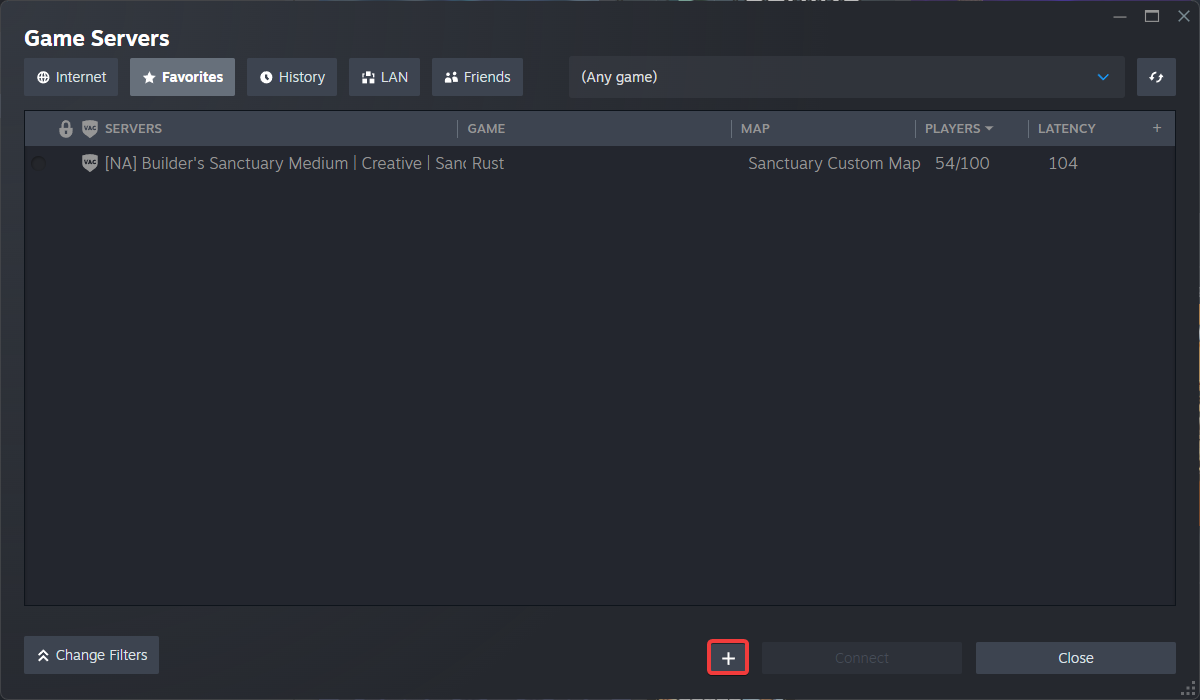
- Click the + button to add a server.
- Enter your server's IP followed by the Query port.
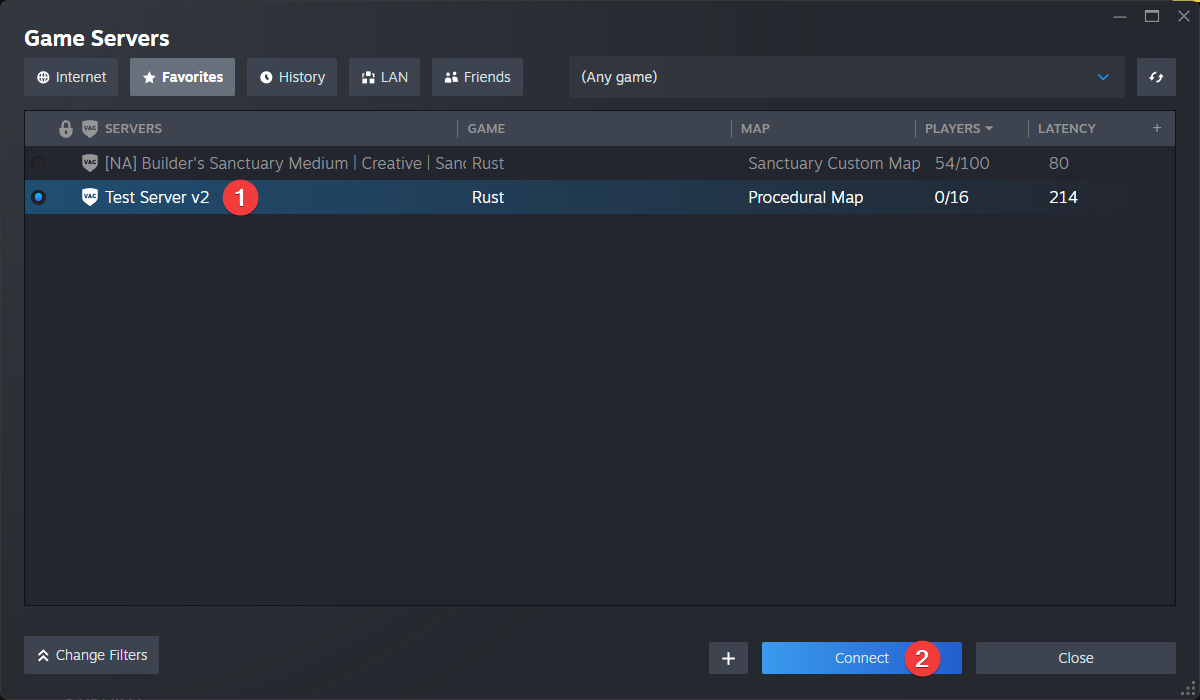
- Select the server, then click Connect.
#Connecting With the Rust Server List
You can search for your server using the in-game server list. Servers should appear in the server list automatically.
-
Set a server name in the rust.properties file.
-
Launch Rust and click the Play button to open the server list.

- Select the correct category to locate your server.

-
Community: For Vanilla Rust servers. Search by your server's name.
-
Modded: For Oxide or Carbon Rust servers. Search by your server's name.
-
Favourited: Any servers you have favourited or added to Steam's server viewer.
-
History: Any servers you have joined before.
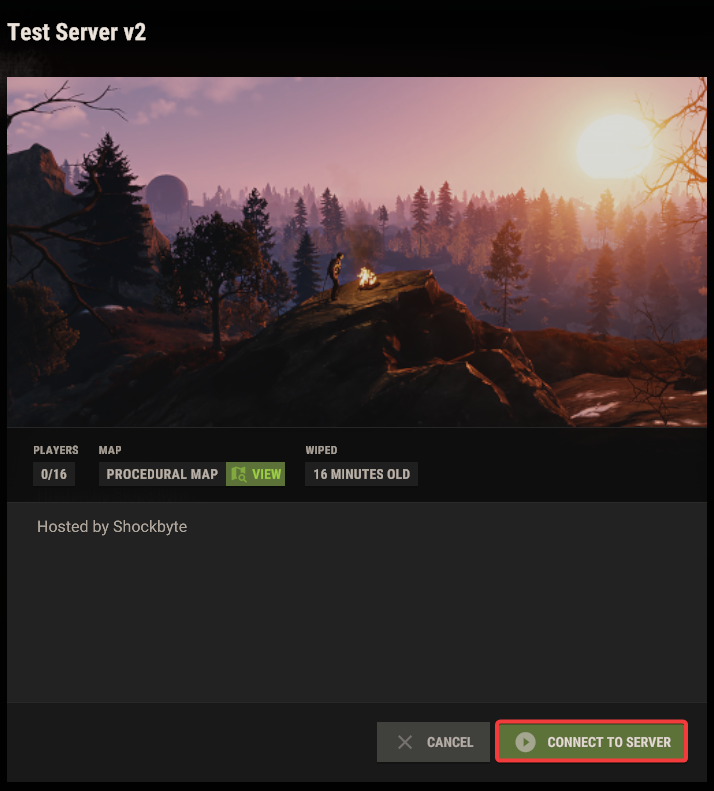
- Once you have located your server, select it and click Connect to Server.
To learn more about Rust server hosting, you can browse our library of Knowledgebase articles here.