Table Of Contents
Resetting your Map & PlayerdataStill have questions?
Come chat with us and we will get back to you as soon as possible!

Shockbyte
Support Team

How to Reset Your DayZ Map & Playerdata
When your server gets cluttered with old unused player bases and loot storages, you may wish to reset your server.
Important
Before making any changes to your server, you should create a backup should you want to revert your changes. You can create a server backup by following our guide here.
#Resetting your Map & Playerdata
-
Access your Control Panel.
-
Navigate to the Files tab and open the
/mpmissionsdirectory. -
Select the map you would like to reset, which should be your server’s active map template. For the Chernarus map this is
dayzOffline.chernarusplusand for the Livonia map this will bedayzOffline.enoch. For this example, we will be selecting the Chernarus map.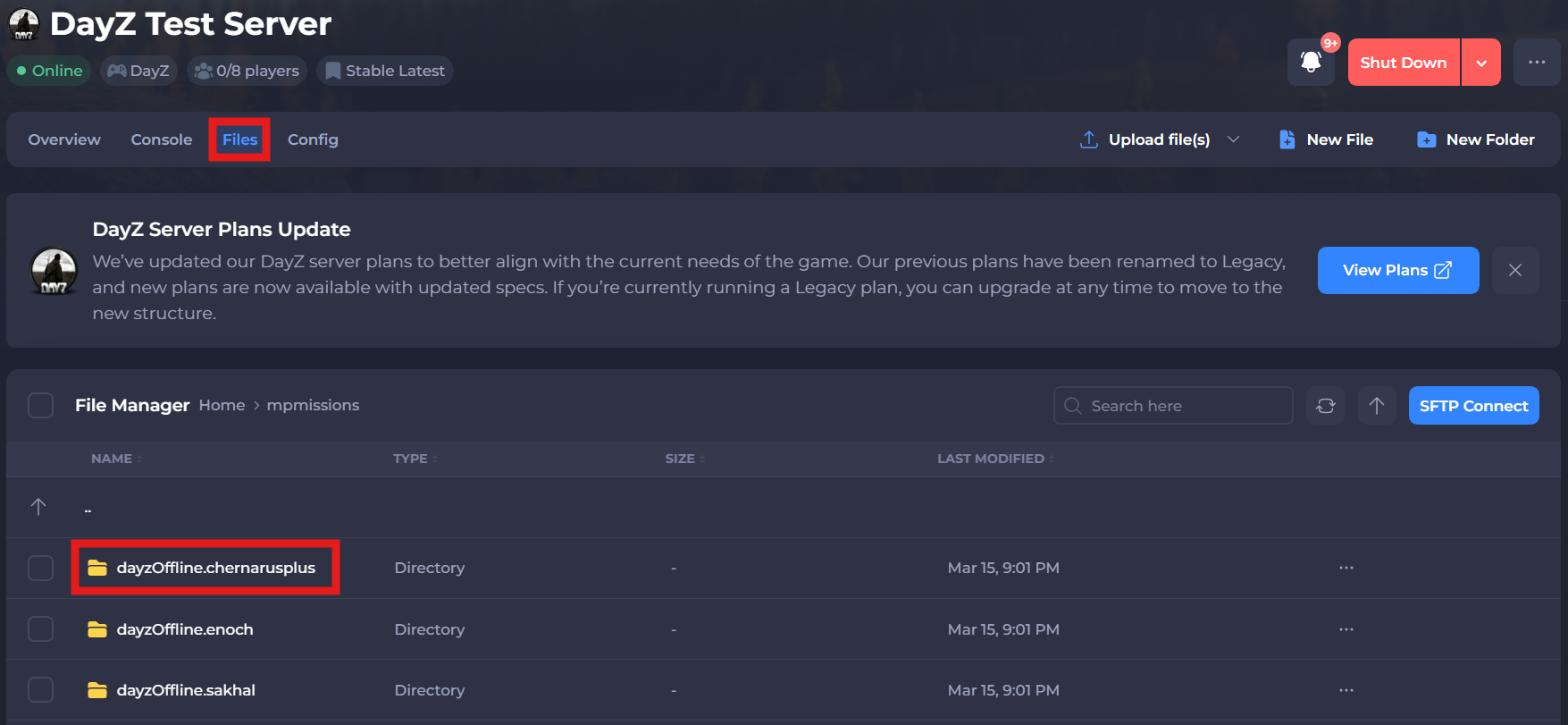
-
Delete the
/storage_1/folder.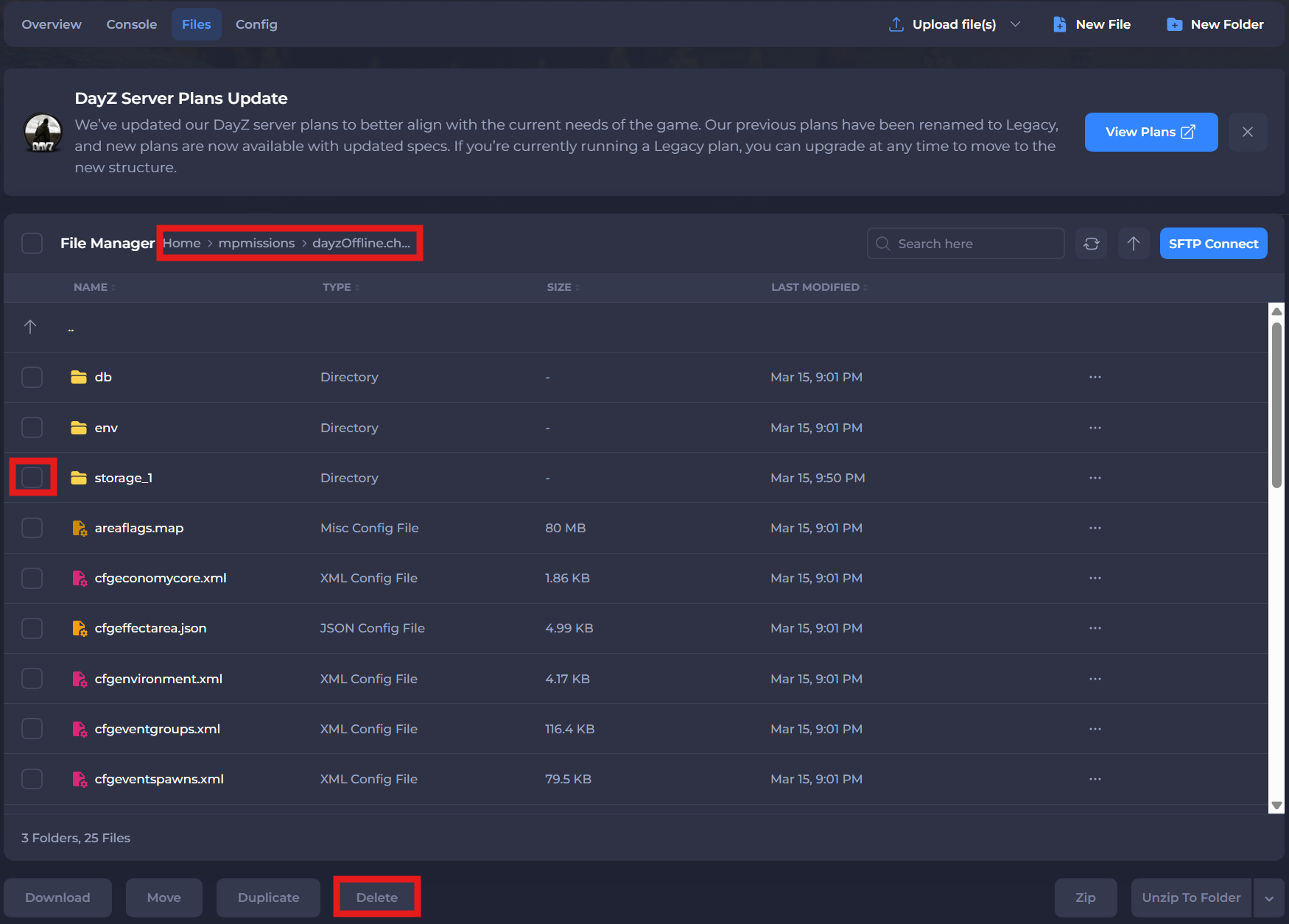
-
Restart the server to ensure the new changes apply.
If you need additional help, our support team is always happy to assist: https://shockbyte.com/contact