Table Of Contents
Enabling Map ModsStill have questions?
Come chat with us and we will get back to you as soon as possible!

Shockbyte
Support Team

How to Enable Map Mods on Your Unturned Server
Unturned having Steam Workshop support means you can quickly and easily install any mods you want on your server. However, installing Map Mods requires slightly different steps.
#Enabling Map Mods
Before enabling your map, be sure to install your map mod by following our How to Install Workshop Mods guide.
In this example, we will be using the popular Arid map. (WorkshopID: 2683620106)
-
Access your Control Panel and access the Files tab.
-
Navigate to
Servers/world/Workshop/Steam/Content/304930/[ModID]. -
Copy the name of the folder above
Map.meta. For example, Arid.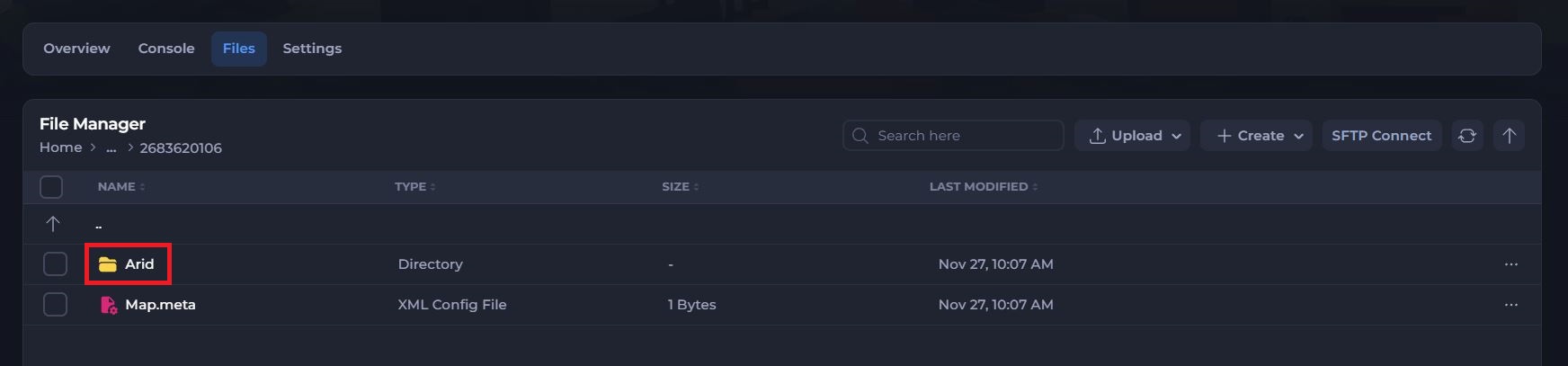
-
Once you have your map name, head to the Settings tab at the top of your control panel.
-
Locate the Map option and paste your map name in the text box.
-
Click Save & Restart your server to ensure the new changes apply.
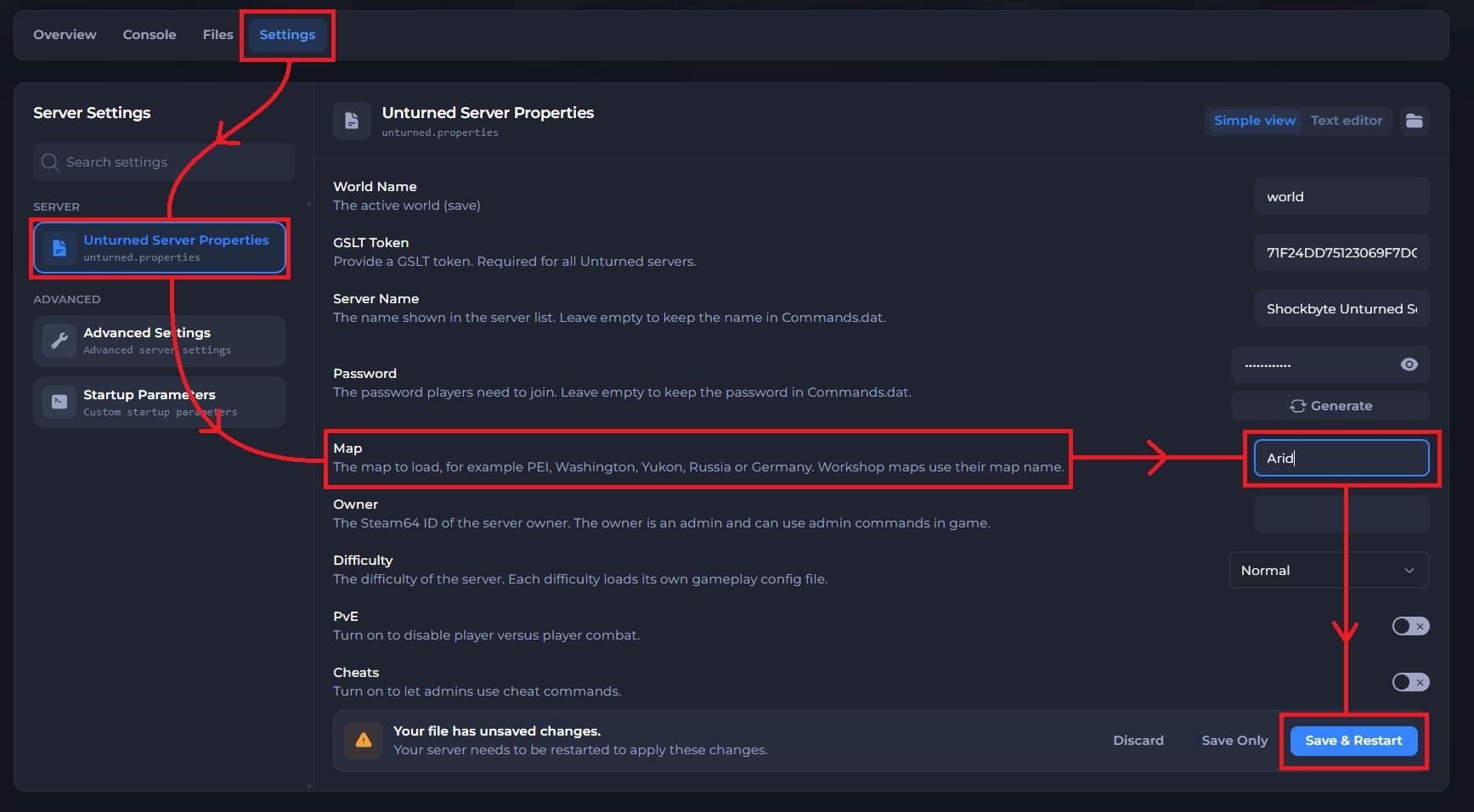
Your server will now start up with your selected Map Mod!
To learn more about Unturned server hosting, you can browse our library of Knowledgebase articles here.