Still have questions?
Come chat with us and we will get back to you as soon as possible!

Jay Miller
Game Engineer

How To Join Your Palworld Server
Once your Palworld server is set up and configured how you would like it, you will be able to connect. There are multiple methods to connect with, depending on your preferred choice.
#Obtaining your Server IP
In order to connect to your server, you will need to know both the server IP and port. These can both be found in your server's Shockbyte control panel.
Once logged in, you will be able to find your server's IP and port next to IP Address.
#Direct Connecting to your Palworld Server
-
Launch Palworld.
-
Click Join Multiplayer Game.
-
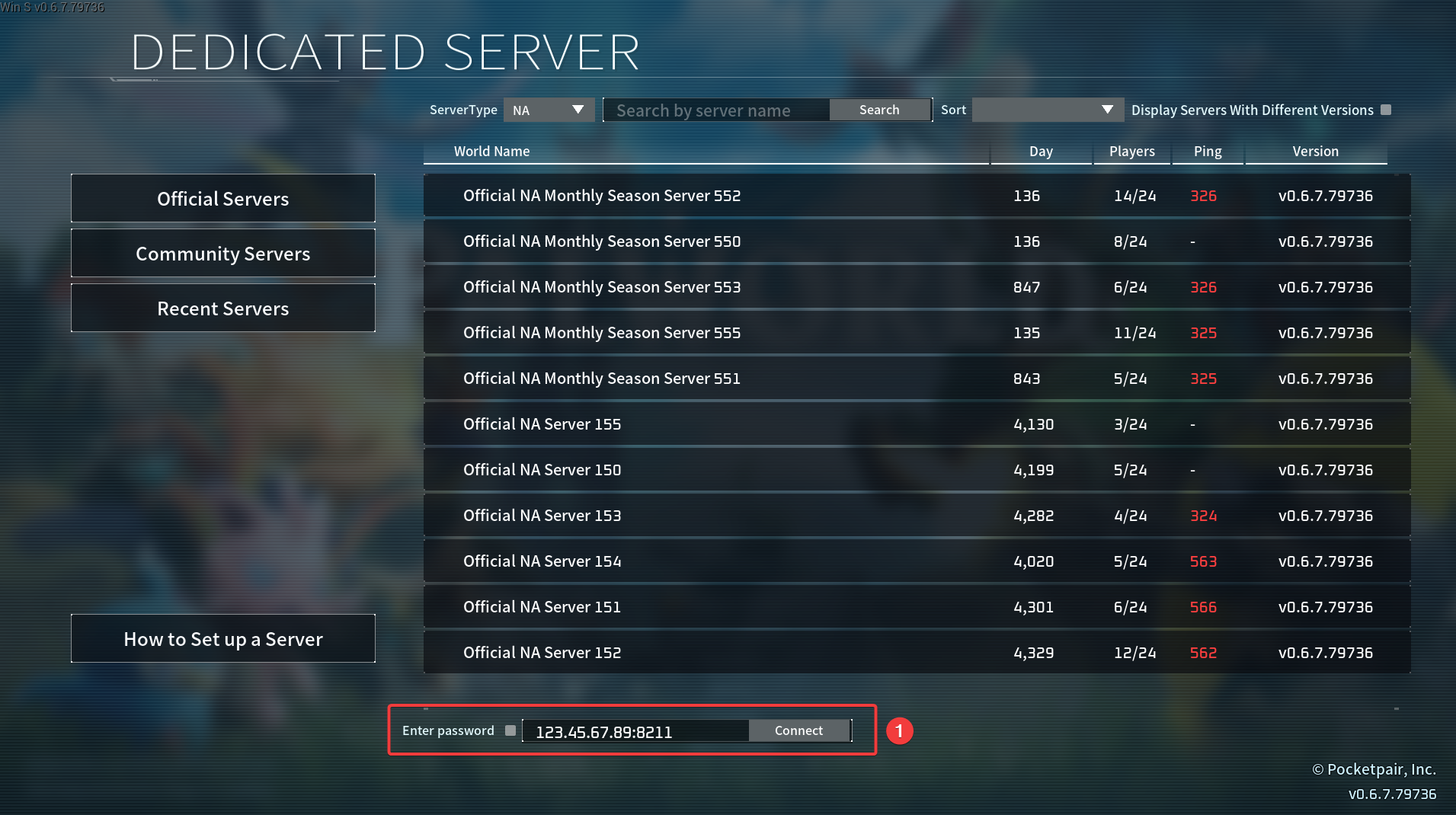
Enter your server address into the Direct Connect input box.
-
If your server has a password configured, enable the Enter password box.
-
Click the Connect button, and enter the server password if applicable to join the server.
#Finding your Palworld Server in the Community Server List
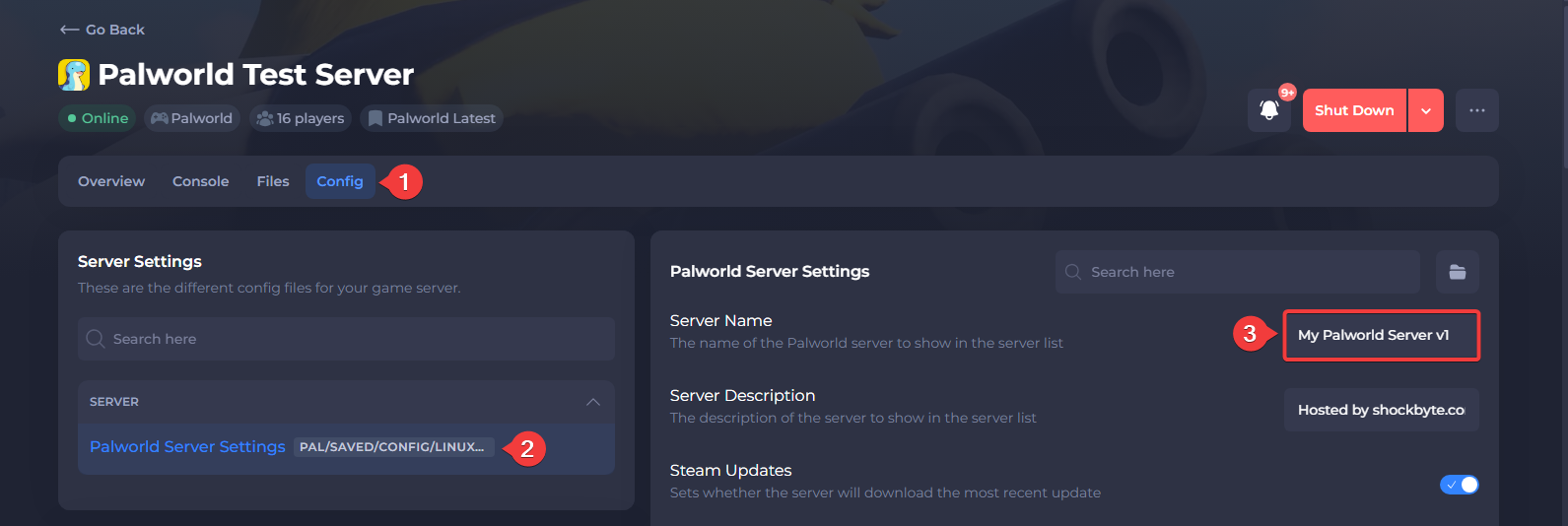
- Set a Server Name in the Palworld Server Settings file.
Save the file and restart the server for the server name to take effect.
-
Launch Palworld.
-
Click Join Multiplayer Game.
-
Select the Community Servers tab on the left.
-
Enter your server name in the search bar then click Search to filter for your server.
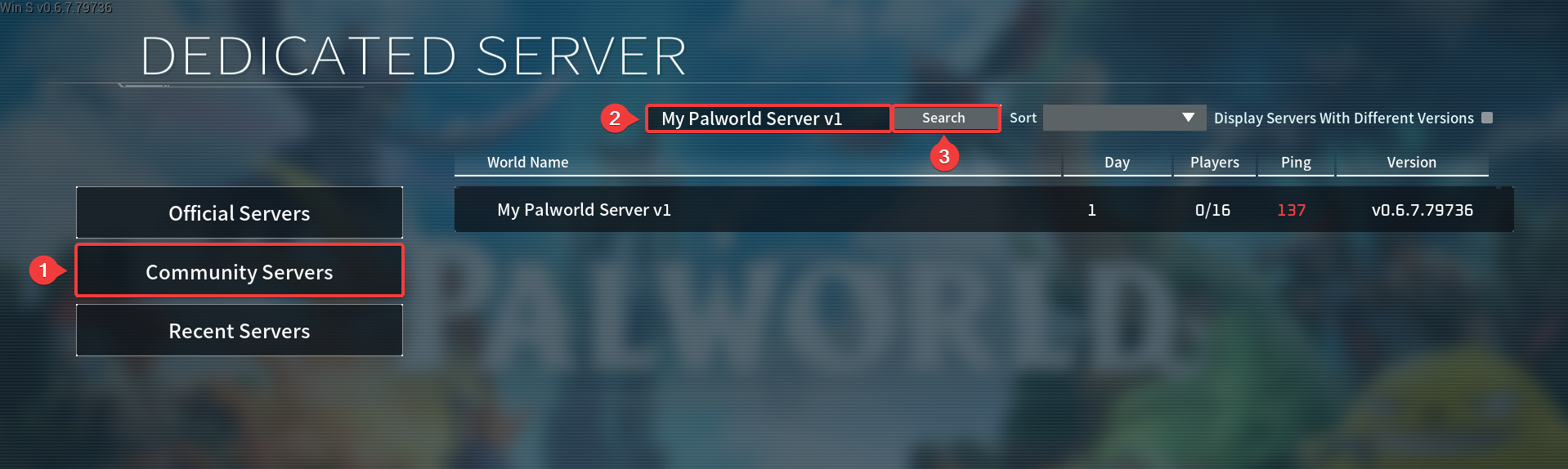
- Click your server in the list to connect to it.