Still have questions?
Come chat with us and we will get back to you as soon as possible!

Nathan Franklin
Game Experience Engineer
How To Make Your Arma Reforger Server Private
Making your Arma Reforger server private ensures that only authorized players can join. This is ideal for hosting private matches, role-playing servers, or exclusive gaming communities. Follow the steps below to set up a password or remove your server from the in-game browser.
#Setting a Server Password
A password can easily be added to your server using the Shockbyte Panel.
-
Navigate to the Panel.
-
Click Config.

- Locate the Server Password field and enter your desired password.
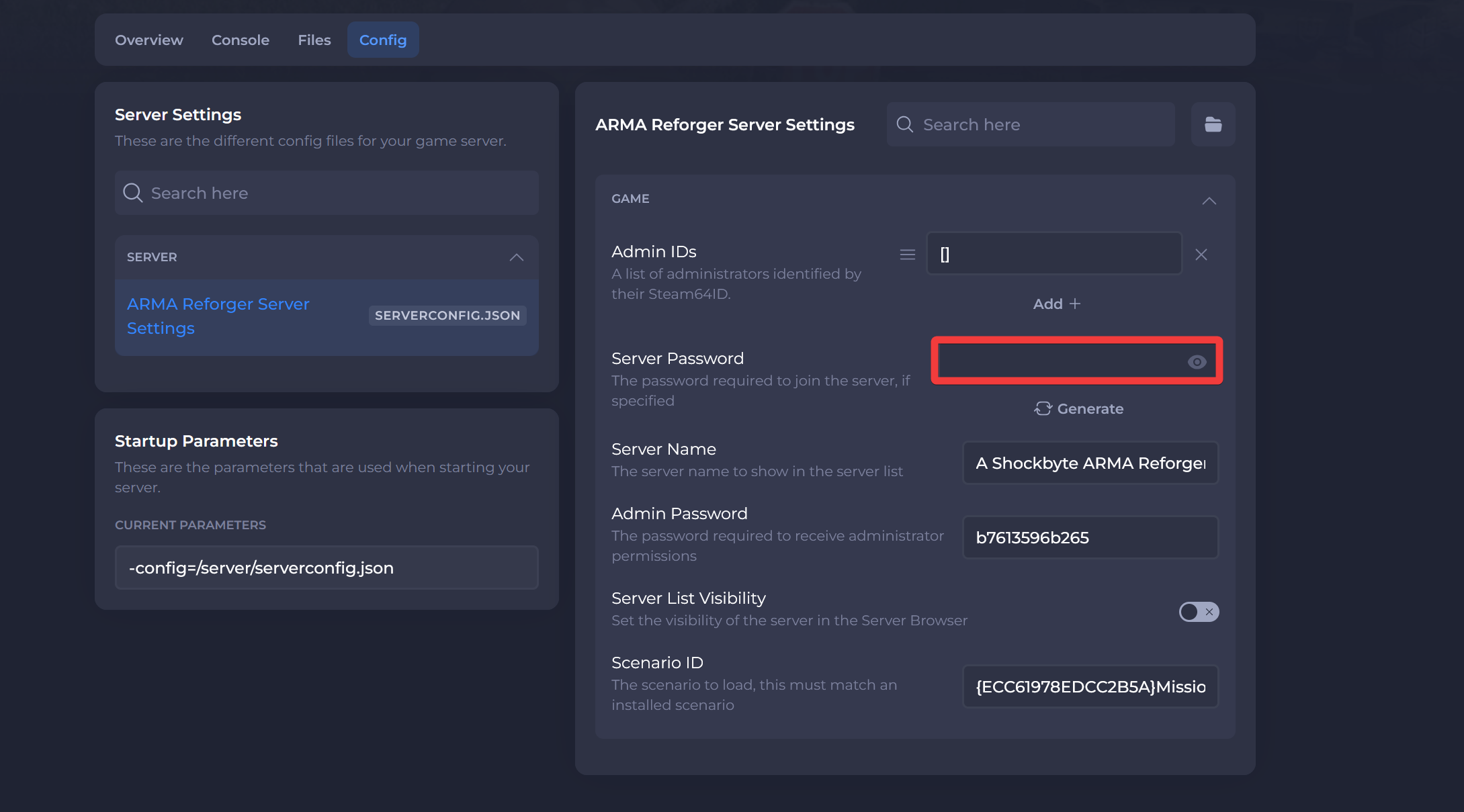
- Click Save & Restart.

#Hiding your Server from The Browser
Another option to make your server private is hiding it from the in-game server browser.
-
Navigate to the Panel.
-
Click Config.
- Locate the Server List Visibility option and disable it.
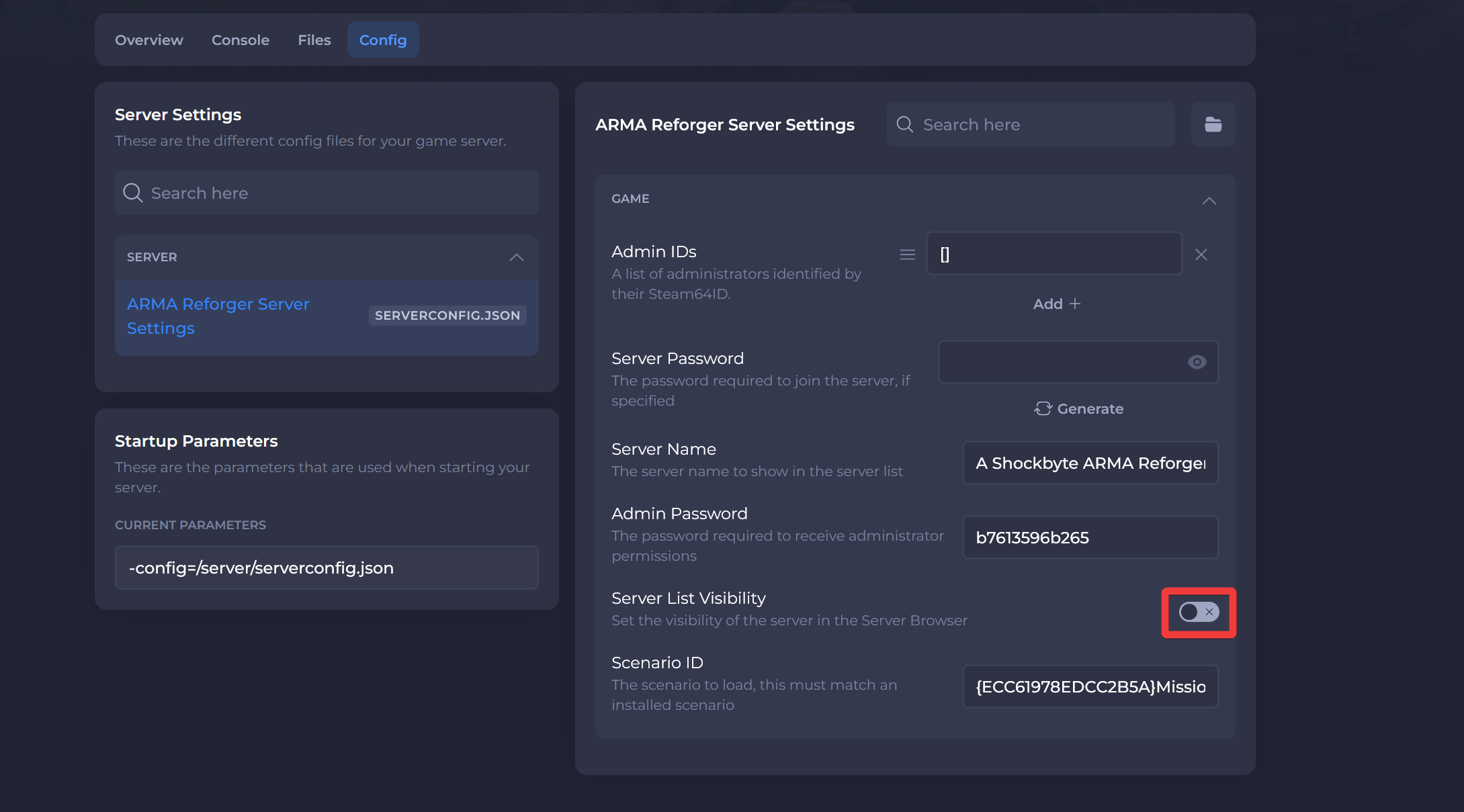
- Click Save & Restart.
Interested in purchasing an Arma Reforger servers with instant activation, easy customisation, and great & extensive Knowledgebase articles? Click here to purchase one!
To learn more about Arma Reforger Server Hosting, you can browse our Knowledgebase article library here.