How to Set Up Custom World Settings on your RuneScape: Dragonwilds Server
Table Of Contents
Creating your Custom WorldStill have questions?
Come chat with us and we will get back to you as soon as possible!

Shockbyte
Support Team

How to Set Up Custom World Settings on your RuneScape: Dragonwilds Server
Important
We now have a new save file editor to add custom settings to your save directly within the control panel. Feel free to check out our guide on this here.
This guide explains how to create and upload a custom world to on your RuneScape: Dragonwilds server. Currently, there is no way to set custom world settings within the server itself, but this may change with future game updates.
In order to set custom world settings, you will need to create a world in single-player with your desired custom world settings, then upload this custom world to your server. The steps below will walk you through this process.
#Creating your Custom World
-
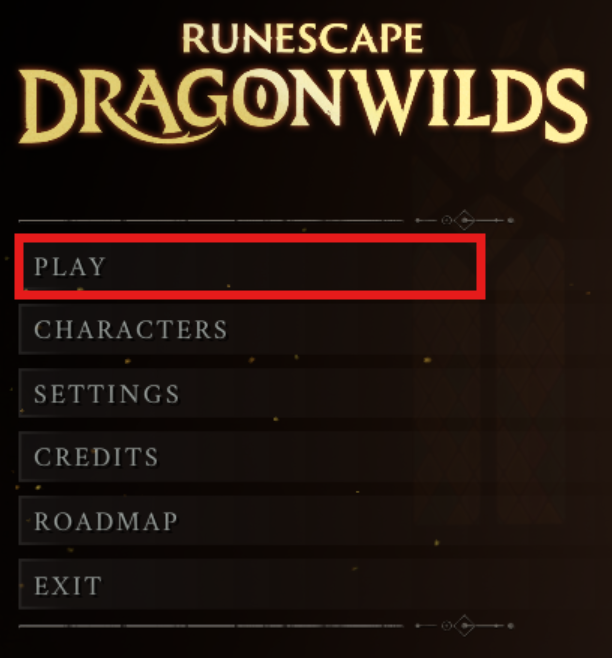
Open RuneScape: Dragonwilds and select the Play button.
-
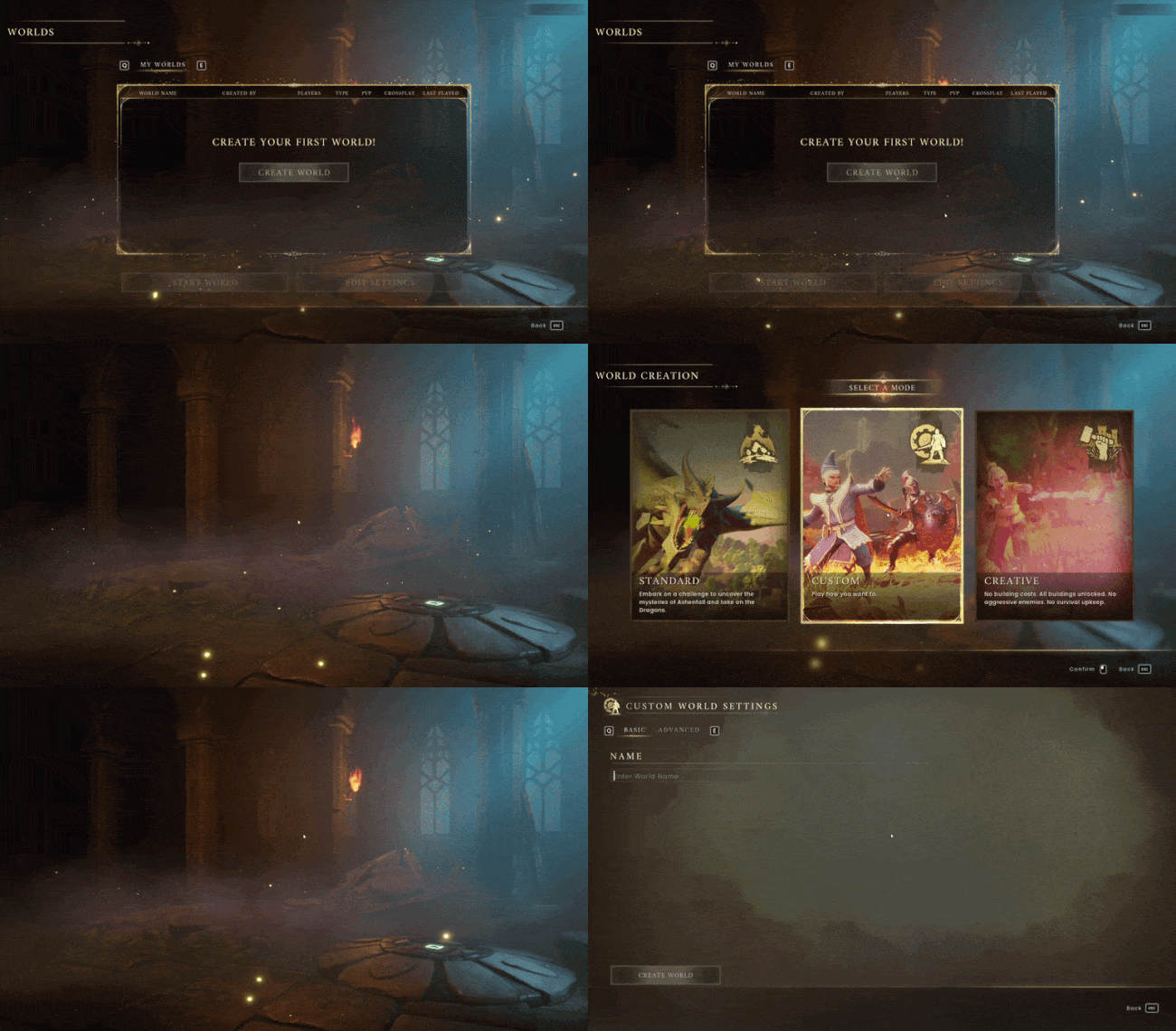
Select Play Solo
-
Click Create World and select the Custom mode.
-
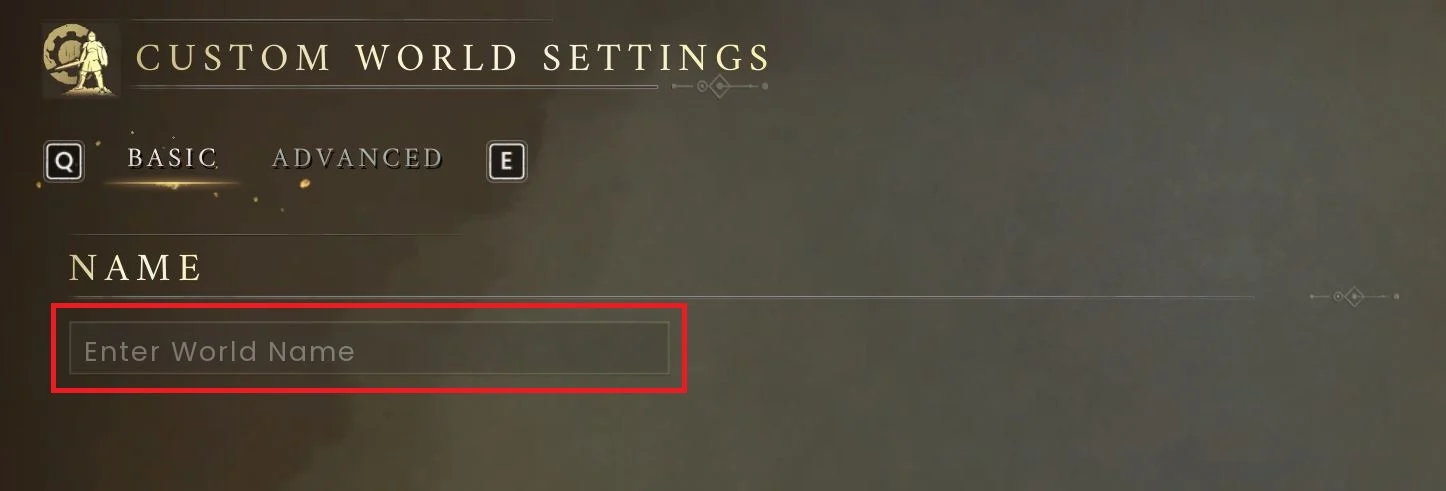
Enter a world name (This will be displayed in the public server list).
Important
You cannot rename your world after creation. Renaming the save file will prevent the server from loading your world correctly. More info here.
-
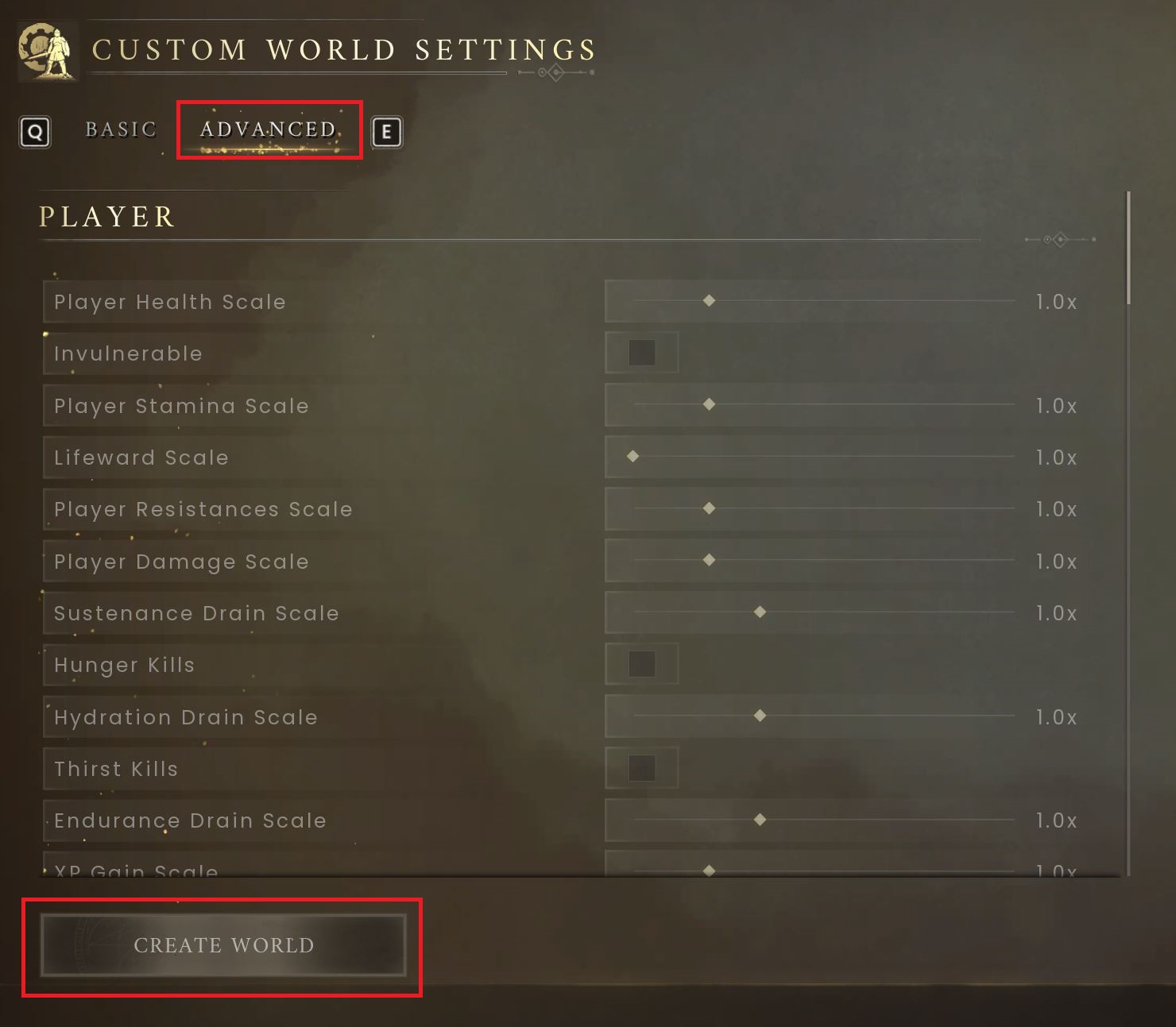
Select the Advanced tab, set your custom world settings then click Create World.
-
Finalise your world by creating a character and entering the world.
-
Be sure to allow the world to save at least once before leaving the world.
You have now created your world with custom settings!
From here, you can proceed with our How to Upload an Existing Save to your RuneScape: Dragonwilds Server to get your custom world uploaded to your server.
If you require any further assistance, please contact our support at: https://shockbyte.com/billing/submitticket.php