Table Of Contents
Enabling the MinimapStill have questions?
Come chat with us and we will get back to you as soon as possible!

Ruben B
Partnership Manager

Enabling the Minimap on Your Project Zomboid Server
Project Zomboid
·Nov 10, 2024
·1 min read
The Minimap is a useful feature in Project Zomboid, enabling easier navigation of the dangerous towns and cities.
#Enabling the Minimap
- Access the Control Panel and Stop your server.
- Navigate to Files.
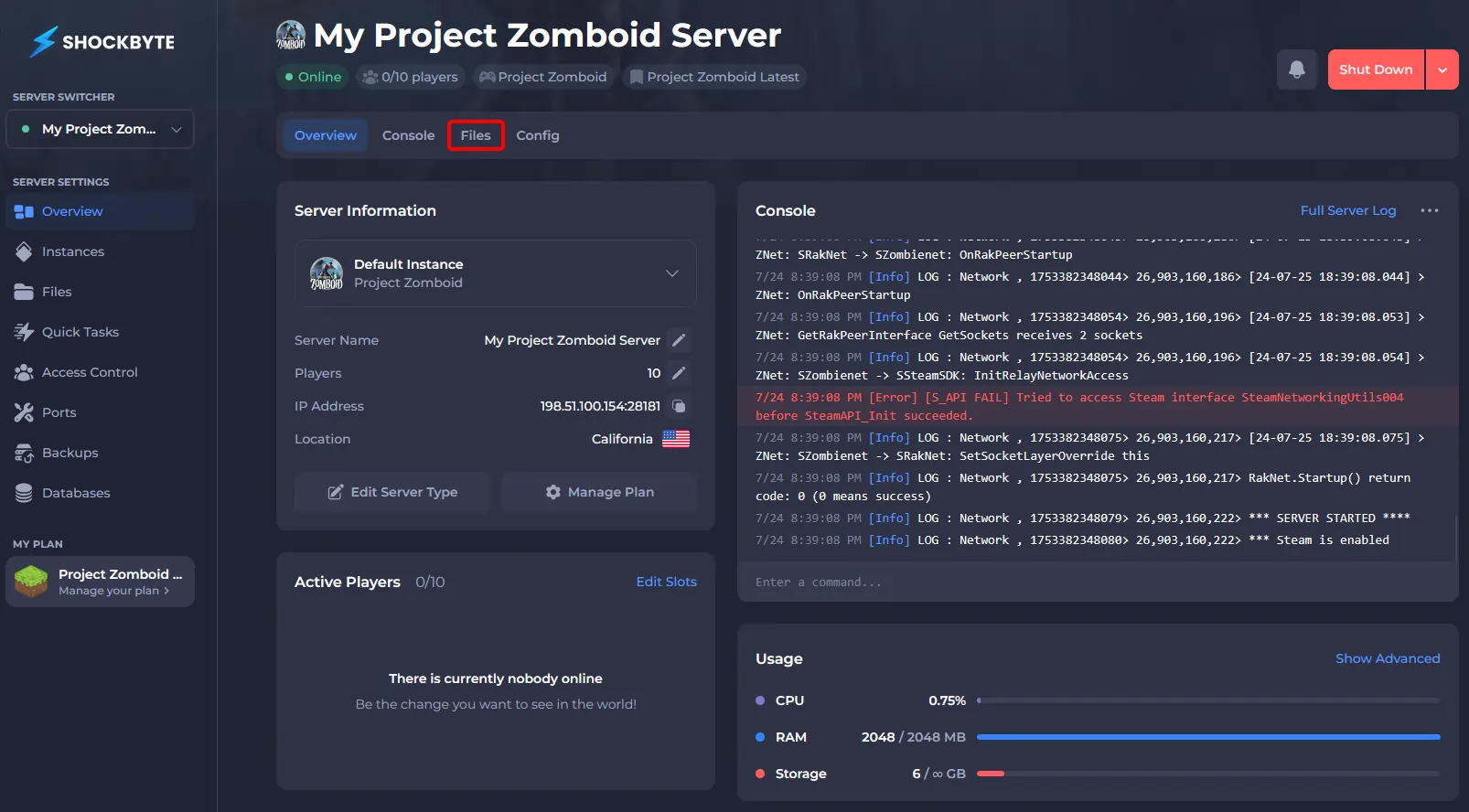
- Navigate to
Zomboid/Serverand clickworld_SandboxVars.lua. - Search for
AllowMiniMap = falseand change this toAllowMiniMap = true.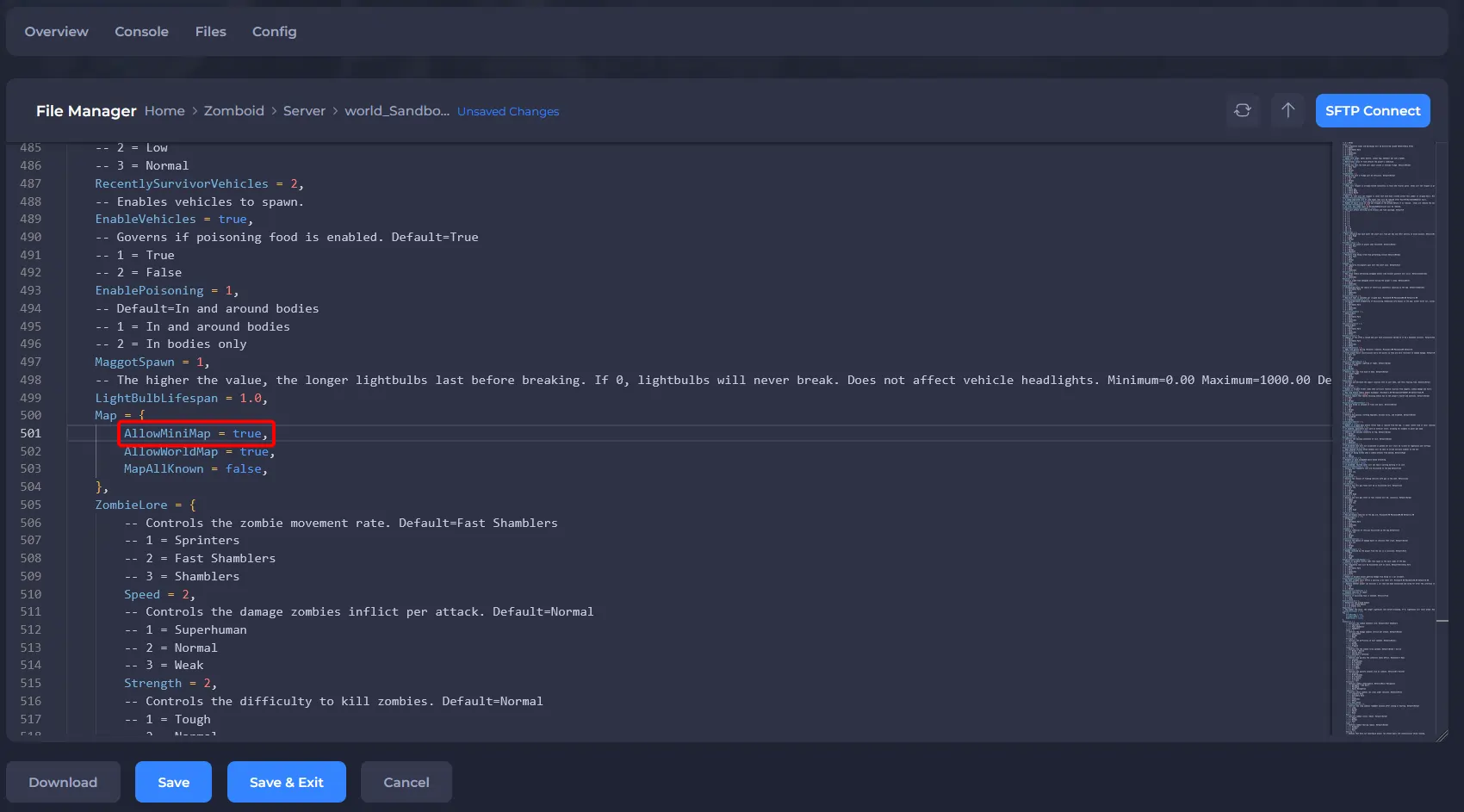
- Save the file and Start your server.
With the minimap set up, why not learn how to Install Mods on Your Project Zomboid Server?