Still have questions?
Come chat with us and we will get back to you as soon as possible!

Nuno Paiva
Game Integration Specialist @ Shockbyte

All SCP: Secret Laboratory Console Commands
Console commands in SCP Secret Laboratory allow you to manage your server quickly by banning players, changing settings, starting rounds, and running functions that are not normally available.
Note: You must become a server admin before you can run commands in game. You can follow our guide on becoming an admin on your SCP Secret Laboratory server here.
#Access Through the Control Panel
You can run commands directly from your server console.
- Access your Control Panel
- Open the Console
- Type your command and press Enter
This allows you to run commands even if you are not in game.
#Access Through the In Game Console
You can also run commands while playing.
- Press the ~ (Tilde) key
- Type your command
- Press Proceed
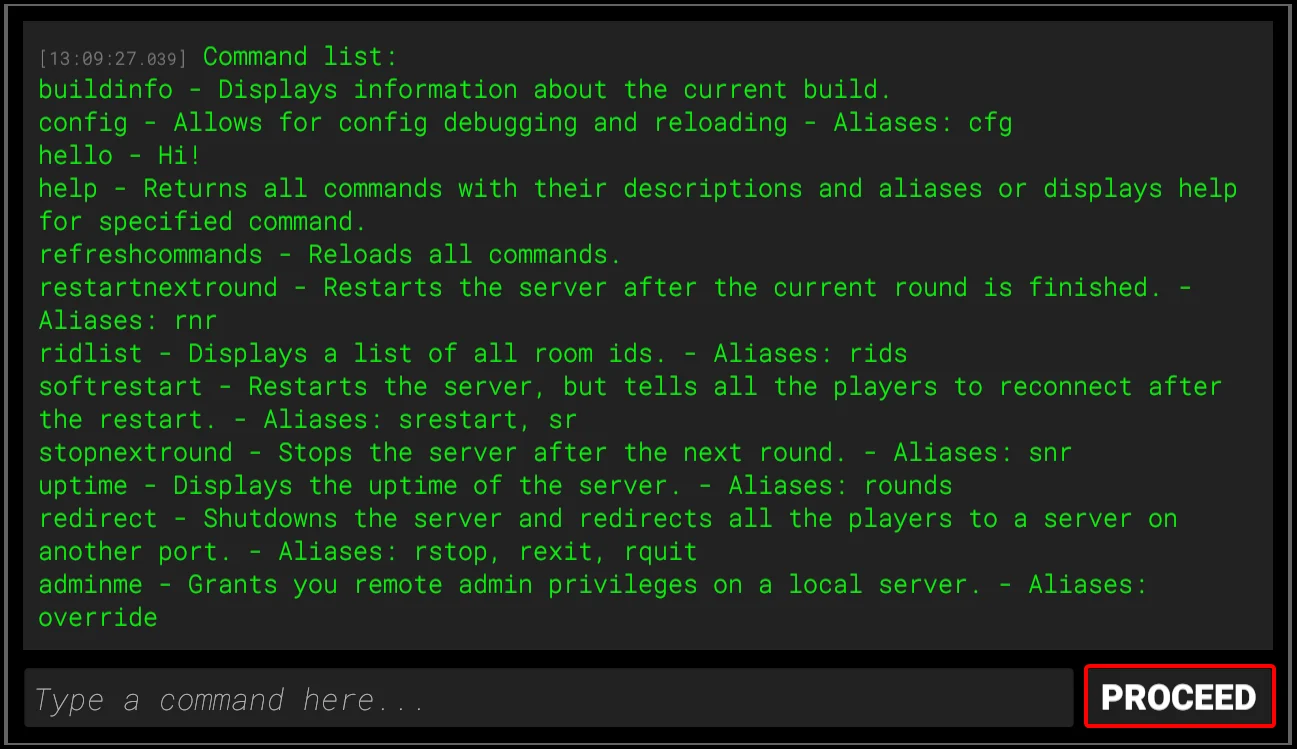
#List of Available Commands
Below is a list of commonly used SCP Secret Laboratory console commands. The START command is the main command used to begin the game once all players are in the lobby.
| Command | Description | Example |
|---|---|---|
| START | Begins the match | START |
| BAN [PLAYER ID OR PLAYER IP OR NICKNAME] [MINUTES] | Bans the selected player for the set time | BAN 192.127.0.1 20m |
| FORCESTART | Forces the round to start | FORCESTART |
| ROUNDRESTART | Restarts the round | ROUNDRESTART |
| HELLO | Tests if the server is responding | HELLO |
| CONFIG | Opens the server config file | CONFIG |
| CONFIG RELOAD | Applies changes from the config | CONFIG RELOAD |
| EXIT | Force stops the server | EXIT |
| RESTART | Force restarts the server | RESTART |
| FORCERESTART | Stops and restarts the server | FORCERESTART |
| SEED | Shows the current map seed | SEED |
| BANREFRESH | Reloads the ban list | BANREFRESH |
| HELP | Displays all available commands | HELP |
| BUILDINFO | Shows info about the current build | BUILDINFO |
| REFRESHCOMMANDS | Reloads all commands | REFRESHCOMMANDS |
| RESTARTNEXTROUND | Restarts the server when the next round ends | RESTARTNEXTROUND |
| RIDLIST | Shows a list of all room IDs | RIDLIST |
| SOFTRESTART | Restarts the server and lets players reconnect after | SOFTRESTART |
| STOPNEXTROUND | Stops the server when the next round ends | STOPNEXTROUND |
| UPTIME | Shows server uptime in rounds | UPTIME |
| ARGS | Shows all startup args | ARGS |
| CLASSLIST | Shows all available classes | CLASSLIST |
| GROUPS | Displays all server groups | GROUPS |
| ID | Shows your current player ID | ID |
| IP | Returns the IP used when connecting to central servers | IP |
| ITEMLIST | Shows all available items | ITEMLIST |
| GIVE [ITEM ID] | Gives an item to all players | GIVE ITEM000 |
| PLAYERS | Shows a list of all players | PLAYERS |
You can now manage your SCP Secret Laboratory server easily using console commands.
If you require further assistance, please contact our support at https://shockbyte.com/billing/submitticket.php