Table Of Contents
How to Add an Additional PortStill have questions?
Come chat with us and we will get back to you as soon as possible!

Zach Lowery
Game Experience Engineer

How To Add An Additional Port To Your Server
Sometimes when running a server, you will need a new port to be opened. Whether it be for a plugin, a mod, or perhaps something else - it is incredibly easy to add additional ports to your server with our control panel.
#How to Add an Additional Port
-
Navigate to the Shockbyte Panel and open up your server.
-
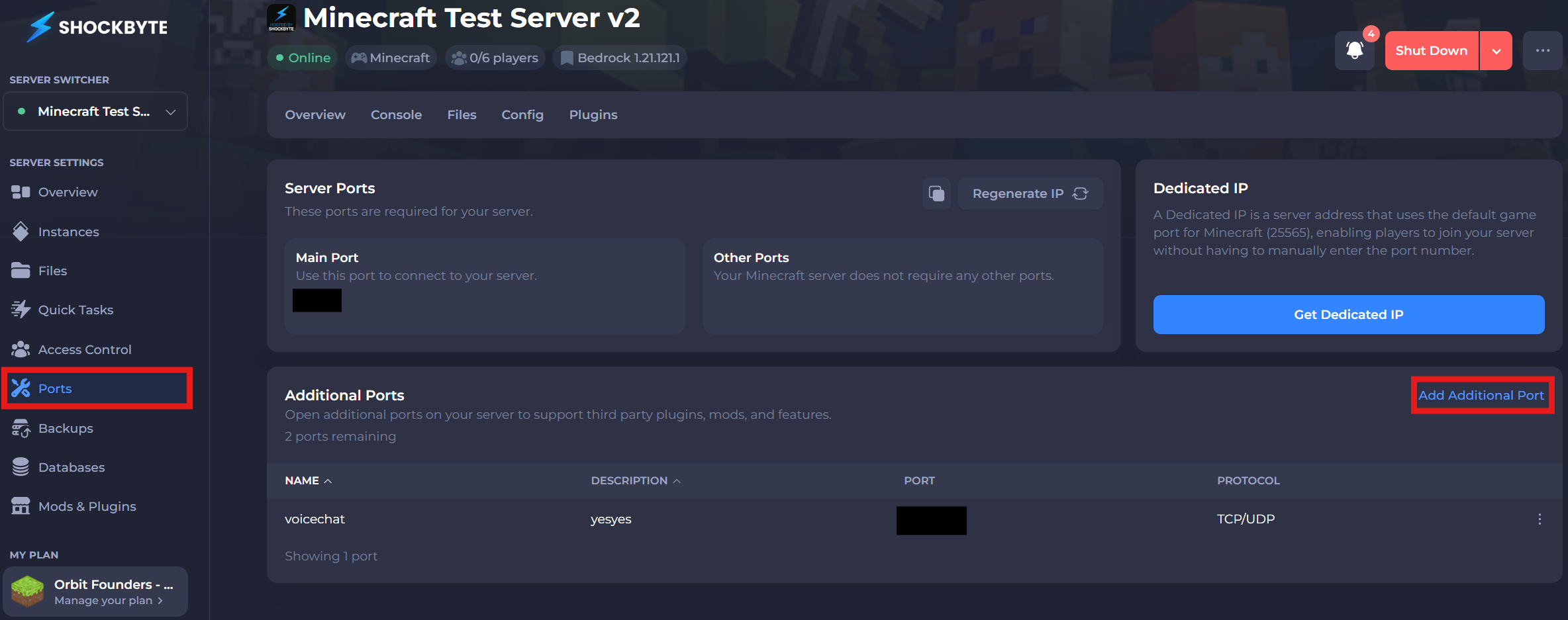
Navigate to the Ports tab from the left-hand menu.
-
Click on the Add Additional Port button.
- Fill out a name and description for the port.
The name and description of the port is entirely cosmetic and for your own reference, so you can put anything!
After pressing the button, you will see the new port that has been generated for your server. This port is now setup and ready to go for any use-case. Please note that you will need to restart your server for the port to initialize for the first time.