Table Of Contents
Adding an AdminStill have questions?
Come chat with us and we will get back to you as soon as possible!

Shockbyte
Support Team

How to Become an Admin on your Avorion Server
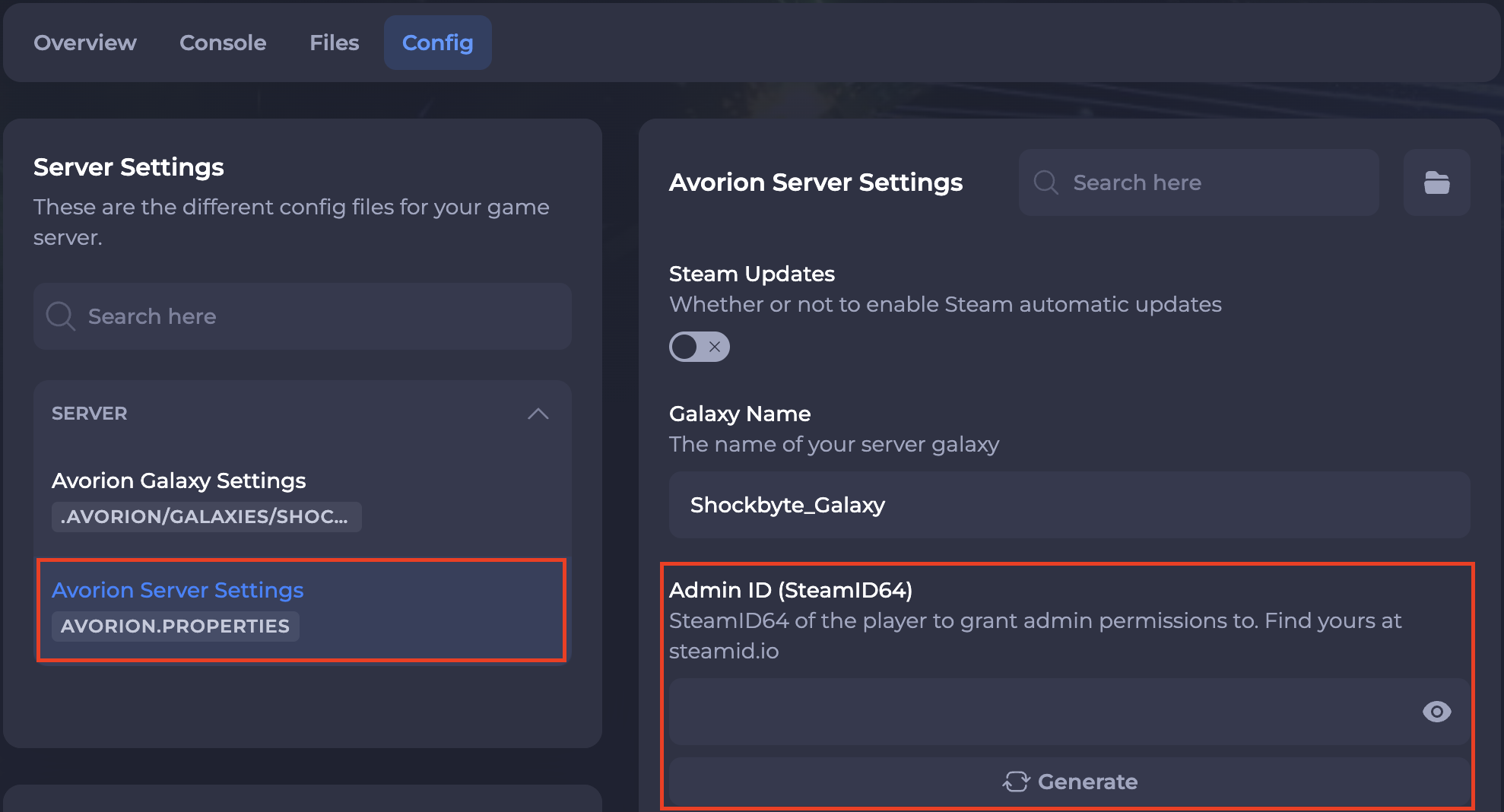
To become an admin on your Avorion server, you'll need to add your Steam64 ID to your server's configuration. You can do this easily through the server panel, simply navigate to the config settings and enter your Steam64 ID in the Admin ID field.
Not sure what your Steam64 ID is? It's a unique number tied to your Steam account. You can find it quickly by looking up your Steam profile on a site like steamid.io, just enter your Steam username, profile URL, or any other Steam ID format, and it'll display your Steam64 ID instantly.
Once saved, you'll have admin access on your server and can start managing your game!
#Adding an Admin
-
Access your Control Panel and navigate to the Config tab. Select the Avorion Server Settings file.
-
Locate the Admin IDs field. Add all of the Steam64IDs you desire.
-
Save and restart your server to ensure the new changes apply.
If you require any further assistance, please contact our support at: https://shockbyte.com/billing/submitticket.php