Still have questions?
Come chat with us and we will get back to you as soon as possible!

Nuno Paiva
Game Integration Specialist @ Shockbyte

How to Join your RimWorld Together Server
RimWorld Together is a multiplayer mod that allows several players to share the same RimWorld world while each controlling their own faction. Once your server is online and the mod is installed on your client, you can connect and start playing with others on the same map.
#Install RimWorld Together on your client
Before connecting to your server, you must install the RimWorld Together mod on your game client.
-
Open Steam and navigate to the RimWorld Together Workshop page.
-
Click Subscribe.
-
When prompted, select Subscribe to All so that Harmony and other required dependencies are installed automatically.
-
Launch RimWorld.
-
From the main menu, click Mods.
-
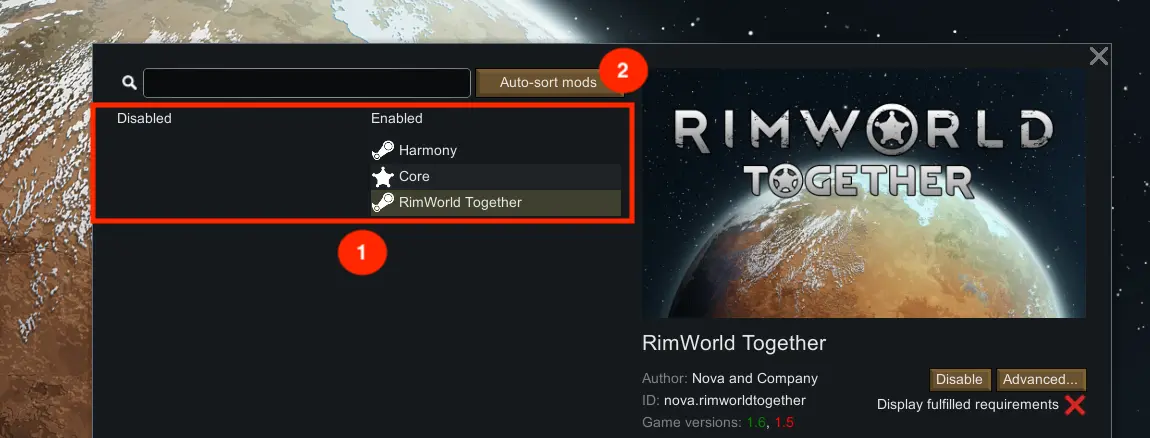
Drag Harmony and RimWorld Together into the Enabled section.
-
Click Auto sort mods to ensure the correct load order.
-
Click Save and Apply.
-
Restart the game when prompted to apply the changes.
Once the game restarts, the multiplayer features will be available.
#Find your server IP address
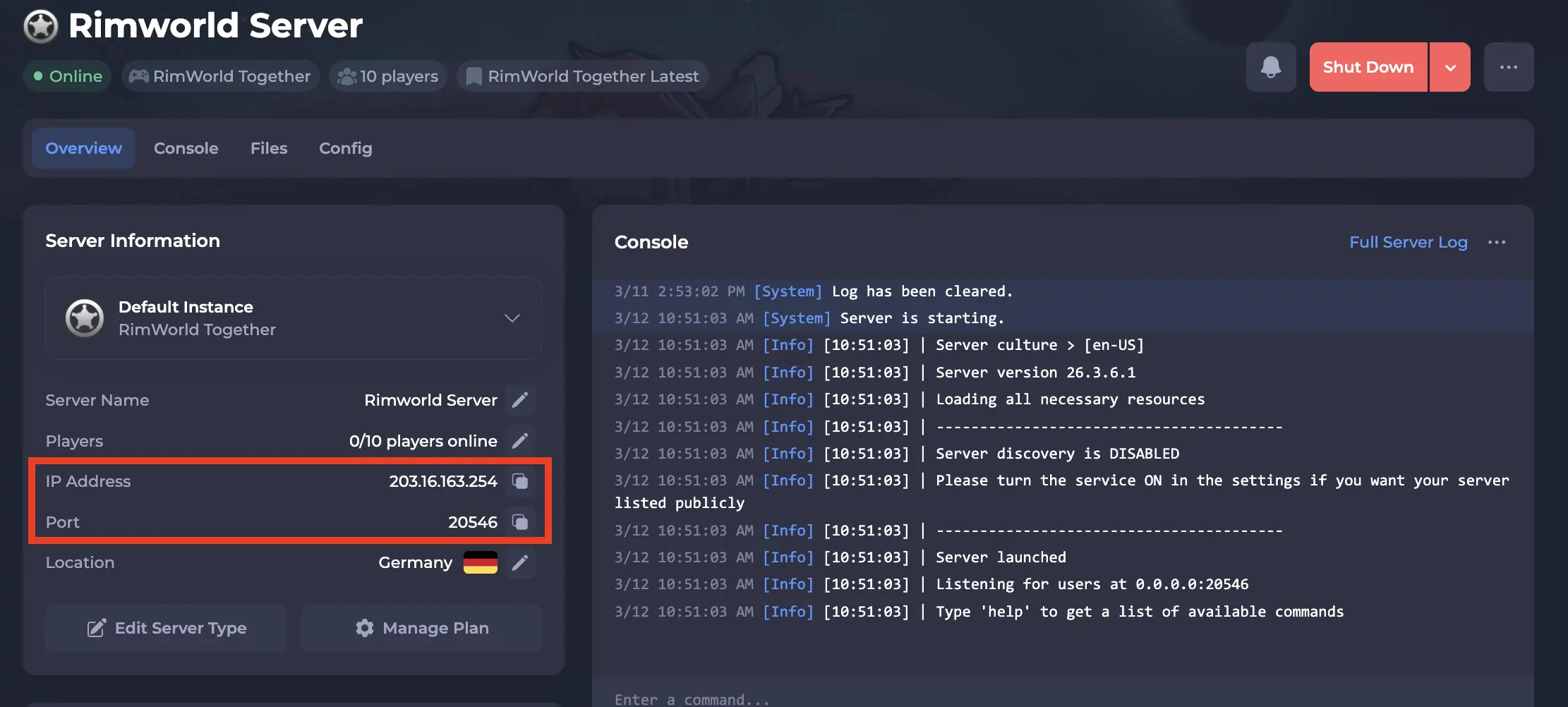
To find the IP address of your server, access your control panel.
After logging in, copy your server IP address and port from the panel.
#Join your RimWorld Together server
-
Launch RimWorld.
-
From the main menu, select Play Together.
-
Enter a username and click Confirm.
-
Enter your server IP address and port.
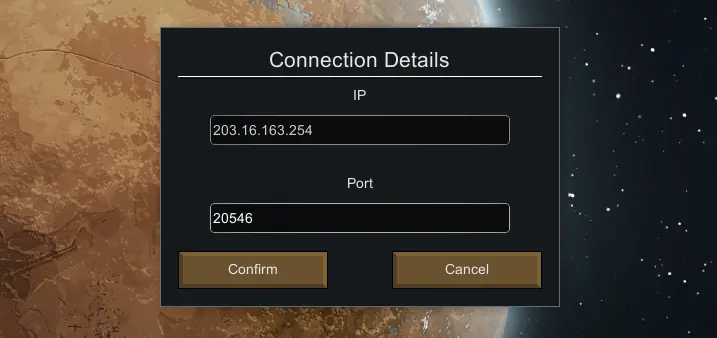
- Click Confirm to connect.
That's it! You will join the shared world hosted on your server.
If you need extra help, our support team is always happy to assist: https://shockbyte.com/contact