Still have questions?
Come chat with us and we will get back to you as soon as possible!

Shockbyte
Support Team

How to Join your Windrose Server
This guide explains how to join your Windrose server. Whether you're connecting for the first time or sharing access with friends, the steps below will walk you through the process to ensure a smooth connection. By following this guide, you'll be able to locate your Invite Code, connect to your server successfully, and start playing without any issues.
#Finding your Invite Code
To join your Windrose server, you will need your Invite Code. You can find this in the Config area of the panel.
- Access your Control Panel and navigate to the Config tab.
- Select the Windrose Server Settings file.
- Locate the
Invite Codeoption and copy it.
Tip
You can also set a custom Invite Code here. Simply stop the server, change the Invite Code to your preferred value (6 or more characters, using 0-9, a-z, A-Z), save your changes, and restart the server.
#Joining your Server
Now that you have your Invite Code, you can connect to the server.
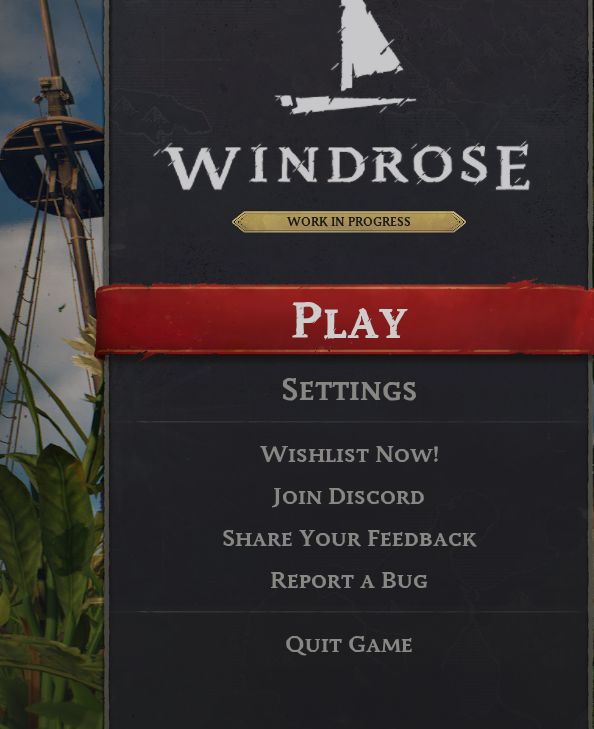
- Open Windrose and select the Play button.
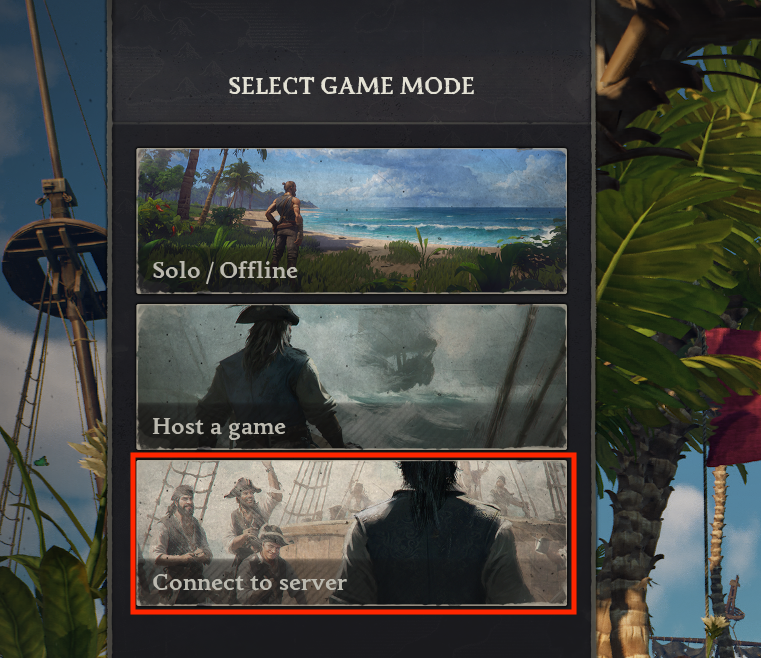
- Navigate to Connect to Server.
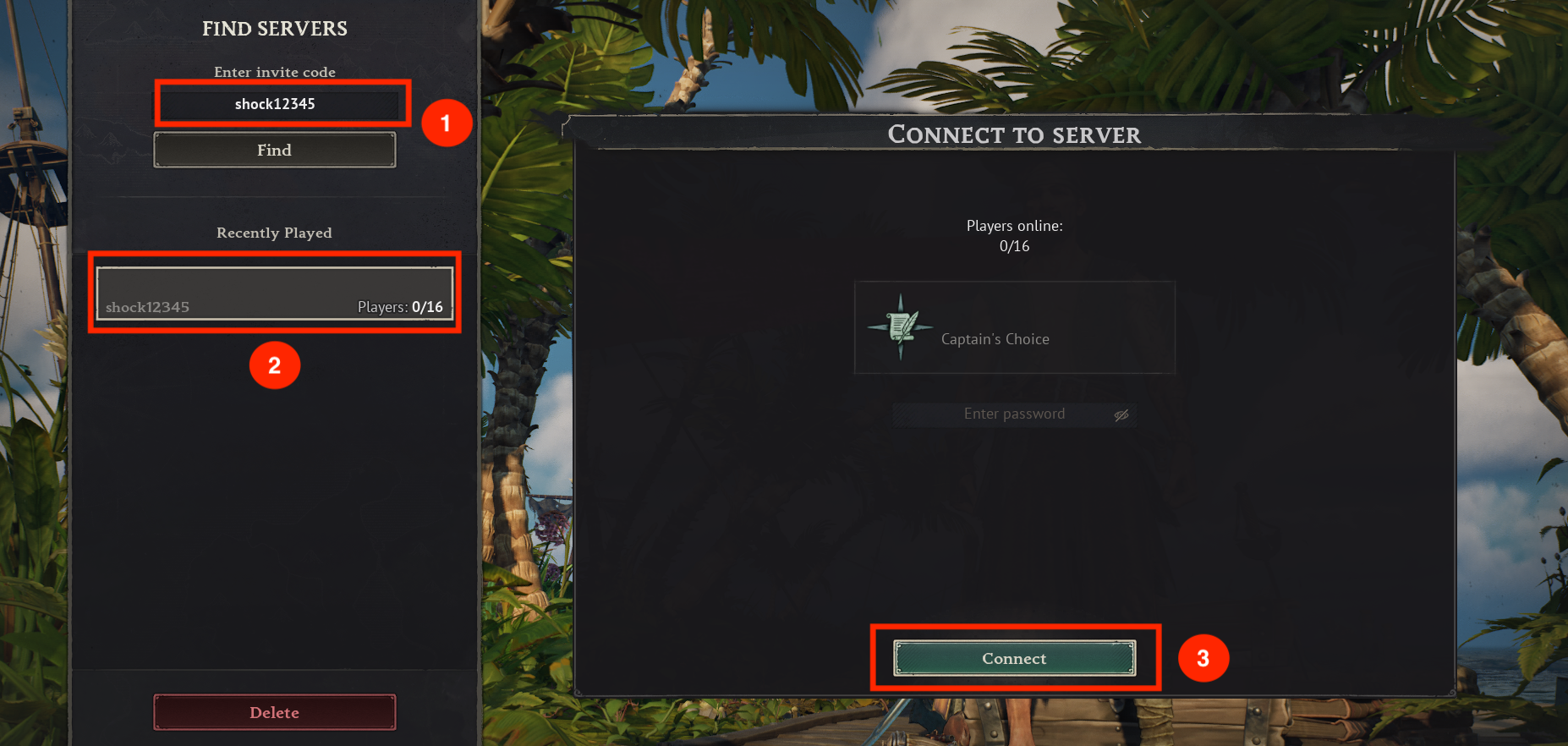
- Enter your Invite Code in the provided field and click Find.
- Select your server from the results and click Connect.
You have officially joined your server! Share the Invite Code with your friends so they can join you too.
If you require any further assistance, please contact our support at: https://shockbyte.com/billing/submitticket.php