Table Of Contents
How to Purchase Server Management AddonStill have questions?
Come chat with us and we will get back to you as soon as possible!

Ruben B
Partnership Manager

How to Order the Server Management Addon
The Server Management Addon is an optional addon for your server, which means our Support Team will install plugins, mods, and modpacks for you. The addon can be cancelled independently of your server at any time.
Once you have purchased the addon, simply create a support ticket with the requested items, and our Support Team will proceed with the installation for you.
#How to Purchase Server Management Addon
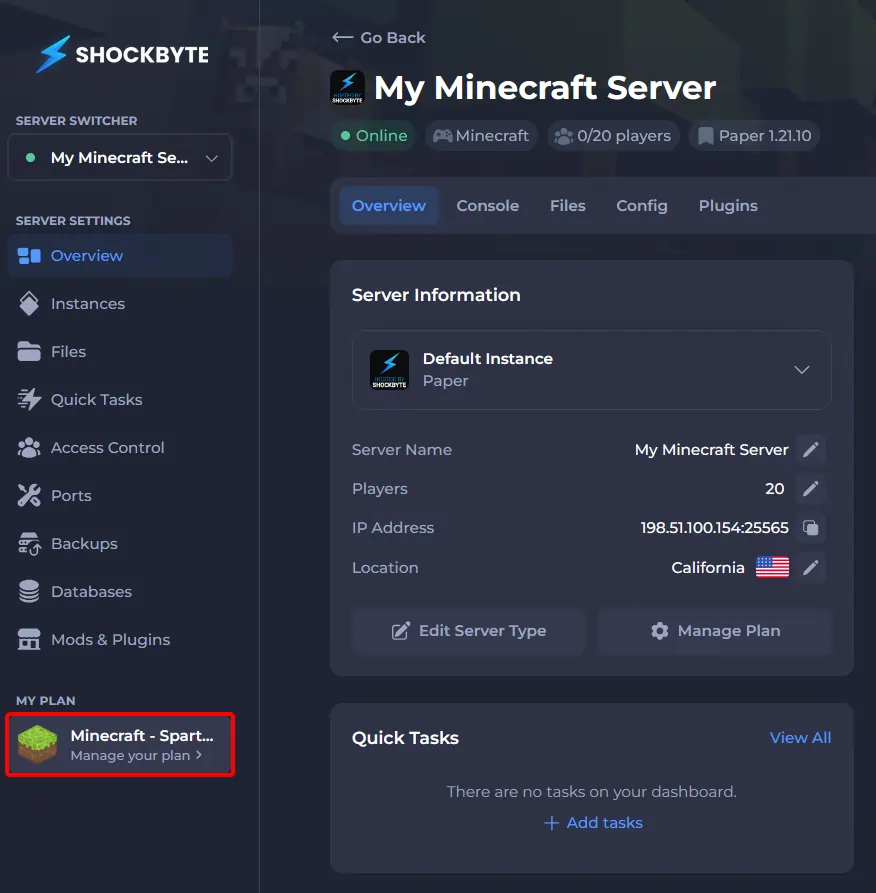
You can order the Server Management addon from your Control Panel under "My Plan".
-
Navigate to your server's Control Panel.
-
Select My Plan on the left-side menu.
-
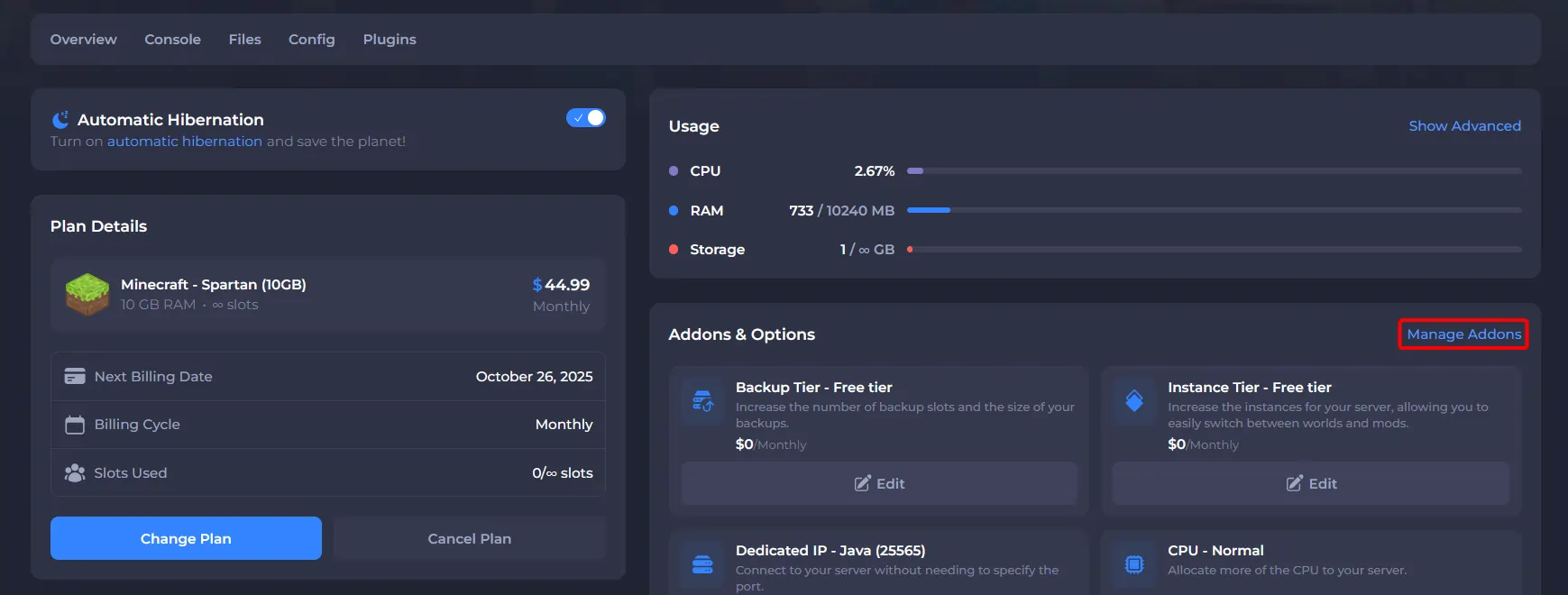
Click Manage Addons.
-
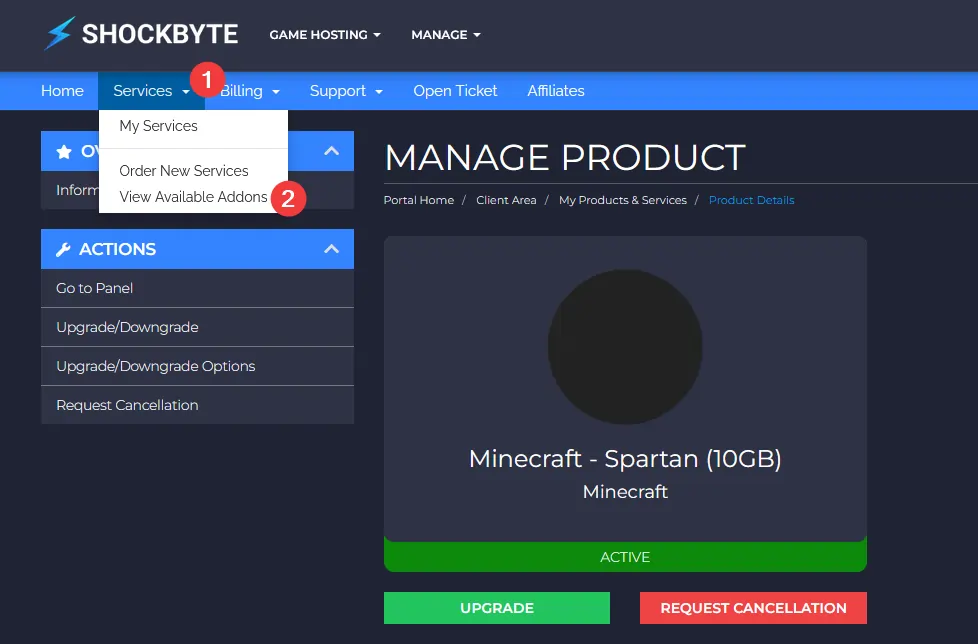
Click on Services > View Available Addons.
-
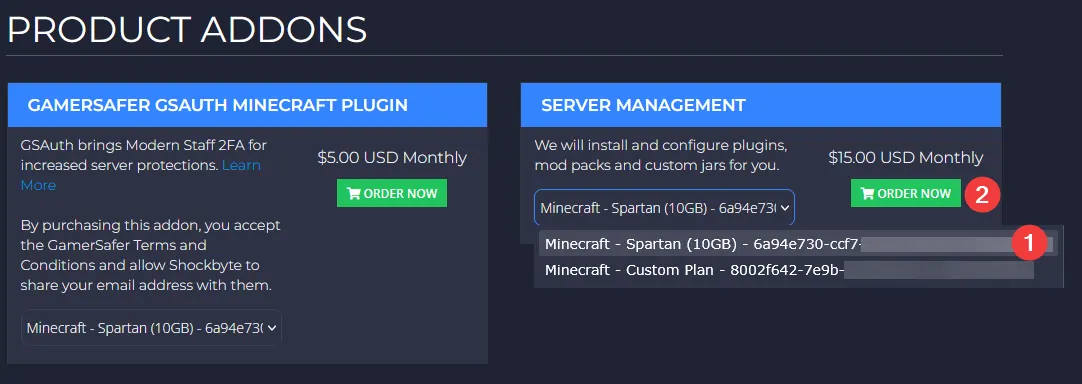
On the Product Addons page, under the Server Management section, select the server that you would like to order the addon for. Be sure to select the correct server if you have multiple servers. Then click the Order Now button.
-
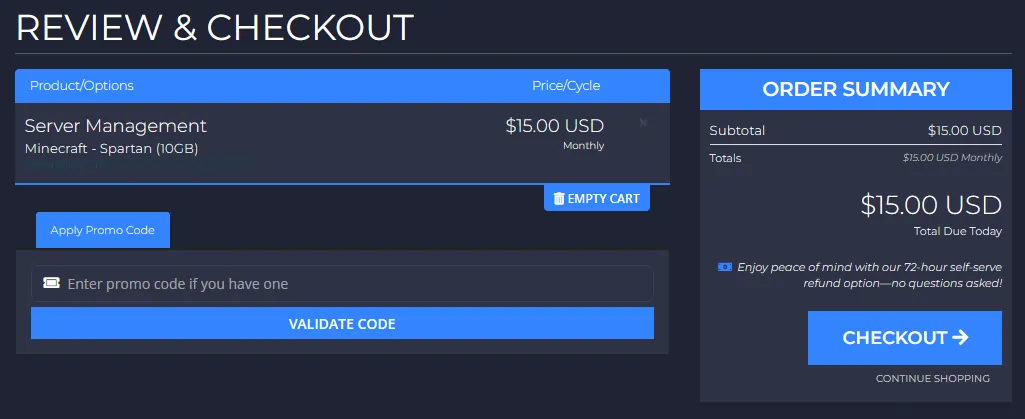
Review your order, and once you've verified it, click Checkout.
-
You can then pay using your preferred payment method and complete your order.
Once you've successfully ordered and paid for the service, send us a ticket requesting the plugins, mods, and modpacks you wish to be installed.