Still have questions?
Come chat with us and we will get back to you as soon as possible!

Shockbyte
Support Team

How to Set & Customise your SCP: Secret Laboratory Server Name
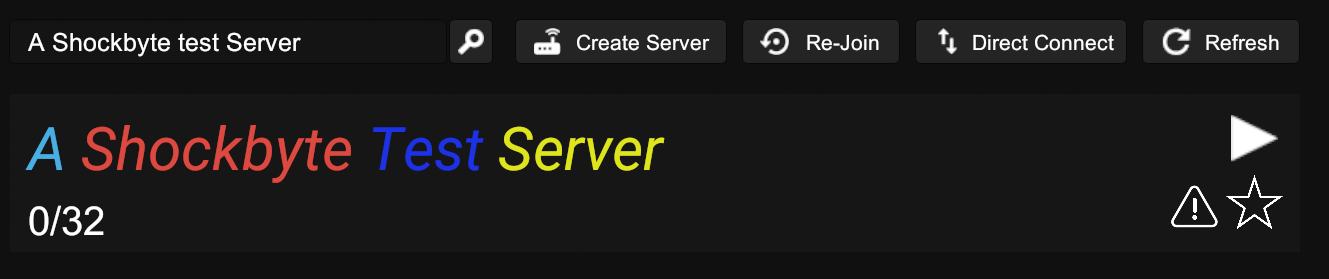
In the SCP: Secret Laboratory server list, a server's name is the form of identification that can be used to help players find a server.
Using Hex Codes allows you to change the colours of characters in your server name. The characters can be changed individually, as a word, or as the whole name the choice is up to you. Hex Codes are values for identifying colours in a hexadecimal format, with a mixture of numbers and letters.
#Setting a Server Name
To set a server name, you will have to access the SCP Server Settings section of your control panel.
-
Access your control panel and Stop your server.
-
Navigate to the Config tab and locate the Server Name option. Enter your desired server name.
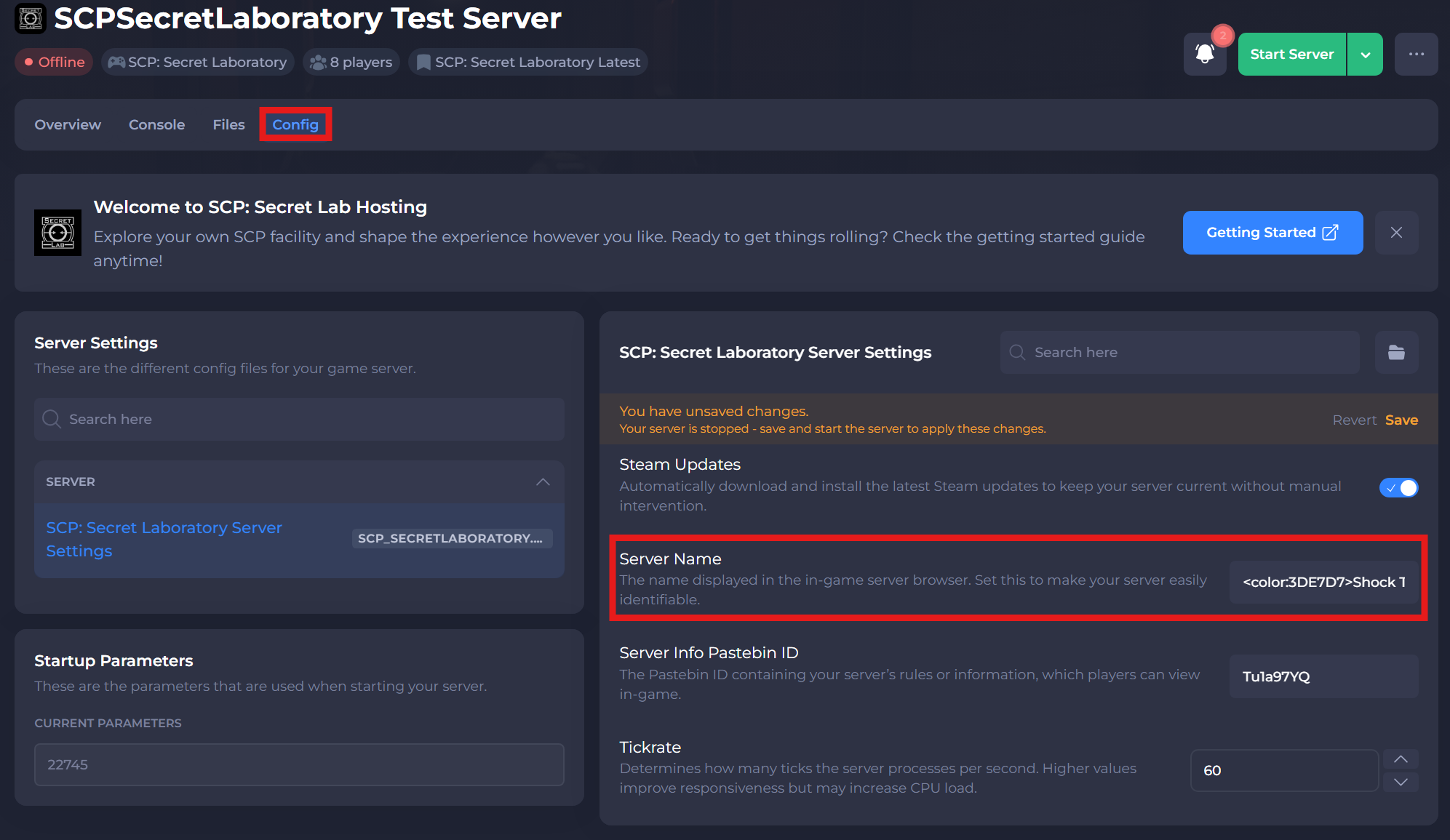
- Click Save and restart your server for the changes to go through.
#Adding Custom Colours
To start adding colours to your server name, you will first need to get the hex codes of those colours. Navigate to this HTML Colour code generator and pick your colours. You will require the hexadecimal values on the right.
Once you've picked your colours, you can start editing your server name in SCP: Server Settings to add this. Below are some examples and their outcome:
Example 1: <color:3DE7D7>A Shockbyte SCP Test Server</color>
-
Access your control panel and Stop your server.
-
Navigate to the Config tab and locate the Server Name option.
-
Enter your desired color/hexcode in a tag:
<color:3DE7D7>and then ensure that the tag has an ending tag:</color> -
Click Save and restart your server for the changes to go through.

Example 2: <color:3DE7D7>A Shockbyte</color> <color:E7493D>SCP Test Server</color>

If you require any further assistance, please contact our support at: https://shockbyte.com/billing/submitticket.php