Still have questions?
Come chat with us and we will get back to you as soon as possible!

Shockbyte
Support Team
How to Use an Older Version on Your 7 Days to Die Server
Some players prefer running an older version of 7 Days to Die on their server, like Alpha 21.2, because it was a popular release with a lot of community support. Certain mods and tools are only compatible with specific versions, so downgrading can help ensure everything runs smoothly for your group.
Experimental Branch
Looking to use the Experimental branch on your server instead to receive beta features and updates? Check our guide on the topic here.
#Before Getting Started
We strongly recommend generating a new world when switching to an older version, which will be covered later in this guide. Worlds usually aren’t backwards compatible with older versions and can become corrupted if loaded in the wrong version.
Once corrupted, the world can’t be fixed by switching back to the original version. In most cases, it can only be restored using a backup that was created before the version change.
Important
Make sure to create a backup of your server before proceeding with the steps in this guide.
#How to select an older server version
-
Open your Server Control Panel.
-
Stop your server and wait for it to go offline.
-
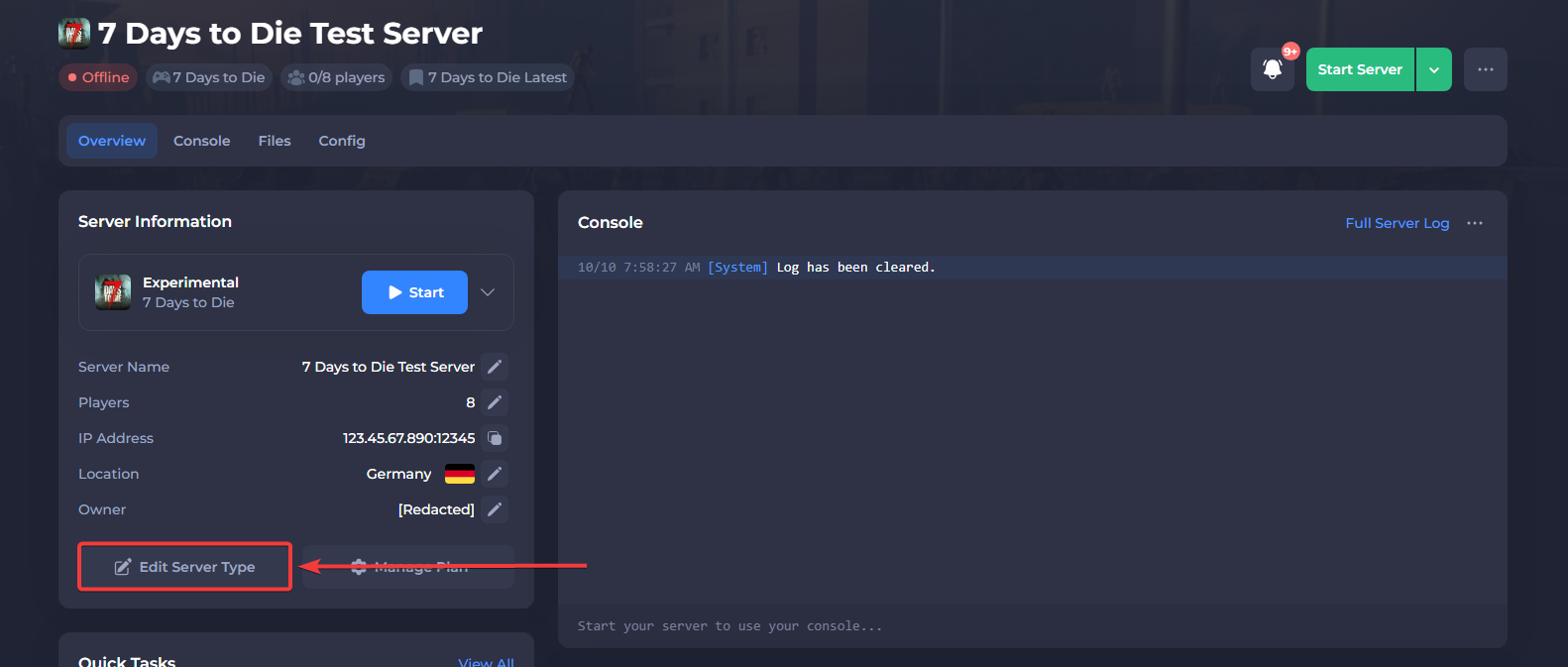
Select Edit Server Type in the overview of the control panel.
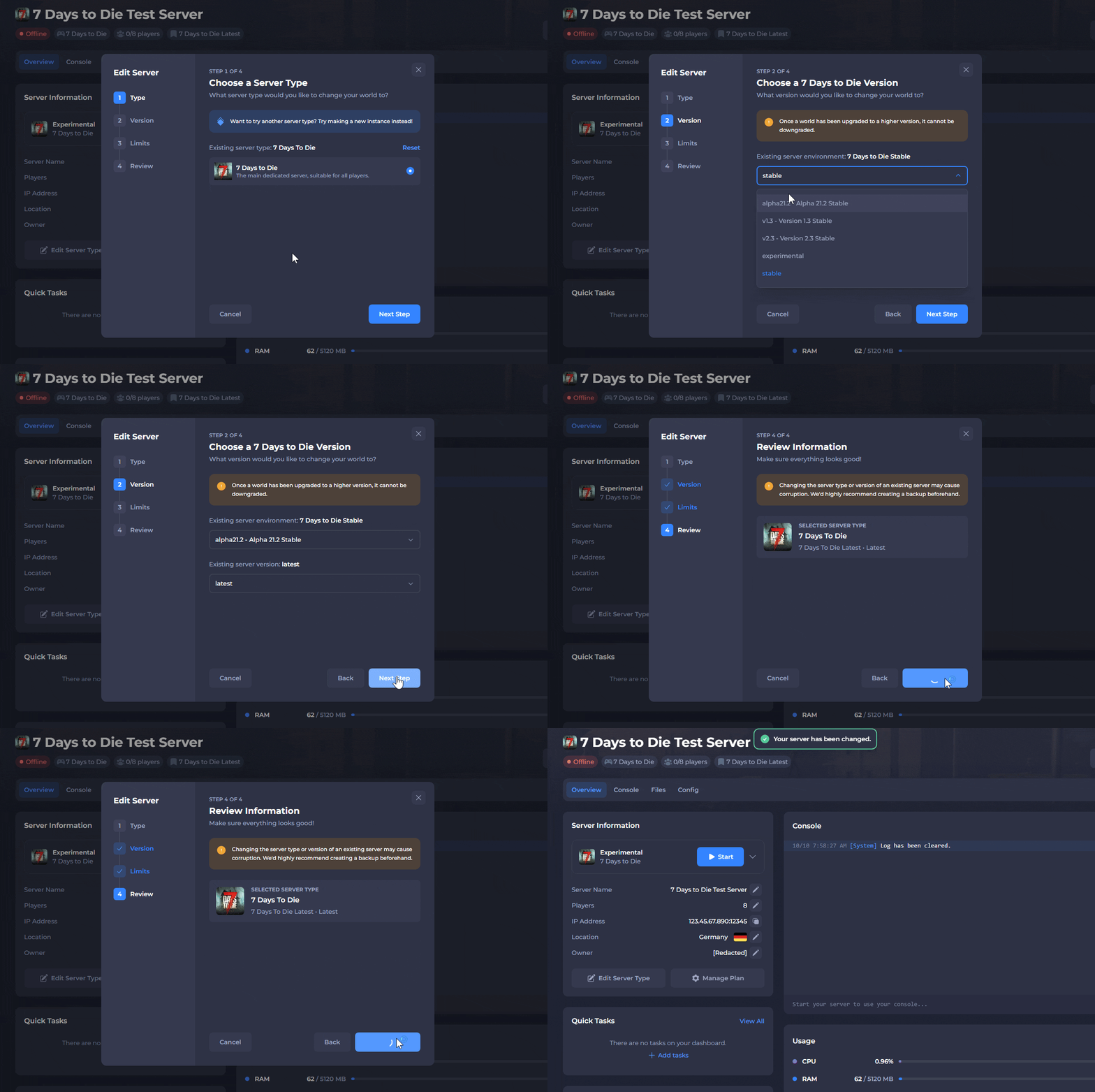
- Select your preferred server version, then click Save Changes.
-
Generate a new world for compatibility with the server version.
-
Start the server.
Once you're done, your server should start with the selected version!