
Minecraft
Minecraft Chaos Cubed Update (Everything New in the Latest Drop)
 Chloe
ChloeThe Minecraft Chaos Cubed update is Minecraft’s June 16, 2026 game drop for Java Edition 26.2 and Bedrock Edition 26.30. It adds sulfur caves, sulfur cubes, geysers, sulfur and cinnabar block sets, potent sulfur, the Bounce music disc, and new multiplayer tools that make exploring, building, and causing chaos with friends even more fun.
#What Is the Minecraft Chaos Cubed Update?
The Minecraft Chaos Cubed update is all about turning the underground into a playground of weird physics, new resources, and absolute cube-powered nonsense.
Instead of just adding another biome and calling it a day, Chaos Cubed gives players a new mob that can completely change how it behaves depending on the block it absorbs. That mob is the sulfur cube, and yes, it is every bit as chaotic as it sounds.
The update launched as:
- Java Edition 26.2
- Bedrock Edition 26.30
- The second major Minecraft game drop of 2026
The big theme here is experimentation. You can explore a new cave biome, collect colorful blocks, mess around with geysers, transport sulfur cubes in buckets, and create mini-games that feel like Minecraft suddenly discovered physics toys.
For players who love survival, there’s a new cave to brave. For builders, there are fresh block palettes. For redstone fans and server owners, the Chaos Cubed Minecraft update is basically a giant box of “what happens if I try this?”

#Sulfur Caves: Minecraft’s New Chaotic Underground Biome
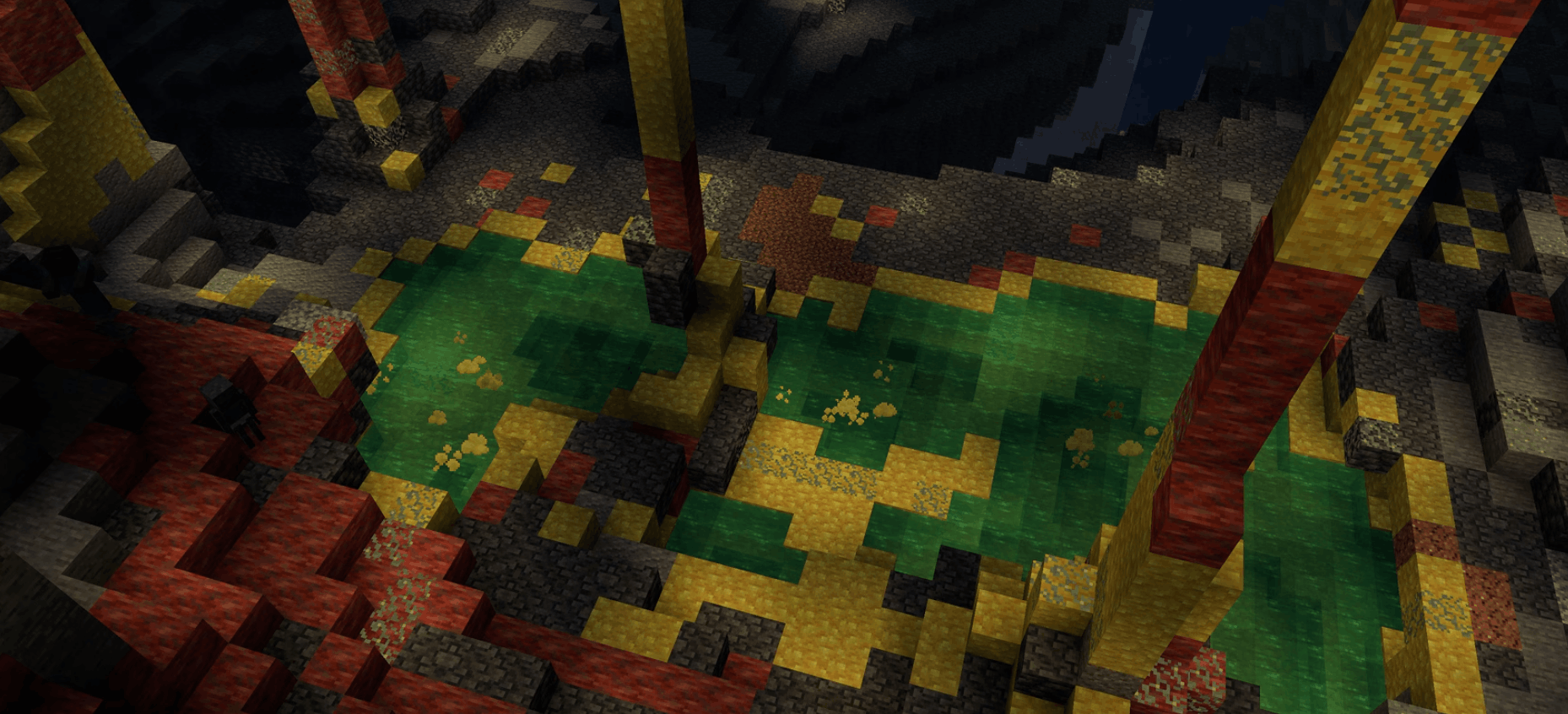
Sulfur caves are the main new biome in Minecraft Chaos Cubed, and they immediately stand out from regular caves. Instead of the usual stone-heavy look, these caves are packed with warm yellows, deep reds, bubbling pools, and sharp-looking formations.
They are made up of:
- Sulfur blocks
- Cinnabar blocks
- Sulfur spikes
- Sulfur pools
- Potent sulfur
- Sulfur cubes
- Cave spiders
The result is a cave biome that feels dangerous, strange, and very screenshot-worthy.
#What Makes Sulfur Caves Different?
Sulfur caves are not just “new blocks underground.” They introduce new hazards and interactions that make caving feel more unpredictable.
You might find a sulfur pool that looks like normal water at first glance, only to realize it is surrounded by noxious gas. Step too close or hang around too long, and you can be hit with Nausea, making it much harder to casually stroll away like nothing happened.
That gives sulfur caves a fun risk-reward vibe. You are not just mining; you are navigating a weird underground chemistry lab that really wants to mess with your screen.
#How to Find Sulfur Caves
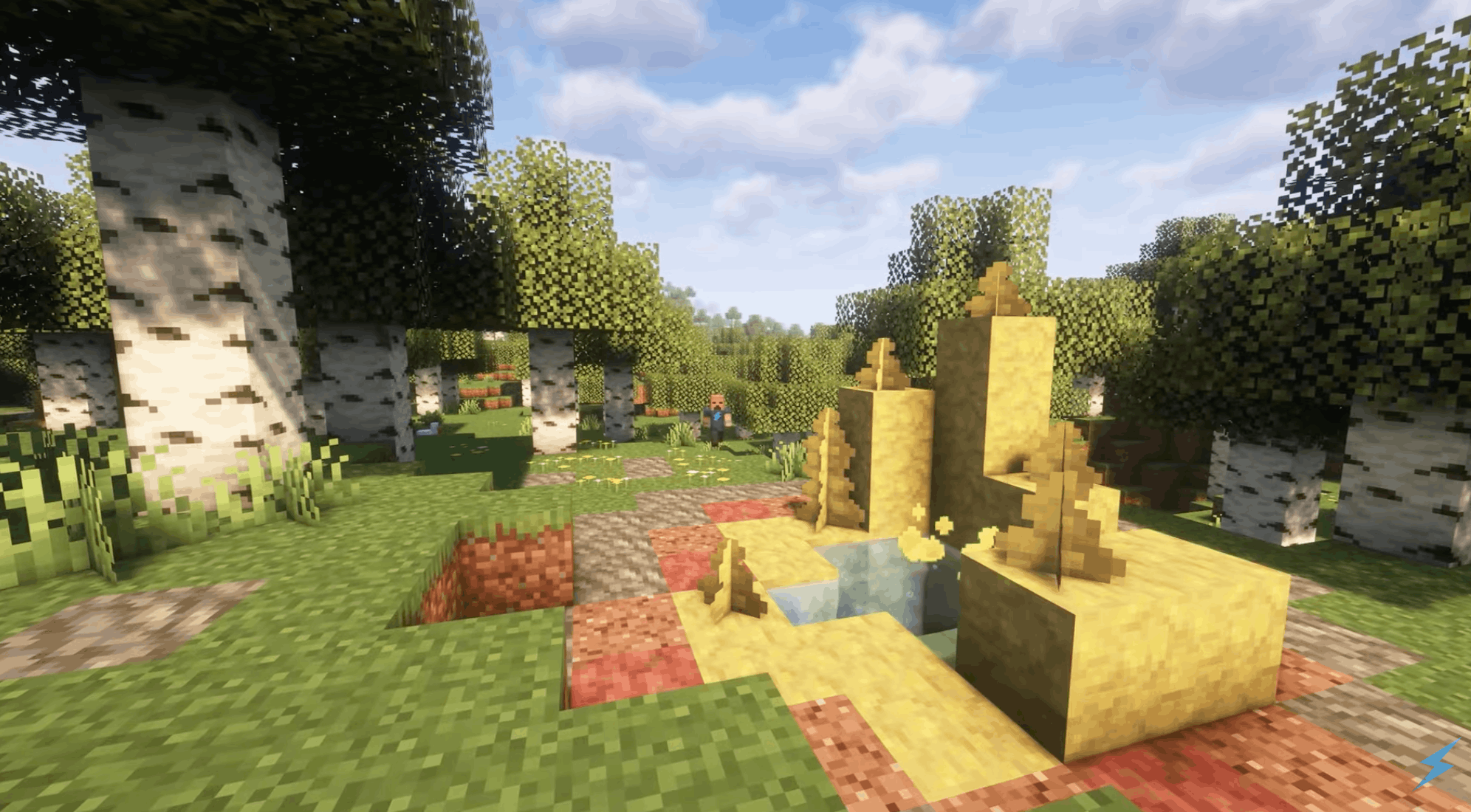
Sulfur caves generate underground, but sulfur springs can appear on the surface above them. That means if you spot a strange sulfur spring while exploring the Overworld, it may be a clue that a sulfur cave is hiding below.
A simple way to approach it:
- Look for sulfur springs on the surface.
- Bring food, armor, blocks, torches, and a bucket.
- Dig carefully around the area.
- Watch out for cave spiders and noxious pools.
- Mine sulfur and cinnabar once you find the biome.
And please, for the love of your inventory, do not dig straight down unless you enjoy becoming a cautionary tale.
#Sulfur Cubes Explained
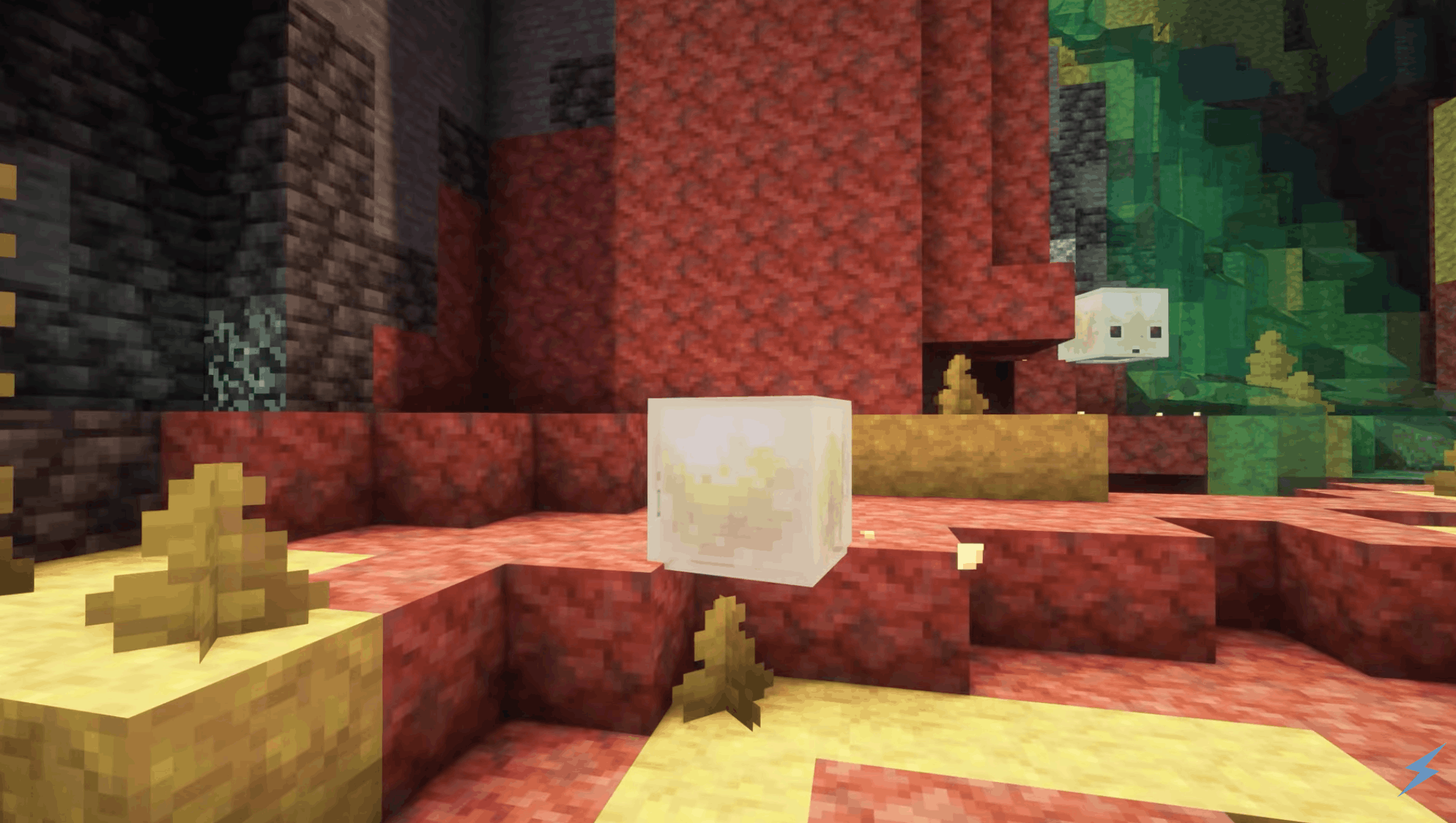
The star of the Minecraft Chaos Cubed update is the sulfur cube. Think of it like a distant cousin of the slime and magma cube, except way more interactive and way more likely to ruin your carefully planned base in the funniest way possible.
Sulfur cubes are passive mobs found in sulfur caves. They hop around, split into smaller cubes when defeated, and can even be scooped up in a bucket for transport.
But the real magic happens when they absorb blocks.
#How Sulfur Cubes Work
Sulfur cubes can absorb many full blocks. You can either use a block on them directly or drop a block nearby and let the cube go for it.
Once a sulfur cube absorbs a block, it changes behavior. It becomes more like a physical object that players can push, punch, launch, slide, bounce, or weaponize depending on what it absorbed.
Here are some examples of how absorbed blocks can affect sulfur cubes:
- Wood blocks can make them extra bouncy.
- Ice blocks can make them slide around like a hockey puck.
- Wool blocks can make them lighter and floatier.
- Metal blocks can make them heavier.
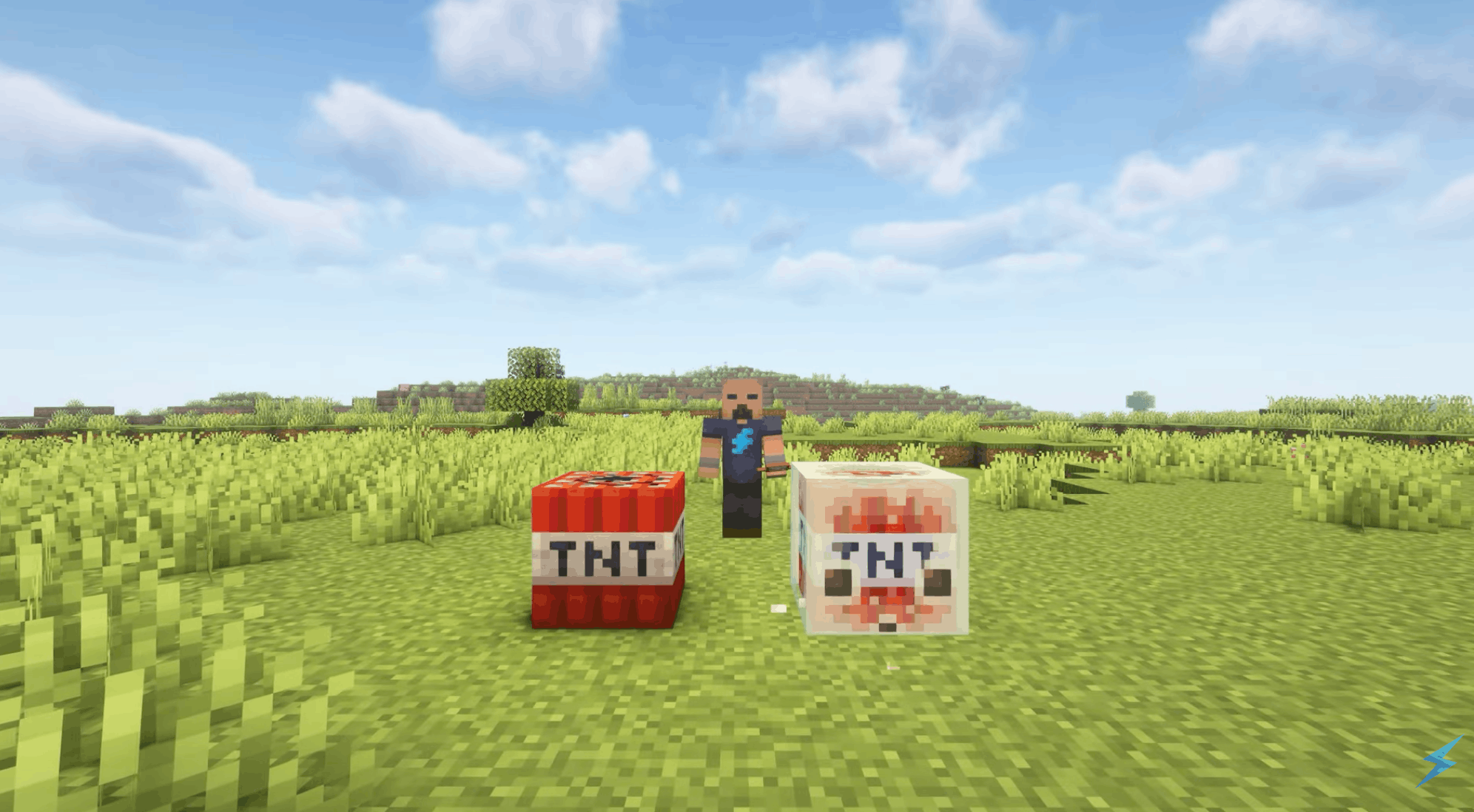
- TNT can turn them into explosive chaos on a timer.
- Magma blocks can make them hot and damaging to touch.
- Honeycomb blocks can make them sticky.
This is where the “chaos” part really earns its name.
#How to Transport a Sulfur Cube
Want to bring a sulfur cube back home? Grab a bucket.
A large sulfur cube can be picked up with an empty bucket, turning it into a bucket of sulfur cube. That makes moving your new cube buddy much easier than trying to push it across half the Overworld.
You can also leash certain sulfur cubes when they are in their block-absorbed state, which opens up plenty of ranching and mini-game possibilities.
#New Blocks in Chaos Cubed Minecraft
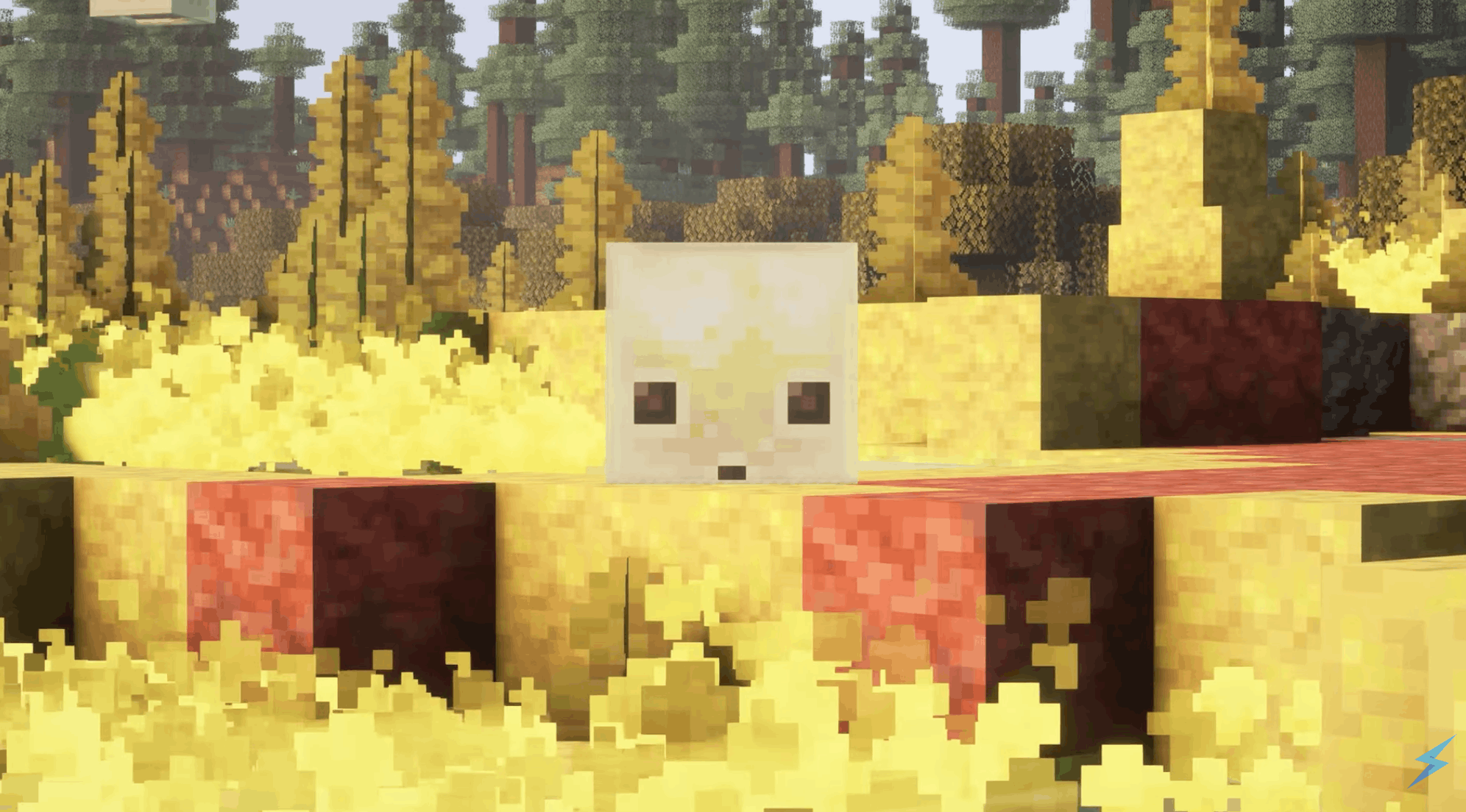
The Chaos Cubed Minecraft drop adds two big block families: sulfur and cinnabar. Both are found in sulfur caves, and both give builders some fresh colors to work with.
#Sulfur Block Set
Sulfur blocks bring a bright yellow tone that works perfectly for bold builds, fantasy caves, warning-themed designs, science labs, and weird underground bases.
The sulfur block set includes:
- Sulfur
- Sulfur stairs
- Sulfur slabs
- Sulfur walls
- Polished sulfur
- Sulfur bricks
- Chiseled sulfur
- Potent sulfur
- Sulfur spikes
Potent sulfur is especially important because it is not just decorative. It creates bubbles and noxious gas when placed underwater, and it can help form geysers when combined with magma or lava.
#Cinnabar Block Set
Cinnabar blocks bring a rich red tone that pairs nicely with sulfur’s yellow palette. If you like bold builds, volcanic styles, desert temples, nether-adjacent bases, or dramatic cave houses, cinnabar is going to be a great addition.
The cinnabar set includes:
- Cinnabar
- Cinnabar stairs
- Cinnabar slabs
- Cinnabar walls
- Polished cinnabar
- Cinnabar bricks
- Chiseled cinnabar
Together, sulfur and cinnabar make sulfur caves feel totally different from existing cave biomes. They are also great for players who want their base to scream “dangerous but stylish.”
#Potent Sulfur, Sulfur Springs, and Geysers
Chaos Cubed is not just about blocks you place in walls. It also adds environmental features that can affect movement, combat, traps, and builds.
#What Is Potent Sulfur?
Potent sulfur is a special sulfur variant that generates in sulfur pools and springs. When placed underwater, it creates bubbles and noxious gas at the surface. Players and mobs near the gas can receive Nausea, which makes sulfur pools more dangerous than they first appear.
You can also craft potent sulfur using sulfur blocks, making it useful for players who want to create their own sulfur-themed builds or hazards.
#How Geysers Work
Geysers are one of the coolest new mechanics in the chaos cubed minecraft update. They can launch entities upward with a burst of water particles, making them great for movement, traps, or ridiculous multiplayer challenges.
To create a geyser, you generally need:
- Water above the setup.
- Potent sulfur beneath the water.
- A magma block or lava source underneath.
- Enough space above for the eruption.
With magma, geysers erupt at random intervals. With lava, they can trigger continuously. Either way, they are perfect for players who enjoy turning simple ideas into “why is my friend flying across the base?” moments.
#Bounce Music Disc and New Music
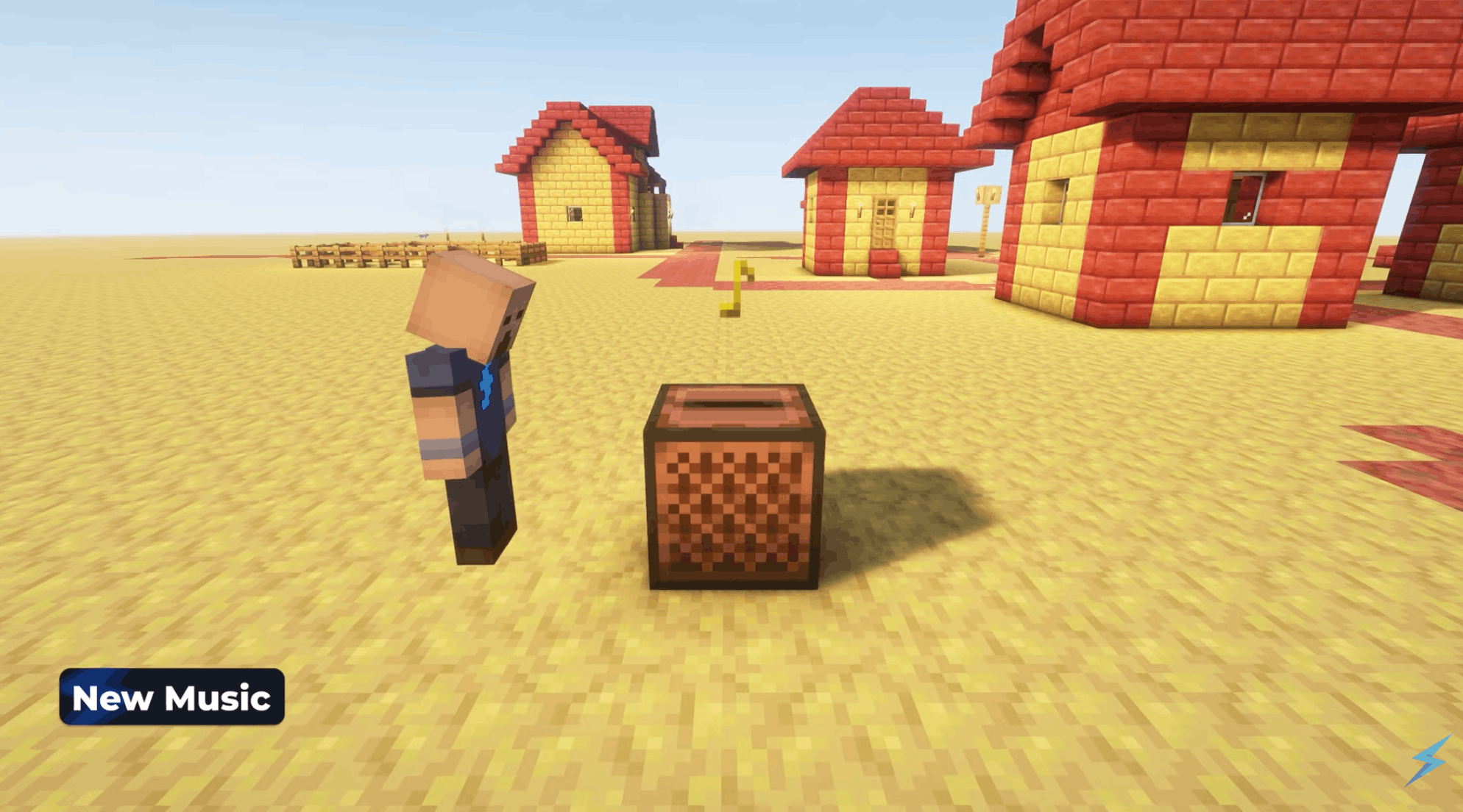
Chaos Cubed also adds new music, including the very appropriately named Bounce music disc.
You can find the Bounce music disc in mineshaft chest minecarts that generate inside sulfur caves. So, if you are already exploring underground, keep an eye out for mineshafts crossing through the new biome.
The update also adds several new background tracks composed by fingerspit:
- Memories
- Ebb
- Home
- Shores
- Nightly
It is a nice touch for an update focused on atmosphere. Sulfur caves already look unusual, and the new music helps make the biome feel like its own proper Minecraft moment.
#Multiplayer, Servers, and Why Chaos Cubed Is Perfect With Friends
This update is fun solo, but it feels made for multiplayer. Sulfur cubes are basically mini-game fuel, and geysers are begging to be turned into launch pads, obstacle courses, and ridiculous server events.
Some multiplayer ideas include:
- Sulfur cube bowling
- TNT cube target practice
- Ice cube hockey
- Geyser parkour
- Sulfur cave survival races
- Cube-powered redstone challenges
- Capture-the-cube mini-games
Bedrock players also get the Parties feature, making it easier to group up with friends and move between worlds and realms. Java also receives social improvements through the friends list features covered in the update notes.
And if you are planning a new world with friends, this is a great time to set up reliable Minecraft server hosting with Shockbyte so everyone can explore sulfur caves, test sulfur cube builds, and accidentally blow things up together without relying on one person’s PC to keep the world online.

#Best Things to Do First in the Minecraft Chaos Cubed Update
Not sure where to start? Here is a simple game plan once you load into the update.
1. Find a sulfur spring Surface sulfur springs can hint at sulfur caves below, so they are a great place to begin.
2. Explore a sulfur cave carefully Bring gear, blocks, and a bucket. Watch for cave spiders and noxious sulfur pools.
3. Collect sulfur and cinnabar Grab enough to test the new building blocks and craft decorative variants.
4. Capture a sulfur cube Use a bucket on a large sulfur cube so you can bring it back to your base.
5. Test different blocks Feed your sulfur cube wood, ice, wool, magma, honeycomb, or TNT and see what happens.
6. Build a geyser launcher Use potent sulfur, water, and magma or lava to create your own chaotic elevator.
7. Create a mini-game The update is practically begging players to invent new server games.
#Featured Snippet FAQ
#What is Minecraft Chaos Cubed?
Minecraft Chaos Cubed is a Minecraft game drop released on June 16, 2026. It adds the sulfur caves biome, sulfur cubes, sulfur and cinnabar block sets, potent sulfur, geysers, sulfur spikes, new music, the Bounce music disc, and multiplayer-focused features across Java and Bedrock editions.
#What does a sulfur cube do in Minecraft?
A sulfur cube is a passive mob that can absorb blocks and change its physical behavior. Depending on the absorbed block, it can become bouncy, slippery, heavy, sticky, explosive, hot, or floaty. Players can push, punch, move, shear, leash, or transport sulfur cubes in buckets.
#How do you make a geyser in Chaos Cubed?
To make a geyser, place potent sulfur underwater with a magma block or lava source beneath it. When set up correctly, the geyser erupts upward and launches entities above it. Magma creates random eruptions, while lava can make the geyser trigger continuously.
#Is the Minecraft Chaos Cubed update on Java and Bedrock?
Yes. The Minecraft Chaos Cubed update released for both Java Edition 26.2 and Bedrock Edition 26.30. Both versions include the core Chaos Cubed features, including sulfur caves, sulfur cubes, new blocks, potent sulfur, sulfur spikes, geysers, and the Bounce music disc.

#Now You Know Everything About Chaos Cubed Minecraft Update
The Minecraft Chaos Cubed update is one of those drops that feels small at first glance, then immediately gets bigger once players start experimenting.
Sulfur caves make underground exploration feel fresh, cinnabar and sulfur blocks give builders a bold new palette, and sulfur cubes might become one of the most creative mobs Minecraft has added in years. They are cute, weird, portable, and dangerously easy to turn into a server-wide disaster.
Basically, it is Minecraft at its best: simple ideas, endless possibilities, and just enough chaos to make every session memorable.
We think you will also enjoy the following blogs:

Table Of Contents
What Is the Minecraft Chaos Cubed Update?Sulfur Caves: Minecraft’s New Chaotic Underground BiomeSulfur Cubes ExplainedNew Blocks in Chaos Cubed MinecraftPotent Sulfur, Sulfur Springs, and GeysersBounce Music Disc and New MusicMultiplayer, Servers, and Why Chaos Cubed Is Perfect With FriendsBest Things to Do First in the Minecraft Chaos Cubed UpdateFeatured Snippet FAQNow You Know Everything About Chaos Cubed Minecraft UpdateJoin Our Newsletter
Get updated on the latest news!
Join Our Discord
Be part of our community!